
Jira and Testing: The State of Things
Jira is the world's most popular project management tool for software teams, but it wasn't designed for test management. Out of the box, Jira excels at:
- •Issue tracking and bug management
- •Sprint planning and backlog management
- •Workflow automation
- •Team collaboration
What Jira lacks natively:
- •Test case management
- •Test execution tracking
- •Requirements traceability
- •Testing-specific reports and dashboards
- •Test cycle organization
This gap has led to a rich ecosystem of test management solutions that integrate with Jira, ranging from basic workarounds to sophisticated dedicated tools.
The Question Every Jira Team Faces:
"How should we manage our test cases and testing process?"
This guide explores all your options—from free native approaches to professional test management tools.
Option 1: Native Jira for Testing (Basic)
You can use Jira's native features for basic test management. Here's how:
Create a Test Case Issue Type
1. Go to Jira Settings → Issues → Issue Types 2. Add a new issue type called "Test Case" 3. Assign an icon (clipboard or checkmark) 4. Add to your project's issue type scheme
Add Custom Fields
Create custom fields for test case data: - Test Steps (Text, multi-line): Numbered steps to execute - Expected Results (Text, multi-line): What should happen - Preconditions (Text, multi-line): Required setup - Test Data (Text, multi-line): Sample data to use - Actual Results (Text, multi-line): Filled during execution - Pass/Fail (Select): Execution result
Link to User Stories
Use Jira's issue links to connect test cases to requirements: - Create link types: "tests" / "is tested by" - Link each test case to the story it verifies
Track Execution
Options for tracking results: - Use labels for cycles: "Sprint-5-Regression", "Release-2.0" - Update the Pass/Fail field during execution - Log work to track time spent
Pros:
- •Free (no additional tools)
- •Everything in one place
- •Full JQL support for queries
Cons:
- •No test execution interface
- •No test cycles or test plans
- •No coverage reports
- •Manual everything
- •Test issues clutter your backlog
- •Doesn't scale well
Acceptable for very small teams with minimal testing needs. Most teams outgrow this quickly.
Option 2: Spreadsheets + Jira (Common but Problematic)
Many teams use spreadsheets alongside Jira:
The Setup:
- •Test cases in Excel or Google Sheets
- •Manual linking to Jira via issue IDs
- •Periodic exports/imports to stay in sync
Typical Spreadsheet Structure:
| TC-ID | Title | Steps | Expected | Jira Link | Sprint 5 | Sprint 6 |
|---|---|---|---|---|---|---|
| TC-001 | Valid login | 1. Go to... | User sees... | PROJ-123 | Pass | Pass |
| TC-002 | Invalid password | 1. Go to... | Error shows | PROJ-123 | Pass | Fail |
Why Teams Use This:
- •Familiar tool (everyone knows Excel)
- •Flexible format
- •Easy to share with stakeholders
- •Works offline
Why It's Problematic:
- •Always out of sync: Test cases get updated in the sheet, but Jira links go stale
- •No single source of truth: Which version is current?
- •Manual maintenance burden: Someone has to update everything
- •No real-time visibility: Can't see testing status without asking
- •Version control nightmare: Multiple copies floating around
- •No integration: Can't link defects automatically
- •Reporting is manual: Copy-paste to create reports
Teams spend 2-5 hours per sprint just maintaining test spreadsheets. Over a year, that's 50-130 hours of wasted effort that could go toward actual testing.
Avoid if possible. The initial simplicity creates long-term pain.
Option 3: Dedicated Test Management Tools
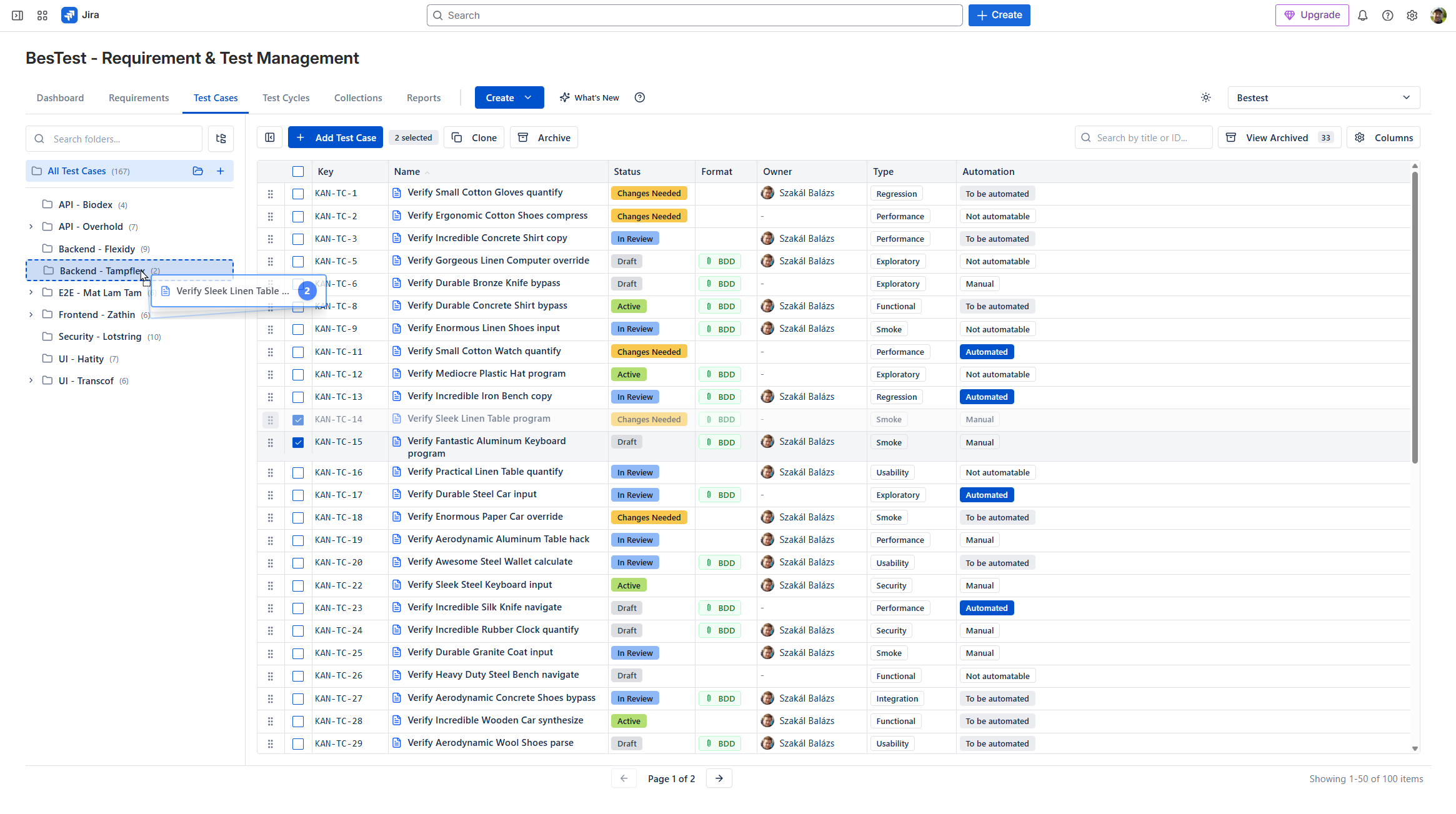
The most effective approach is using a dedicated test management tool that integrates with Jira. Here's what these tools provide:
Core Capabilities:
Test Case Management
- •Structured test case creation with steps, expected results
- •Folder organization and hierarchies
- •Version control for test cases
- •Search and filtering
Test Execution
- •Test cycles / test plans for organizing execution
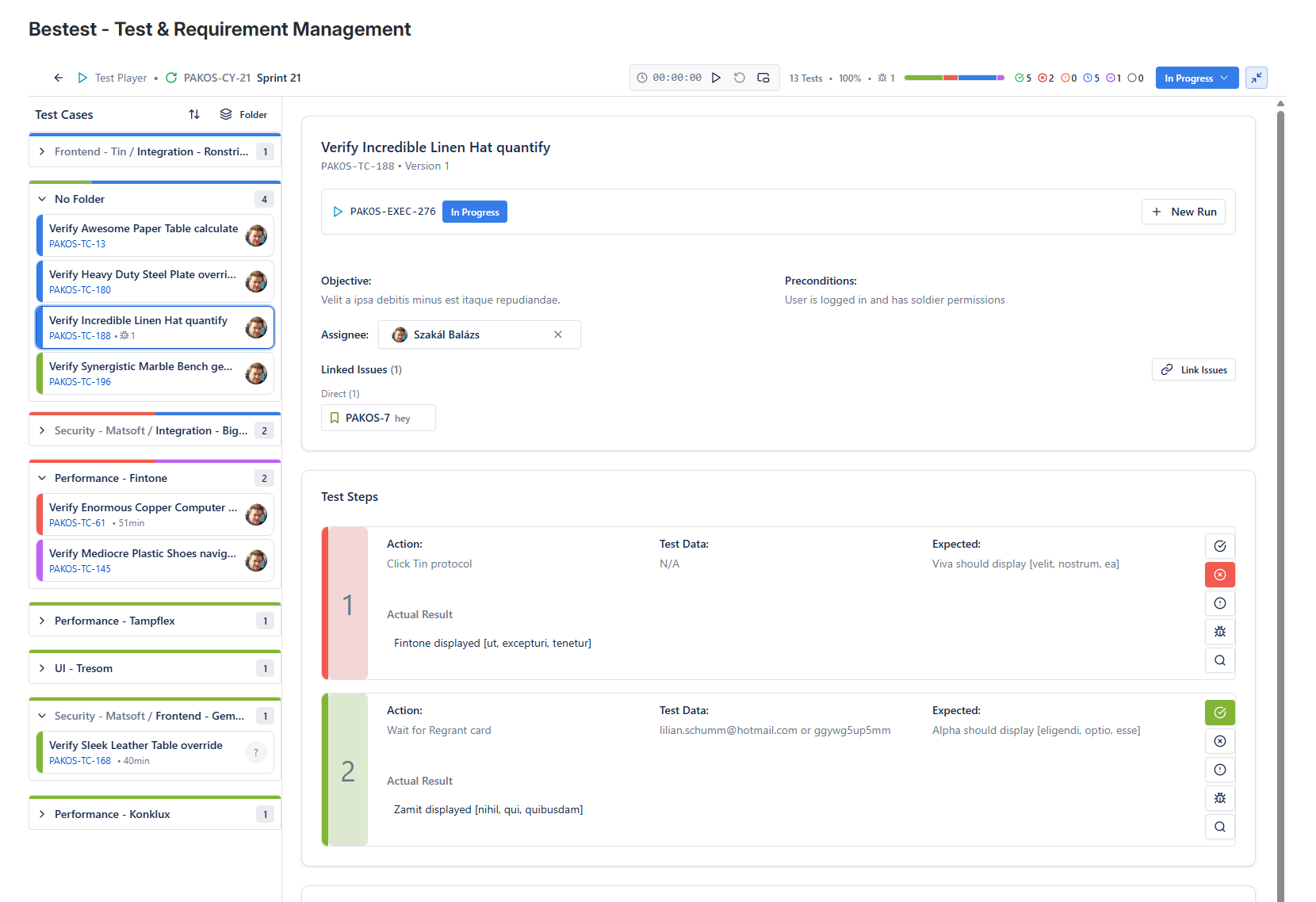
- •Dedicated test player interface
- •Status tracking (Pass/Fail/Blocked)
- •Defect logging directly from failures
Requirements Traceability
- •Link requirements to test cases
- •Coverage reports and metrics
- •Gap analysis
Reporting & Dashboards
- •Execution progress reports
- •Coverage dashboards
- •Trend analysis
- •Export capabilities
Jira Integration
- •Link test executions to Jira issues
- •Create bugs from failed tests
- •Sync status with user stories
- •Display test info in Jira
Popular Options on Atlassian Marketplace:
- •Zephyr (SmartBear)
- •Xray (Idera)
- •AIO Tests (Navarambh)
- •RTM (Deviniti)
- •BesTest
Each has different architectural approaches, pricing, and feature sets. The right choice depends on your team's specific needs.
Choosing the Right Test Management Tool
Consider these factors when selecting a test management tool for Jira:
Architecture: Where Is Test Data Stored?
| Approach | How It Works | Pros | Cons |
|---|---|---|---|
| Jira Issues | Tests stored as Jira issues | Full JQL, native Jira features | Issue bloat, performance impact |
| Separate Storage | Tests in dedicated database | Clean Jira, better performance | No JQL for tests |
Tools using Jira issues: Xray, RTM
Tools using separate storage: BesTest, Zephyr Scale
Requirements Management
| Need | Questions to Ask |
|---|---|
| Built-in requirements? | Do you need to create requirements in the test tool? |
| Link to Jira stories? | Is linking to existing Jira issues enough? |
| Coverage tracking? | How detailed does coverage reporting need to be? |
Tools with built-in requirements: BesTest, RTM
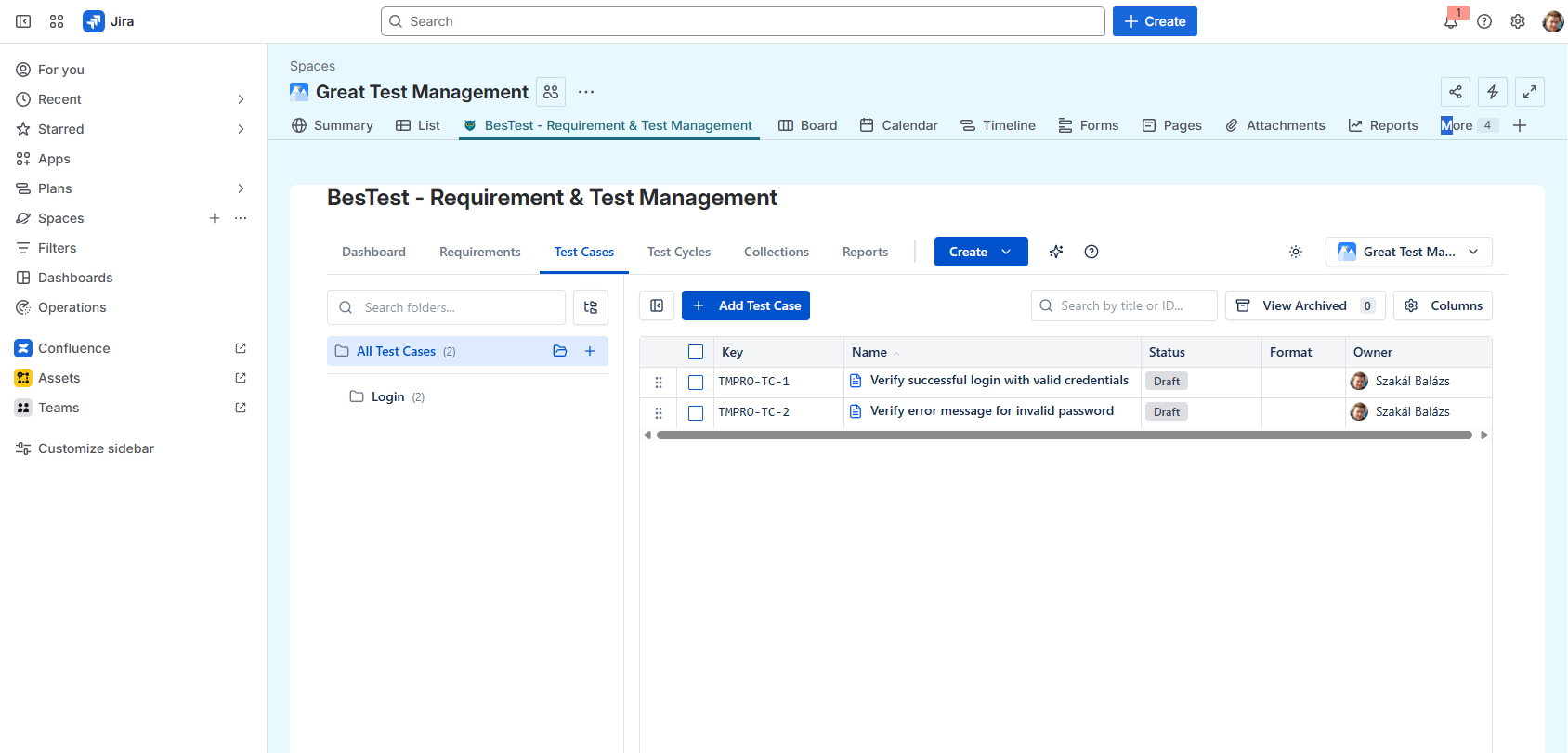
Jira-Native UI
How important is it that the tool looks like Jira?
- •Some tools have custom UIs that require learning
- •Others follow Atlassian Design System for familiarity
- •BesTest prioritizes Jira-native experience
Workflow Features
| Feature | Why It Matters |
|---|---|
| Test case review | Quality gate before execution |
| Smart collections | Automatic test cycle building |
| Automation integration | CI/CD pipeline connection |
Pricing Model
Most tools use per-user pricing based on total Jira users:
- •Compare tiers carefully
- •Look for free tiers to evaluate
- •Calculate total cost at your scale
Platform Security
- •Forge apps (BesTest, newer tools): Enterprise security, Atlassian hosting
- •Connect apps (older tools): Third-party hosting, data transfer
Recommendation Matrix:
| If you need... | Consider... |
|---|---|
| Clean Jira + requirements | BesTest |
| Heavy automation | Xray |
| Enterprise scale | Zephyr Scale |
| Budget-friendly | BesTest, AIO Tests |
Setting Up Test Management: Step by Step
Here's a practical guide to implementing test management in Jira:
Week 1: Foundation
- •Define Your Structure
- How will you organize test cases? (By feature, module, release?)
- What's your naming convention? (TC-[Module]-[Number])
- Who will own test case maintenance?
- •Choose Your Tool
- Evaluate options with your team
- Try free tiers or trials
- Check integration with your Jira setup
- •Install and Configure
- Install from Atlassian Marketplace
- Configure project settings
- Set up user permissions
Week 2: Migration (If Applicable)
- •Audit Existing Tests
- Where are test cases today? (Spreadsheets, wikis, old tools)
- Which tests are still relevant?
- What's the priority for migration?
- •Import or Recreate
- Use import features if available
- Start with critical test cases
- Don't migrate obsolete tests
- •Establish Traceability
- Link test cases to requirements/stories
- Verify coverage of key features
- Identify gaps
Week 3: Process Definition
- •Define Workflows
- When are test cases created? (Sprint planning, refinement)
- Who reviews test cases?
- How are test cycles organized?
- •Create Templates
- Standard test case format
- Common preconditions
- Reporting templates
- •Train the Team
- Tool walkthrough for testers
- Process overview for developers
- Dashboard review for stakeholders
Week 4: Pilot Sprint
- •Execute a Sprint
- Run testing using the new tool
- Track execution and log defects
- Generate reports
- •Gather Feedback
- What's working?
- What's painful?
- What's missing?
- •Iterate
- Adjust processes based on feedback
- Refine tool configuration
- Update documentation
Organizing Test Cycles in Jira
Test cycles group test cases for a specific testing purpose. Here's how to structure them:
Types of Test Cycles:
Regression Cycles
- •Core functionality tests
- •Run before every release
- •Should be stable and automated where possible
Sprint Cycles
- •Tests for features in current sprint
- •Typically manual or newly written
- •Focus on new functionality
Release Cycles
- •Comprehensive testing before major releases
- •Combination of regression + new features
- •Often includes non-functional testing
Smoke Cycles
- •Critical path tests only
- •Quick execution (< 1 hour)
- •Run after deployments
Organizing Strategies:
By Release
/v2.0 Release
  /Regression
  /New Features
  /Performance
/v2.1 Release
  /Regression
  /New Features
By Sprint
/Sprint 10
  /User Stories
  /Bug Fixes
  /Regression Subset
/Sprint 11
By Feature
/Login & Authentication
  /Smoke
  /Full Regression
/Dashboard
  /Smoke
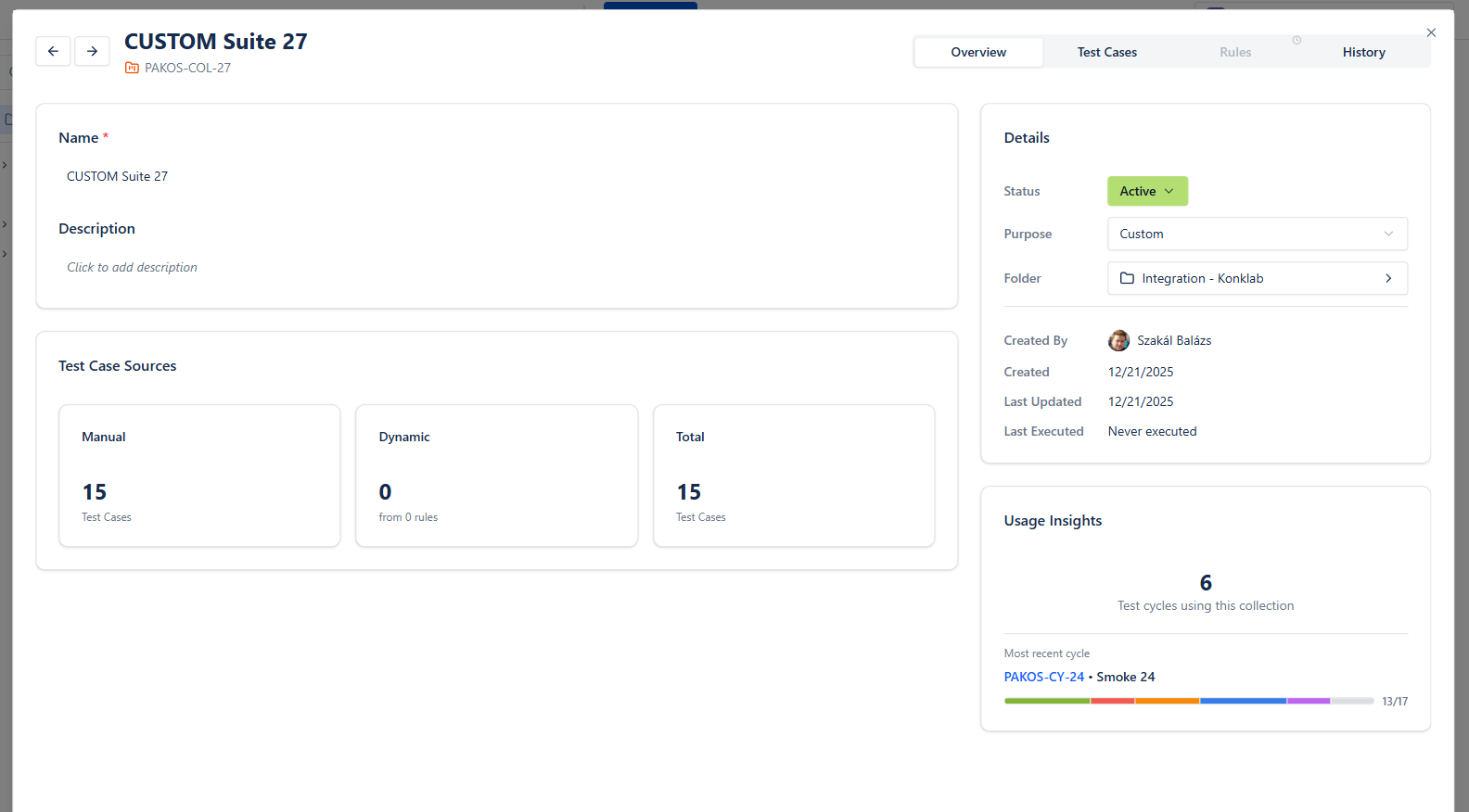
/Full RegressionInstead of manually selecting tests for each cycle, define rules:
- "All tests tagged 'regression' for module 'Login'"
- "All tests linked to stories in Sprint 10"
- "All tests that failed in last cycle"
The collection automatically updates when tests match the criteria. This saves hours of manual test selection per sprint.
Test Execution Workflow
A typical test execution workflow in Jira:
Create Test Cycle
- •Name: "Sprint 10 Regression"
- •Add test cases (manual selection or Smart Collection)
- •Assign testers
- •Set target dates
Execute Tests
For each test case:
- •Open test in test player
- •Follow steps
- •Record actual results
- •Mark status: Pass / Fail / Blocked
- •Log defects for failures
Track Progress
Monitor during execution:
- •% Complete
- •Pass rate
- •Blocker count
- •Time remaining
Triage Failures
For failed tests:
- •Is it a product bug? → Create Jira issue
- •Is it a test case issue? → Update test case
- •Is it environmental? → Mark as Blocked, investigate
Report Results
End of cycle:
- •Generate execution summary
- •Share with stakeholders
- •Archive results for history
Best Practices for Execution:
Don't Skip Blocked Tests
Blocked tests indicate issues. Track and resolve blockers.
Document Actual Results
Even for passing tests, note anything unexpected.
Use Evidence
Attach screenshots, logs, or recordings for failures.
Link Defects Immediately
Create and link bugs during execution, not after.
Re-Execute Fixes
After bugs are fixed, re-run failed tests before release.
Testing Reports and Dashboards
Effective reporting communicates testing progress and quality:
Essential Reports:
Test Execution Summary
Shows current testing status:
| Status | Count | % |
|---|---|---|
| Passed | 142 | 71% |
| Failed | 18 | 9% |
| Blocked | 8 | 4% |
| Not Run | 32 | 16% |
| Total | 200 | 100% |
Requirements Coverage
Shows testing completeness:
| Coverage Level | Requirements |
|---|---|
| 100% tested | 45 |
| Partially tested | 12 |
| Not tested | 3 |
| Total | 60 |
Defect Summary
Links testing to quality:
| Priority | Open | Fixed | Verified |
|---|---|---|---|
| Critical | 2 | 1 | 0 |
| High | 5 | 8 | 6 |
| Medium | 12 | 15 | 10 |
| Low | 8 | 12 | 8 |
Trend Analysis
Shows quality over time:
- •Pass rate by sprint
- •Defect discovery rate
- •Test case growth
- •Automation percentage
Dashboard Design Tips:
For Testers:
- •Assigned tests and status
- •Today's execution queue
- •Open blockers
- •Recent failures
For Test Leads:
- •Team progress
- •Coverage gaps
- •Defect trends
- •Risk areas
For Stakeholders:
- •Release readiness
- •Quality metrics
- •Go/no-go indicators
- •High-level trends
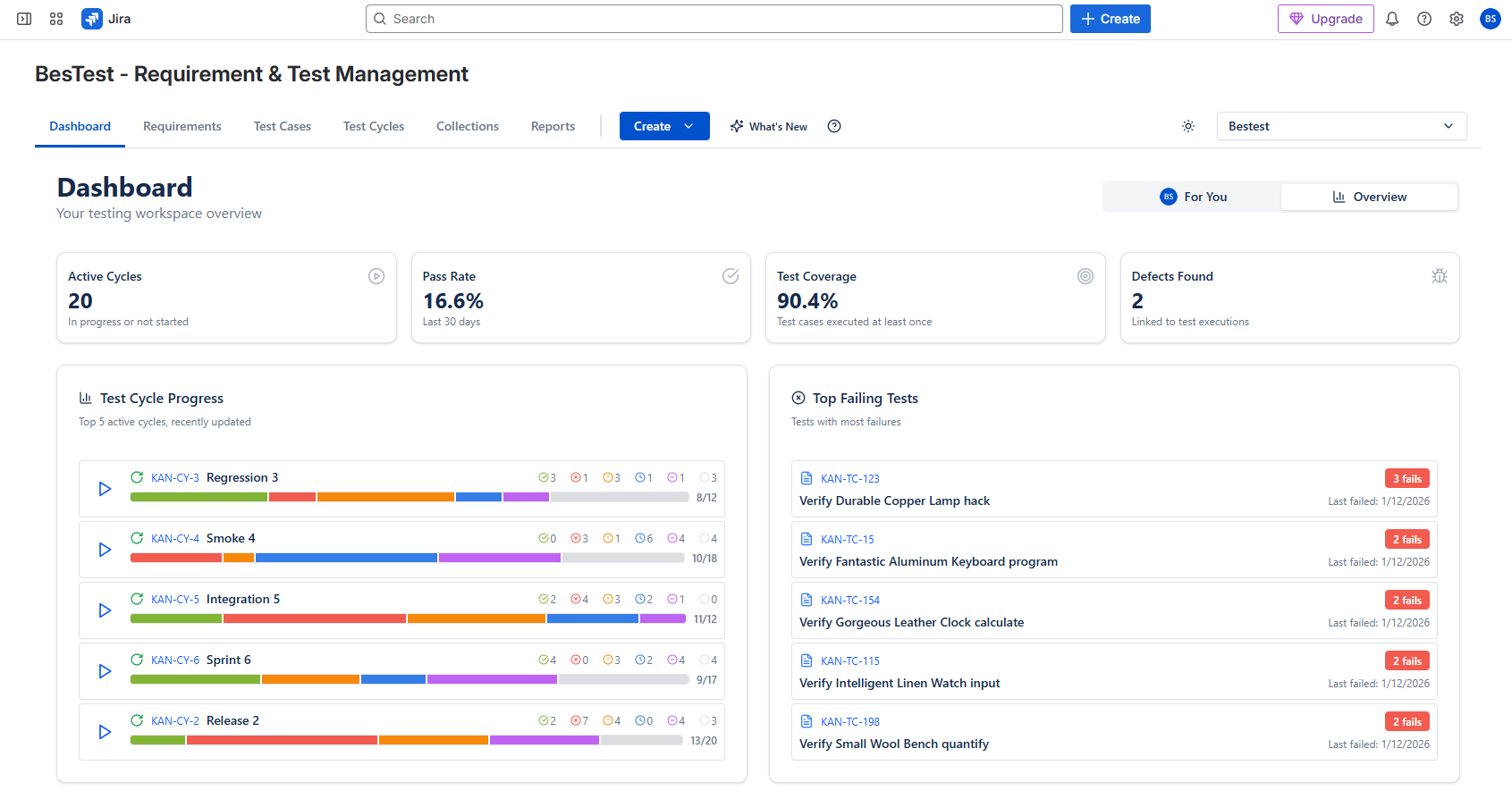
BesTest Dashboards:
BesTest provides a pre-built dashboard with:
- •Real-time execution status
- •Requirements coverage widget
- •Release prediction
- •All visible without building reports manually
Scaling Test Management
As teams grow, test management needs evolve:
Challenges at Scale:
| Team Size | Typical Challenges |
|---|---|
| 1-10 testers | Standardization, documentation |
| 10-50 testers | Consistency, reuse, reporting |
| 50+ testers | Governance, cross-team visibility |
Scaling Strategies:
Standardize Test Case Quality
- •Define test case templates
- •Implement review workflows
- •Create writing guidelines
- •Use BesTest's built-in review process
Enable Reuse
- •Shared test libraries
- •Modular test case design
- •Cross-project test access
Automate Where Possible
- •Regression tests → automation
- •Execution result import from CI/CD
- •Report generation
Establish Governance
- •Test case ownership
- •Update responsibilities
- •Archive policies
- •Metrics and targets
Federate Appropriately
- •Common standards across teams
- •Team-specific customization where needed
- •Central reporting, local execution
Architecture Considerations at Scale:
Issue Bloat Problem:
Tools that store tests as Jira issues can cause performance problems at scale. With 10,000+ test cases:
- •Jira search slows down
- •Backlogs become cluttered
- •Dashboard load times increase
Solution:
Use tools like BesTest that store test data separately while maintaining Jira integration. This keeps Jira performant while enabling enterprise-scale testing.
Best Practices Summary
Key principles for successful test management in Jira:
Organization
- •Use consistent naming conventions
- •Organize by feature/module, not by tester
- •Archive obsolete tests, don't delete
- •Tag tests for easy filtering
Process
- •Create tests during sprint planning/refinement
- •Review test cases before execution
- •Execute early in sprint, not last day
- •Triage failures daily during execution
Traceability
- •Link every test to a requirement
- •Link defects to failed tests
- •Track coverage metrics
- •Use traceability for impact analysis
Quality
- •Focus on test case clarity
- •One scenario per test case
- •Include positive and negative tests
- •Keep tests independent
Tooling
- •Choose a dedicated test management tool
- •Avoid spreadsheet-based approaches
- •Consider data architecture (issue bloat)
- •Prioritize Jira-native experience
Reporting
- •Define key metrics upfront
- •Automate report generation
- •Share dashboards, not attached files
- •Track trends, not just snapshots
Continuous Improvement
- •Retrospect on testing process
- •Measure defect escape rate
- •Refine test cases after execution
- •Automate stable manual tests
Frequently Asked Questions
Can I use Jira for test management without any plugins?
Yes, but with significant limitations. You can create custom issue types and fields for test cases, but you won't have test execution tracking, coverage reports, or a dedicated test player. This approach works for very small teams with minimal testing needs but doesn't scale well.
What's the best free option for test management in Jira?
BesTest offers a free tier for up to 10 users with full functionality. Other tools like AIO Tests and Zephyr also have free or trial options. The native Jira approach is completely free but lacks dedicated test management features.
How do I migrate test cases from spreadsheets to a Jira test tool?
Most test management tools offer import from CSV/Excel. Prepare your spreadsheet with columns matching the tool's fields (title, steps, expected results, etc.). Use the tool's import wizard to map columns. Start with a small batch to verify the import works correctly before migrating everything.
Should test cases be in the same Jira project as user stories?
It depends on the tool. Tools that store tests as Jira issues (Xray, RTM) typically keep them in the same project. Tools with separate storage (BesTest, Zephyr) can link tests to any project. Consider whether you want tests visible in backlogs and affected by project permissions.
How do I convince my team to adopt a test management tool?
Quantify the current pain: time spent on spreadsheet maintenance, defects escaped due to coverage gaps, reporting effort. Run a pilot with a free tier. Show the team the time savings and improved visibility. Let testers try the tool during a real sprint before deciding.
What's "issue bloat" and why should I care?
Issue bloat occurs when test management tools store tests as Jira issues. With thousands of test cases and executions, your Jira database grows significantly, affecting search performance, backlog loading, and overall responsiveness. Tools like BesTest avoid this by using separate storage while maintaining Jira integration.
Professional Test Management for Jira
BesTest provides structured test management, requirements traceability, and smart test cycles—all in a Jira-native interface. Free for up to 10 users.
Get Started Free