

Regression Testing in Jira
Automate your regression test cycles with smart collections and traceability
Regression testing ensures new changes haven't broken existing functionality. BesTest gives you the tools to organize, execute, and track regression tests inside Jira - so your team catches defects before users do.
Try BesTest FreeThe Challenge
Regression suites grow fast and become unmanageable without the right tooling:
- •Identifying which tests to run after each change across shared modules
- •Maintaining an up-to-date suite that reflects current product state
- •Tracking historical results across releases to spot quality trends
- •Ensuring consistent execution regardless of who runs the tests
How BesTest Helps
BesTest transforms regression testing in Jira with living test suites that evolve alongside your product.
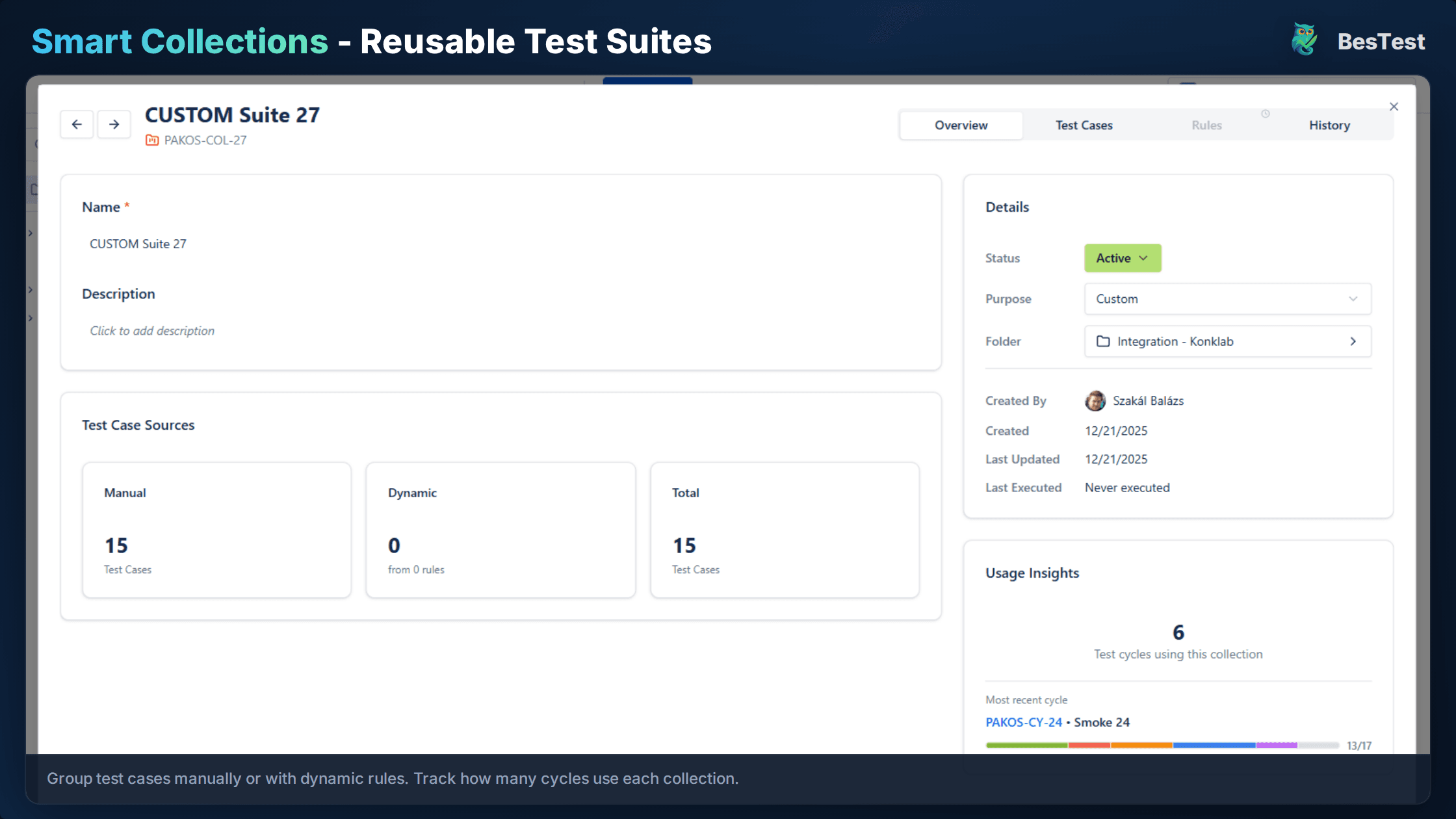
Smart Collections
Define rules like "all tests tagged regression for Login module" and the collection auto-updates as tests change. Your suite stays current without manual curation.
Test Case Organization
Structure regression tests in folders by feature, priority, or stability. Apply multiple tags so tests appear in different views.
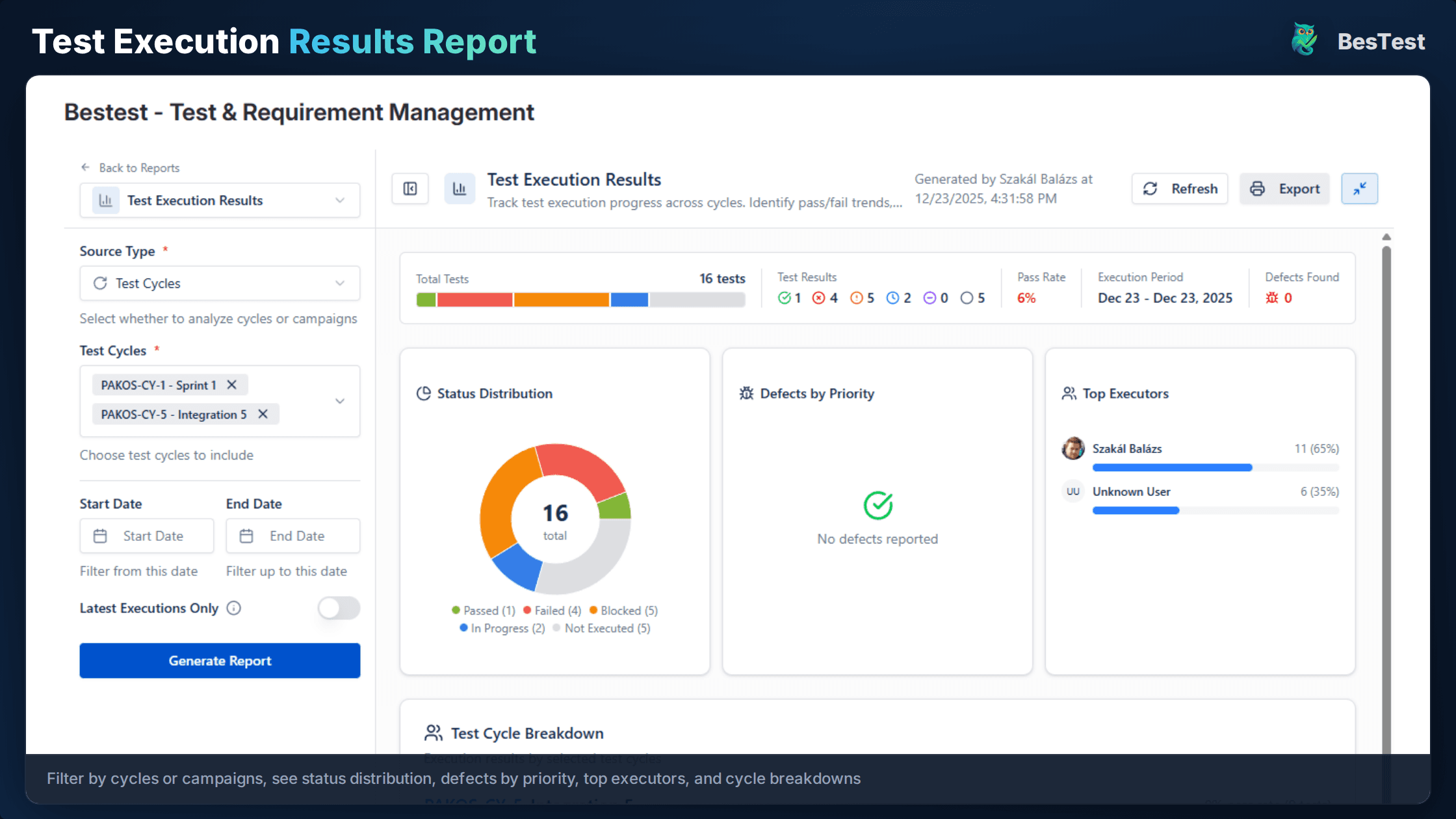
Execution Tracking
Run regression cycles with real-time visibility into progress and pass rates. Create linked defects directly from failed executions.
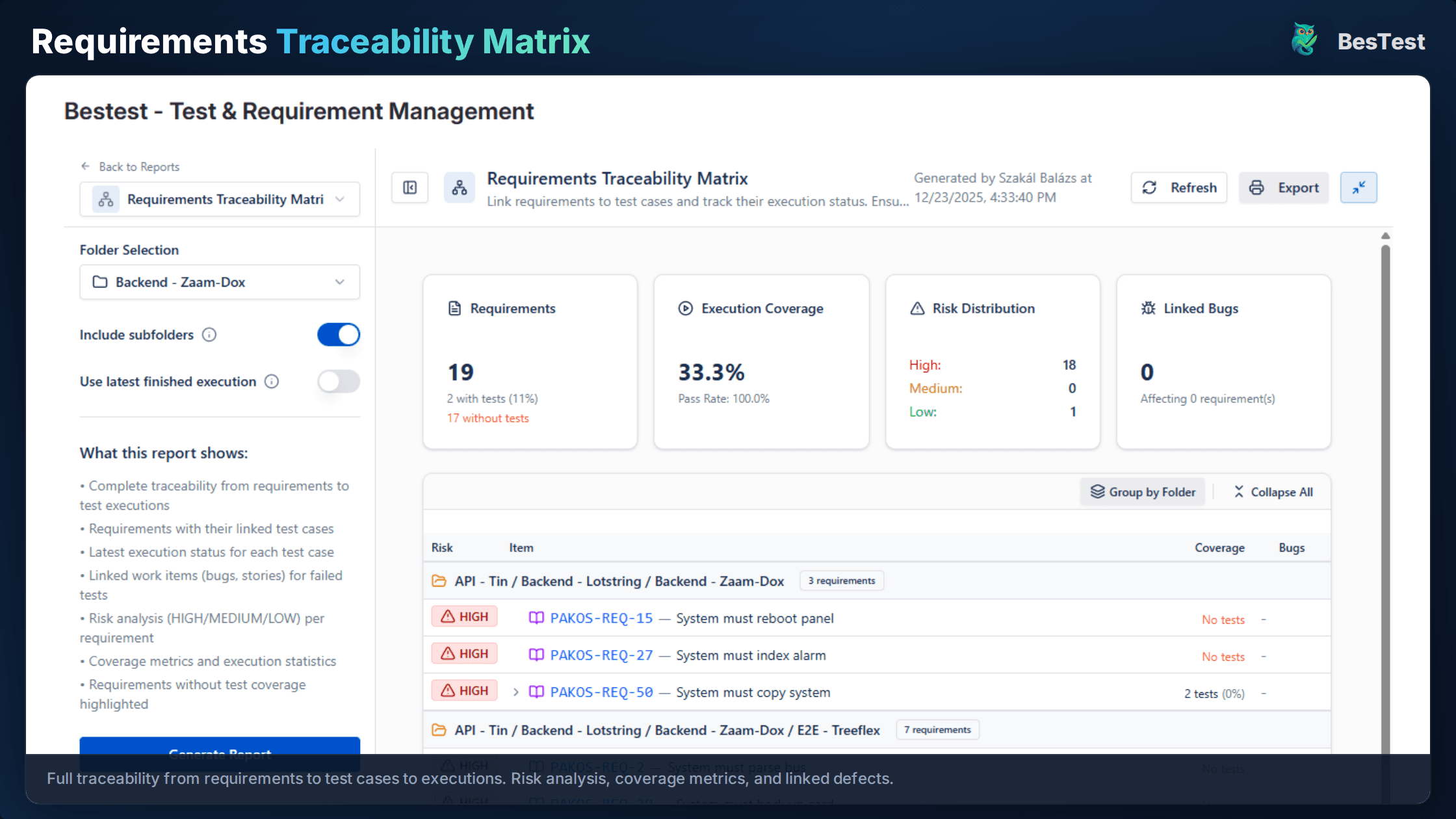
Requirements Traceability
See which requirements are covered by regression tests. The traceability matrix highlights gaps in red so they stand out.
Historical Analysis
Compare results across releases to spot flaky tests and declining pass rates. Every execution is stored for trend analysis.
Parameterized Regression Runs
Run the same suite across different environments or configurations without duplicating test cases. Track results per combination.
Defect Escape Analysis
Trace production defects back to your suite. Identify whether the gap was a missing test, a skipped test, or an ineffective one.
Free for teams up to 10 users. Installs in under a minute.
Get StartedKey Benefits
How to Implement
Organize Test Cases
Create a folder structure in BesTest (e.g., /Regression/Core, /Regression/Extended). Tag tests with priority and stability levels.
Create Smart Collection
Define a Smart Collection with rules like "Tag = regression AND Priority = High". The collection auto-updates as tests match your criteria.
Link to Requirements
Link regression tests to requirements in BesTest. The coverage dashboard shows what's protected and highlights gaps.
Execute and Track
Run the regression cycle using BesTest's test player. Track progress in real-time and log defects directly from failures.
Analyze and Improve
Review execution reports, identify flaky tests, and refine the suite. Use historical data to prune low-value tests and add missing coverage.
Best Practices
- •Use risk-based Smart Collections to focus on areas affected by recent changes
- •Remove or fix flaky tests promptly - they train the team to ignore failures
- •Update the regression suite when requirements change to avoid stale coverage
- •Run critical regression on every build, full regression before releases
- •Tag tests with components and modules for targeted regression suites
Ready to Improve Your Regression Testing?
Start running Regression Testing cycles in Jira today. Free for up to 10 users.
Try BesTest FreeRelated Use Cases
Smoke Testing in Jira
Quick sanity checks to verify critical functionality after deployments
User Acceptance Testing (UAT) in Jira
Validate that the software meets business requirements with stakeholder-driven testing
Sprint Testing in Jira
Integrate testing into your agile sprints with test cycles tied to sprint stories
Related Guides & Definitions
Test Management in Jira: The Complete 2026 Guide
A comprehensive guide to test management in Jira - from native options to dedicated tools. Learn how to organize test cases, execute tests, track coverage, and report on quality within the Jira ecosystem.
Regression Testing
Testing that verifies existing functionality still works after code changes.
Test Coverage
A measure of how much of the software or requirements are tested by test cases.