Smoke Testing in Jira

Quick sanity checks to verify critical functionality after deployments

Smoke testing validates that the most critical features work after a deployment. Picture this: your DevOps team just pushed a hotfix to production at 4 PM on a Friday, and you need to know within the hour whether the application is stable enough to leave running over the weekend. You cannot afford to run the full regression suite, but you absolutely cannot skip verification either. BesTest helps you create and maintain effective smoke test suites in Jira that are always ready to go, so when the deployment notification arrives, your testers know exactly which tests to run and can report back before anyone heads home.

The Challenge

Smoke tests need to be fast, focused, and always ready. They are your first line of defense after every deployment, and their effectiveness depends entirely on how well they are curated and maintained. A smoke suite that has grown bloated with non-critical tests is just as dangerous as having no smoke suite at all, because it gives the team a false sense of security while taking too long to execute. Teams face these challenges:

  • Identifying the absolute critical path tests from hundreds or thousands of test cases in the repository, especially when the product has evolved and what was once "critical" may no longer be the highest-risk area.
  • Keeping smoke suites small and fast (under one hour of execution time) while still covering enough ground to catch show-stopping defects that would impact the majority of users.
  • Running smoke tests immediately after deployments without delay, which requires that the suite is pre-configured and testers are available and prepared to execute on short notice.
  • Providing quick, unambiguous feedback to the development and operations teams so they can make a go/no-go decision about the deployment within minutes, not hours.
  • Maintaining smoke tests as the product evolves, because a smoke suite that references deprecated features or outdated user flows will produce false failures that waste everyone's time.
  • Communicating smoke test results clearly to non-QA stakeholders who need a simple answer: is the deployment stable or not?
  • Coordinating smoke testing across multiple environments (staging, production, regional deployments) where the same suite needs to run but results need to be tracked separately.

How BesTest Helps

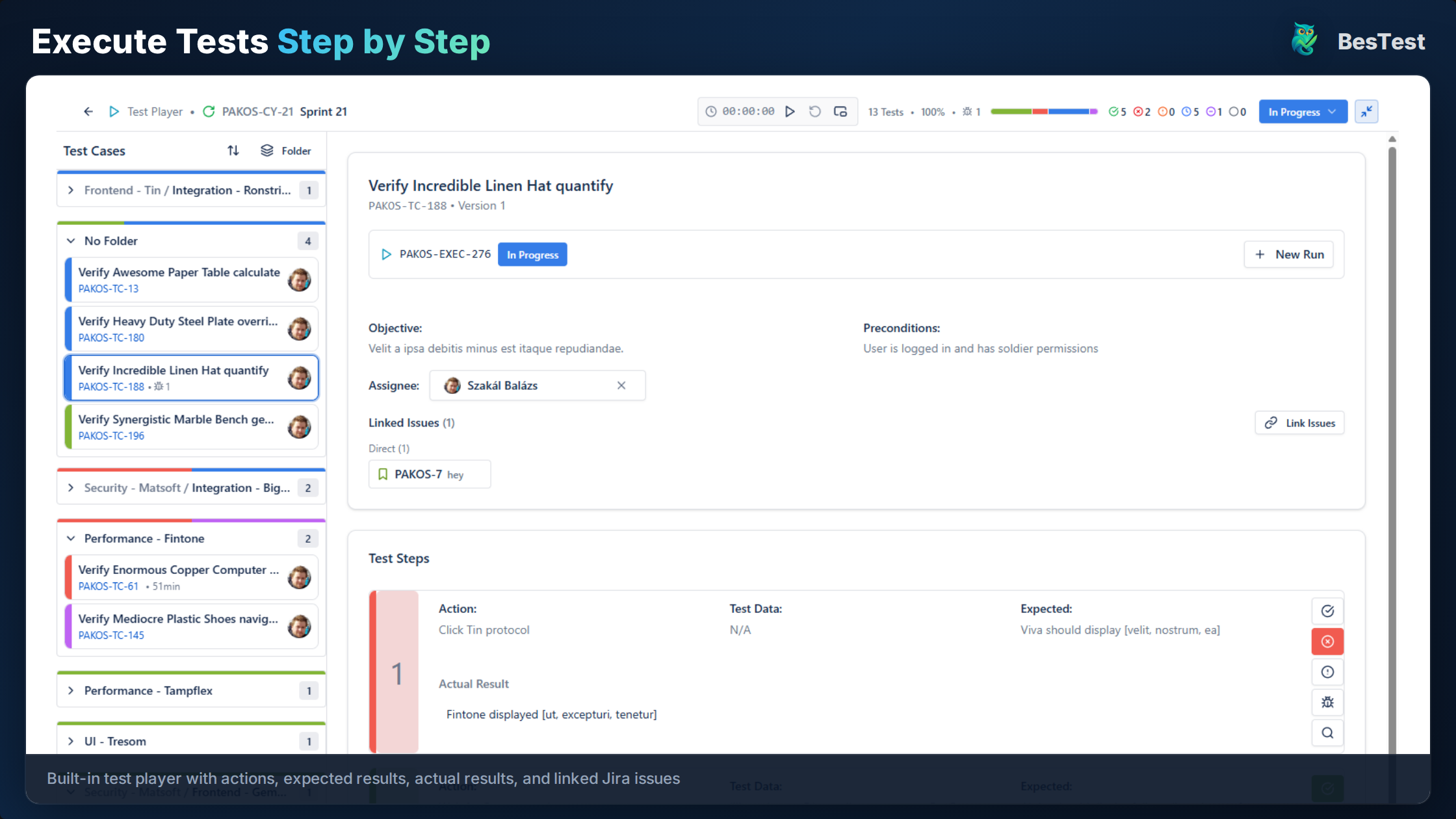
BesTest enables efficient smoke testing with speed-focused tools that integrate directly into your deployment workflow. Because BesTest lives inside Jira, your testers do not need to open a separate application or consult an external document to know what to test after a deployment. The smoke suite is always one click away, pre-configured with the right tests, and ready to execute the moment the deployment is confirmed.

Focused Collections

Create a smoke collection with your most critical tests. Tag tests as "smoke" and they're automatically included in the collection via Smart Collection rules. When your product team designates a new feature as business-critical, simply tag its core test as "smoke" and it joins the suite without any manual curation or spreadsheet updates.

Quick Execution

Smoke cycles are designed for speed. Execute from the test player with minimal overhead, moving through test steps quickly with pass/fail toggles. The interface is optimized so that a tester can complete a smoke run in a fraction of the time it takes to set up and navigate a full regression cycle, which is exactly the point when deployments happen at unpredictable times.

Instant Reporting

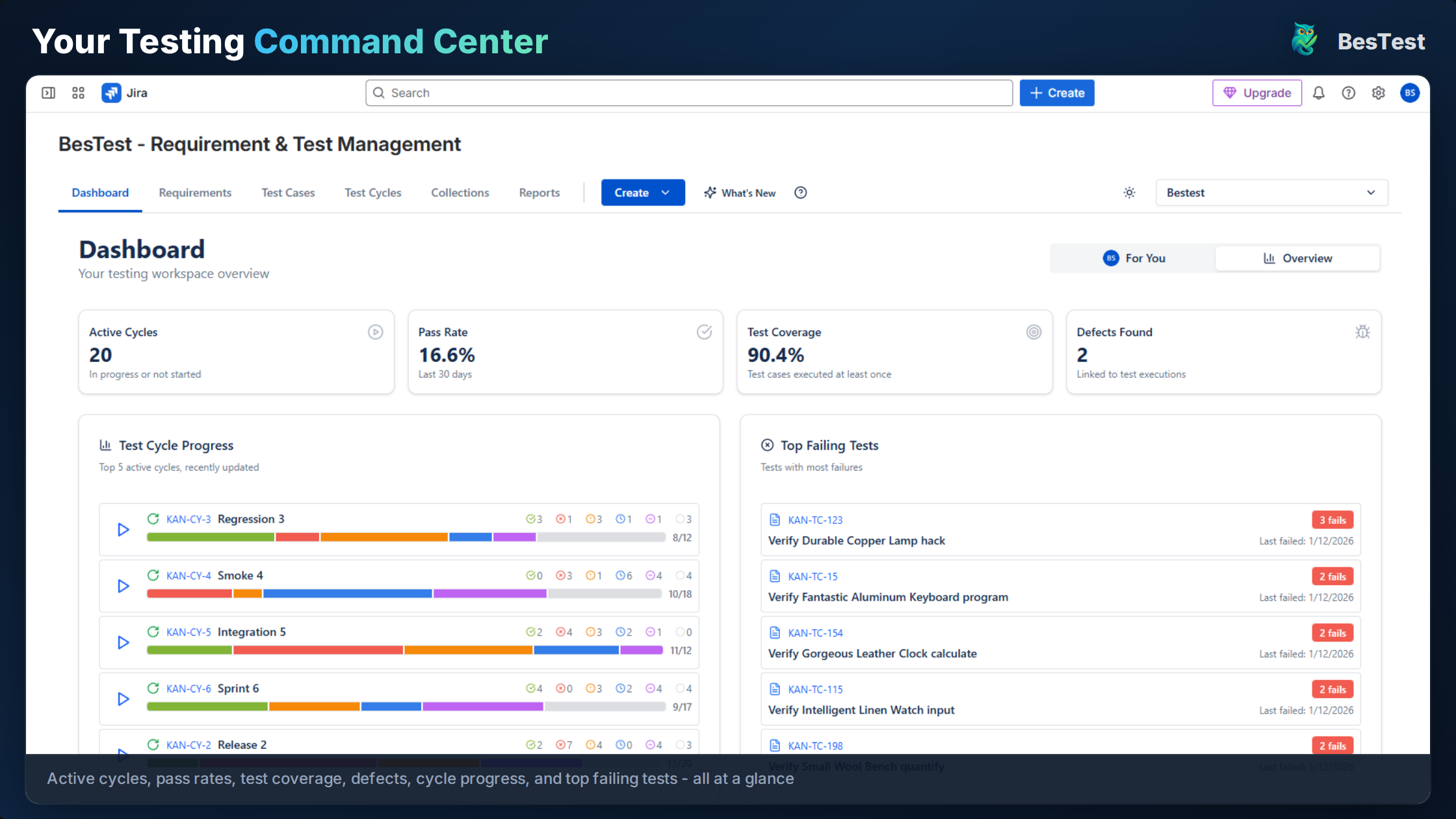
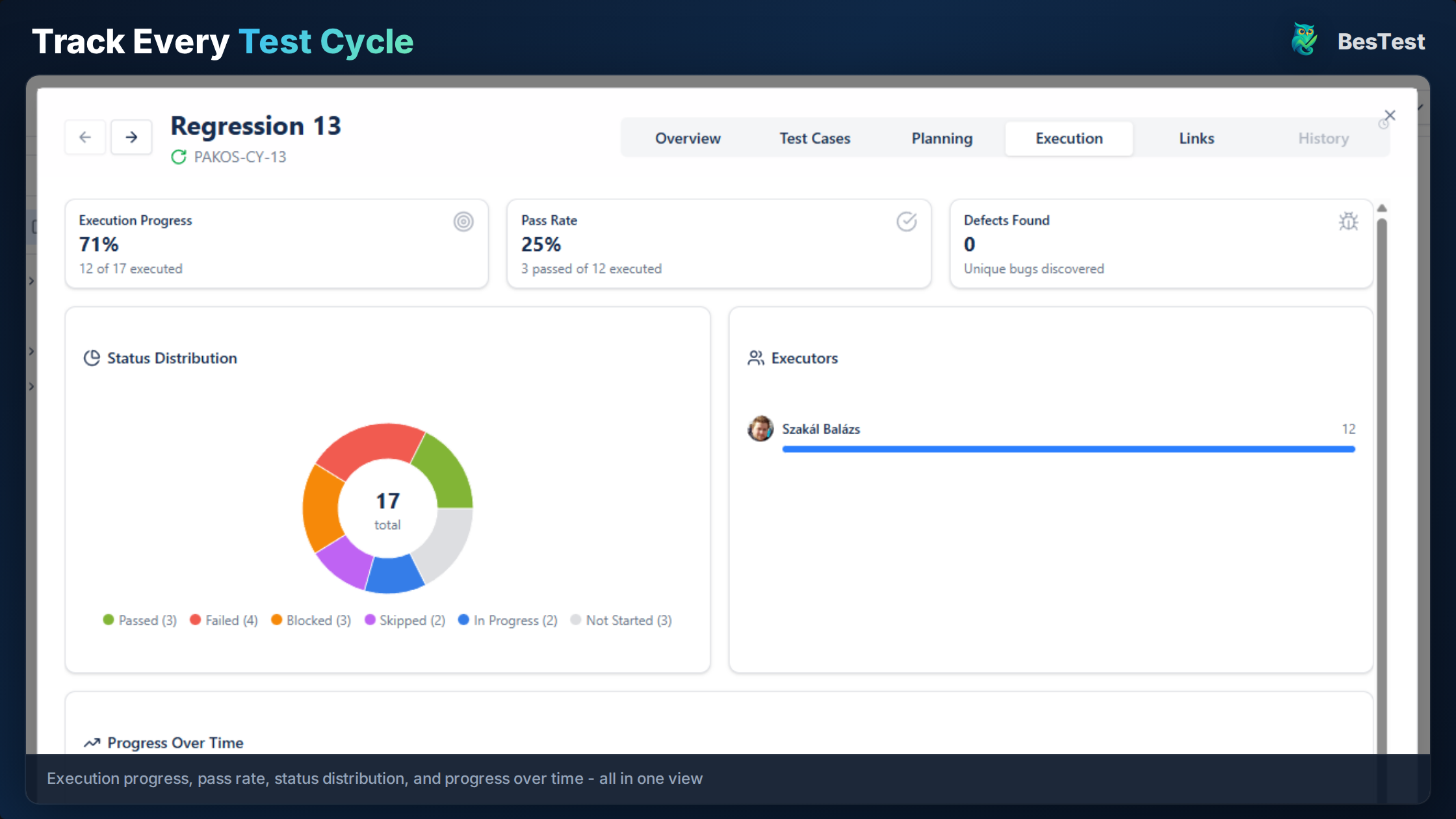
The dashboard shows smoke test status immediately, updating in real time as testers mark results. You can see at a glance whether all critical paths are green, and if any test fails, the defect details are one click away. This lets you send a confident "deployment verified" or "deployment has issues" message to the team within minutes of completing the smoke run.

Traceability

Link smoke tests to critical requirements so you have a documented record of which business-critical functionality was verified after each deployment. This traceability also helps during quarterly reviews when stakeholders ask which features are covered by the smoke suite and whether coverage has kept pace with product growth.

Deployment Tagging

Tag smoke test cycles with deployment version numbers and environment identifiers. This creates a historical record that lets you look back and see exactly which smoke tests were run after each deployment, what the results were, and whether any issues were discovered later that the smoke suite should have caught.

Template Cycles

Save your smoke test cycle as a template that can be instantiated with a single click whenever a deployment occurs. Pre-assign testers, set the environment, and configure notifications so that the entire team knows a smoke run is in progress and can see results as they come in.

Smoke Testing in Jira in BesTest
BesTest in action: Smoke Testing in Jira

Key Benefits

Execute smoke tests in under one hour, giving your team rapid deployment confidence without tying up testers for an entire day.
Immediate feedback on deployment stability so development and operations teams can make informed go/no-go decisions before users are affected.
Automatic smoke suite maintenance via Smart Collections means the suite stays current as new critical features are added and old ones are deprecated.
Clear visibility into critical path coverage helps product managers and engineering leads understand which areas are verified after every deployment.
Quick identification of deployment failures before they reach end users, reducing the mean time to detection for critical issues.
Historical deployment verification records provide an audit trail showing that due diligence was performed after every release, which is valuable for compliance and incident review.
Reduced coordination overhead because the smoke suite is always pre-configured and ready to run, eliminating the "which tests should we run?" discussion that delays post-deployment verification.
Template-based cycles mean new team members can run the smoke suite on their first day without needing to understand the entire test repository.

How to Implement

1

Identify Critical Path

Select the 10-20 most critical user journeys that must work for the application to be usable. Involve product managers and engineering leads in this decision, because the critical path should reflect business priorities, not just technical complexity. Think about the journeys that, if broken, would generate an immediate flood of support tickets or directly impact revenue.

2

Tag Smoke Tests

Tag these tests with "smoke" and high priority. Keep steps concise for fast execution, stripping out any detailed edge case verification that belongs in the full regression suite instead. Each smoke test should be focused enough to complete in under five minutes. If a test takes longer, consider splitting it into smaller, more targeted checks.

3

Create Smoke Collection

Create a Smart Collection: "Tag = smoke". This auto-updates as you tag more tests, so the smoke suite is always a living reflection of what your team considers mission-critical. Review the collection periodically to make sure it has not drifted too far from the ideal size of 15-25 tests. If it has grown larger, discuss with the team which tests to demote to the broader regression suite.

4

Run Post-Deployment

Execute the smoke cycle immediately after each deployment. Report results within the hour, using the real-time dashboard so stakeholders can watch progress without needing status update emails. If your team deploys multiple times per day, consider designating a smoke test rotation so the same tester is not responsible for every run and fatigue does not set in.

5

Act on Results

If smoke fails, halt further testing and escalate to the deployment team for investigation. A failed smoke test means something fundamental is broken, and investing time in exploratory testing or regression testing before the smoke issue is resolved is wasteful. If smoke passes, communicate the green light to the broader team and proceed with any scheduled regression or feature testing.

Best Practices

  • Keep smoke suites small, ideally 15-25 tests maximum. Every test you add increases execution time and dilutes the "quick feedback" purpose of the smoke suite.
  • Target under one hour of total execution time. If your smoke suite takes longer, it has grown beyond its intended scope and needs to be pruned back to true critical-path tests.
  • Run smoke tests on every deployment, not just major releases. Hotfixes and configuration changes can break things just as easily as feature deployments.
  • Automate smoke tests where possible for CI/CD integration, but always maintain a manual smoke suite as a fallback for scenarios that automation cannot reliably cover.
  • Review and prune the smoke suite quarterly with input from product management to ensure the tests still reflect the current critical user journeys.
  • Document what "critical path" means for your product and share that definition with the entire team, so everyone understands why certain tests are in the smoke suite and others are not.
  • Maintain a backup tester for smoke runs so that deployments are never blocked by a single person's availability.
  • Track how long the smoke suite takes to execute over time. If it is creeping upward, investigate whether new tests are being added without old ones being removed.

Ready to Improve Your Smoke Testing?

BesTest provides all the tools you need—requirements traceability, smart collections, review workflows, and a Jira-native experience. Free for up to 10 users.

Try BesTest Free