

Smoke Testing in Jira
Quick sanity checks to verify critical functionality after deployments
Smoke testing validates that critical features work after a deployment. BesTest helps you create and maintain focused smoke suites in Jira - always ready to run so your team can verify stability within minutes.
Try BesTest FreeThe Challenge
Smoke tests must be fast, focused, and always ready to go:
- •Identifying the absolute critical path tests from hundreds of test cases
- •Keeping smoke suites small and fast - under one hour of execution time
- •Running smoke tests immediately after deployments without setup delays
- •Maintaining smoke tests as the product evolves and critical paths shift
How BesTest Helps
BesTest enables efficient smoke testing with speed-focused tools that integrate directly into your Jira deployment workflow.
Focused Collections
Tag tests as "smoke" and Smart Collection rules auto-include them. Add or remove critical tests with a single tag change.
Quick Execution
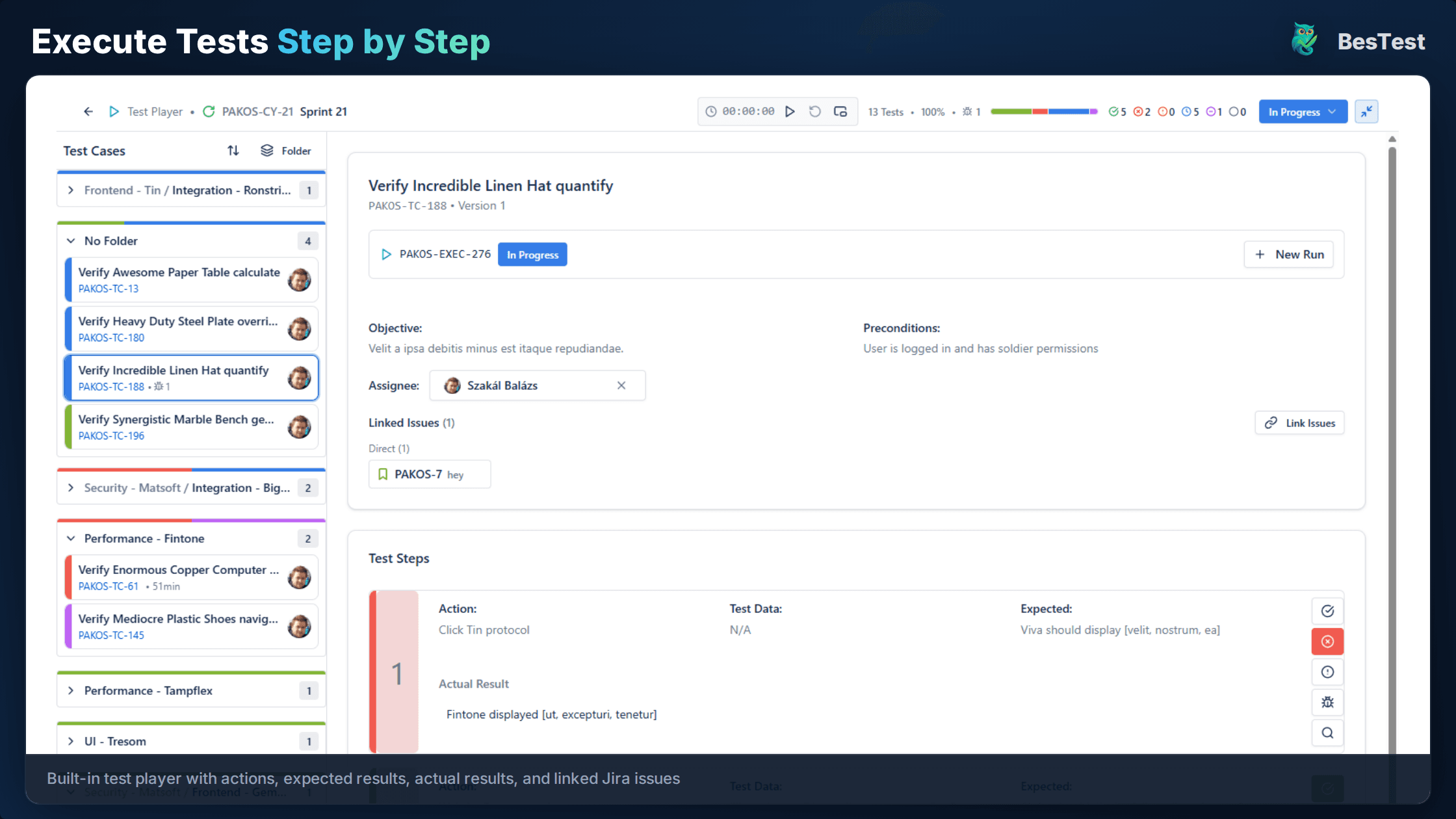
Smoke cycles are built for speed. The test player lets testers move through steps with minimal overhead using pass/fail toggles.
Instant Reporting
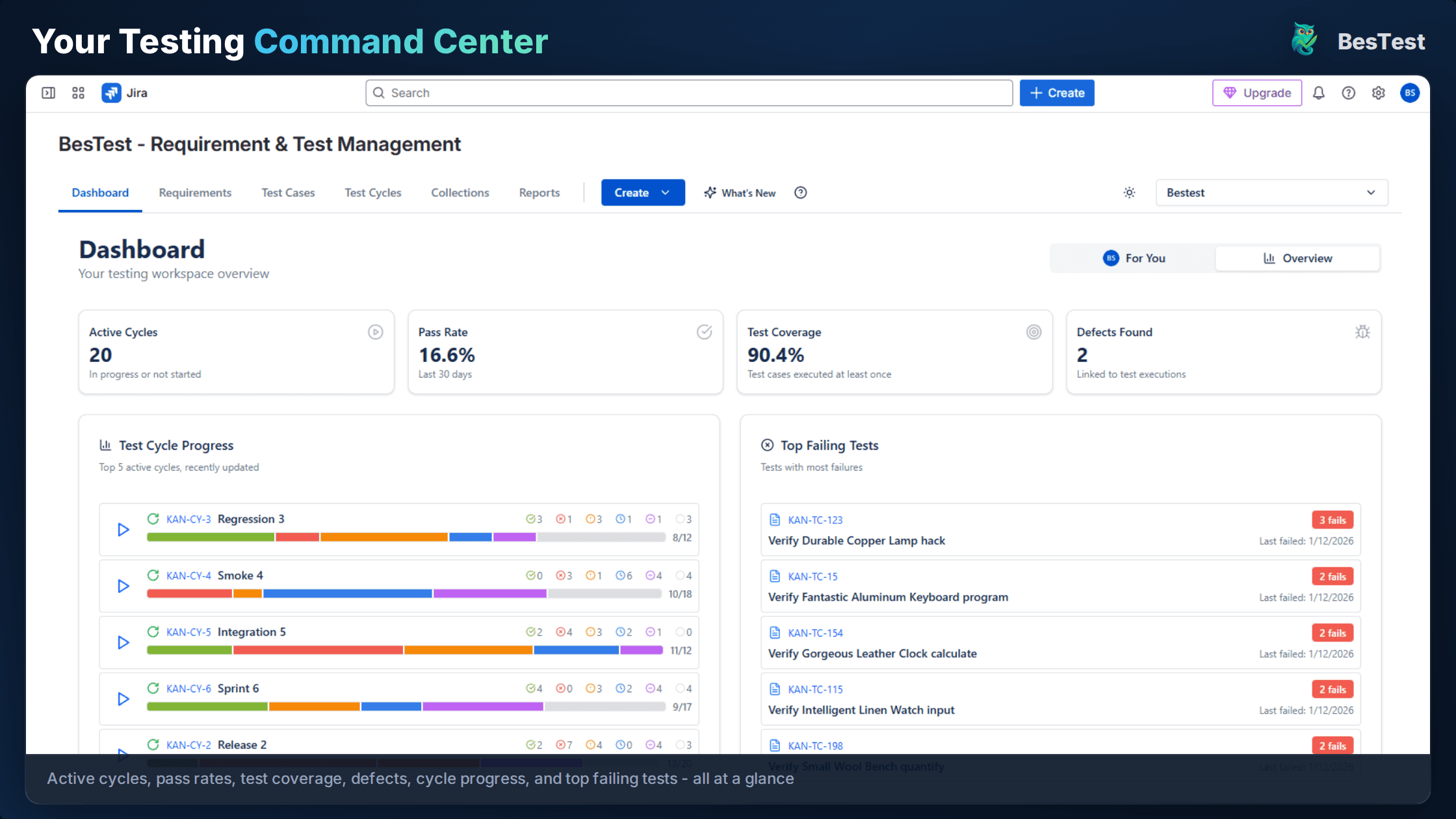
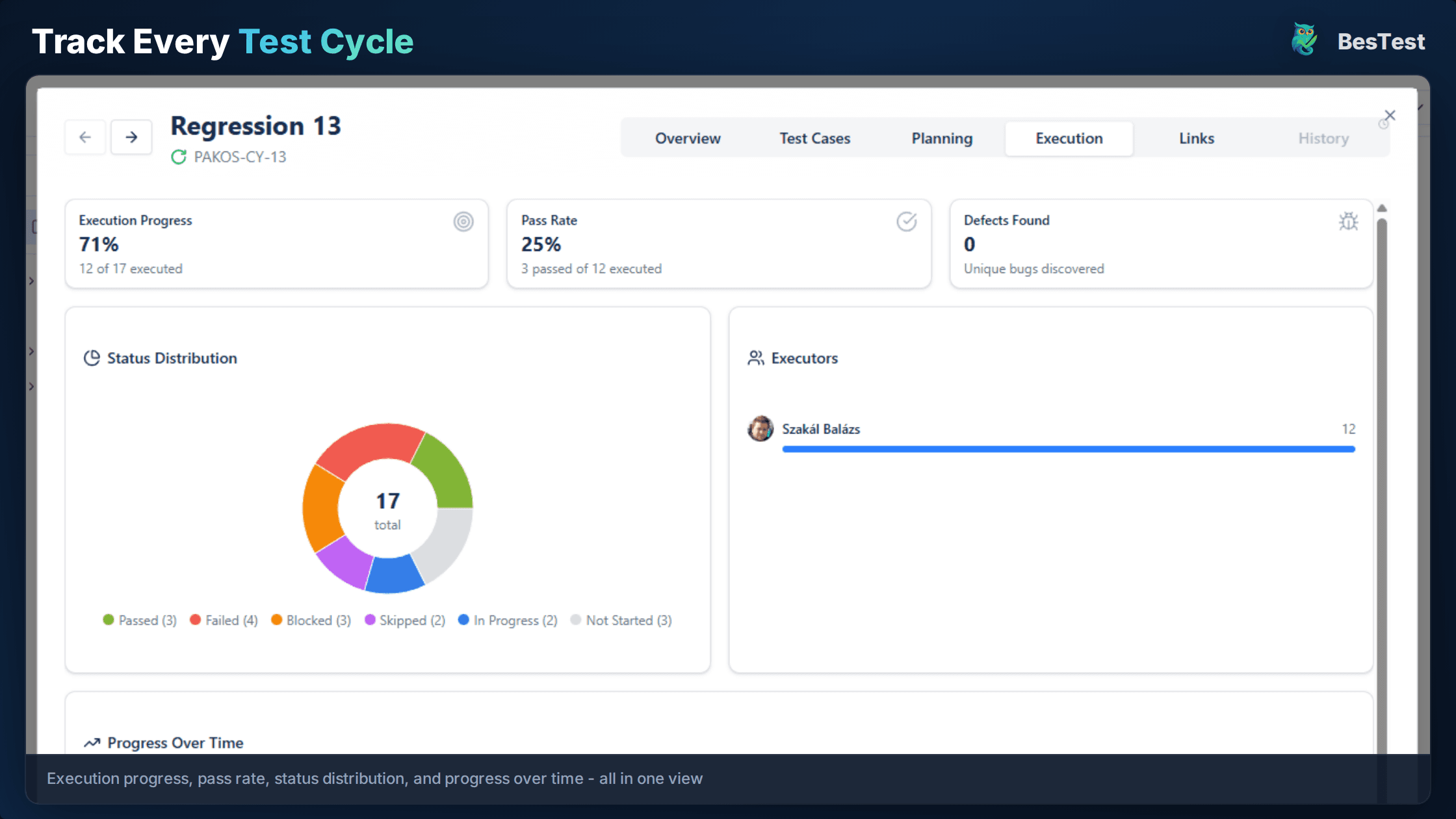
The dashboard shows smoke test status in real-time. See at a glance whether all critical paths are green or need attention.
Traceability
Link smoke tests to critical requirements. Maintain a documented record of which business-critical functionality was verified per deployment.
Deployment Tagging
Tag smoke cycles with version numbers and environment IDs. Build a historical record of post-deployment verification results.
Template Cycles
Save your smoke cycle as a reusable template. Pre-assign testers and configure notifications for one-click execution.
Free for teams up to 10 users. Installs in under a minute.
Get StartedKey Benefits
How to Implement
Identify Critical Path
Select the 10-20 most critical user journeys in BesTest. Involve product managers to ensure the list reflects business priorities.
Tag Smoke Tests
Tag these tests with "smoke" and high priority. Keep steps concise - each smoke test should complete in under five minutes.
Create Smoke Collection
Create a Smart Collection with rule "Tag = smoke". It auto-updates as you tag more tests. Aim for 15-25 tests total.
Run Post-Deployment
Execute the smoke cycle immediately after each deployment. Use the real-time dashboard so stakeholders can watch progress live.
Act on Results
If smoke fails, halt further testing and escalate. If smoke passes, communicate the green light and proceed with scheduled testing.
Best Practices
- •Keep smoke suites at 15-25 tests max to preserve the "quick feedback" purpose
- •Target under one hour of total execution time for the full suite
- •Run smoke tests on every deployment, not just major releases
- •Review and prune the suite quarterly with product management input
- •Maintain a backup tester for smoke runs to avoid single-person bottlenecks
Ready to Improve Your Smoke Testing?
Start running Smoke Testing cycles in Jira today. Free for up to 10 users.
Try BesTest FreeRelated Use Cases
Regression Testing in Jira
Automate your regression test cycles with smart collections and traceability
Security Testing Management in Jira
Organize and track security test cases and vulnerability verification
Sprint Testing in Jira
Integrate testing into your agile sprints with test cycles tied to sprint stories