

Disclaimer: as in Chapter 1, I used AI to help formatting my thoughts™ - the opinions, the scars and the Hungarian sentence structure are all mine.
We tried storing test cases in Jira too.
We did the obvious thing: created them as work items, gave them a small workflow, and when a case was written and reviewed, we moved it to a done-category status. Jira has a rule about done-category statuses: it wants a resolution. Fine. We picked one.
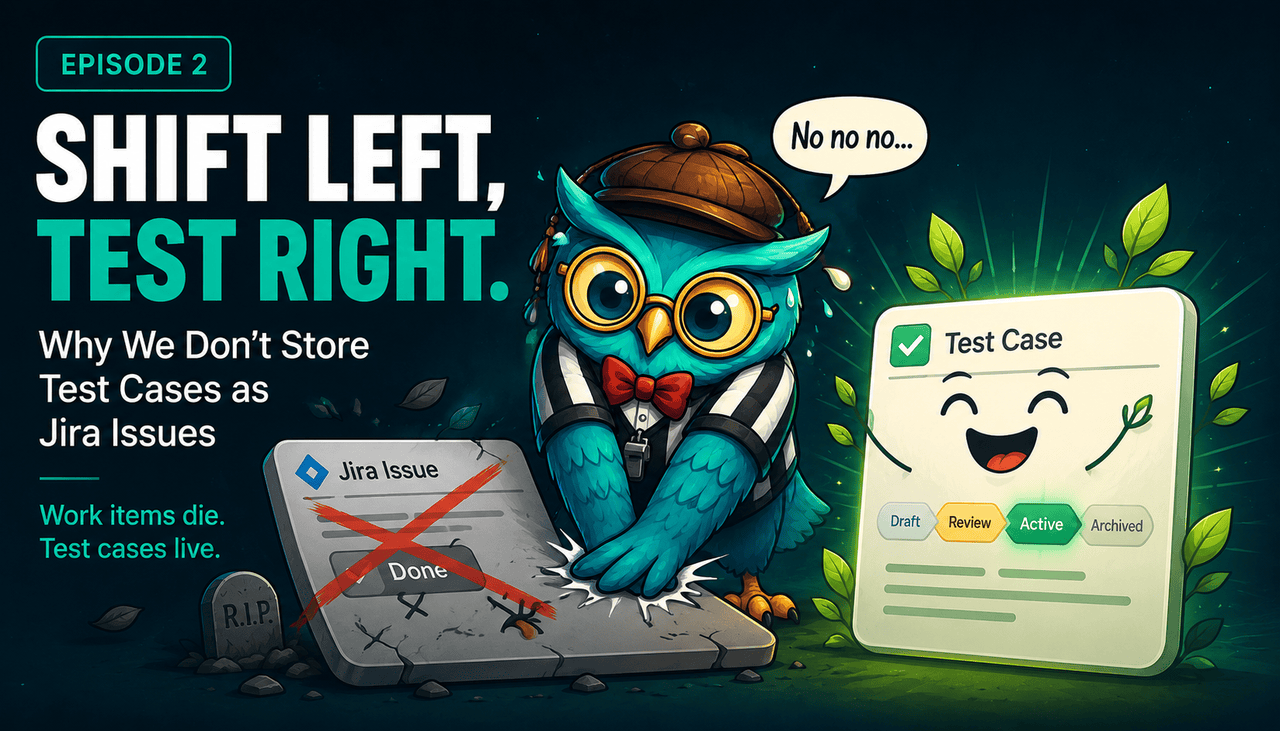
And from that moment, in every list and every search, our test cases showed up ~~struck through~~.
Crossed out. The way you cross out things that stopped mattering.
Jira was telling us our regression suite was finished. A regression suite. Finished.
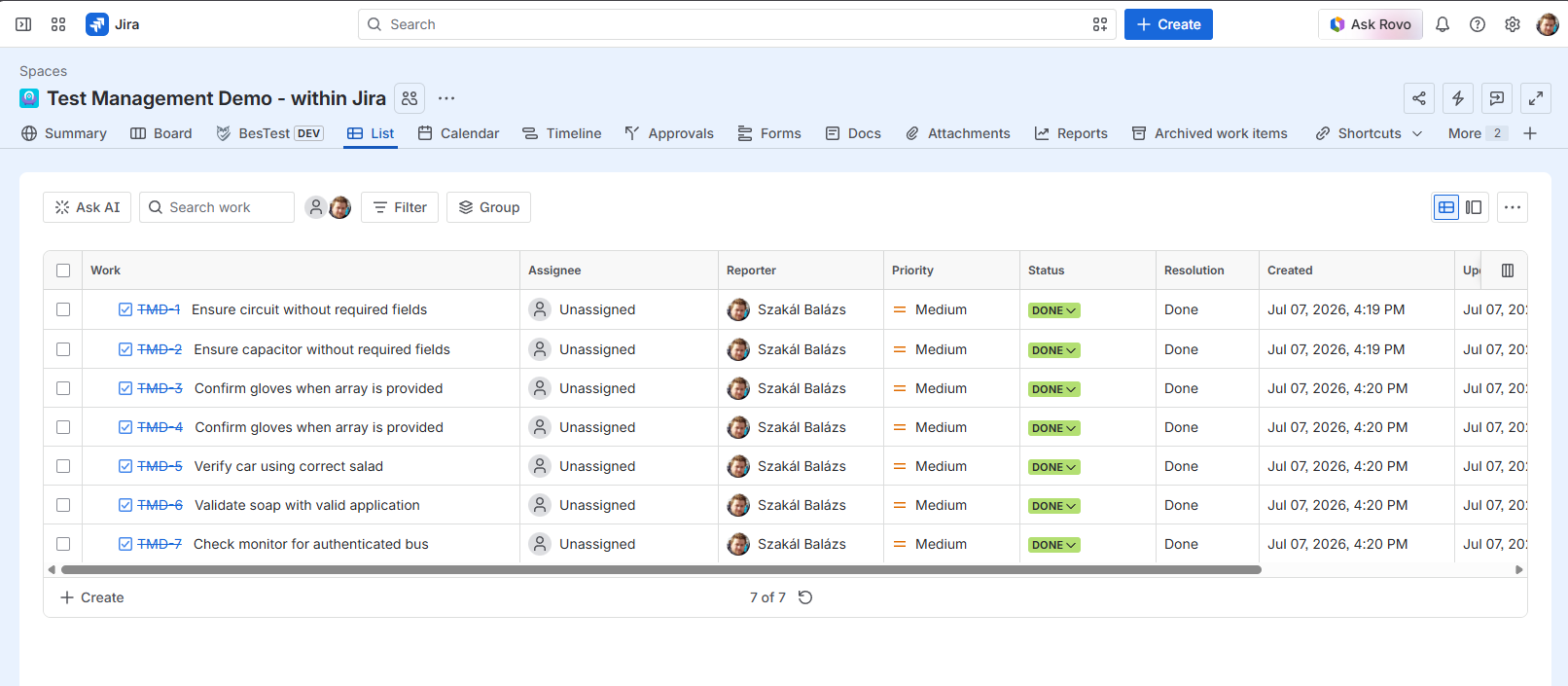
That strikethrough is not a rendering bug, and you can't really configure it away - I'll get to the workarounds, I promise. It's Jira being honest about what a work item is: a thing that is supposed to end. A test case is a thing that is supposed to not end. This chapter is about that mismatch, and about what it costs to keep ignoring it.
Jira is great. That's exactly the problem
Before this reads like a hit piece: I love Jira. An ex-coworker friend of mine organized his wedding in Jira. Our house renovation was partly organized in Jira. HR teams run on it, back offices run on it, software teams obviously run on it - you learn the terms, you set up the issue types and screens, and it works.
And the thing I like most about Jira is not on any feature list. When you put something into Jira, it stays there, unfinished, until somebody deals with it. A note on a page you never reopen goes into the sinkhole. A work item has an assignee and a status, so at some point somebody finds it and makes a conscious decision: still worth doing, or close it. That conscious decision is the magic. Nothing in Jira dies silently.
Now look at what that machinery is built to do. Statuses, resolutions, sprints, burndowns, the strikethrough - the entire system exists to push every item toward an end state, and to celebrate when it gets there. Done is the goal. Done is the whole point.
A test case has no end state. The day you finish writing it is not the day it's done - it's the day it starts being useful. It needs to be found, re-read, re-run, updated when the feature changes, and re-run again. For years. In Chapter 1 I called this the Testing in Jira anomaly™: the same machinery that makes Jira great at work is exactly the machinery that buries a test case.
The workaround corridor
If you've tried to keep test cases in Jira, you have walked some version of this corridor. I've walked all of it. Every door looks like the exit, and every door leads back inside.
Door one: resolve them like everything else. Your suite renders struck through. We've covered this. Nobody keeps a catalogue they have to squint at.
Door two: leave them unresolved forever. A status called "Ready" that never closes. Except most of Jira's built-in reports filter on resolution - so every resolved-vs-unresolved chart now shows hundreds of eternally unfinished items. Your project looks permanently underwater, and the reports you need for actual work are polluted by things that were never work.
Door three: a dedicated Test issue type. The natural evolution - your own screens, your own workflow, no resolution rule. It genuinely buys you months. Then you try to run the tests, and the execution result needs to live somewhere. A subtask per execution? Enjoy the explosion: hundreds of subtasks, a huge UI, and no way to see at a glance which run is the latest. Flip the status of the case itself per run? Now the same case cannot be executed in two places at once - two testers, two environments, one status field - and the case's own history turns into noise.
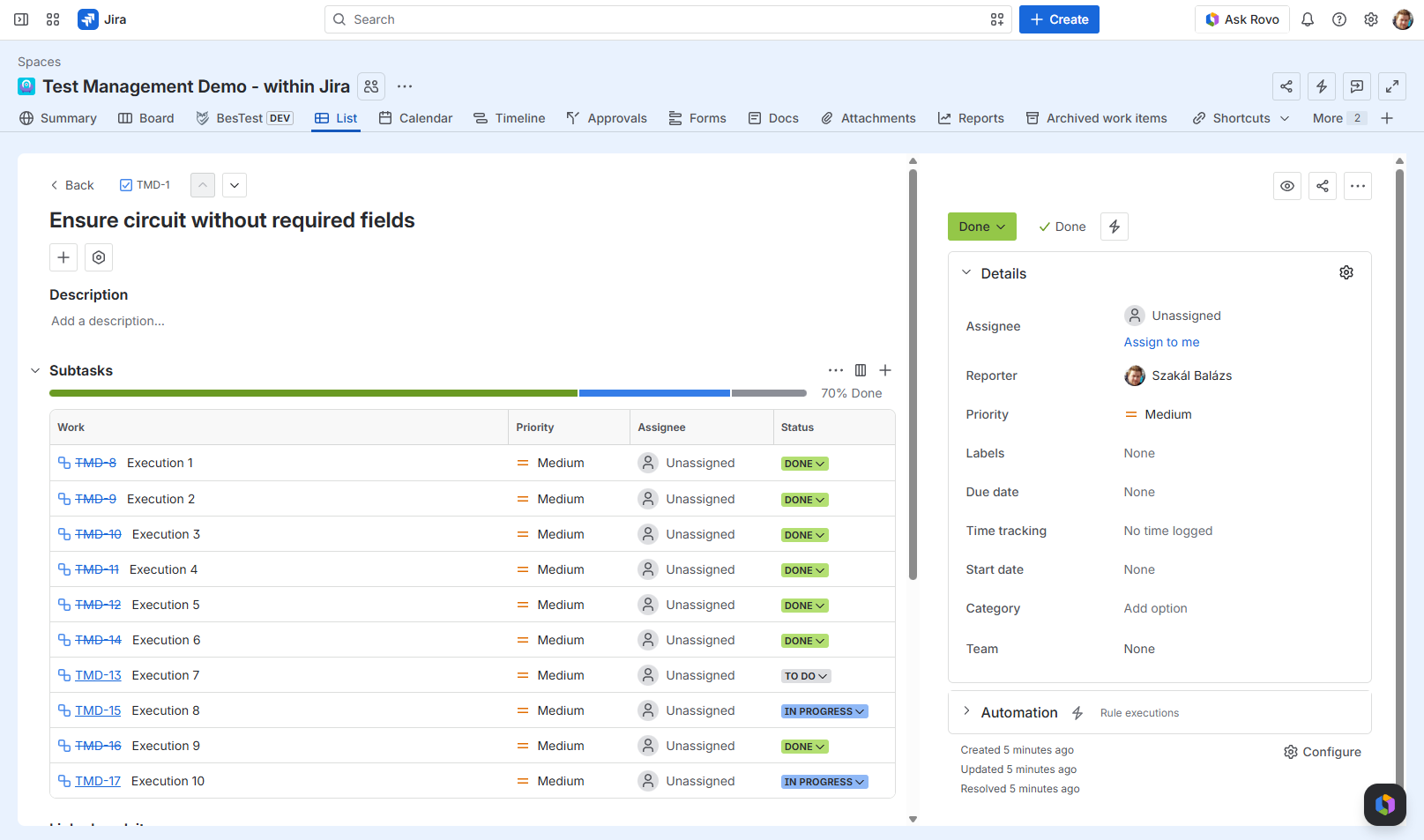
Door four: quarantine everything in a parallel project. Labels, components, a project called TEST. The invaders are contained now - and your test assets sit further from the work they verify than any separate tool would put them. You've built a test management app with none of the features of one.
Each door buys a few months, and they all fail the same way: you are spending configuration effort to make Jira stop doing the thing it is best at - pushing items to an end and getting them out of your sight. That dilemma, not any feature checklist, is why test management tools exist at all.
Meanwhile, the invaders
And while whichever workaround holds, you're paying rent elsewhere in the instance. I call stored-in-Jira test cases invaders - with love - because they show up everywhere real work lives. You'll be excluding the test issue type from every board, every JQL filter, every velocity chart, forever. One forgotten NOT clause in one shared filter, and the sprint report is wrong and nobody knows why. Your admin screens grow test-only issue types, test-only screens, test-only fields - and every Jira admin who comes after you has to know the rules.
Fairness moment, because this is supposed to be an honest series: issues-as-test-cases comes with real gifts. Notifications for free. Permissions for free. Comments, history, an audit trail for free. JQL - your cases are searchable on day one. These are not small things. They are most of the reason teams pick this road in the first place.
So the honest question is not "are those valuable". It's "what does replacing them cost". Let's price it.
The turn: what leaving issues costs
BesTest stores requirements and test cases in their own data model, in a dedicated, secure database, wired into Jira - a panel on every work item, gadgets on the dashboards, defects born as real Jira work items. Before I tell you why that's good, here is what it costs, because an opinion piece that only sells is just an ad.
- •Test assets are not work items. Native JQL does not see them. They can't sit on boards - I'll argue in a minute they never belonged there, but it is still a fact.
- •Jira automation and the work-item ecosystem don't reach them directly. Tools that manipulate work items apply to your test assets only if the app builds its own equivalent or exposes an API.
- •You depend on the app developer. On us. Every capability an issue inherits for free, a dedicated tool has to earn: search, notifications, history, permissions. Where it hasn't earned one yet, you feel it. In our case the honest example today is workflow statuses: cycle and test case workflows in BesTest are opinionated and partly automated - a cycle moves forward as its executions move - and custom statuses, our most requested feature, are not available yet.
That last admission is also the point I want you to keep: the cost list of a dedicated tool is a backlog, not a law of physics. It shrinks with every release where the developer does their job. The cost list of issues-as-test-cases is structural - no amount of releases will make a work item stop wanting to be Done.
Now, the other side of the ledger.
What you get back
A catalogue that stays alive. Test cases carry statuses that fit them - Draft, In Review, Active, Archived - and there is no resolution field anywhere in sight. Nothing you own ever renders struck through. Archiving is a conscious decision by a human. That part of Jira, we kept.
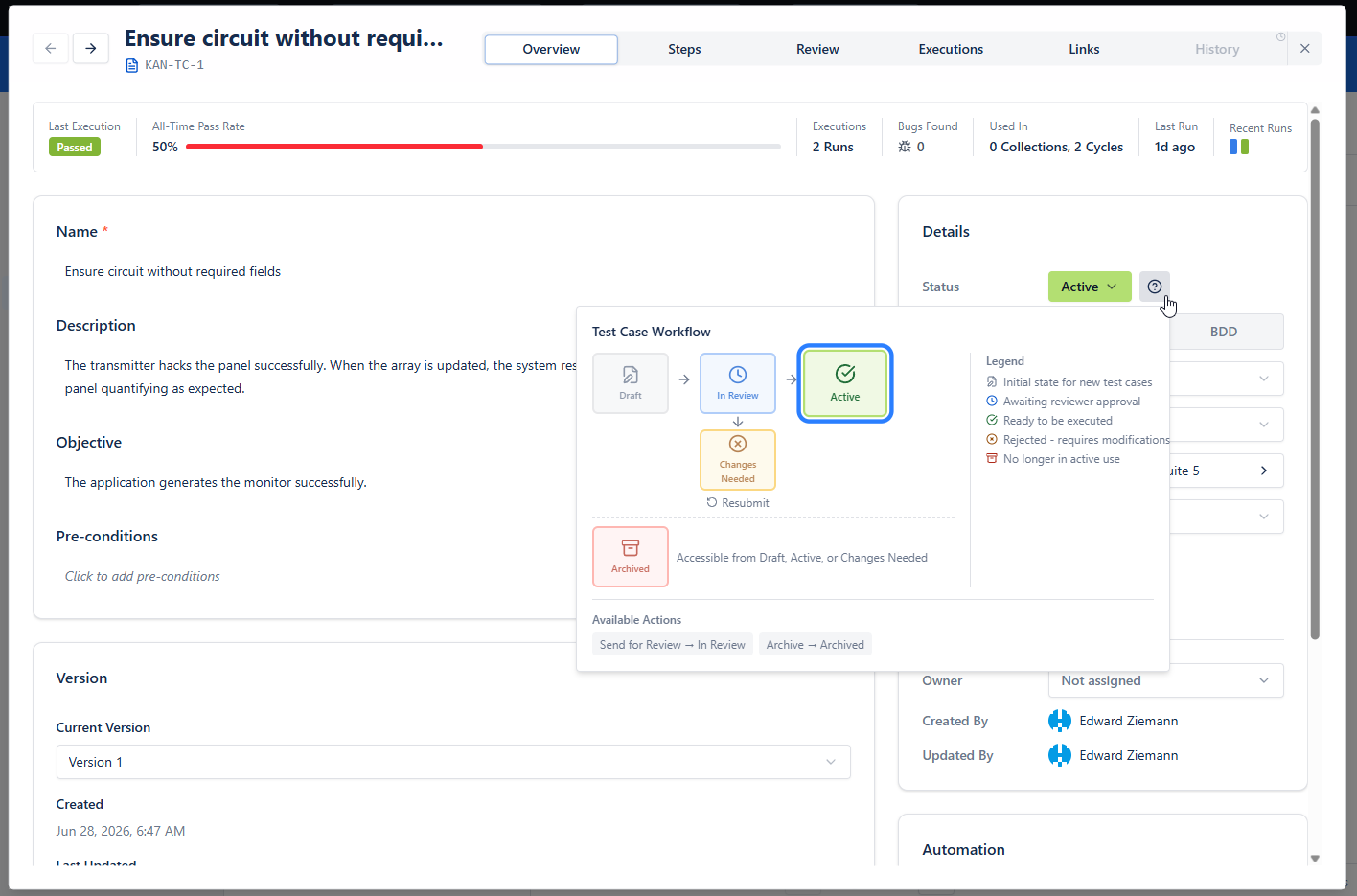
Executions are copies. When a case runs in a cycle, the execution is a snapshot copy of the case - which is exactly the "resolution" testing needed all along. The catalogue entry stays alive; each run is a frozen record with its own result. The same case can run in two cycles, by two testers, in the same afternoon. The status dilemma from door three simply does not exist here.
Real folders, and search that knows what a test case is. Jira gives you epic, task and subtask, plus a level or two more on premium plans. A test catalogue wants actual folders, nested as deep as your product is - BesTest's folders are infinite. And remember the double-edged sword from earlier: JQL is brilliant to have and eventually not enough, because it can only query what Jira knows about. You don't lose that power by leaving issues - you trade up. BesTest's filtering - we call it BQL, and the family resemblance in the name is not an accident - is the same class of language: ands, ors, lists, relative dates, full-text search, autocomplete included. Over fields that exist because the store knows what a test case is. My own daily filters are boring, which is exactly the point:
- •everything assigned to me
- •anything sitting in a review status that hasn't moved forward
- •automated cases only, when I'm building a cycle that CI will execute
And then the kind of line JQL cannot dream about your test cases: regression cases that are still manual and haven't been touched in 90 days. That's your automation backlog. One filter.
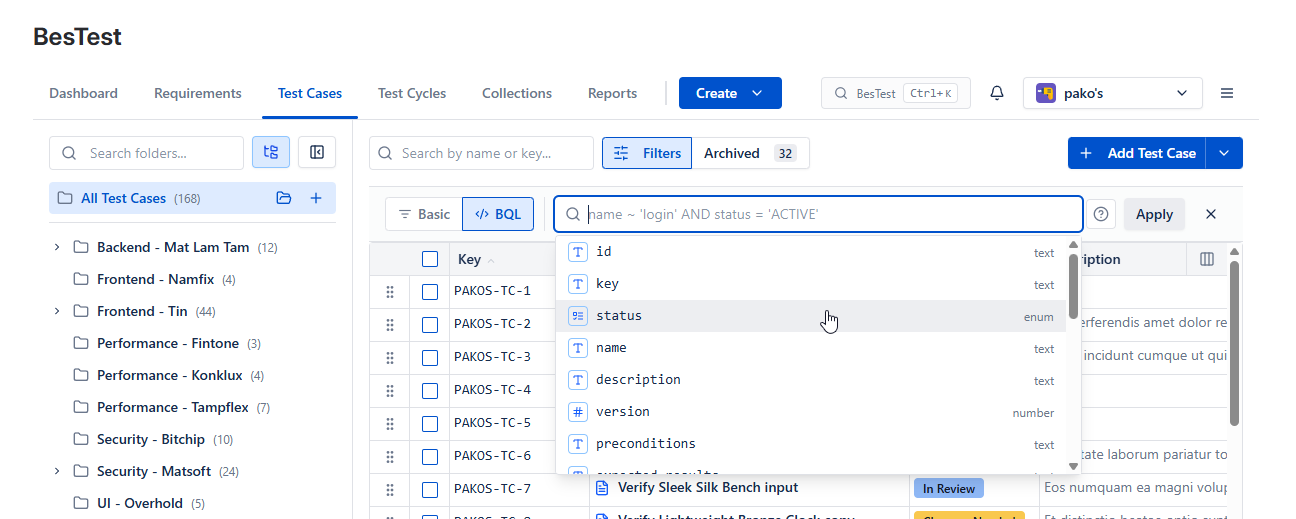
Filters you keep. I rarely use a filter once and throw it away. I save them into collections - saved, living filters whose criteria re-evaluate in real time, folder picks included. When I set up an execution cycle, I don't hand-pick forty cases; I pick the collections. (Collections deserve their own chapter. This was the cameo.)
The house features. Built-in notifications, so testers message each other and stay current without leaving the tool. Reports that understand requirements, coverage and cycles natively - instead of you forcing a testing hierarchy into work-item reports that were never meant for it, or buying a separate reporting tool to do the bending.
Live preview - this is the real BesTest UI
Give test assets a store that knows what they are.
Folders as deep as your product needs, filtering over fields that exist because the store understands test cases, and a lifecycle that is not borrowed from a bug. Still inside Jira, through the work item panel, dashboards and real Jira defects. Free for up to 10 users, about a minute to switch on.
View on the Atlassian Marketplace"But my fields." The objection we heard most
Every conversation about leaving issues arrives, sooner or later, at custom fields. Reasonably so: half of Jira's power is that you can bolt your company's own vocabulary onto it, and every company is specific in its own way. You always need at least one field that says we are special.
When BesTest launched, this objection was simply correct - custom fields sat on our cost list. They don't anymore: custom fields are live. That's the shrinking backlog I promised, in action.
How we built them, in the spirit of this series: system fields come first. A team new to testing gets presets that already work - priorities, types, sane value sets - not an empty schema and homework. Then you extend. The most important custom fields, by a distance, are type fields with your own values: an automotive team and a pharma team do not have the same kinds of test cases, and they don't have the same kinds of requirements either. After types come people fields - a secondary or tertiary owner. Then text, one-line or multi-row, for the requirement that needs three extra words or three extra paragraphs. And colored labels, because yes, we support the sticky notes.
One rule we refused to break: if you put sticky notes on a field, you want to search by them later - otherwise why did you add the sticky notes? So custom fields went straight into the filtering language, first-class, same as everything above. A custom field you cannot filter by is decoration.
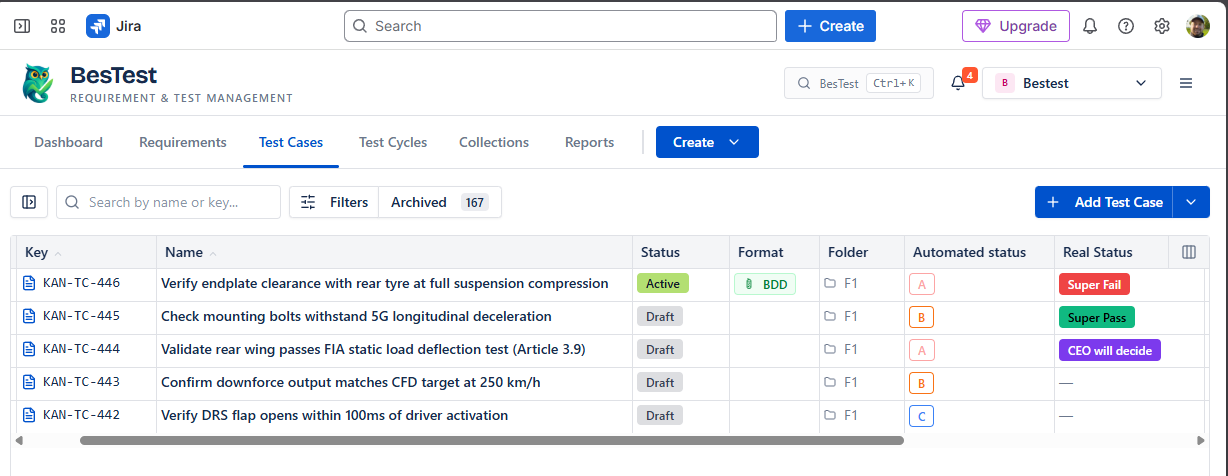
Where it breaks hardest
If you build software in pharma, automotive, or anywhere an auditor visits, nothing in this chapter surprised you. You have to prove that a requirement was covered, tested and signed off - and keep that proof reachable for years. An archived work item with a resolution of Done is a bad witness: the trail exists, technically, in the changelog of a thing everyone stopped looking at. A dedicated model holds every link - requirement to test case to execution to defect to the originating work item - so traceability is a report you run, not an archaeology project. I'm not claiming certifications here; I'm describing the shape of the problem. And the extreme case proves the everyday one: even if your only auditor is next quarter's you, you feel a smaller version of this every single release.
The one question for switchers
If you already run a test management tool - or you're choosing one - this whole chapter compresses into a single question: does it store test assets as Jira work items, or as first-class entities with their own lifecycle?
The answer predicts almost everything downstream. Whether reporting means native views or means bending work-item charts around an issue type. Whether re-running a suite means clean execution copies or means subtasks and cloned issues. Whether an audit is a report or a dig. Ask it before you fall in love with a screenshot.
Both schools exist on the Marketplace, including among the biggest names: some tools store tests as a dedicated work item type inside Jira, others keep a separate store wired into Jira. (BesTest is in the second school.) The marketing rarely tells you which school a tool belongs to. The question above gets you the answer in one demo call.
Requirements belong here too. Maybe more
Everything I've argued about test cases is true for requirements - I'd say more true, because requirements live even longer and sit even further left.
Here's the uncomfortable version: if you don't store requirements, you don't have requirements. User stories are not them. Stories get developed, evolve, close - and the agreements inside them scatter. A thousand developed user stories might amount to a few hundred actual requirements, every one of them changed since it was first written, and none of them written down as what it became. Try this question on your own product: "What are the features of your software, today?" I believe most companies cannot answer it properly - not because nobody knows, but because the answer is not stored anywhere. There is no active requirement pool to filter. On the Jira side, there's nothing to filter.
People feel this gap and reach for Confluence - and Confluence is great, by the way. But a page tree of written things is missing exactly what work items have: attributes, a status, a catalogue you can query. What a requirement actually needs is both halves at once: an entity with fields (custom fields included, see above) and documentation people co-author and accept - with a status, in a living catalogue your test cases can link against, so that coverage and release readiness are questions with answers.
And here is the halfway trap of our own industry: most dedicated test tools moved test cases out of work items and left requirements behind - as issues, as pages, as somebody else's problem. That splits the traceability chain across two systems. Same disease, half cured. It's the reason BesTest keeps requirements and test cases in one data model: one folder tree, one filtering language, one first-class link between a requirement and the cases that cover it.
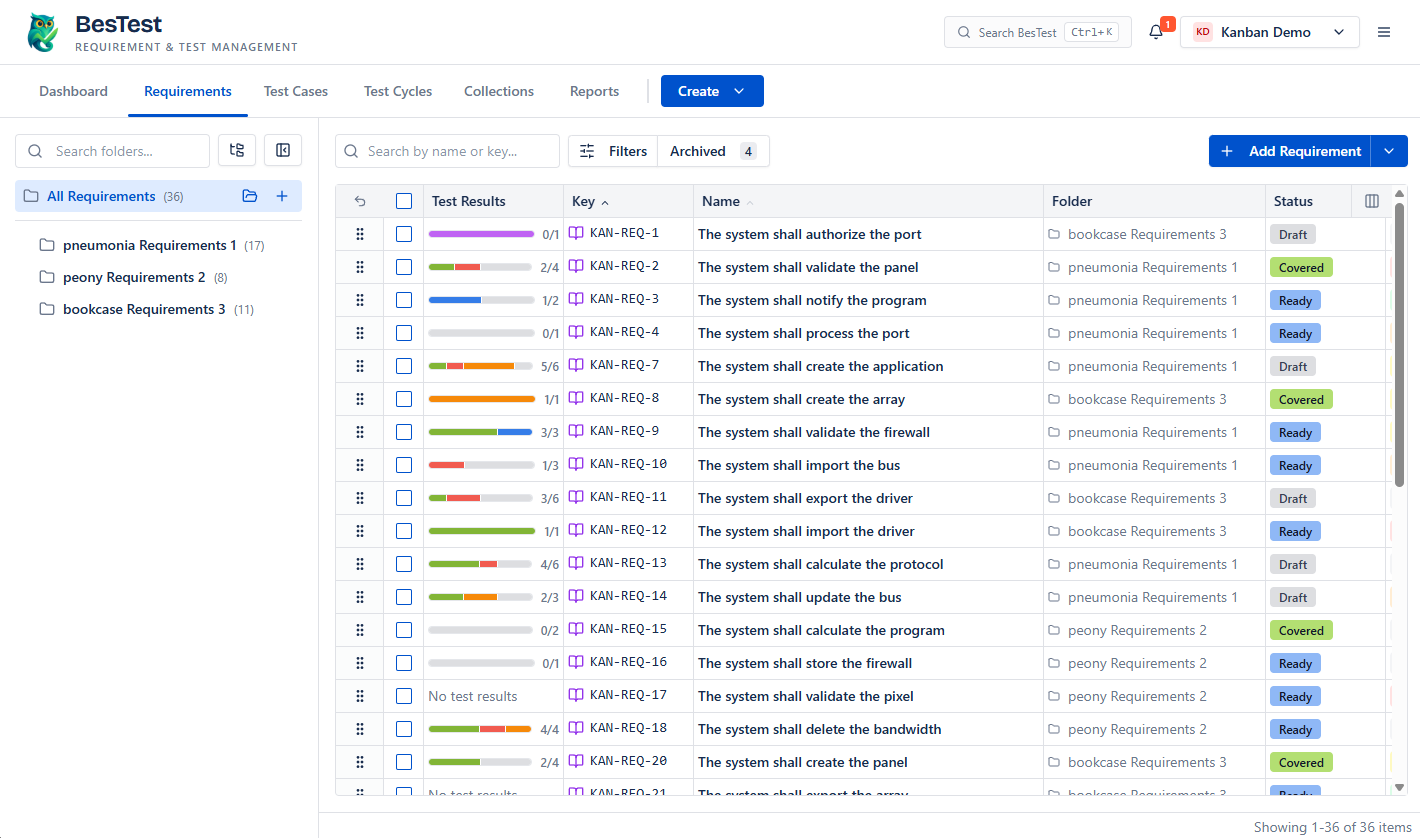
That's Chapter 3, next month: requirements aren't documentation. They're scaffolding.
The honest wrap
The one-line version of this chapter: test cases are built to live; work items are built to finish or die. Jira's lifecycle - the conscious decision, the push toward Done - is the best thing about it, and it is precisely the wrong gift for a test case.
What we gave up to fix that is real: native JQL, boards and work-item automation over test assets. What we got back: a catalogue nothing ever crosses out, executions that are copies instead of status fights, filtering that knows what "still manual, untouched for 90 days" means, and custom fields so your industry's vocabulary fits. What we're still figuring out, so you don't hear it from a changelog first: custom workflow statuses, and deeper automation and CI hooks.
I'm 99% sure that a tester who tries this model falls in love - it's still in Jira, one click away, without the nonsense of test cases on boards. But I'm the founder; being sure is my job description. So check it yourself: try BesTest free from the Atlassian Marketplace - free for up to 10 users, sandbox-friendly. And if your experience contradicts anything I wrote here, tell me. I asked for pushback after Chapter 1 and I meant it; the offer stands.
Chapter 3 lands next month.
Frequently Asked Questions
Why should test cases not be stored as Jira issues?
Jira work items are designed to reach an end state: statuses push toward Done, done-category statuses want a resolution, and resolved items render struck through and drop out of reports. Test cases need the opposite - they stay useful for years and are re-run across releases. Storing them as issues forces a choice between a crossed-out catalogue, permanently "unresolved" reports, or a web of workarounds that erodes over time.
What do you lose when test cases are not Jira issues?
Native JQL does not see them, they cannot sit on boards, and Jira automation does not reach them directly. A dedicated tool has to replace those capabilities - BesTest does it with its own JQL-class filtering over testing-native fields, built-in notifications, dedicated reports, and defects that are created as real Jira work items so day-to-day work stays wired into Jira.
Does BesTest support custom fields?
Yes. BesTest ships with working presets so new teams are not left with an empty schema, and lets you add your own fields: type fields with custom value sets, extra owner and people fields, one-line and multi-row text, and colored labels. Custom fields are first-class in filtering, so anything you add is searchable.
How does BesTest filtering compare to JQL?
It is the same class of query language - combined conditions, value lists, relative dates, full-text search - but over testing-native fields that JQL does not have, such as automation status, test type, review state and folder. For example, "regression cases that are still manual and untouched for 90 days" is one filter. Filters can be saved into collections whose criteria re-evaluate in real time and feed execution cycles.
Do requirements belong in a test management tool too?
Yes - the lifecycle argument applies to requirements even more strongly. If requirements only exist as user stories or wiki pages, there is no living catalogue to report coverage against. BesTest stores requirements and test cases in one data model, so coverage is a first-class link and traceability does not have to span two systems.
Is testing still 'in Jira' if test cases are not Jira issues?
Yes. A BesTest panel sits on every Jira work item, the gadgets sit on Jira dashboards, and defects are created as real, pre-filled Jira work items. The only thing that leaves the work-item model is the thing that never fit it: the long-lived test assets.
Give test assets a store that knows what they are.
Folders as deep as your product needs, filtering over fields that exist because the store understands test cases, and a lifecycle that is not borrowed from a bug. Still inside Jira, through the work item panel, dashboards and real Jira defects. Free for up to 10 users, about a minute to switch on.
View on the Atlassian Marketplace
Balázs Szakál
Founder & QA Lead at BesTest
Founder of BesTest and QA professional with extensive experience in software testing, test management, and Jira administration. Built BesTest to give testing teams complete visibility from requirements to release.
More about the team →