
Custom Fields for Every Testing Object
Add your own fields to requirements, test cases, cycles, collections and campaigns
Add your team's own fields to any testing object in BesTest. Eight field types - from short text to selects with colored values - configured per project in seconds. Every custom field shows up in catalog views, works in filters and Smart Collections, and is fully supported during import.
The real BesTest UI
How It Works
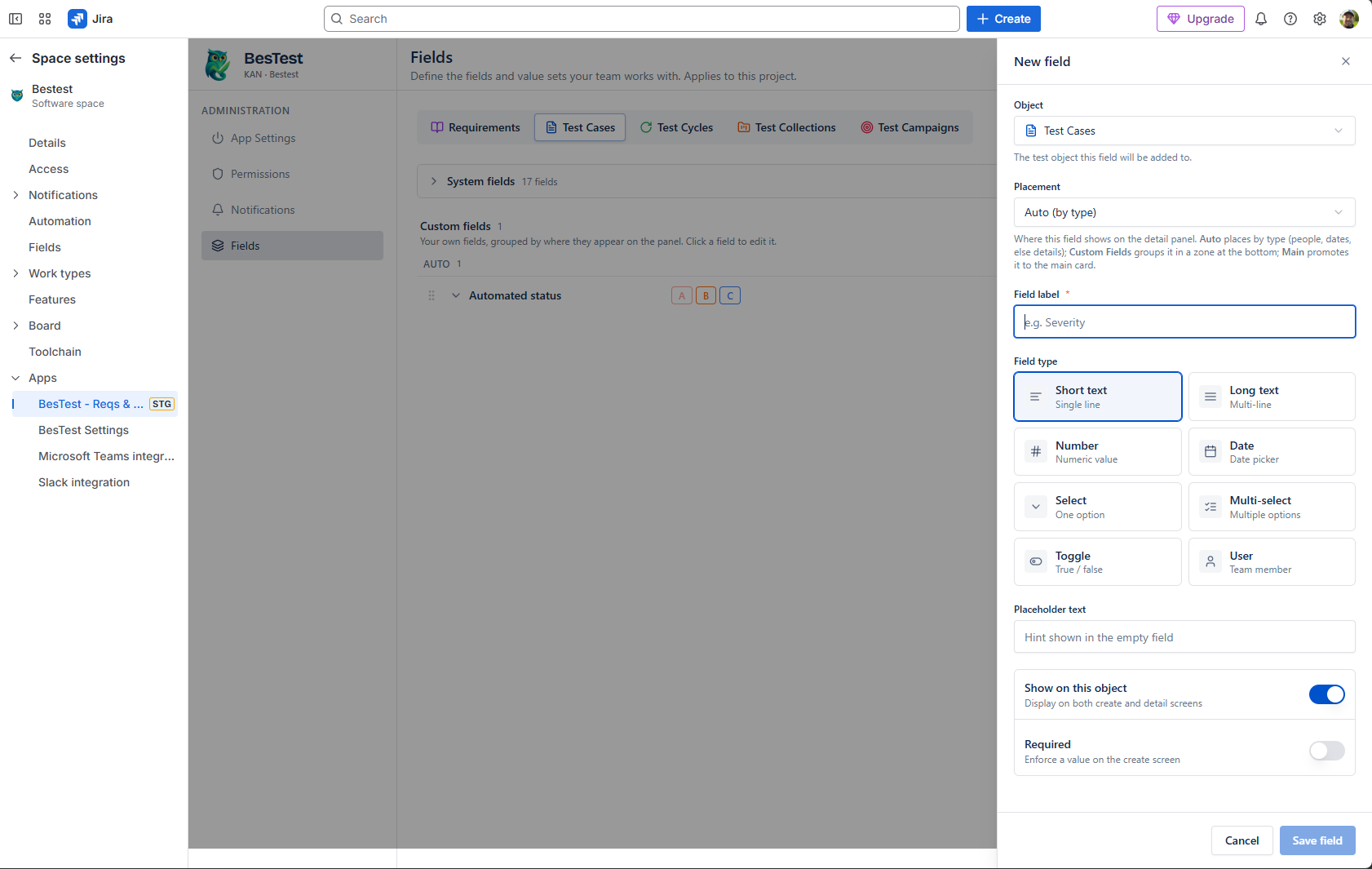
BesTest ships with system fields that already work - statuses, priorities, types and the rest come preset with sane values, so a team new to testing is never handed an empty schema. But every company is specific in its own way: an automotive team and a pharma team do not have the same kinds of test cases or requirements, and sooner or later you need at least one field that says "we are special." Custom fields are how you add that vocabulary. Open the Fields menu in your project settings, pick the object - requirements, test cases, test cycles, collections or campaigns - and define the field for that project.
Eight field types cover the practical range: short text for one-liners, long text for the requirement that needs three extra paragraphs, number, date, toggle, a user picker for a secondary or tertiary owner, and single or multi-select for the most important kind of custom field - type fields with your own value set. Select values take colors, so a label like a risk class or a hardware variant is visible at a glance. You also control placement on the detail panel: let BesTest group fields automatically by type, promote a critical one to the main card, keep them in a dedicated Custom Fields zone, or - for test cases - group them with the Test Automation section.
One rule shaped the whole feature: if you add a field, you will want to search by it - otherwise why add it? So custom fields are first-class citizens everywhere downstream. They appear as columns in the catalog views, they work in filters including advanced BQL queries, and they can drive Smart Collections - so a custom field like "Component" or "Risk class" can automatically assemble the right test cases for a cycle. Import is covered too: create your custom fields before importing, and map your existing data straight onto them.
Key Benefits
Try Custom Fields for Every Testing Object in BesTest
Install BesTest from the Atlassian Marketplace and start using custom fields for every testing object inside Jira in minutes. Free for teams up to 10 users.
Try BesTest Free