

Test Execution with Test Player
Run through test cases step by step with the built-in test player
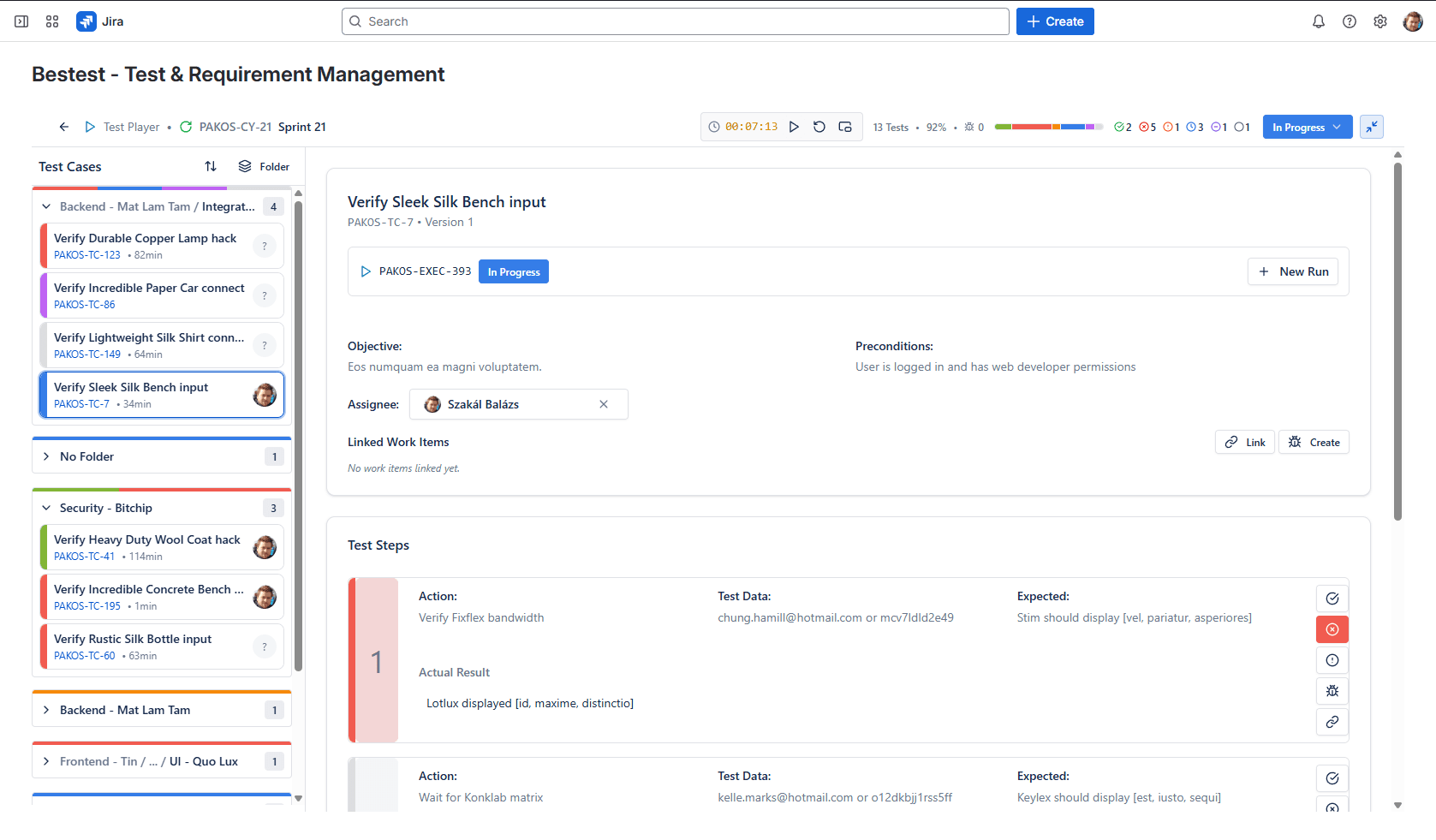
Run through test cases step by step with the built-in test player. Log results, link evidence through Jira issues, and report bugs — all without switching context. The test player guides testers through each step, making execution consistent and efficient.
How It Works
The test player in BesTest transforms test execution from a tedious manual process into a guided, efficient workflow. When a tester starts executing a test case, the test player presents each step one at a time with the expected result clearly visible. The tester marks each step as passed, failed, or blocked, building a complete execution record as they go.
When a step fails, the tester can create a linked Jira issue directly from the execution screen. The new issue is automatically populated with context from the test case — the step that failed, what was expected, and the test case reference. The tester can then attach screenshots and logs to the linked Jira issue, providing developers with everything they need to investigate. This tight integration means bug reports are detailed and traceable from day one, without requiring testers to copy-paste between tools.
Test execution progress updates in real time. Test leads and managers can see how far through a cycle the team is, which tests are passing, and where blockers have emerged — all without sending status-request messages to testers. The execution dashboard shows pass rates, failure trends, and cycle completion percentages, giving stakeholders the visibility they need to make informed release decisions.
Key Benefits
Try Test Execution with Test Player in BesTest
Install BesTest from the Atlassian Marketplace and start using test execution with test player inside Jira in minutes. Free for teams up to 10 users.
Try BesTest FreeRelated Resources
Test Management in Jira: The Complete 2026 Guide
A comprehensive guide to test management in Jira - from native options to dedicated tools. Learn how to organize test cases, execute tests, track coverage, and report on quality within the Jira ecosystem.
Regression Testing in Jira
Automate your regression test cycles with smart collections and traceability
Smoke Testing in Jira
Quick sanity checks to verify critical functionality after deployments
Sprint Testing in Jira
Integrate testing into your agile sprints with test cycles tied to sprint stories
Test Execution
The process of running test cases and recording the actual results.
Test Cycle
A single iteration of testing a specific set of test cases, typically associated with a release or sprint.
Defect (Bug)
A flaw in the software that causes it to behave incorrectly or unexpectedly.