
Work Item Traceability: can these Jira work items ship?
Start from the Jira work items you ship: epics, stories or a fix version. Pick them, paste a JQL query or use a saved Jira filter. BesTest reads all their children and rolls the test state up the tree. The work items that are Done in Jira but not proven by tests stand out.
- Reads
- Jira work items: picked, a JQL query or a saved Jira filter, each with all its children. Test results from every cycle, or the cycles you pick. Or a saved data set.
- Answers
- 7 ready questions, the card "Does Jira agree with the tests?", a work item panel.
- Takes out
- Print (PDF). CSV, one row per work item.
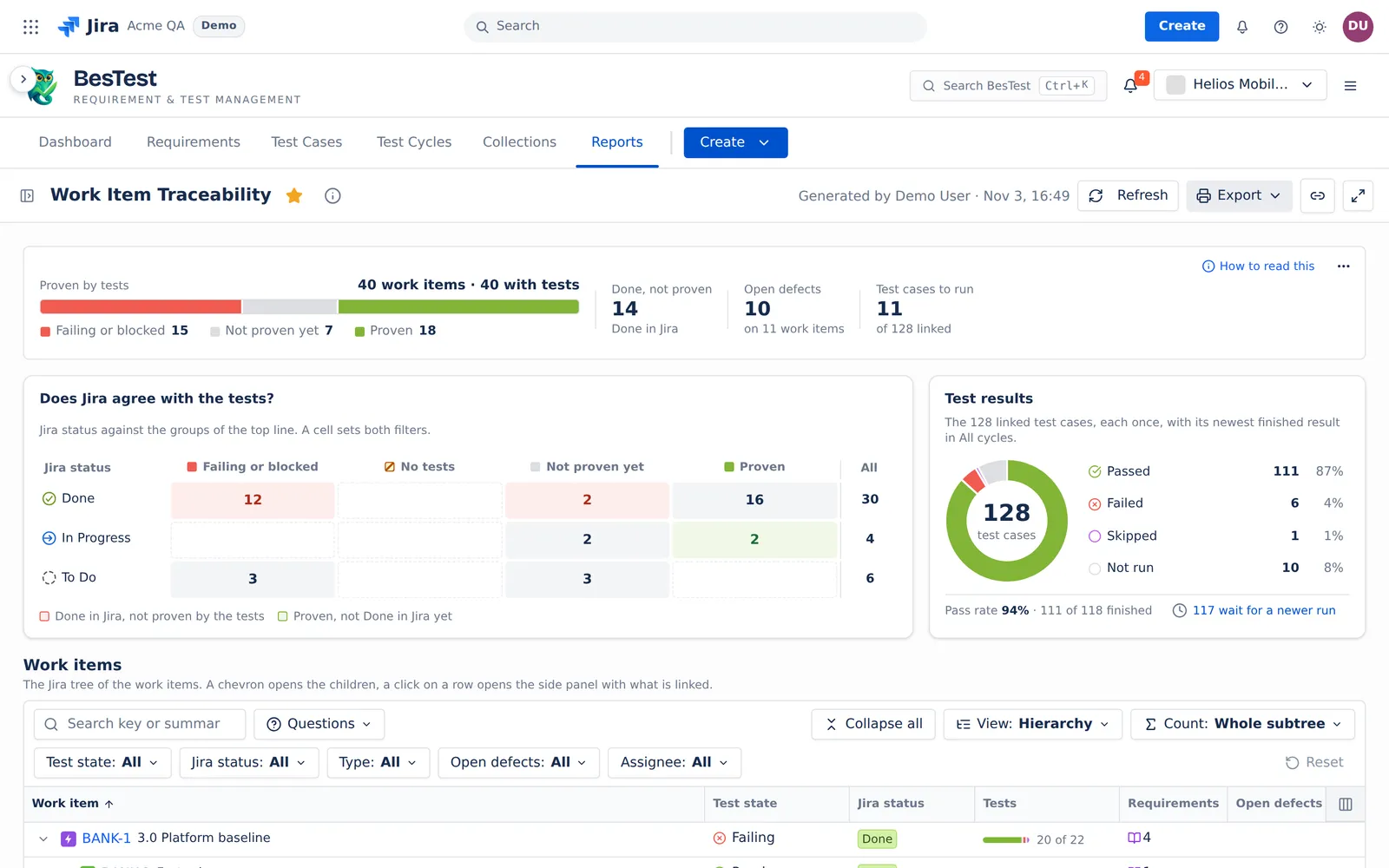 12345
- 1Proven by tests40 work items from a JQL query, with all their children.
- 2Done, not proven14 work items are Done in Jira, but the tests do not prove them.
- 3Does Jira agree with the tests?Jira status against the groups of the top line. A click on a cell shows its work items.
- 4Test resultsThe 128 linked test cases, each once, with its newest finished result.
- 57 ready questionsFor example "Work items that stop the release".
Ask a question. The tree answers it.
Pick a question. The screen is the real answer in the Helios demo space, with the filters the question set and its rule.
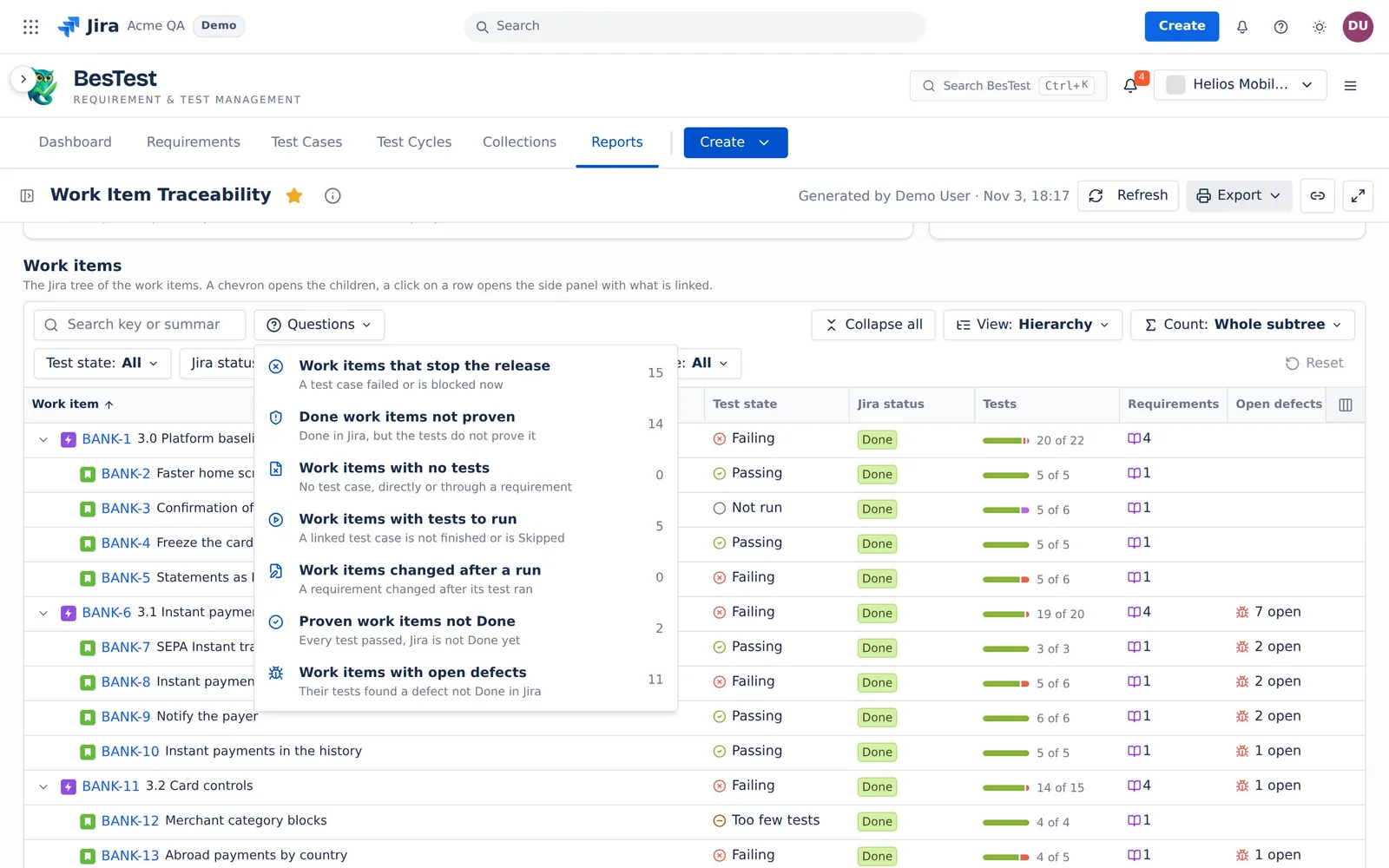
This is the Questions menu of the app. Each number is the count in the demo data. Pick a question: it sets the filters of the report for you.
Click a number. Its work items open.With the filters set for you.
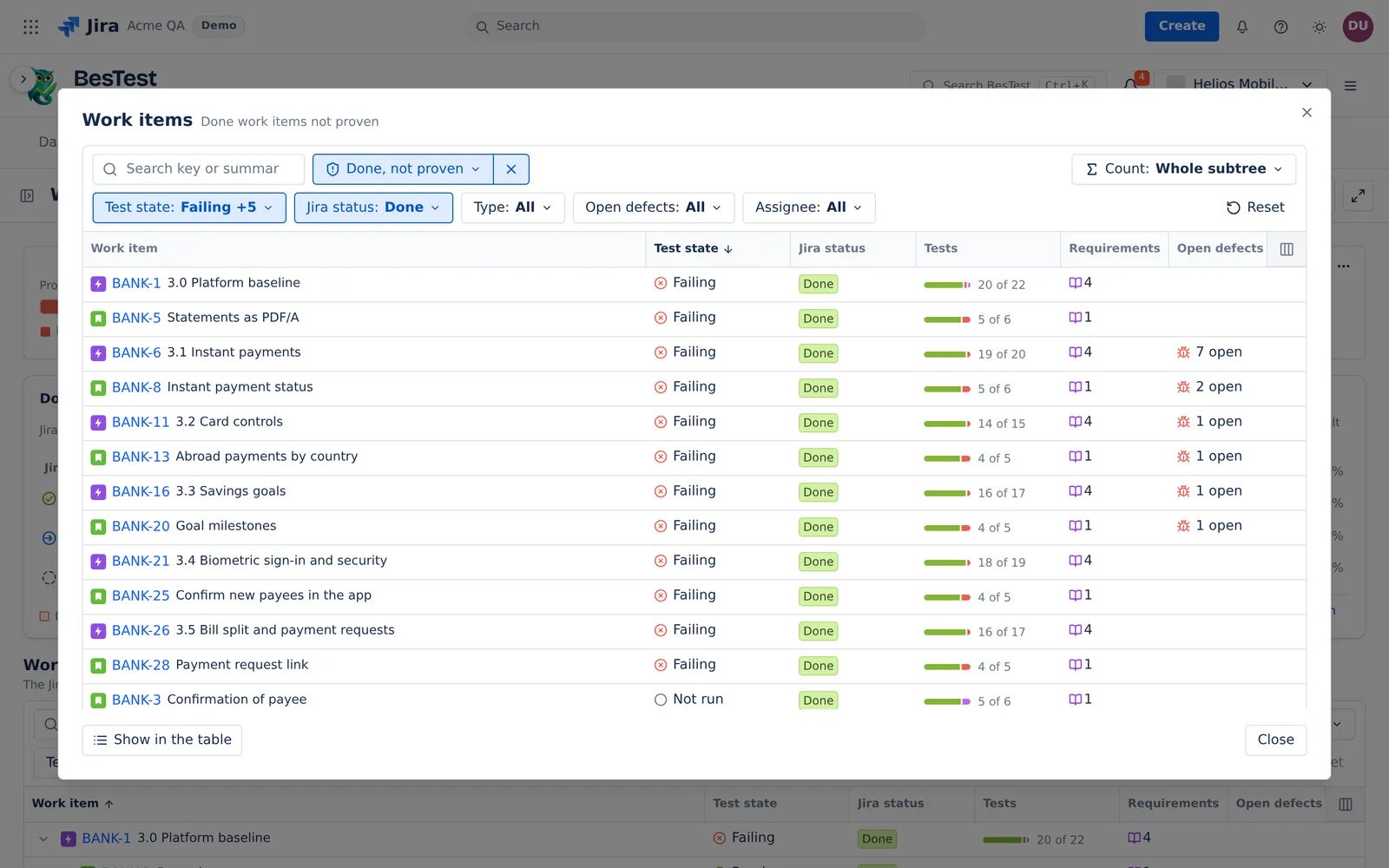 1234
- 1The rows behind a numberThe 14 Done work items that the tests do not prove.
- 2The filters it setTest state Failing and 5 more, Jira status Done.
- 3Count: Whole subtreeA parent takes the worst state of its own tests and of its children.
- 4Show in the tableThe same rows in the table of the report.
One state per work item.The worst fact wins.
Its test cases. The test cases linked to the work item, and the test cases of its linked requirements, each once.
Its own state. The worst result of its test cases. Skipped and no result count as Not run.
When every test passed. Changed after test if a linked requirement changed after a result. Else Too few tests if a requirement is not Covered. Else Passing.
Whole subtree. A parent takes the worst of its own state and the states of its children. A child with No tests does not make the parent worse.
Own links. Each row counts only its own links. A row with tests only below it shows On child items.
Start from the Jira work items you ship.
Pick work items, paste a JQL query or use a saved Jira filter. BesTest reads every child. A query can count up to 500 work items, and the report reads up to 2,000 work items with their children.
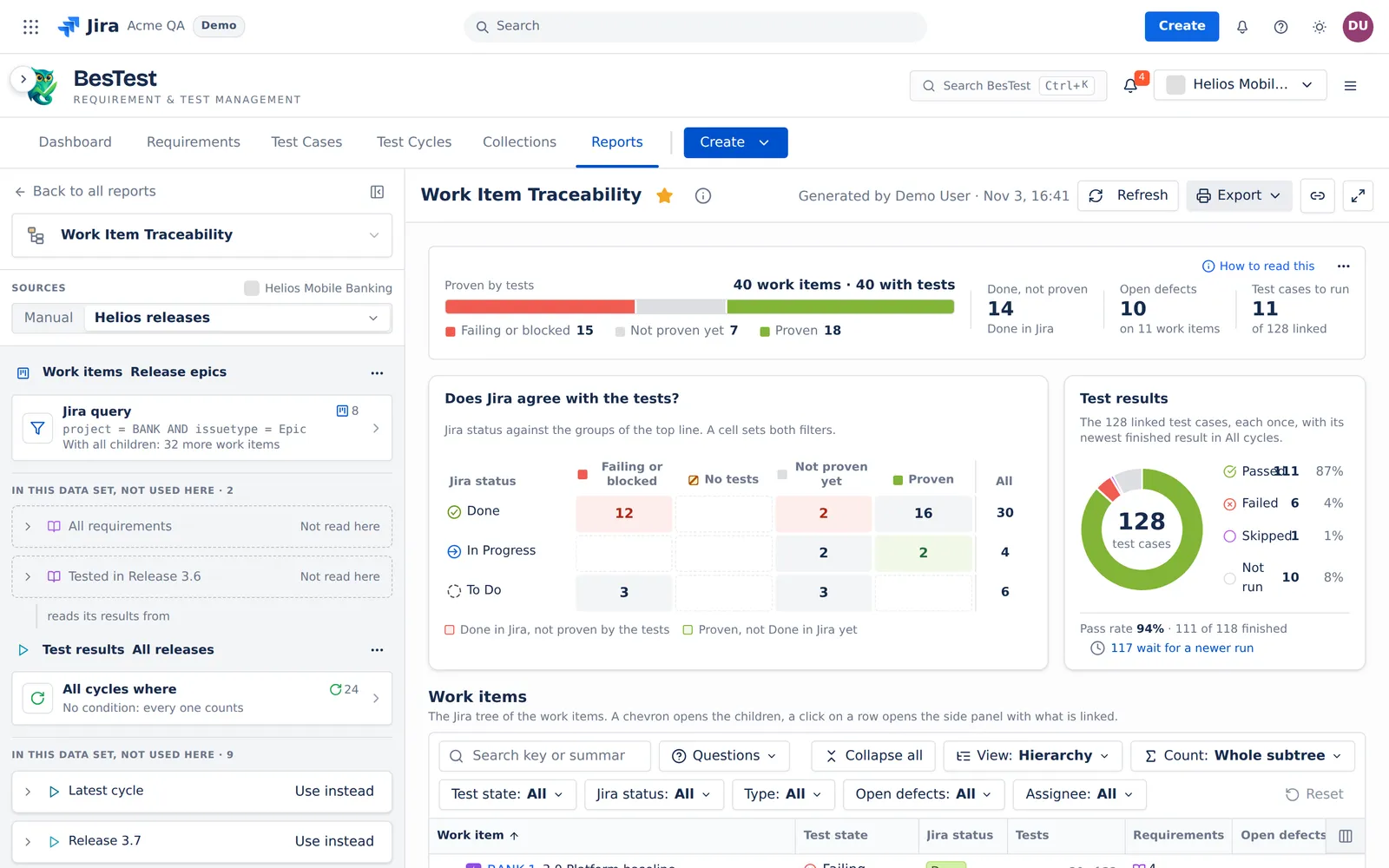 1234
- 1Work itemsThe Jira work items to check. Here the source Release epics of a saved data set.
- 2A JQL query, with all childrenproject = BANK AND issuetype = Epic finds 8 epics. BesTest adds their 32 children.
- 3Test resultsThe cycles that give the newest results. Here All releases: 24 cycles.
- 4In this data set, not used hereThe other sources of the data set, ready to use instead.
Questions people ask
How do I check the test coverage of epics in Jira?
Use a JQL source such as issuetype = Epic. The report reads every child, and with Count: Whole subtree it rolls the test state up to each epic.
How do I find stories that are Done but not tested?
Ask "Done work items not proven". For the ones with no tests at all, click the cell Done and No tests of "Does Jira agree with the tests?".
Can I check a fix version before the release?
Yes. Use a JQL query such as fixVersion = "3.6", or a saved Jira filter. A query can count up to 500 work items, and the report reads up to 2,000 with their children.
What does a parent work item show when one child fails?
With Count: Whole subtree, the default, the parent shows Failing. With Own links, it shows only its own state.
Does the report give a risk level?
No. It shows the test state and the Jira status of each work item, and leaves the call to you. For a risk per requirement, use Requirement Coverage and Risk.
Open Work Item Traceability in your Jira.
Install BesTest from the Atlassian Marketplace. It is free for teams of up to 10 users. Or try the report first in the live demo, on the Helios demo data.
Read how the report works