
Work Item Traceability
How Work Item Traceability rolls test states up the Jira tree, why Done in Jira can still be not proven, and the work item limits.
On this page
- Questions this report answers
- Work items that stop the release
- Done work items not proven
- Work items with no tests
- Work items with tests to run
- Work items changed after a run
- Proven work items not Done
- Work items with open defects
- Pick the sources
- The test state of a work item
- Count: Whole subtree or Own links
- The 4 groups
- Example: the roll-up
- The top line
- The cards
- Notices
- Limits and exports
Work Item Traceability answers: "Can these Jira work items ship, and where are the gaps?" It shows each work item in its Jira tree with its test state, its open defects and the reasons it is not proven. For a tour of the report, see the report page.
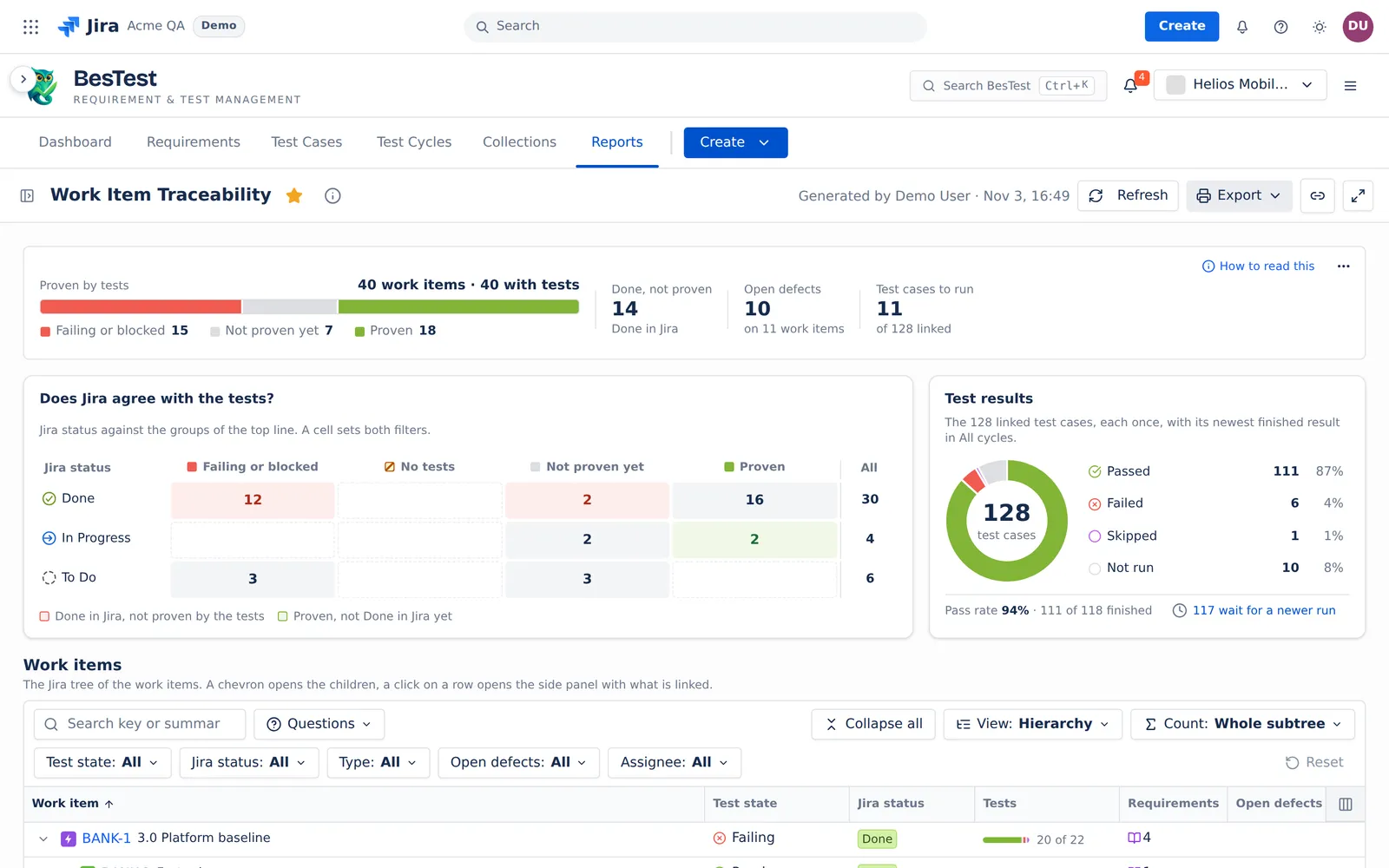
The report gives no risk level and no "ready" verdict. It shows the facts, and you make the release decision.
Questions this report answers
Open the Questions menu over the Work items table, or click a figure of the top line. A question sets the table filters for you. You can change them after. The counts below are from the Helios demo data.
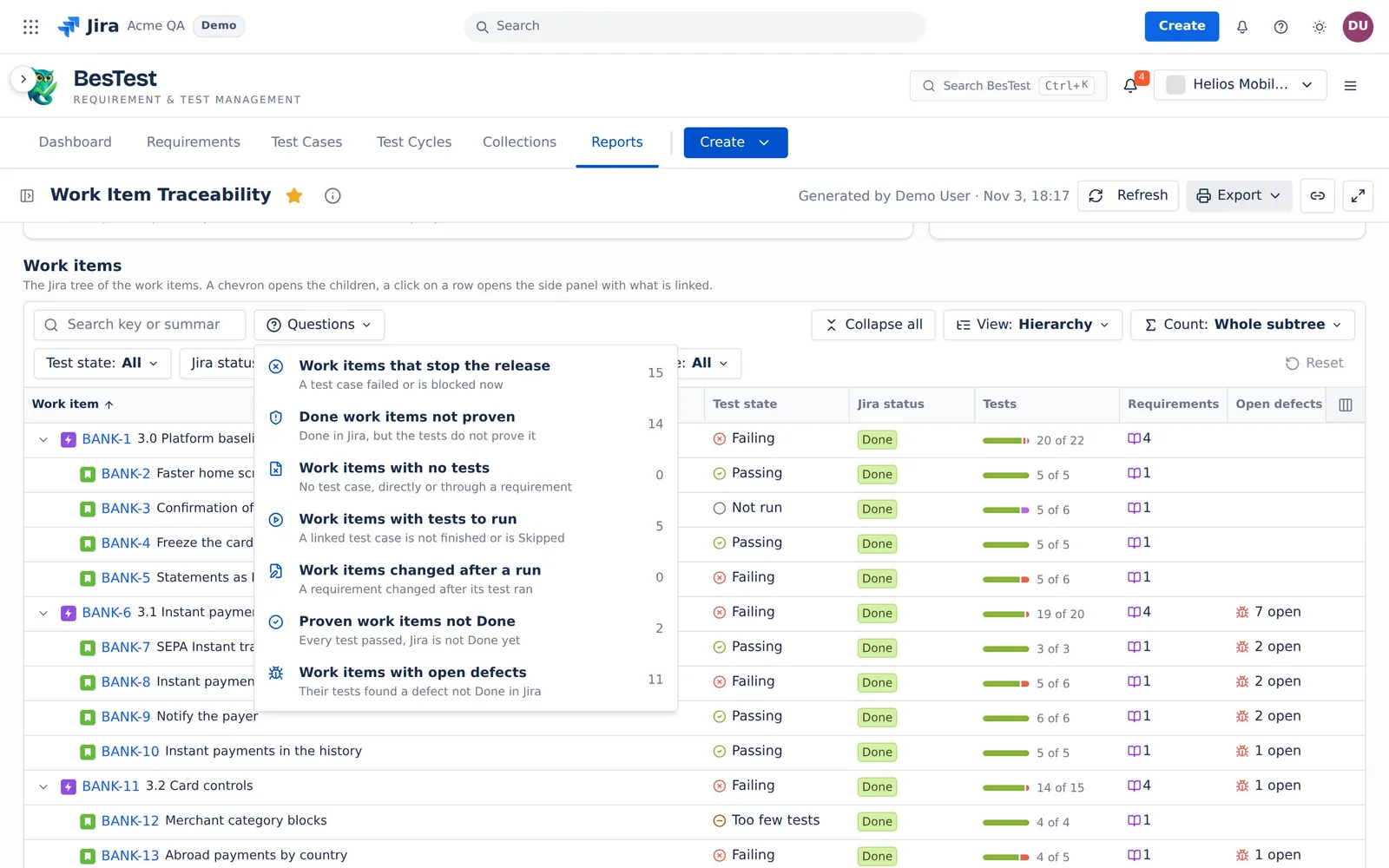
Work items that stop the release
"A test case failed or is blocked now".
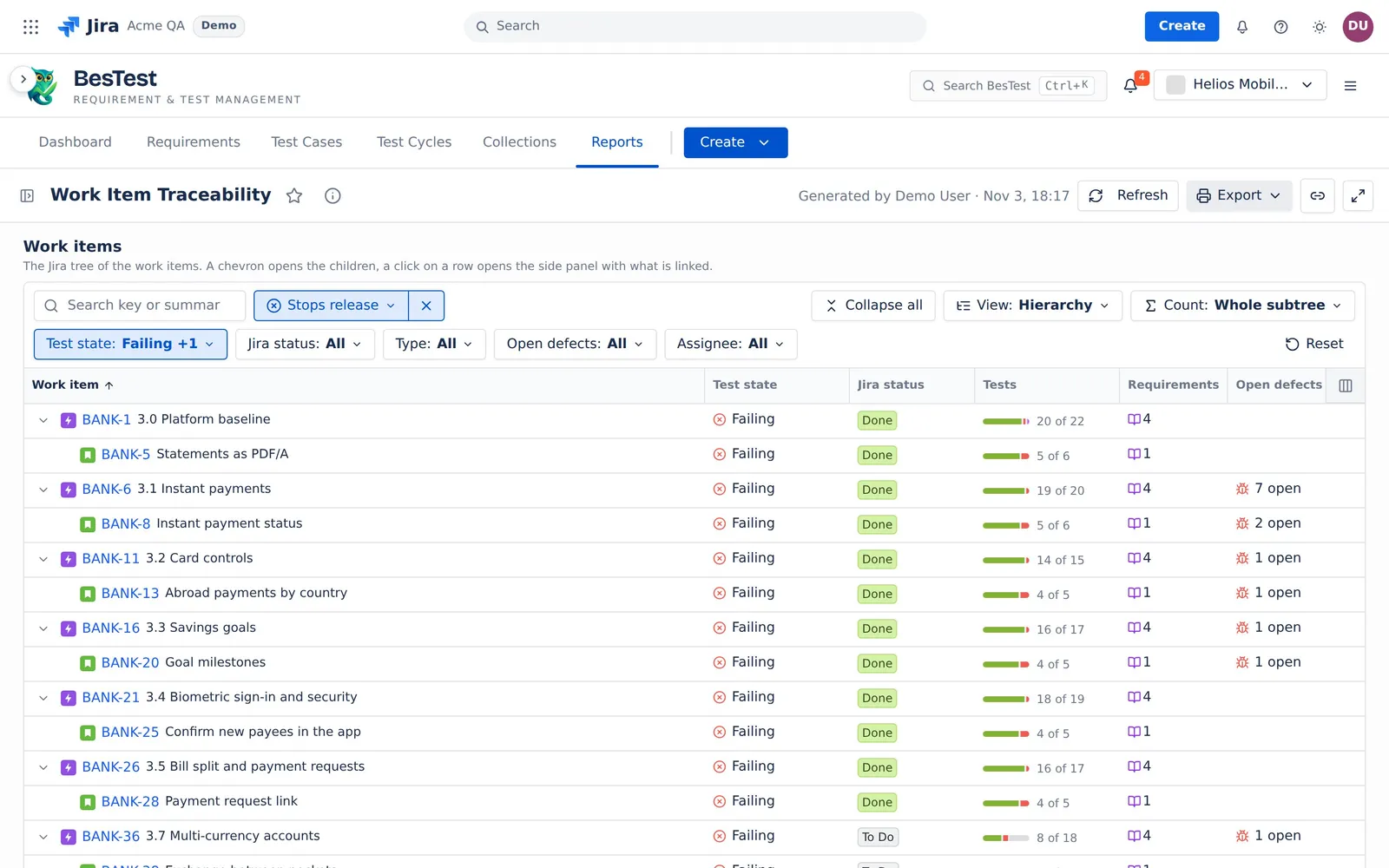
- The question sets:
Test state: Failing, Blocked. - The rule: the test state of the work item is Failing or Blocked.
- In the demo data: 15 work items.
- Then: open the work item. Its panel names the test cases that failed or are blocked.
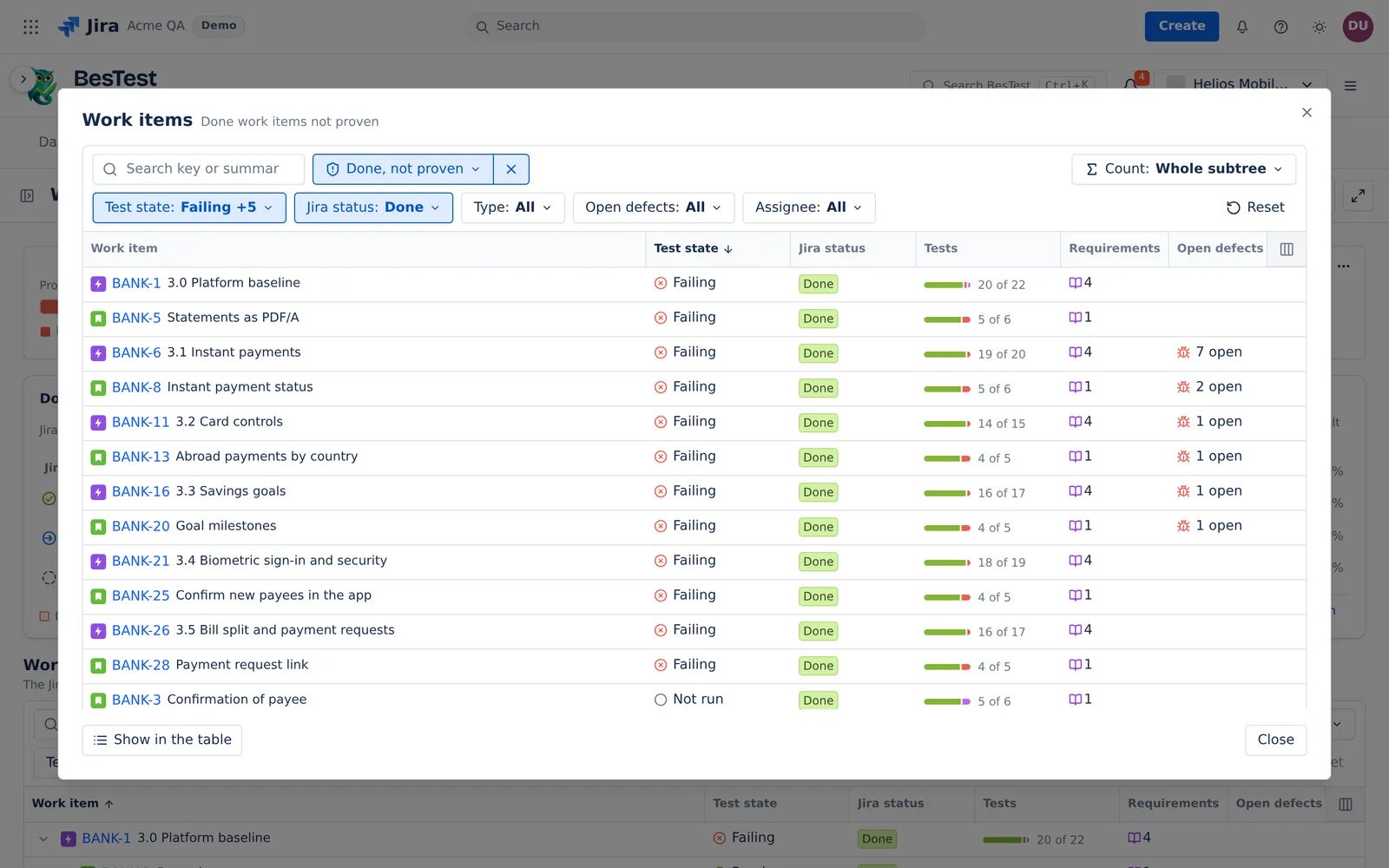
Done work items not proven
"Done in Jira, but the tests do not prove it".
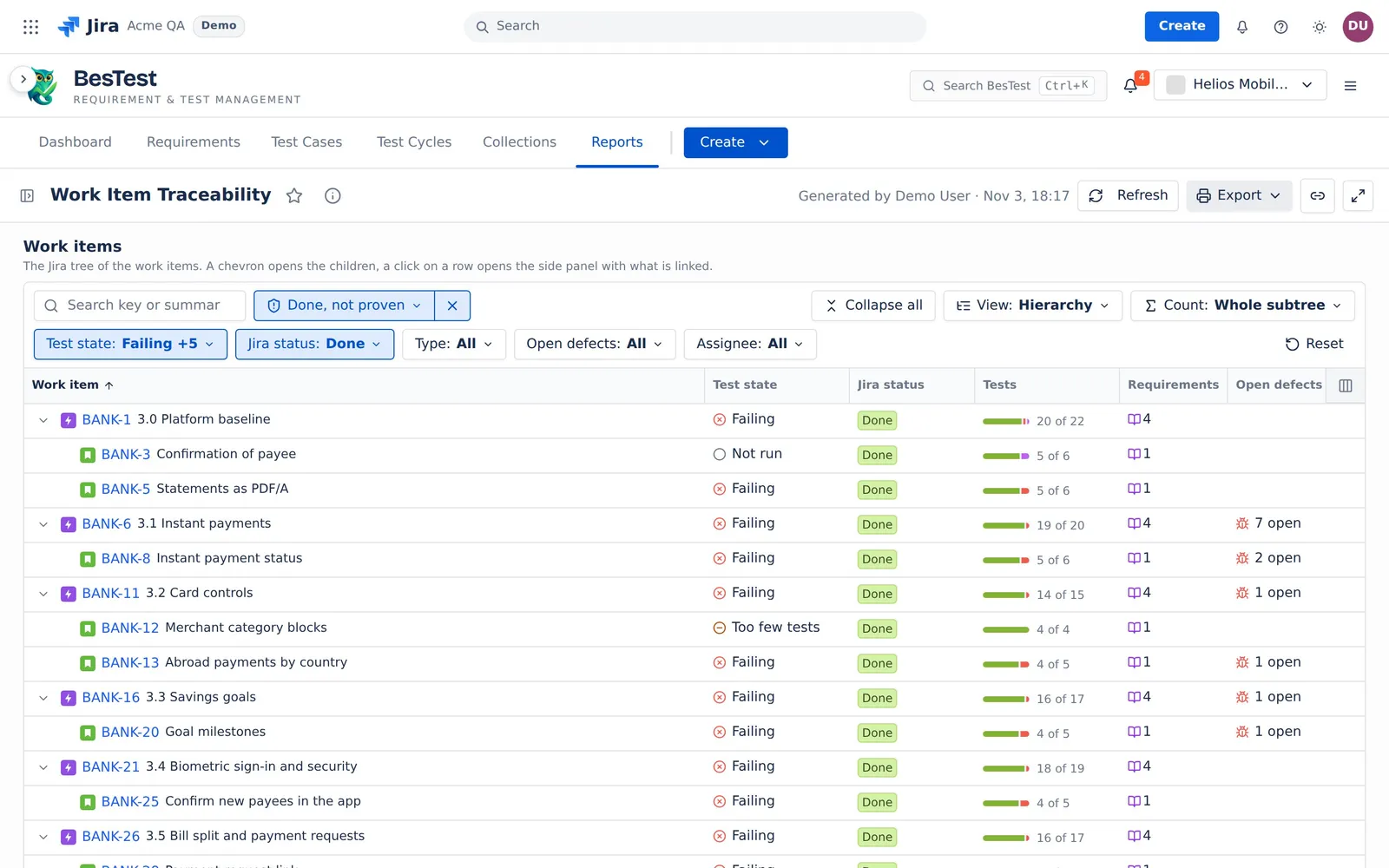
- The question sets:
Jira status: DoneandTest state: Failing, Blocked, No tests, Not run, Changed after test, Too few tests. - The rule: the Jira status category is Done, and the test state is not Passing or Signed off.
- In the demo data: 14 work items.
- Then: test the work item, or open it again in Jira.
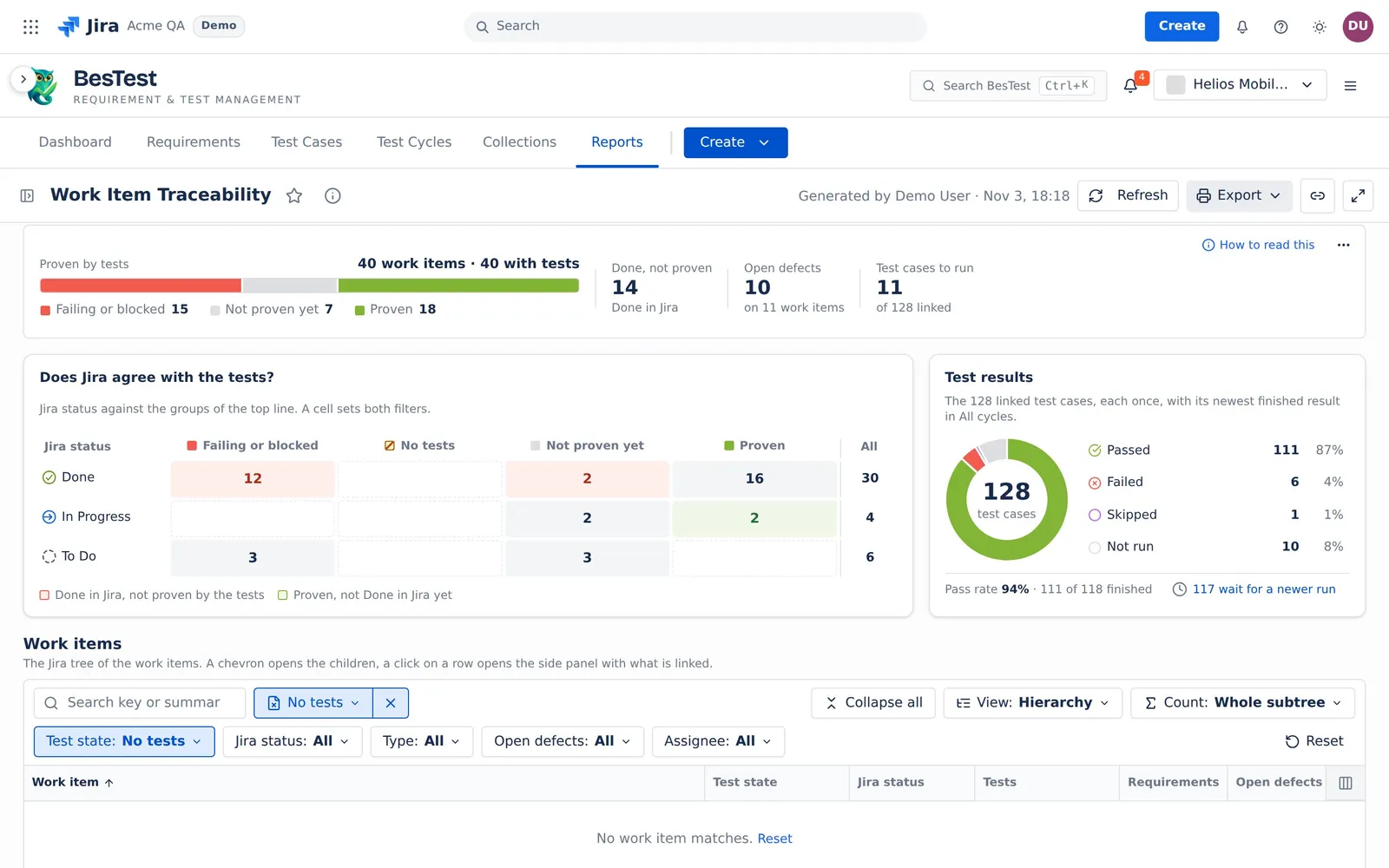
Work items with no tests
"No test case, directly or through a requirement".
- The question sets:
Test state: No tests. - The rule: no test case is linked to the work item, directly or through a linked requirement.
- In the demo data: 0 work items.
- Then: link test cases, or link the requirements that the work item delivers.
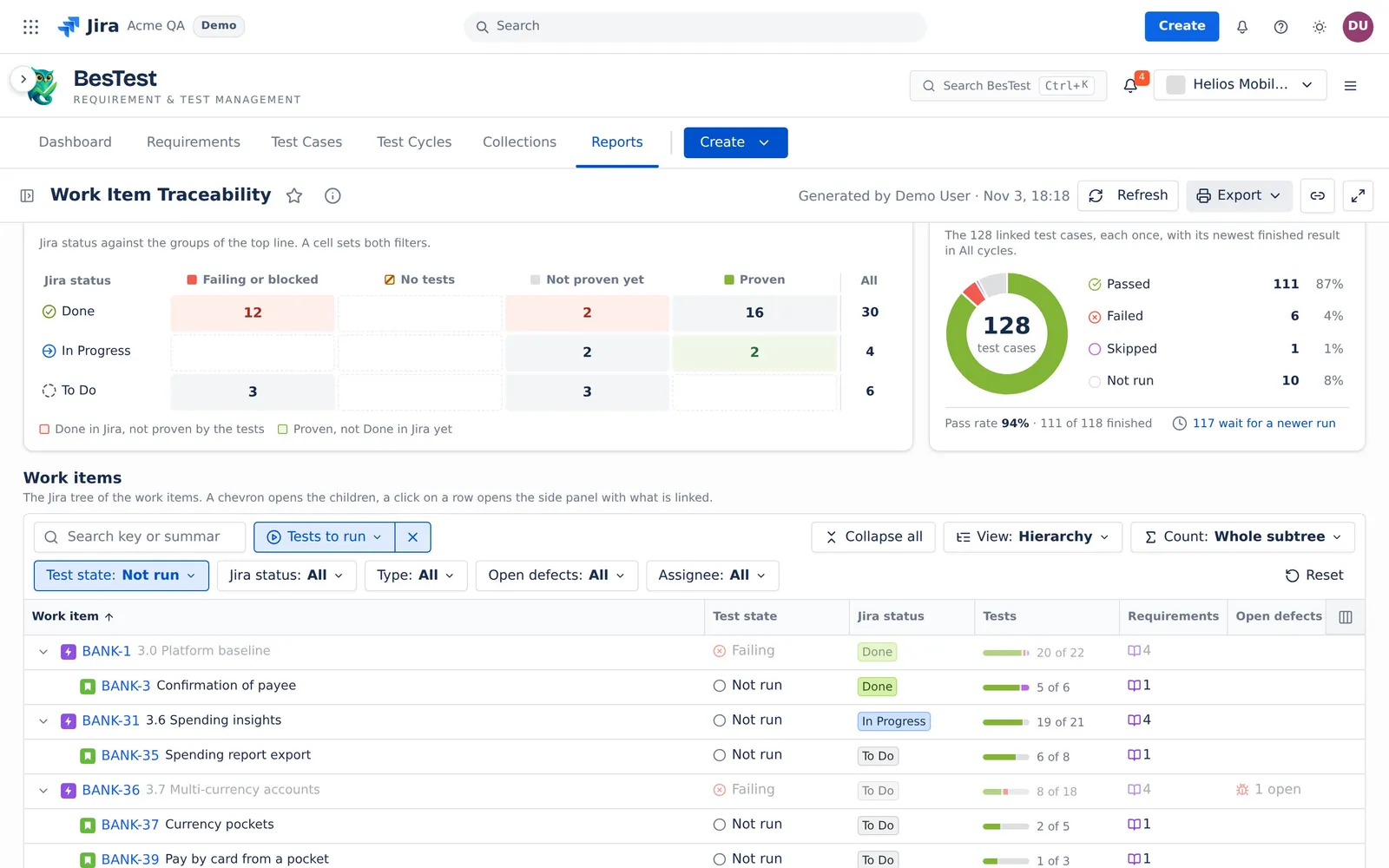
Work items with tests to run
"A linked test case is not finished or is Skipped".
- The question sets:
Test state: Not run. - The rule: the test state of the work item is Not run: no test case failed or is blocked, and a linked test case has no finished result, or its newest result is Skipped. A work item that fails is in "Work items that stop the release", not here.
- In the demo data: 5 work items.
- Then: put the test cases in a cycle and run them.
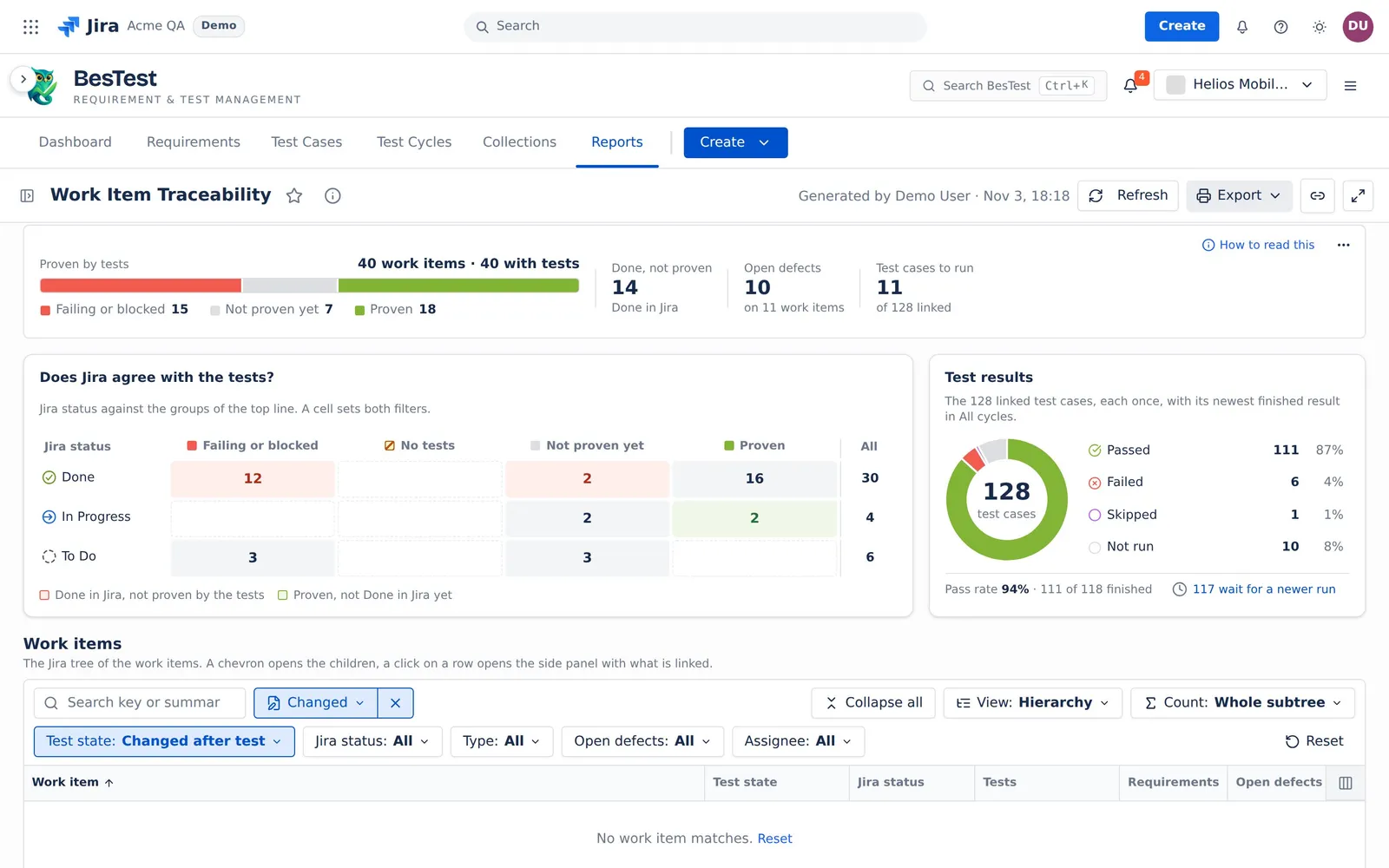
Work items changed after a run
"A requirement changed after its test ran".
- The question sets:
Test state: Changed after test. - The rule: every test case passed, but a linked requirement changed after one of its test results.
- In the demo data: 0 work items.
- Then: run the test cases again on the new requirement text.
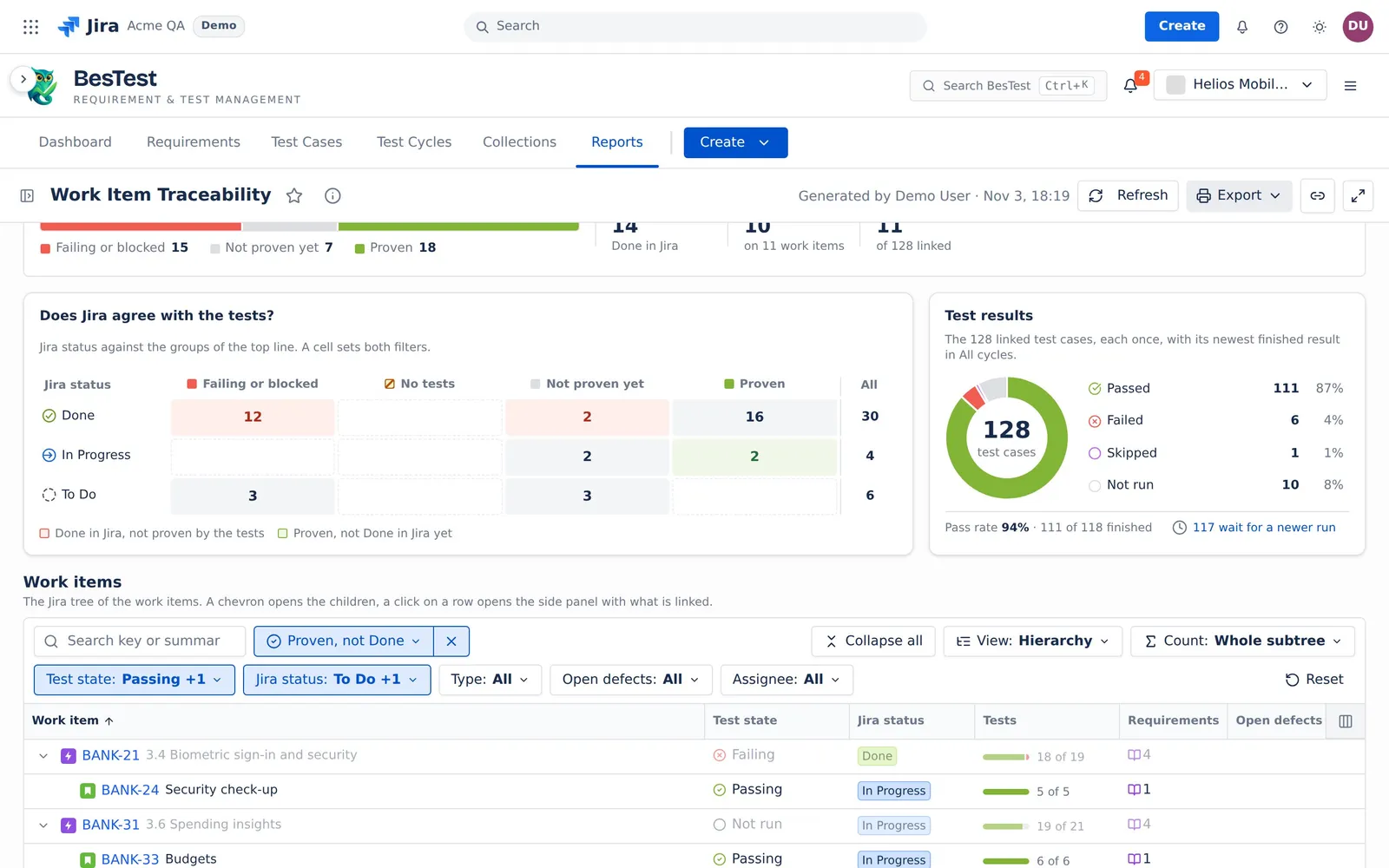
Proven work items not Done
"Every test passed, Jira is not Done yet".
- The question sets:
Test state: Passing, Signed offandJira status: To Do, In Progress. - The rule: the tests prove the work item, but its Jira status category is not Done.
- In the demo data: 2 work items.
- Then: ask the owner to close the work item in Jira.
Work items with open defects
"Their tests found a defect not Done in Jira".
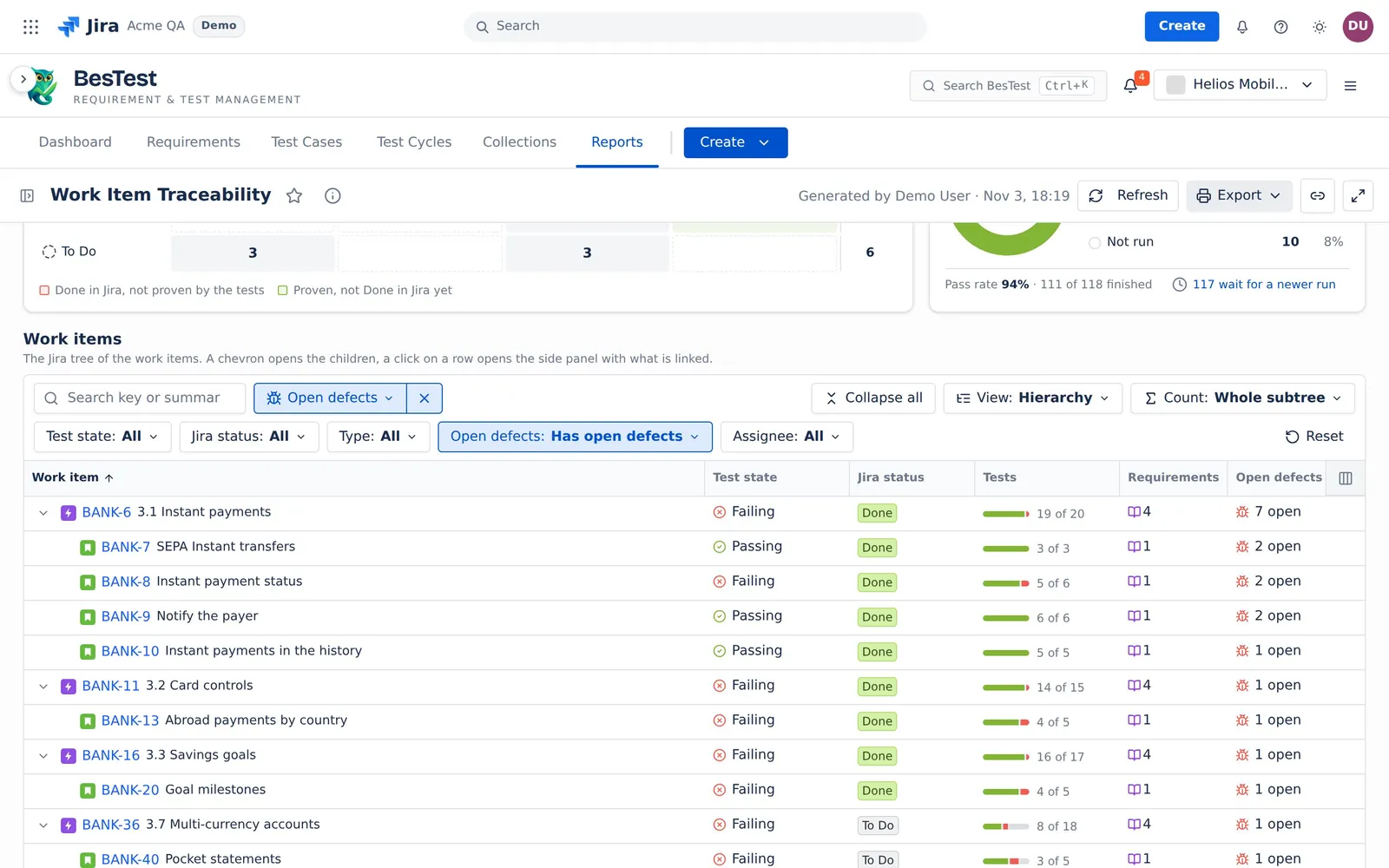
- The question sets:
Open defects: Has open defects. - The rule: a run of a linked test case found a defect that is not Done in Jira.
- In the demo data: 11 work items.
- Then: open the defects from the panel, and agree a fix before the release.
Pick the sources
The report reads two sources. Pick them in the sidebar, or switch Sources to a data set (see Data sets and sources).
- Work items: work items you pick, or a Jira query (a saved Jira filter, or a pasted JQL query). Each work item comes with all its children, at every level.
- Test results: Every cycle (the default), or Only these cycles or campaigns. With Every cycle, the newest finished result of each test case counts, from any cycle. For a release decision, pick the cycles of the release.
The rows are the work items and every child under them, at every level. Each work item is one row and counts once.
The linked test cases of a work item are the test cases linked to it, and the test cases of its linked requirements. A test case linked twice counts once. Each test case counts its newest finished result (Passed, Failed, Blocked or Skipped) in the Test results source. A newer run that has not finished is a "waits" mark. It never hides a result. Archived test cases and archived requirements do not count.
The Test results source changes only which results count. It never changes which test cases are linked. So a wrong pick shows Not run, never No tests.
The test state of a work item
The worst fact wins, in the order of the 8 test states of Requirement Coverage and Risk. For a work item:
| Test state | Rule |
|---|---|
| Failing | A test case failed in its newest result. |
| Blocked | A test case is blocked, and none failed. |
| No tests | No test case, directly or through a requirement. |
| Not run | A test case has no finished result yet, or it was skipped. |
| Changed after test | Every test case has a result, but a linked requirement changed after one of them. |
| Too few tests | Every test passed, but a linked requirement is not Covered. |
| Passing | Every test case passed, and every linked requirement is Covered. |
| Signed off | No test case, and a person set every linked requirement to Covered. |
Count: Whole subtree or Own links
- Whole subtree (the default): a work item takes the worst state of itself and its children. A child with No tests does not make its parent worse: its own row says No tests. A parent whose own requirements have no test case cannot be better than Too few tests.
- Own links: each row counts only the test cases and requirements linked to it. A row with no own tests, but tests on its children, says "On child items".
The 4 groups
The top line and the cards put the test states in 4 groups:
- Failing or blocked: Failing, Blocked.
- No tests.
- Not proven yet: Not run, Changed after test, Too few tests.
- Proven: Passing, Signed off.
With Own links, "On child items" is a fifth part of the bar.
Example: the roll-up
Epic E has no own links. It has three stories: S1 (a test case that passed, its requirement Covered), S2 (nothing linked) and S3 (a test case that failed).
- With Whole subtree: S1 is Passing, S2 is No tests, S3 is Failing. E takes the worst of S1 and S3, so E is Failing. S2 does not count for E.
- With Own links: S1, S2 and S3 keep their states. E is On child items.
- If E is Done in Jira, Whole subtree puts E in "Done, not proven". Own links does not, because On child items is left out.
The top line
The top line, "Proven by tests", counts every row of the source.
| Figure | What it counts |
|---|---|
| Caption and bar | "<n> work items · <m> with tests" (m: the rows with at least one test case, by the Count rule), and the work items in the 4 groups. |
| Done, not proven | The work items with the Jira status category Done whose group is not Proven. With Own links, "On child items" is left out. |
| Open defects | The defects of the linked test cases that are not Done in Jira. The line under it: "on <n> work items", the rows that its click opens. With Whole subtree, a defect on a child also counts on each parent row. |
| Test cases to run | The linked test cases that are to run. The line under it: "of <n> linked". |
While Jira has not answered, Open defects shows no number, never a zero.
The cards
- Does Jira agree with the tests?: the Jira status category (Done, In Progress, To Do) against the 4 groups. Two cells are marked: "Done in Jira, not proven by the tests" and "Proven, not Done in Jira yet". A cell sets both filters of the table.
- Test results: the linked test cases, each once, with its newest finished result. The parts are Passed, Failed, Blocked, Skipped, In Progress, Not run, and "Not in these cycles" or "Never run". Pass rate is the passed test cases divided by the finished ones. Skipped is finished. The shares of the parts add up to 100%.
Notices
Notices say when a pick changes what the numbers mean. For example:
- Some linked test cases are in none of the picked cycles: "They count as Not run, never as No tests."
- No linked test case is in the picked cycles, so no work item can be proven.
- Test cases have a newer result in a cycle you did not pick. The notice says if they failed, passed or were skipped there. Use every cycle reads every cycle.
- A key is not in Jira, or you cannot see it: the report leaves it out.
Limits and exports
- The report reads at most 2,000 work items: the picks and all their children, each counted once. Above that, it shows no numbers and asks you to pick fewer.
- A Jira query that returns more than 500 work items asks you to narrow the query.
- At most 100,000 test case links and 200,000 runs. Picked cycles: at most 100 (the newest 100).
- A parent shows its first 50 children, with "Show <n> more".
- Export: Print (PDF), and CSV, one row per work item.
The issue panel in Jira has its own readiness summary: see Work Item Panel.
The rules that several reports share are on Rules behind the numbers.