
Requirement Coverage and Risk
How each requirement gets its risk from significance and test state, what Changed after test means, and how the age of the evidence is calculated.
On this page
- Questions this report answers
- Requirements to act on first
- Important requirements that fail
- Requirements with no tests
- Requirements with tests to run
- Coverage set by a person
- Requirements not assessed
- Requirements changed after a run
- Old results
- Pick the sources
- The result of a test case
- Significance and target
- The test state
- The risk
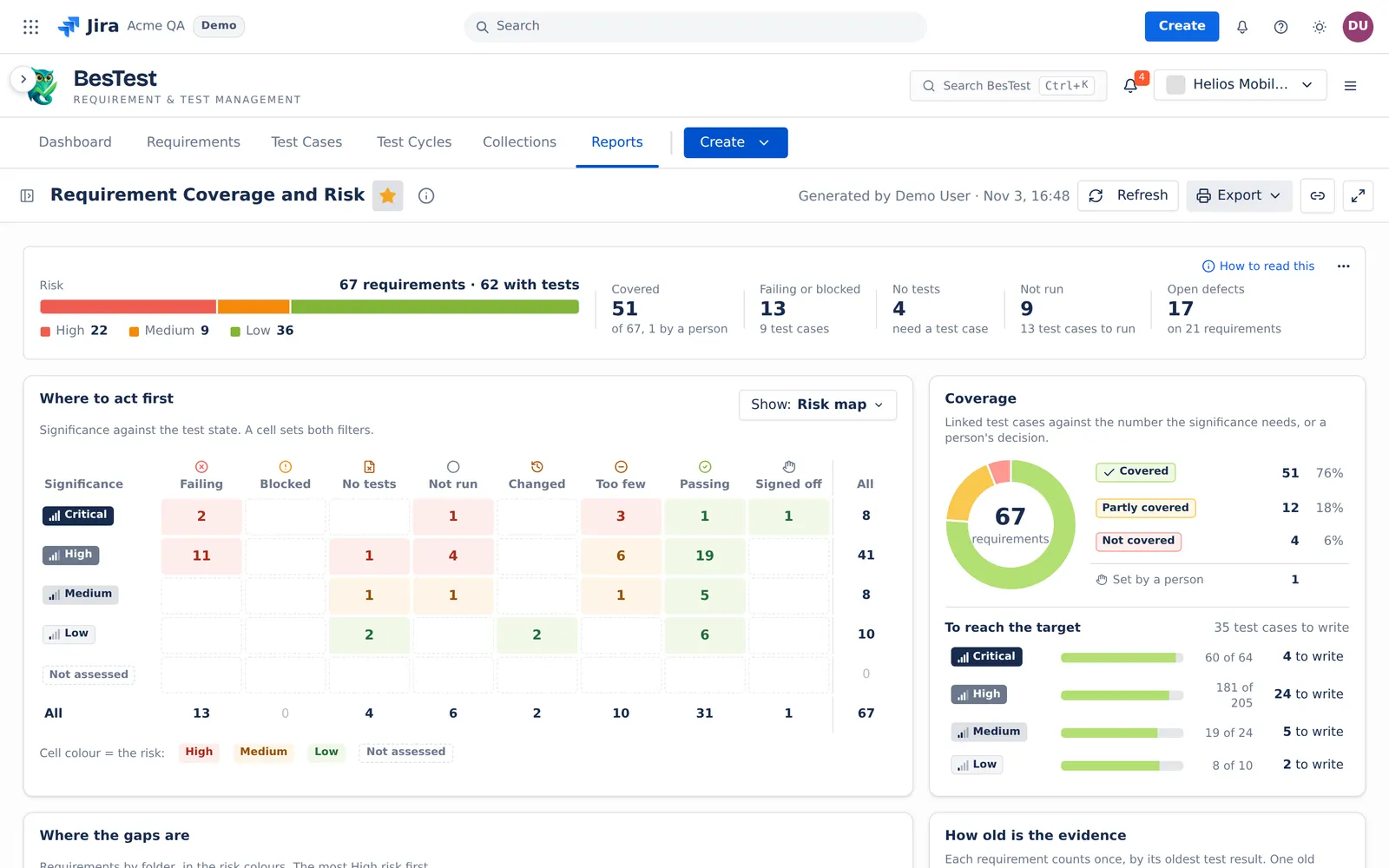
- The top line
- The cards
- Where to act first
- Coverage and To reach the target
- Where the gaps are
- How old is the evidence
- The requirement panel
- Example
- Limits and exports
Requirement Coverage and Risk answers one question: which requirements are not safe to deliver, and why? It gives each requirement a test state and a risk, and it says the reason in words. For a tour of the report, see the report page.
Questions this report answers
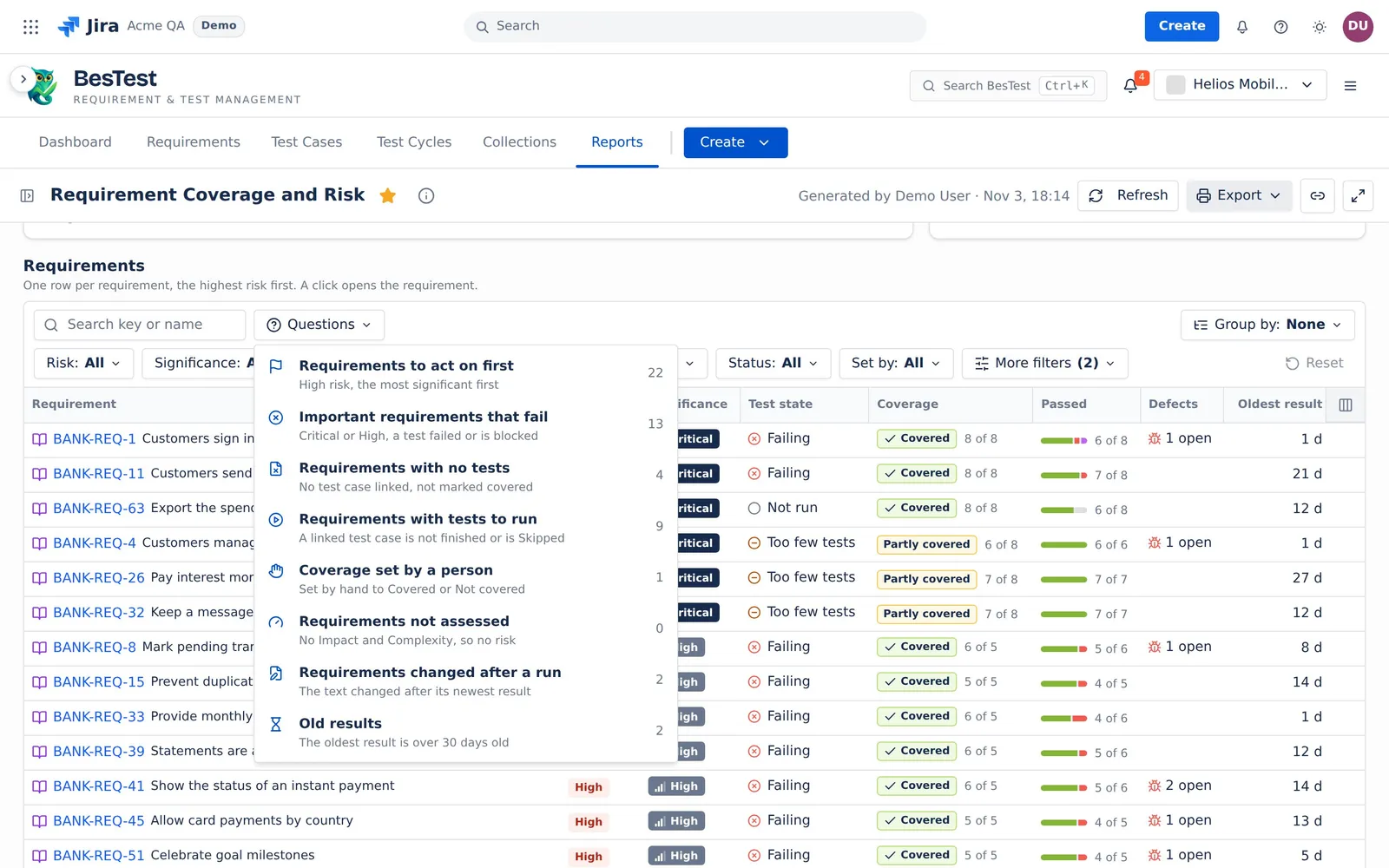
Open the Questions menu over the Requirements table, or click a figure of the top line. A question sets the table filters for you. You can change them after. The counts below are from the Helios demo data.
Requirements to act on first
"High risk, the most significant first".
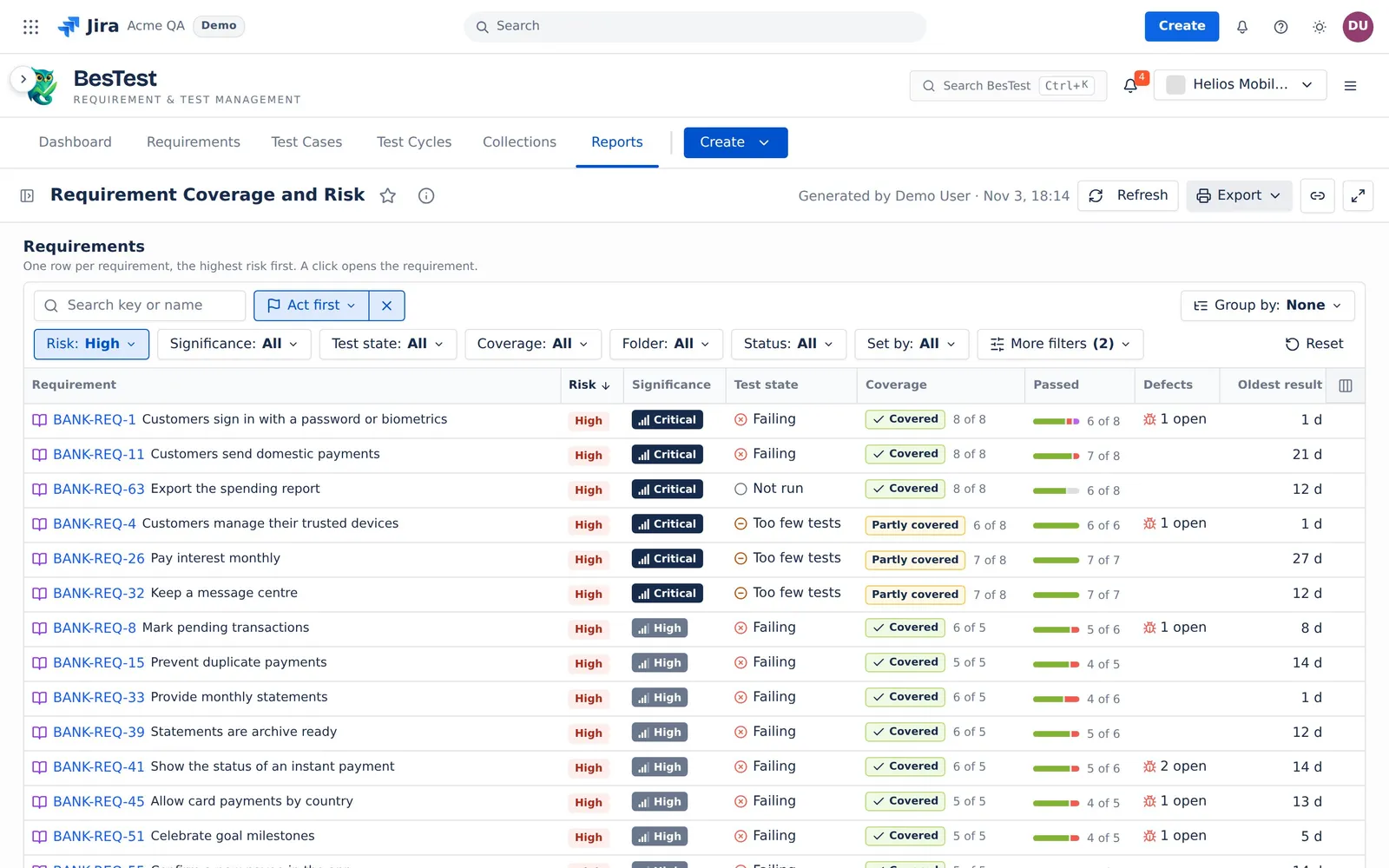
- The question sets:
Risk: High. The rows open in order of significance, Critical first. - The rule: the risk is High. See The risk.
- In the demo data: 22 requirements.
- Then: start at the top row. Its panel says which test case to fix, write or run.
Important requirements that fail
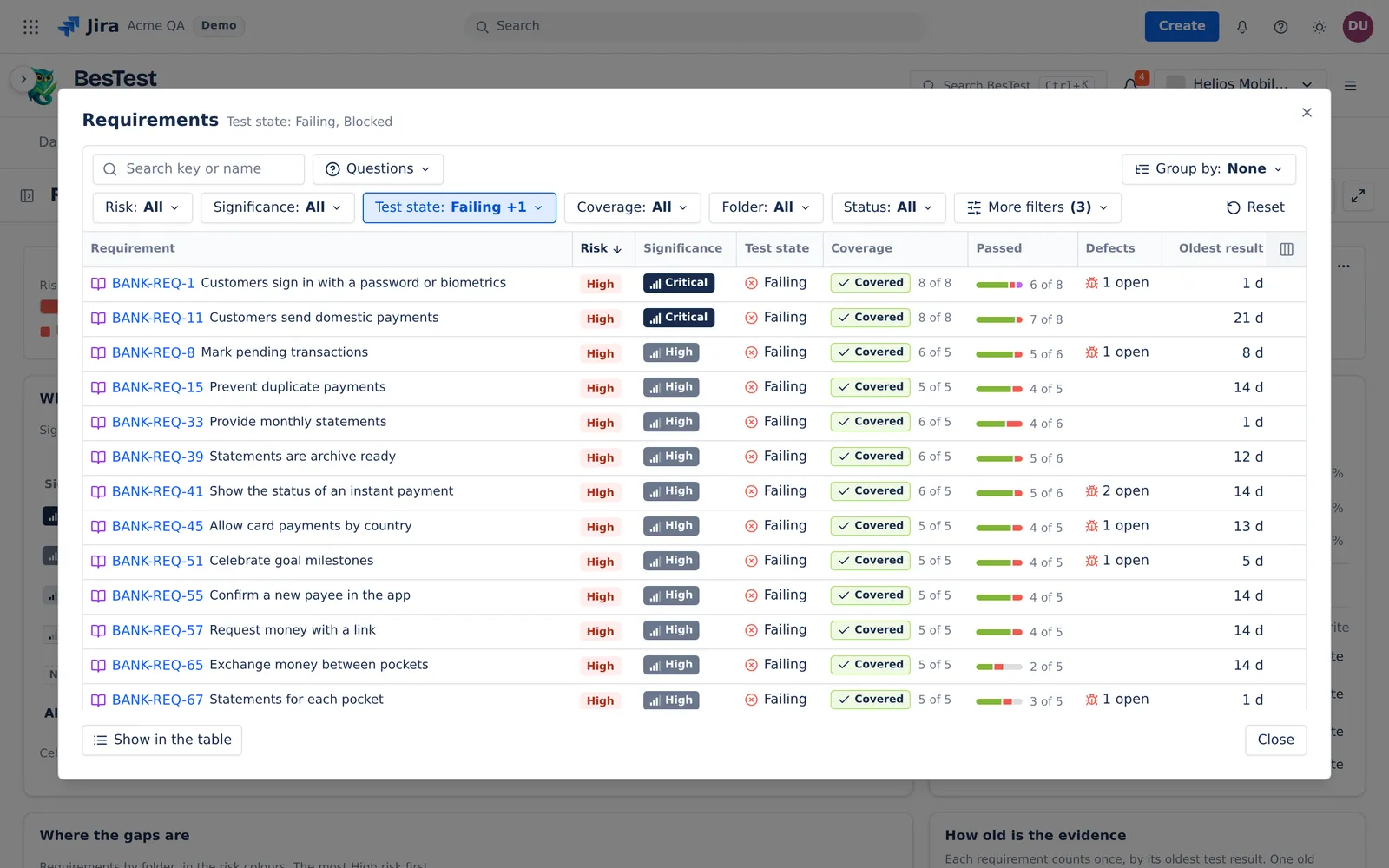
"Critical or High, a test failed or is blocked".
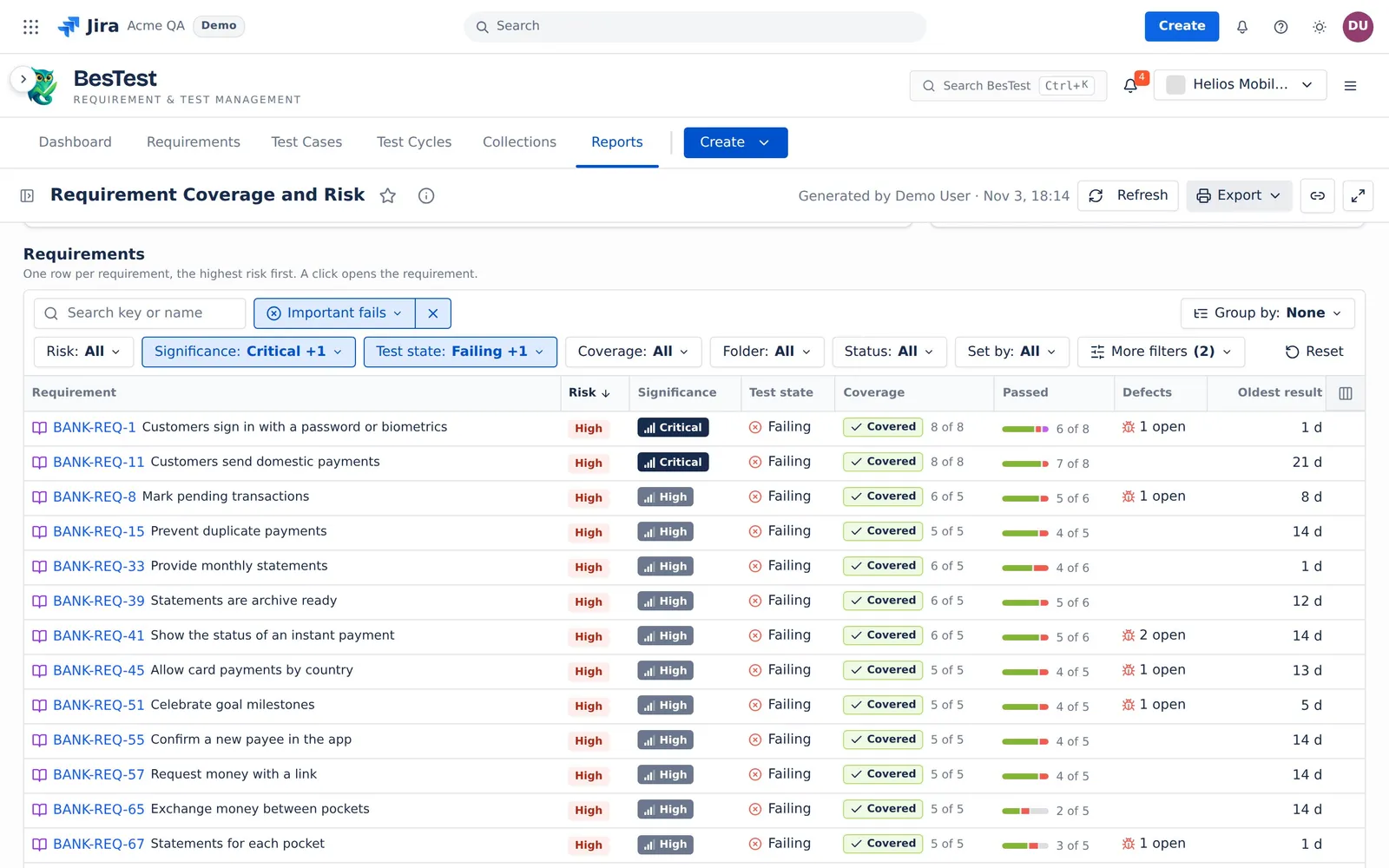
- The question sets:
Significance: Critical, HighandTest state: Failing, Blocked. - The rule: the significance is Critical or High, and the test state is Failing or Blocked.
- In the demo data: 13 requirements.
- Then: open the failing test case from the panel, and its defect.
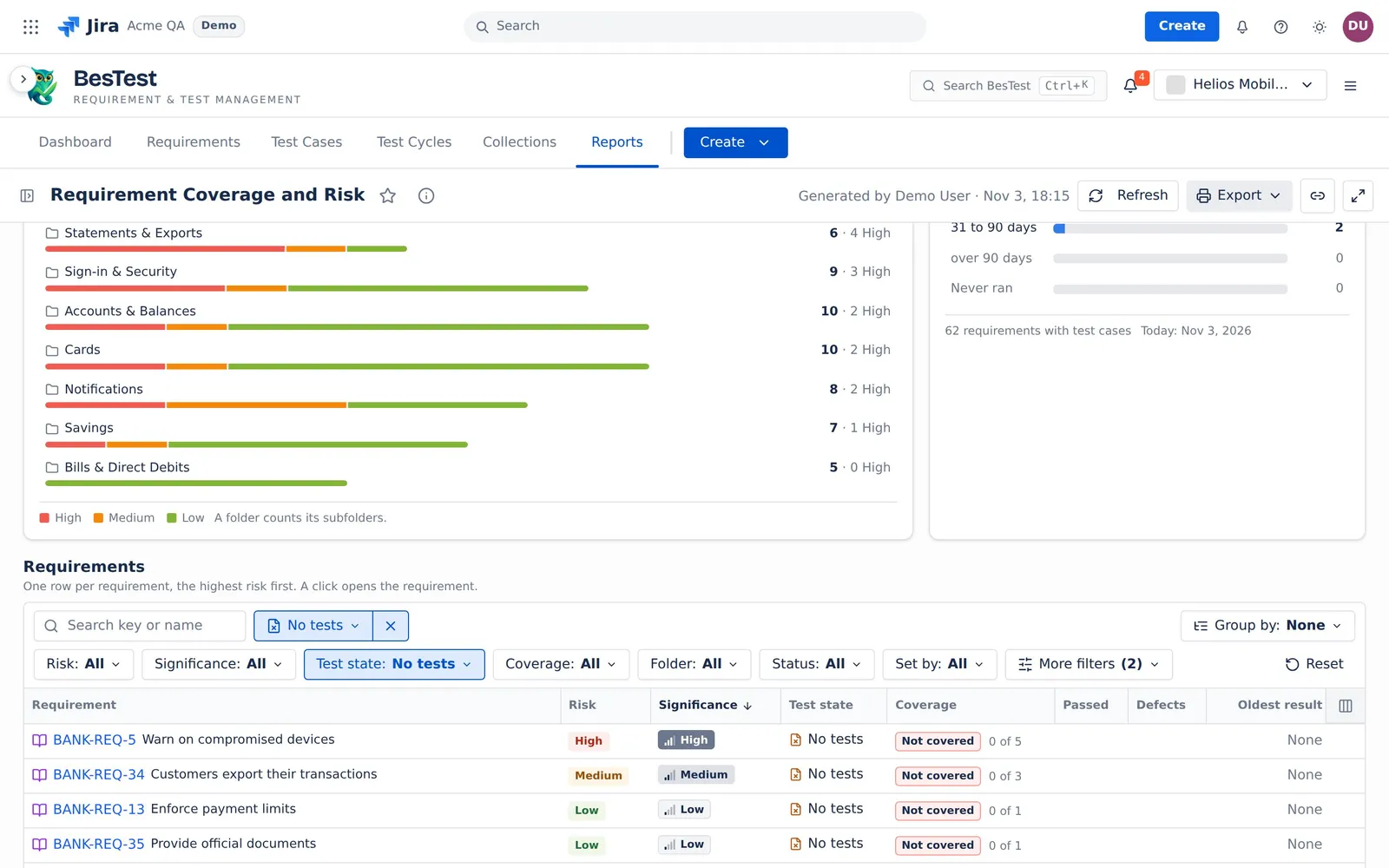
Requirements with no tests
"No test case linked, not marked covered".
- The question sets:
Test state: No tests. - The rule: no test case is linked, and no person set the coverage to Covered.
- In the demo data: 4 requirements.
- Then: write test cases and link them. An agent can write them for you over MCP.
Requirements with tests to run
"A linked test case is not finished or is Skipped".
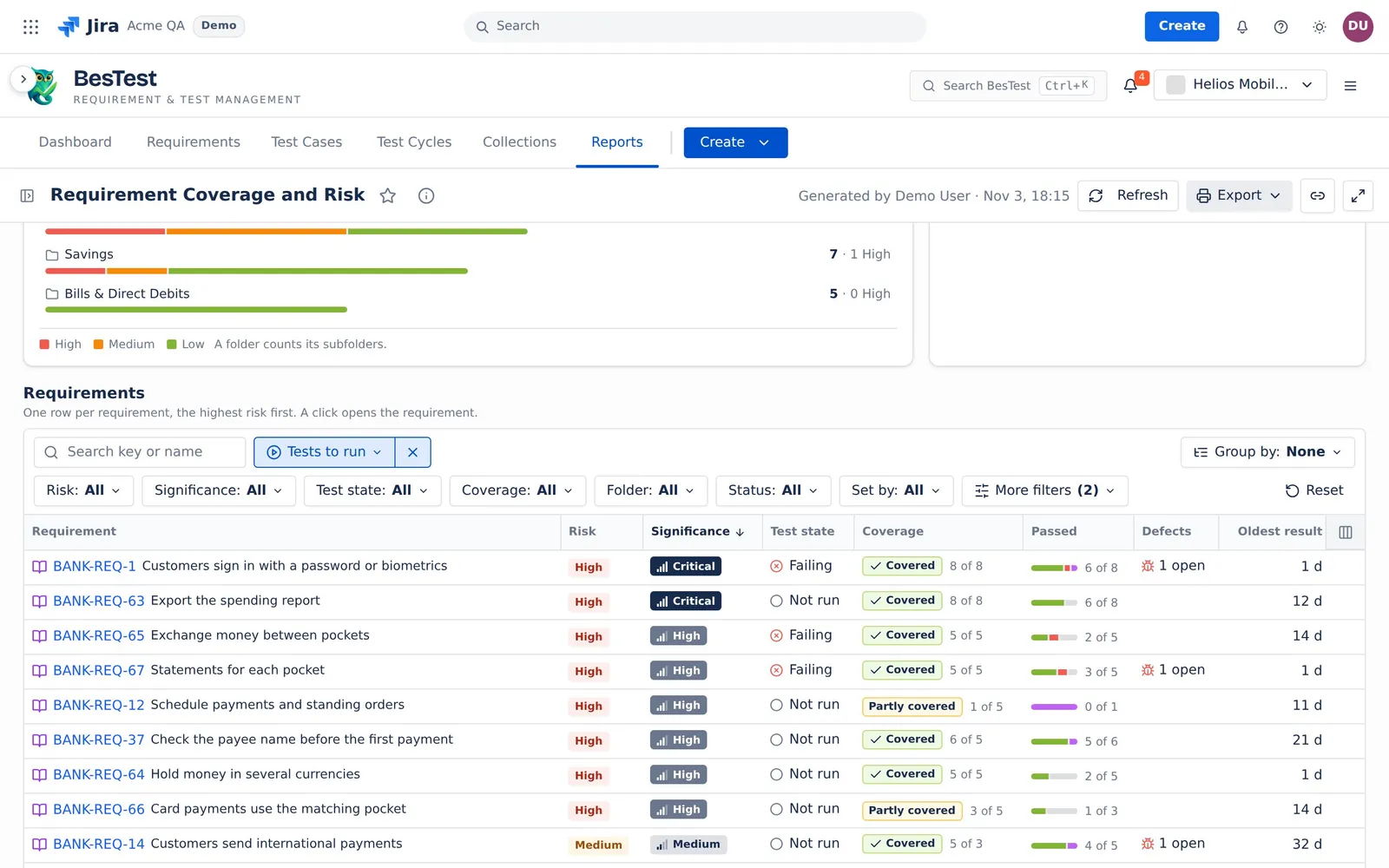
- The question sets: its own filter. It has no menu: the toolbar shows "Tests to run".
- The rule: at least one linked test case is to run, whatever the test state of the requirement. A test case is to run when it has no finished result, or when its newest result is Skipped. A requirement that fails and also has a test case to run is in this list.
- In the demo data: 9 requirements.
- Then: put the test cases in a cycle and run them.
The Not run figure of the top line counts the same requirements, by the same rule.
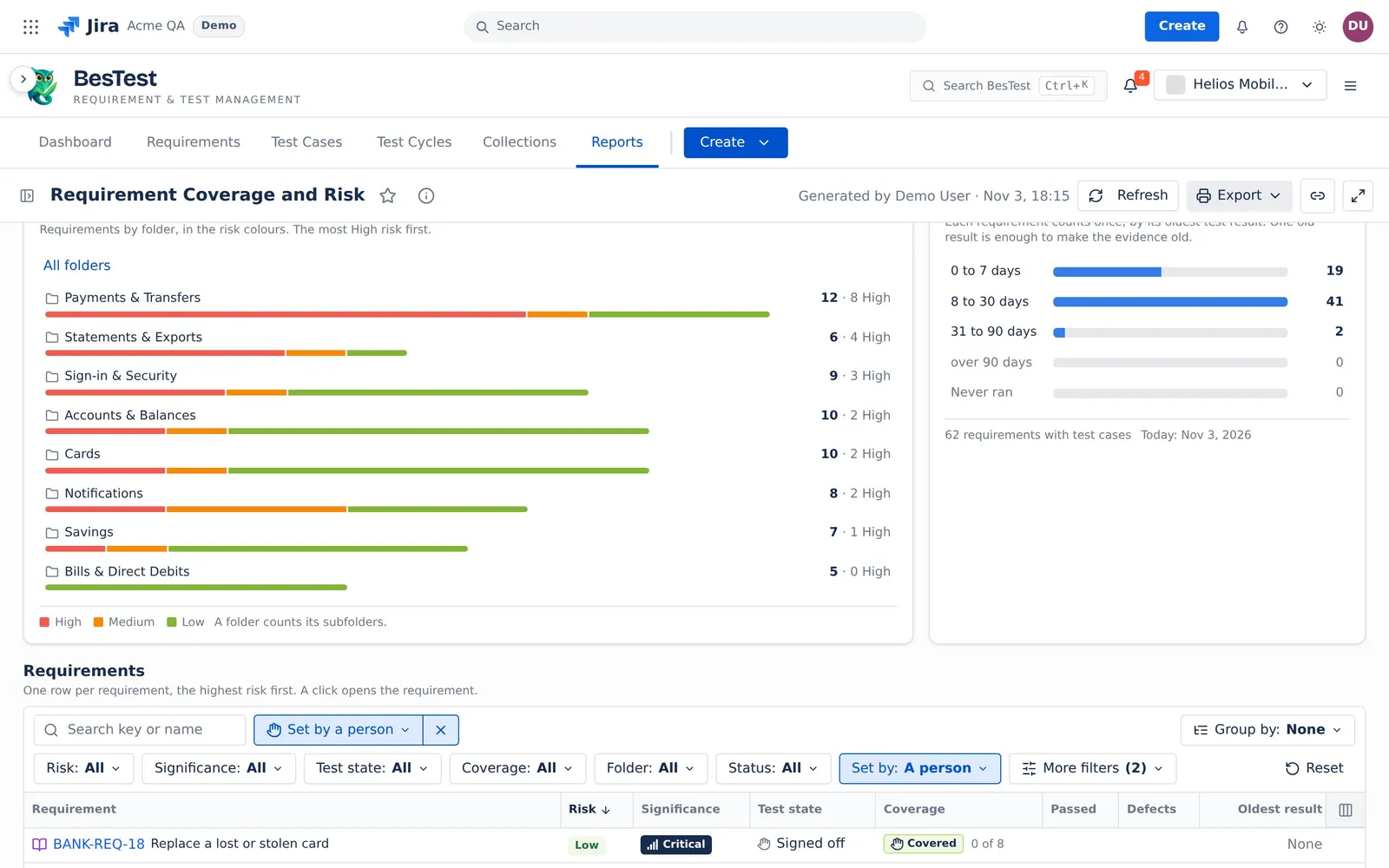
Coverage set by a person
"Set by hand to Covered or Not covered".
- The question sets:
Set by: A person. - The rule: a person set the coverage of the requirement to Covered or Not covered.
- In the demo data: 1 requirement.
- Then: check that each decision is still correct.
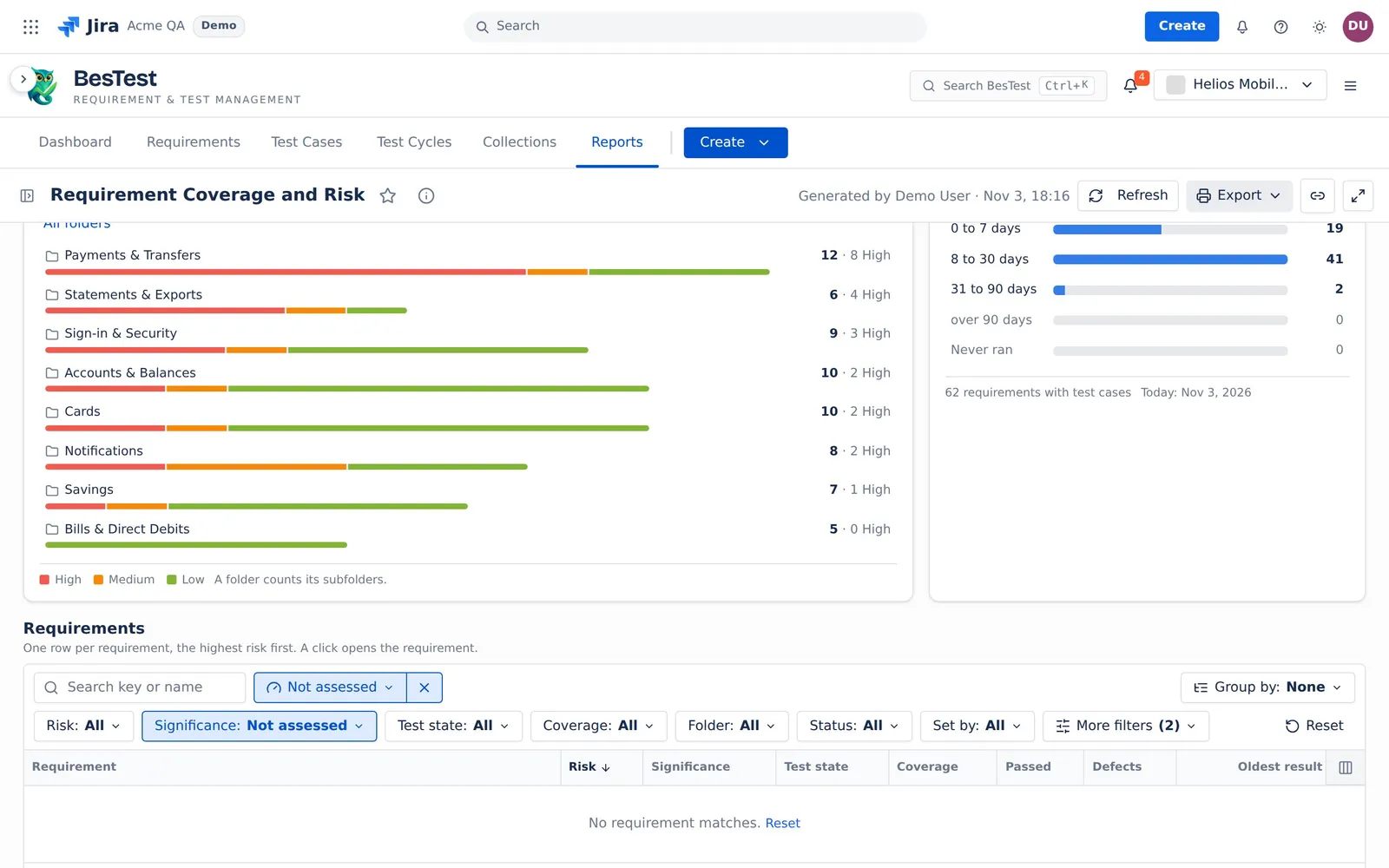
Requirements not assessed
"No Impact and Complexity, so no risk".
- The question sets:
Significance: Not assessed. - The rule: the requirement has no Impact or no Complexity. It has no significance, so it has no risk.
- In the demo data: 0 requirements.
- Then: set Impact and Complexity, so that the report can rank the requirement.
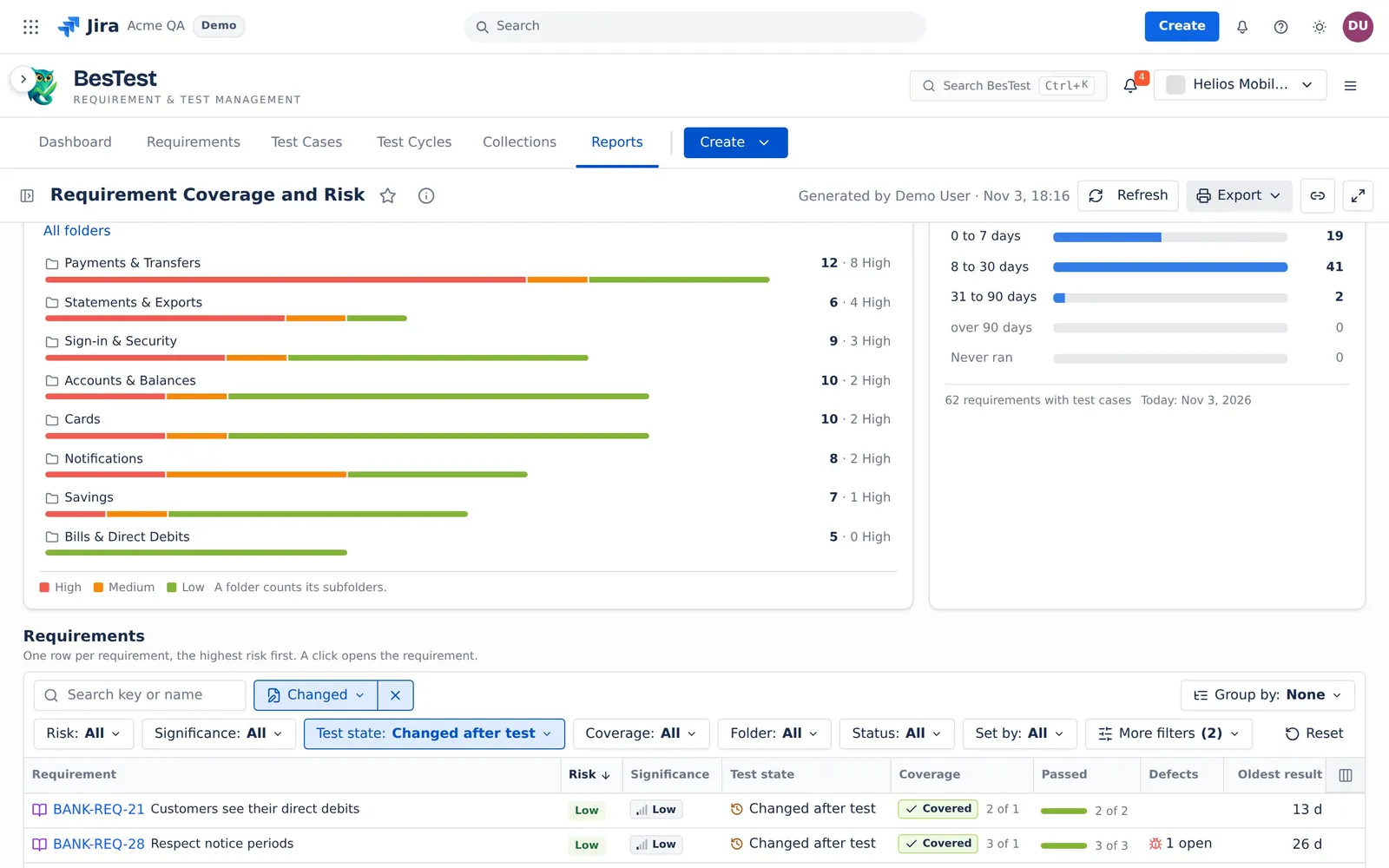
Requirements changed after a run
"The text changed after its newest result".
- The question sets:
Test state: Changed after test. - The rule: every linked test case has a result, but one result is older than the last change of the requirement text.
- In the demo data: 2 requirements.
- Then: run the test cases again on the new text.
Old results
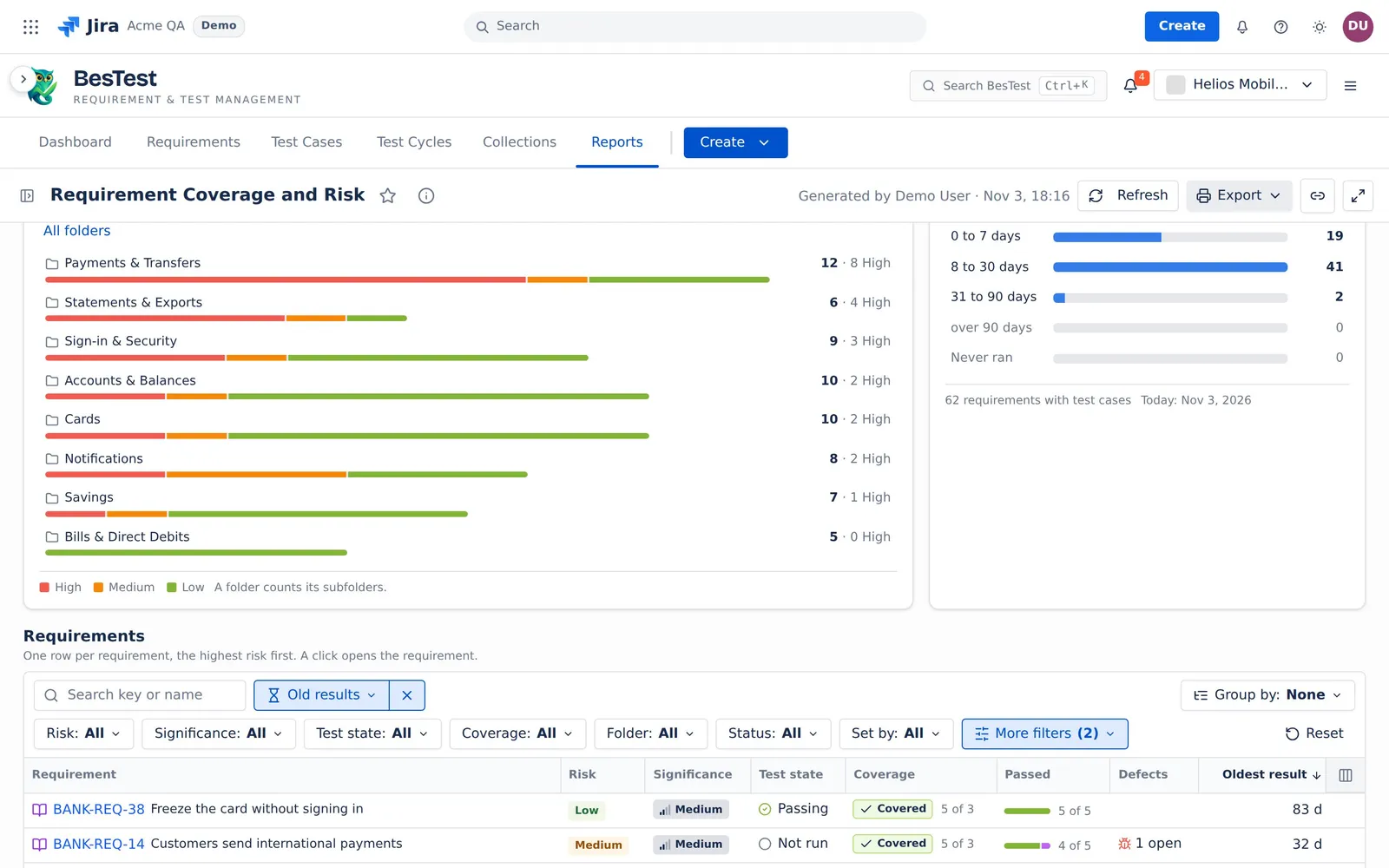
"The oldest result is over 30 days old".
- The question sets:
Oldest result: 31 to 90 days, over 90 days(under More filters). - The rule: the oldest of the newest results of the linked test cases is more than 30 days old. See How old is the evidence.
- In the demo data: 2 requirements.
- Then: plan a regression run for the oldest evidence.
Pick the sources
The report reads two sources. Pick them in the sidebar, or switch Sources to a data set (see Data sets and sources).
- Requirements sets the rows. It is one of these:
- A requirement folder (with or without its subfolders), all requirements with conditions, or Tested in some cycles or campaigns.
- Jira work items: work items you pick, a pasted JQL query or a saved Jira filter. With With all children on (the default), the report reads the requirements linked to the work items or to a child at any level under them.
- BQL text.
- Test results sets which runs count. Every cycle is the default: the newest finished result of each test case counts, from any cycle, also an older release. For a release decision, pick Only these cycles or campaigns. A picked source reads at most 100 cycles. Every cycle has no cap.
Archived requirements and archived test cases do not count.
The result of a test case
The result of a linked test case is its newest finished result in the Test results cycles. Finished means Passed, Failed, Blocked or Skipped. A newer run that is not finished does not replace it: the requirement panel shows a clock mark, "waits". See The newest result.
A test case with no finished result, or with a newest result of Skipped, is to run.
Significance and target
Impact and Complexity give the significance. No Impact or no Complexity gives "Not assessed".
| Complexity \ Impact | Low | Medium | High |
|---|---|---|---|
| High | High | High | Critical |
| Medium | Medium | High | High |
| Low | Low | Low | Medium |
The significance sets how many linked test cases a requirement needs, the coverage target: Critical 8, High 5, Medium 3, Low 1, Not assessed 1.
- Covered: at least the target.
- Partly covered: at least one linked test case.
- Not covered: no linked test case.
A person can set Covered or Not covered. That decision wins for the coverage. It never wins for the test state: "A person's Covered closes a coverage gap, never a failed test."
The test state
The test state is the worst fact of the requirement. The report checks the facts in this order, and the first that is true wins:
- Failing: the newest finished result of a linked test case is Failed.
- Blocked: one result is Blocked, and none is Failed.
- No tests: no test case is linked, and no person set Covered.
- Not run: a linked test case is to run.
- Changed after test: every test case has a result, but the requirement text changed after one of them. The text is the name, the description and the custom fields. That result tested the old text.
- Too few tests: every test passed, but the coverage is Partly covered or Not covered.
- Passing: every test passed, and the coverage is Covered (by the system or by a person).
- Signed off: no test case is linked, and a person set Covered.
The risk
The risk comes from the significance and the test state, by this table. A requirement that is Not assessed has no risk, whatever its test state.
| Significance | Failing | Blocked | No tests | Not run | Changed | Too few | Passing | Signed off |
|---|---|---|---|---|---|---|---|---|
| Critical | High | High | High | High | High | High | Low | Low |
| High | High | High | High | High | High | Medium | Low | Low |
| Medium | High | Medium | Medium | Medium | Medium | Medium | Low | Low |
| Low | Medium | Medium | Low | Low | Low | Low | Low | Low |
How to read this over the top line shows each rule and this table in the app.
The top line
The top line counts every requirement of the source. The table filters do not change it. A count of test cases counts each test case once.
| Figure | What it counts |
|---|---|
| Risk | The caption "<n> requirements · <m> with tests" (m: the requirements with at least one linked test case). The bar and the counts per risk: High, Medium, Low and Not assessed. |
| Covered | The requirements with the coverage Covered. The line under it: "of <n>", or "of <n>, <p> by a person". |
| Failing or blocked | The requirements in the state Failing or Blocked. The line under it: the test cases with a newest result of Failed or Blocked. |
| No tests | The requirements in the state No tests. The line under it: "need a test case". |
| Not run | The requirements with at least one test case to run, whatever their state. A failing requirement can be in this figure too. The line under it: the test cases to run. |
| Open defects | The defects that the runs of the linked test cases found in the cycles, and that are not Done in Jira. The line under it: "on <n> requirements", or "none from these tests". |
Click a figure to see the requirements behind it (see A click on a number). When Jira does not answer, the defect numbers wait, then say "Could not read the defects from Jira." with Retry. They never show a zero.
The cards
Where to act first
The risk map: the significance against the 8 test states. The cell colour is the risk. A cell sets both filters of the table. Bars per significance shows the same counts as bars. When more than 20% of the requirements are not assessed, a line says so, with List them.
Coverage and To reach the target
The Coverage card shows Covered, Partly covered and Not covered, and the decisions a person made ("Set by a person"). To reach the target has one row per significance:
- Need: the sum of the targets of the requirements.
- Have: each requirement counts its linked test cases, at most up to its target. A person's Covered counts as the full target.
- To write: the target minus the linked test cases, over the requirements that are Partly covered or Not covered.
Where the gaps are
The requirements by folder, in the risk colours, the most High risk first. A folder counts its subfolders. The card shows at most 40 folder rows.
How old is the evidence
Each requirement with test cases counts once, by its oldest result. The report takes the newest result of each linked test case. Then it takes the oldest day of these results. The age is today minus that day, in your day zone. One old result is enough to make the evidence old.
The bands are "0-7", "8-30", "31-90" and "90+" days, and "Never ran" (test cases, but none with a finished result). A result with no run time counts as over 90 days. A requirement with no test case is not in this card.
The requirement panel
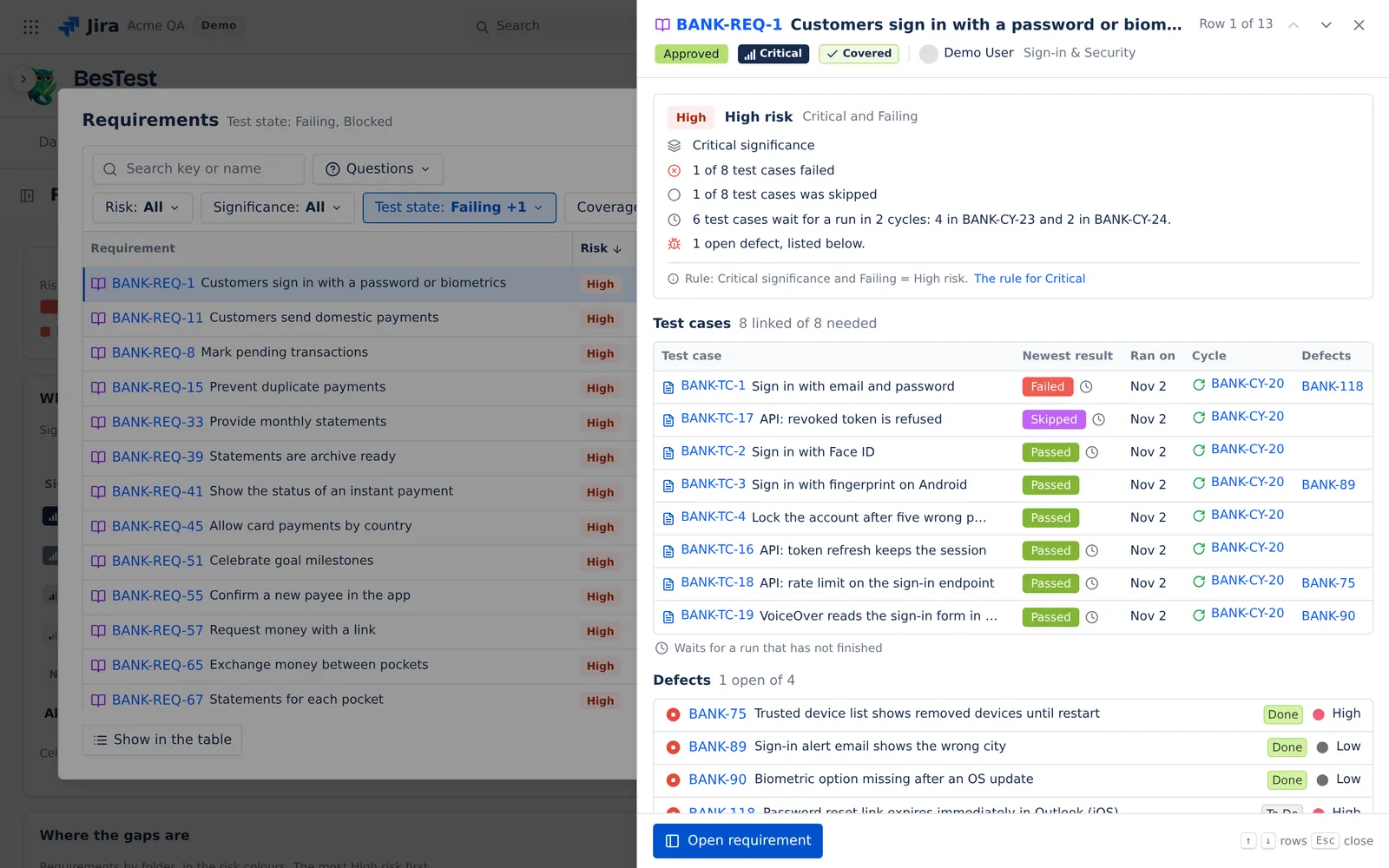
Click a row to open the requirement panel. It says in words why the requirement has its risk. It shows the test cases with their newest results, the defects and the linked work items. A mark shows a result from before the requirement text changed, or a test case that waits for a run.
Example
Requirement R1 has the significance High, so it needs 5 test cases. It has 1, and its newest result is Skipped.
- The test case is to run, so the state is Not run. The risk is High. The coverage is Partly covered (1 of 5), with 4 test cases to write. R1 is in the Not run figure.
- The test case passes. Every test passed, but 1 is less than 5, so the state is Too few tests. The risk is Medium.
- A person sets Covered. The state is Passing. The risk is Low.
- The test case fails in a later run. The state is Failing and the risk is High, also with the person's Covered.
Limits and exports
- The report reads at most 20,000 requirements and work items, 100,000 test case links and 200,000 runs. Above that, it shows no numbers and says why. It never cuts a list without a notice.
- Export: Print (PDF), and CSV, one row per requirement (at most 20,000 rows).
The rules that several reports share are on Rules behind the numbers.