
Quick Concepts
Get started with BesTest concepts
On this page
Inspect this high level diagram about how BesTest works.
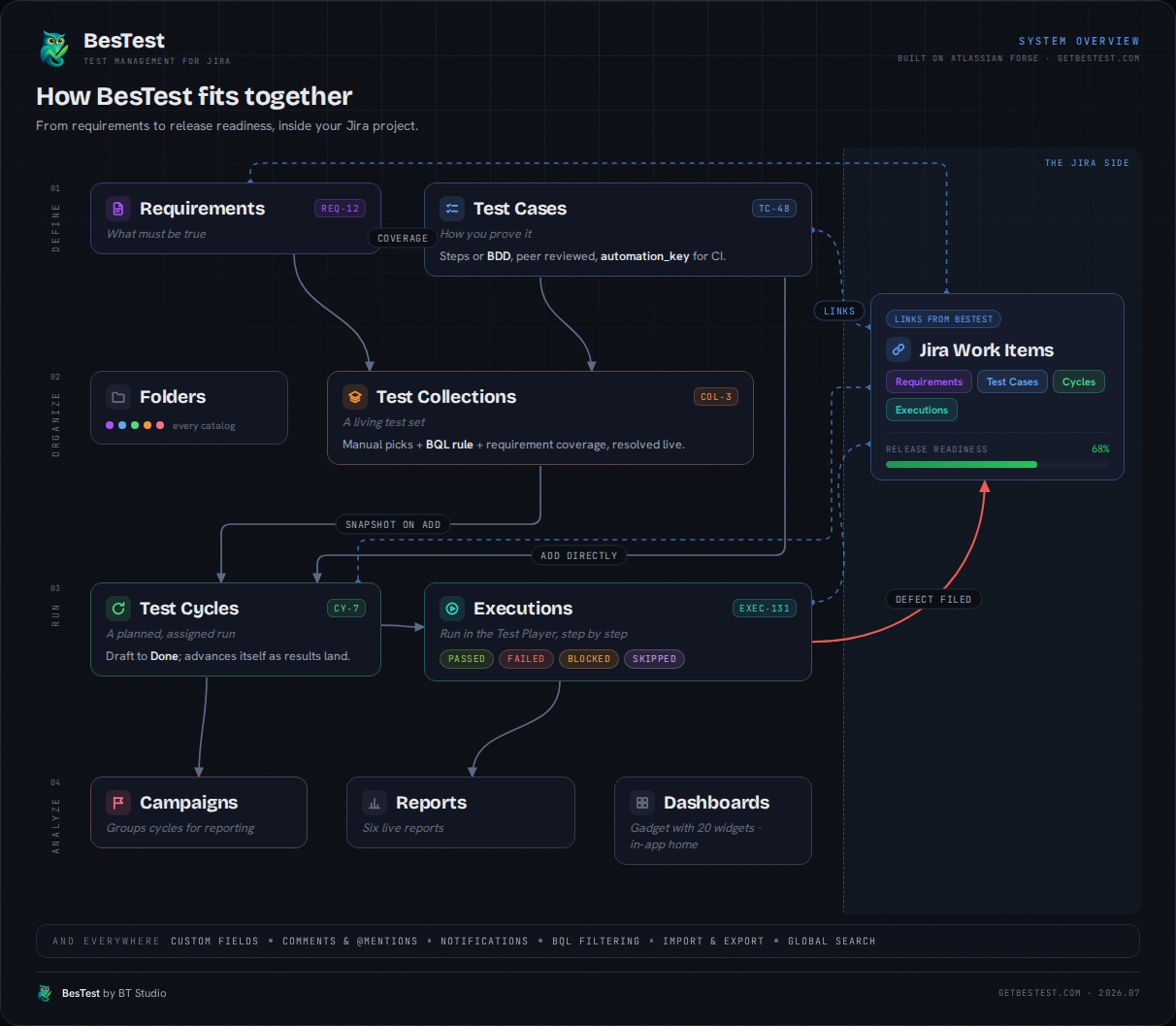
How you should get started
- Create requirements (from Work Item screen, or within BesTest)
- Create test cases, review them and mark them Active.
- Connect Test cases with requirements (set up coverage)
- Optional - Create collections (they are grouping test cases when scaling)
- Create test cycle for execution
- Add test cases one by one
- Use collections for speed up the process
- Execute test cases in test cycles
- Mark them pass
- Or anything else, then connect Jira Work items with them (Bugs)
- Follow progress in the Dashboard or Reports