Notifications, @Mentions
In-app notifications for actionable events
Last 14 days of Notifications can be found under the bell icon, next to the Space picker.
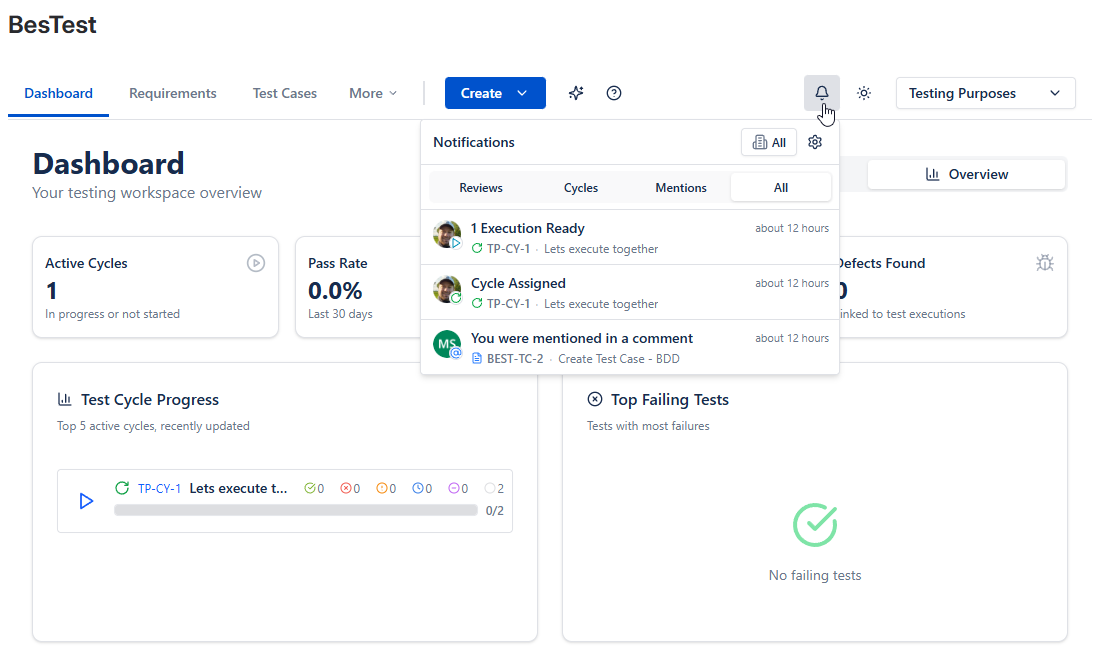
Notification sent for the following events:
| Event | Recipient |
|---|---|
| Test case or requirement sent to review | Reviewer |
| Test case or requirement review finished (approve/reject) | Review Requester |
| Test Cycle assigned | Assignee |
| Test Execution Assigned in Cycle + Cycle set to Ready to Execute | Every Execution Assignee (Tester) |
| Cycle finished | Cycle Assignee |
| Comment Mention | @mentioned user |
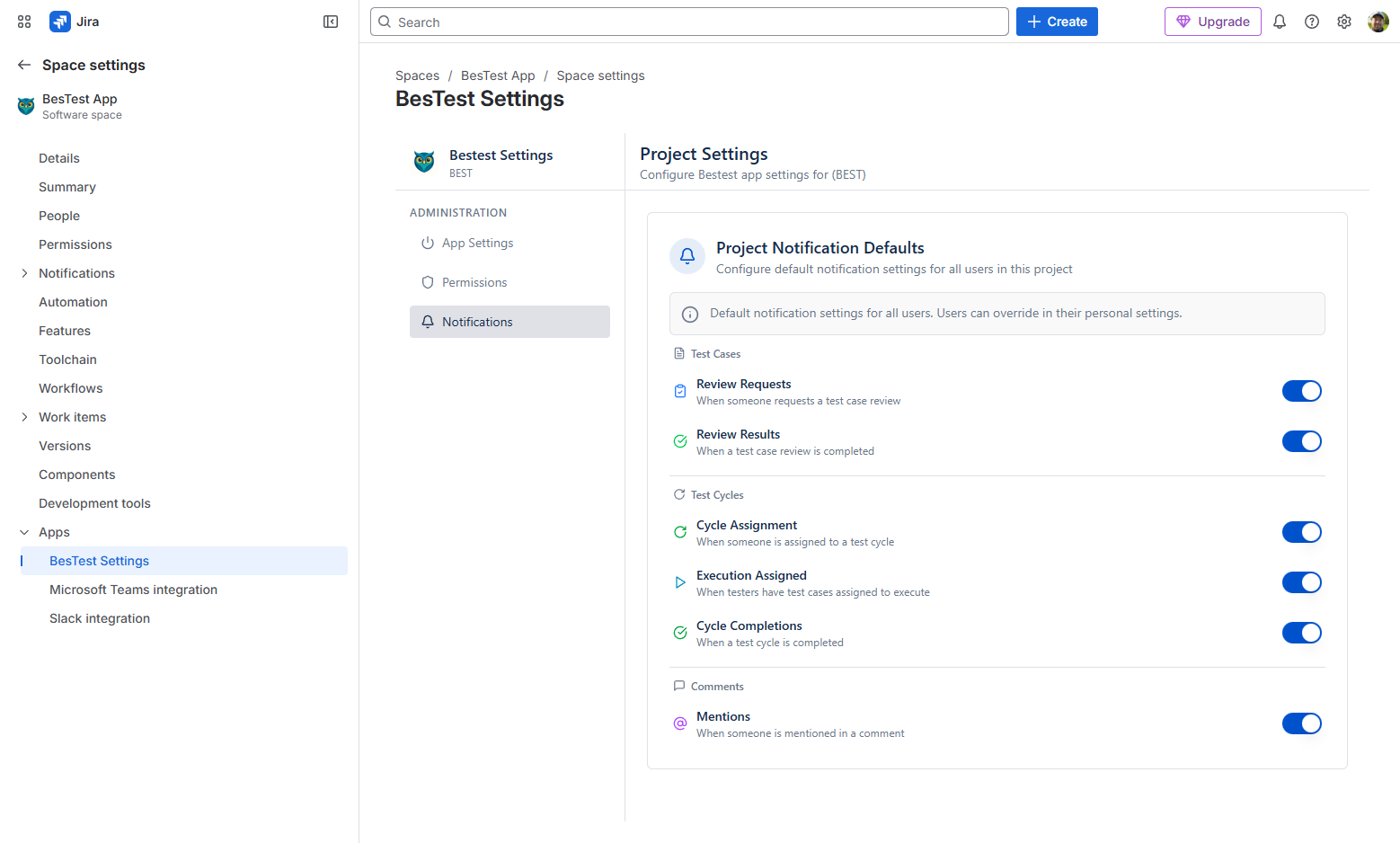
Notifications can be controlled by Space administrators, from the Space settings menu.
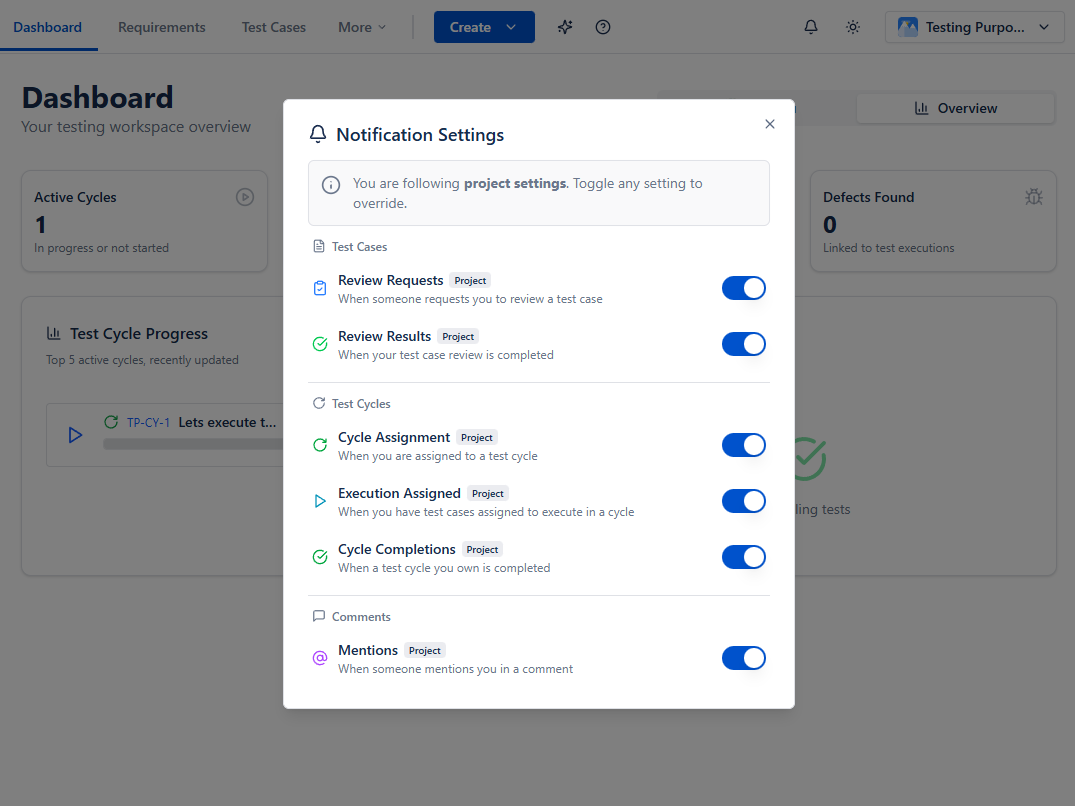
But they can be overwritten by users, by clicking the bell / cogs.
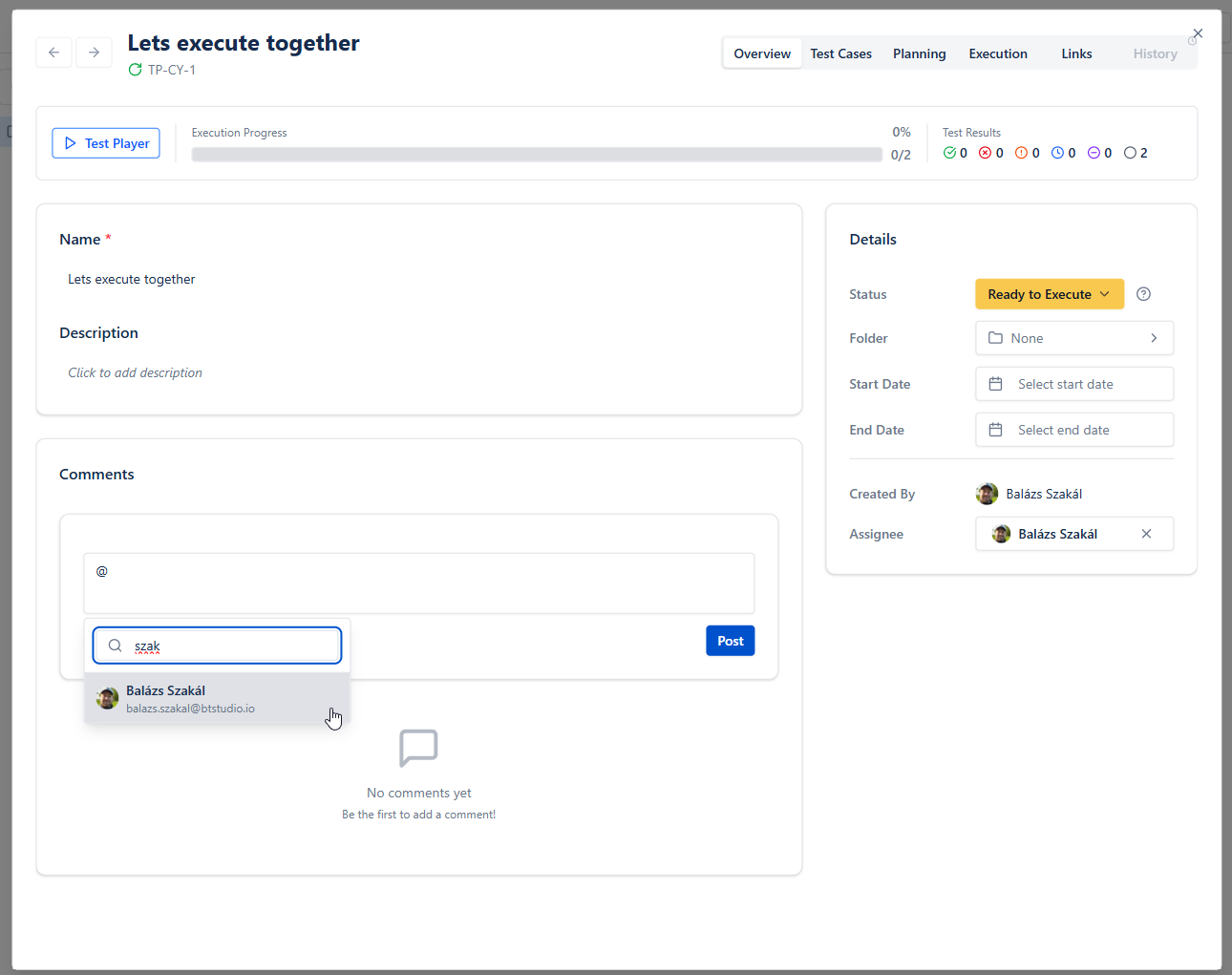
Comment section is available for every testing asset (Requirements, Test Cases, Test Cycles, Collections, Campaigns), in the Overview tab. Typing @ can mention other users.