
Test Player - Execution
Test Executions are individual records of a test case being run within a specific cycle.
Test Executions
Test Executions are individual records of a test case being run within a specific cycle. Each execution tracks the result (Passed, Failed, Blocked, Skipped), assignee, environment, timing, and comments. Failed executions can be linked directly to Jira issues for defect reporting.
Test Step Executions
Test Step Executions capture the result of each individual step during a test case execution. They record whether each step passed or failed, the actual result observed, and any comments. This granular tracking enables precise failure analysis and detailed execution reporting.
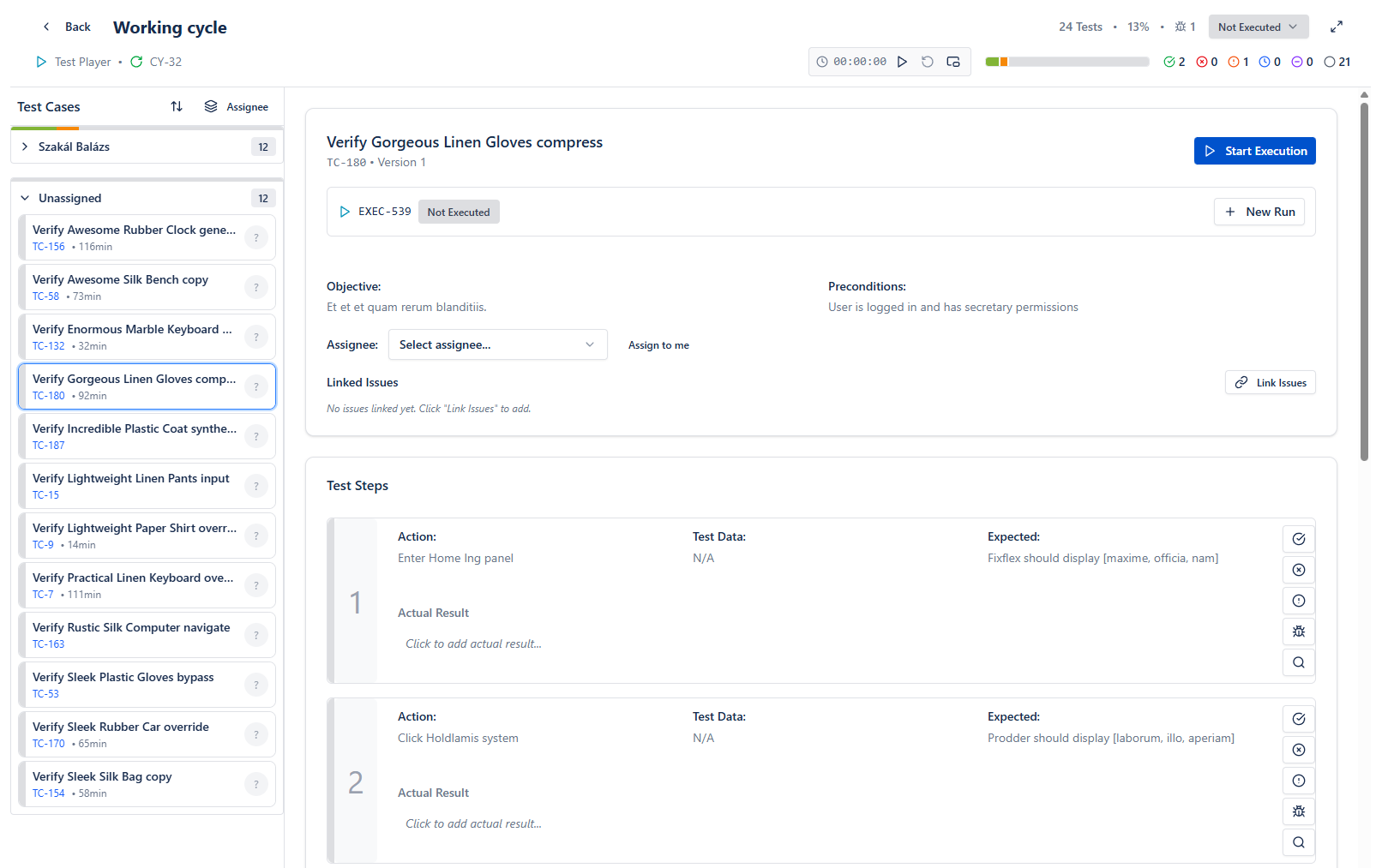
Execution flow
- Select a testcase on the left
- Start execution on the right
- Test case will be assigned to you
- Timer will start
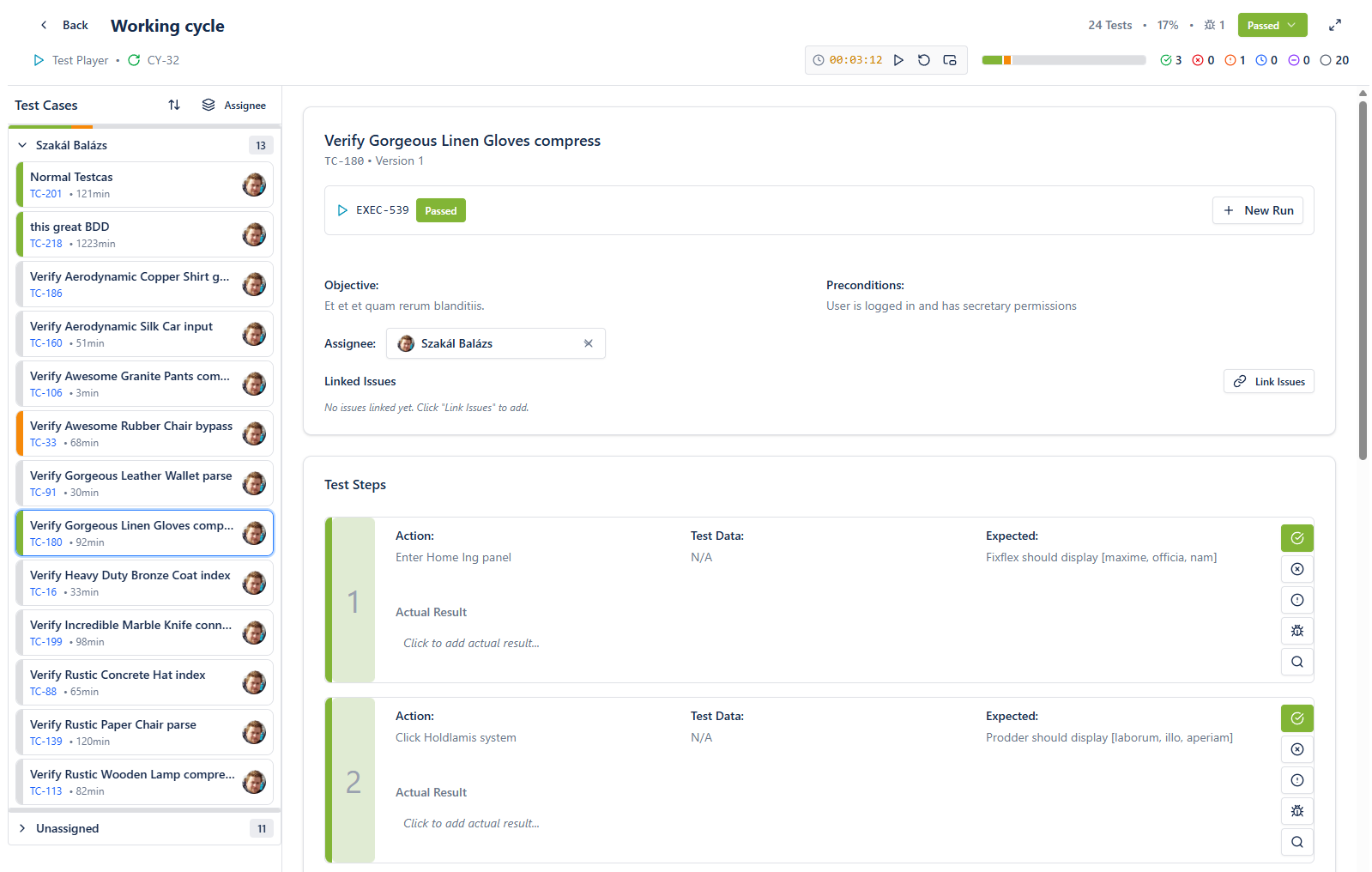
- Mark steps according to actual result
- Finish execution, continue with another test
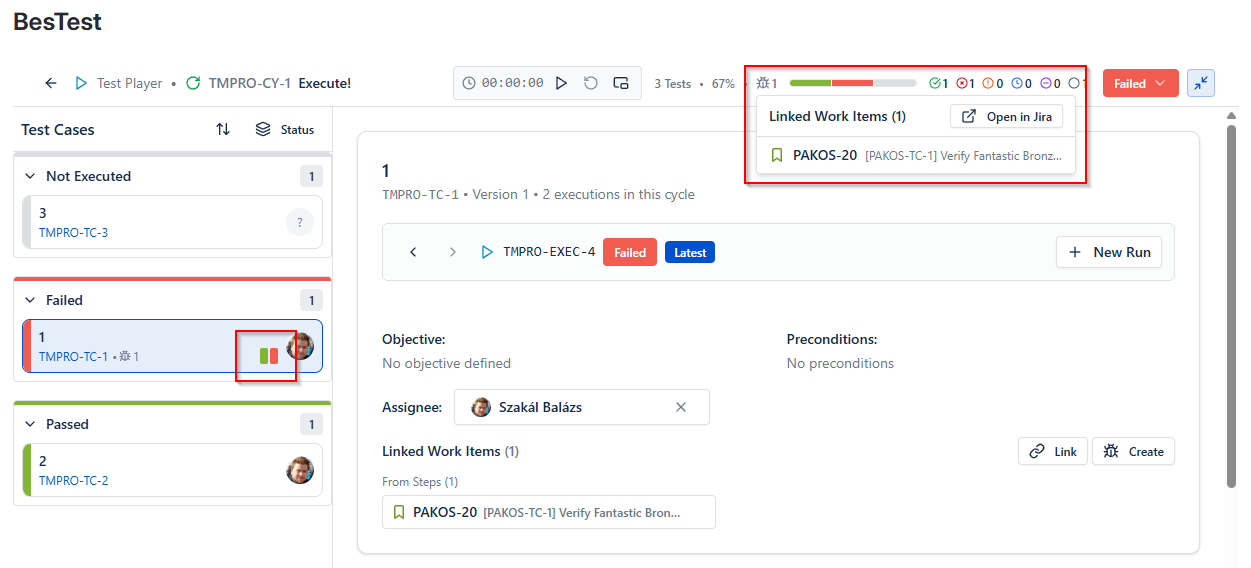
Reruns are shown in the test case selector. All reported bugs accessible by pressing the Bug icons.
Features
- Compact mode - maximum focus
- Built-in Timer - precise execution times
- Rerun any testcase
- Automatic execution status based on step results
- Report & Connect bugs