
Test Campaigns
Test Campaigns coordinate multiple test cycles toward a business goal, such as a major release or quarterly milestone.
On this page
Test Campaigns coordinate multiple test cycles toward a business goal, such as a major release or quarterly milestone. They group related cycles (e.g., Smoke, Regression, UAT phases). Campaigns provide aggregate metrics across all contained cycles.
Every built-in report can read a campaign as its source. See Report on a campaign.
Overview
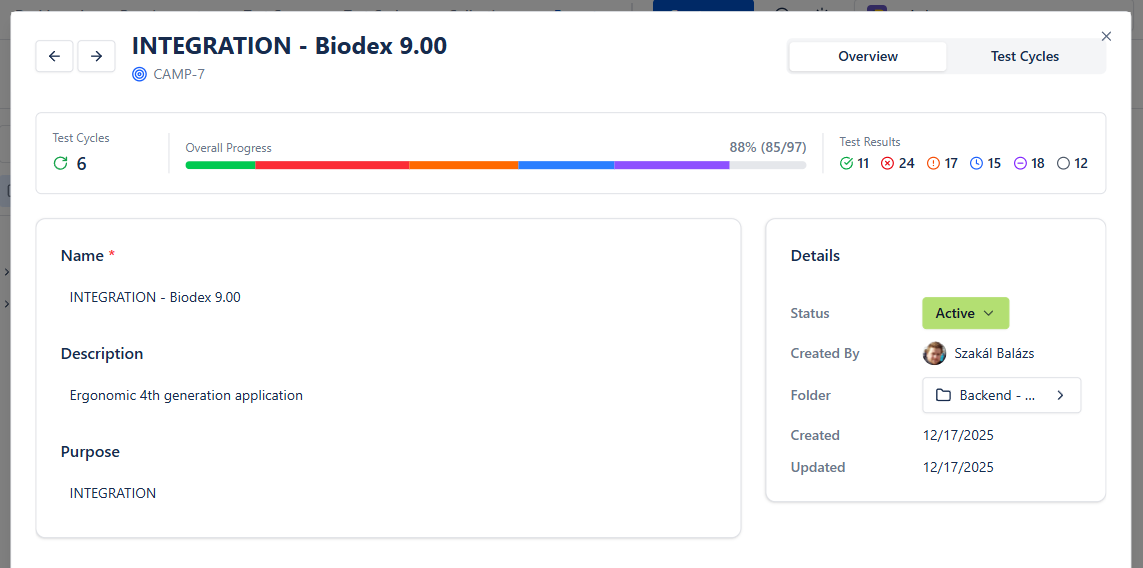
The Overview tab stands from different cards:
- The Top bar shows statistics about the included Test Cycles
- Main card contains the main data
- Details shows main attributes
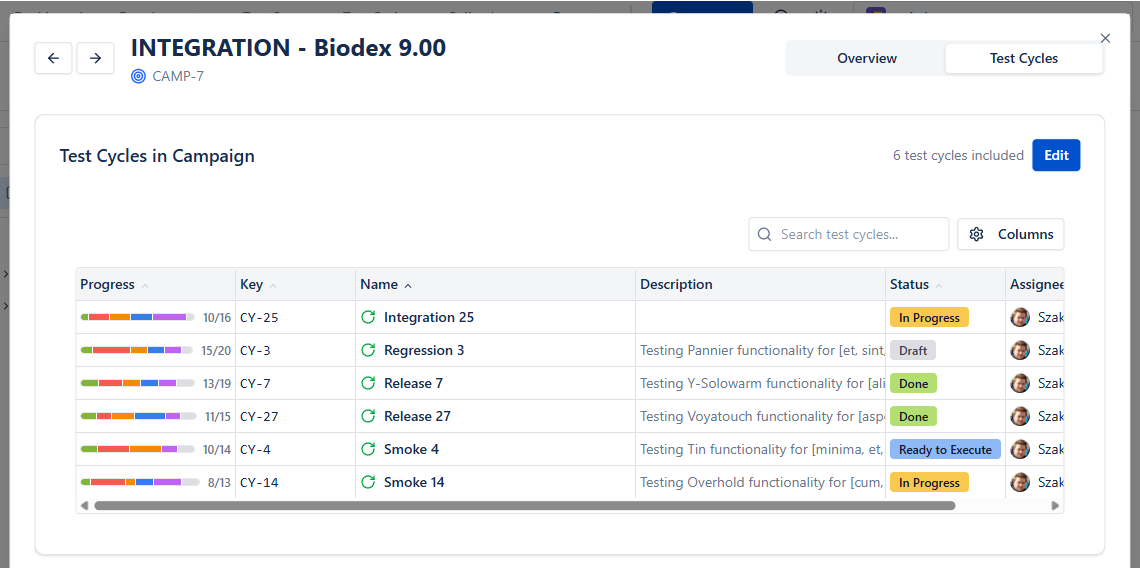
Test Cycles
Report on a campaign
A campaign collects the cycles of a release. Point a report source at the campaign: "Pick campaigns. Each cycle in them counts, also a new one." When the team adds a cycle to the campaign, the cycle joins the reports at the next open or Refresh. The source does not change.
- In the sidebar of a report, add a Campaign scope to the executions source, or to the Test results source of a traceability report. All campaigns reads every campaign that matches your conditions.
- A cycle in two picked campaigns counts once in every total.
- Test Execution Results has a campaign tab: a campaign row is the sum of its cycles. A cycle in two campaigns shows under each, and the header counts it once.
- Test Execution Time shows By campaign and cycle.
- A source reads at most 100 cycles, the newest 100. The report says when it leaves cycles out.
To use the same campaign in every report, save it in a data set. See Data sets and sources.