
Test Collections
Collections are reusable groupings of test cases for efficient test planning.
Collections are reusable groupings of test cases for efficient test planning. They can be built manually by selecting specific test cases, or dynamically using filter rules (e.g., "all test cases in the Auth folder with type=Regression"). Collections streamline cycle creation by allowing bulk addition of relevant test cases.
Overview
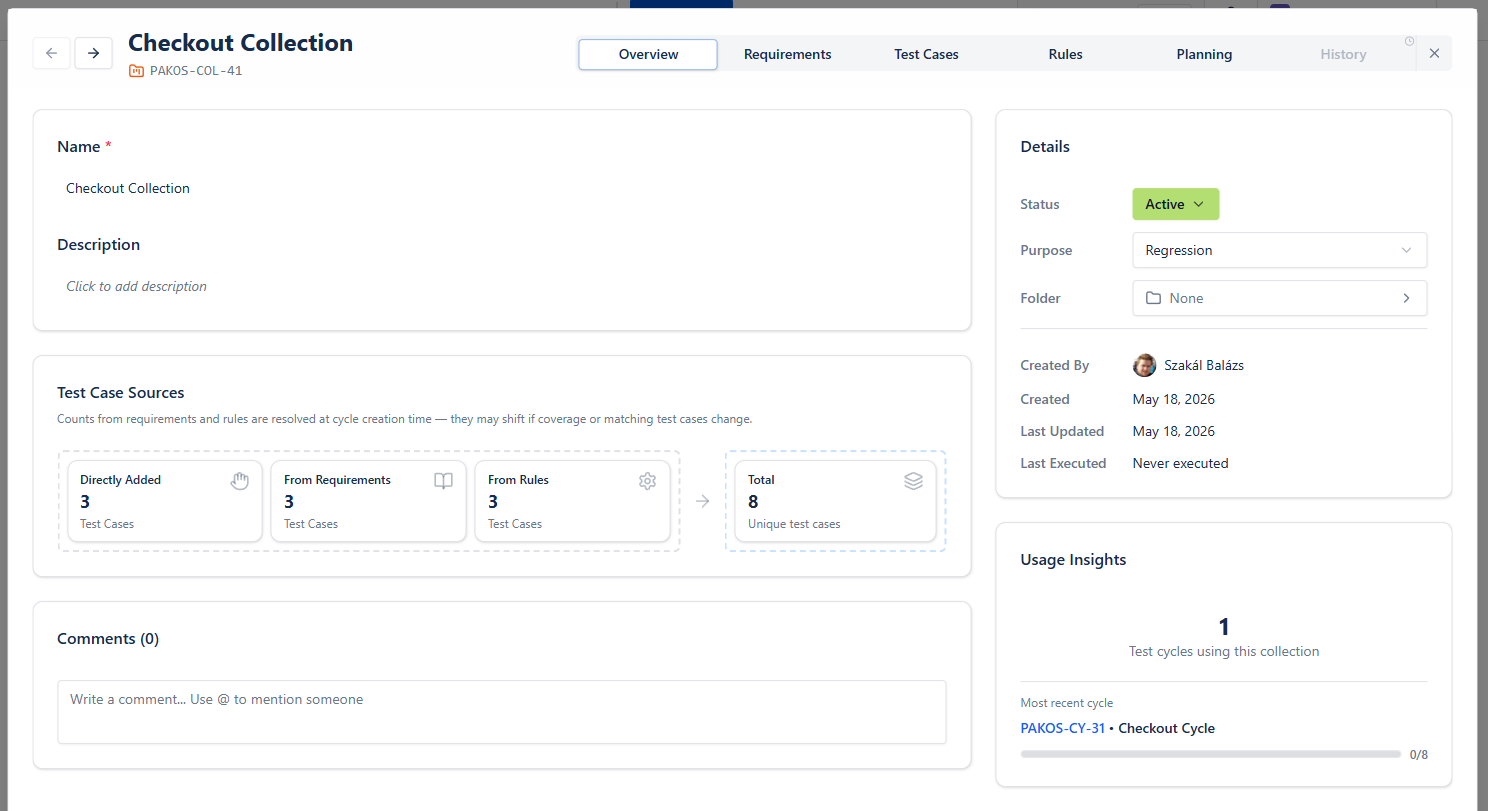
The Overview tab stands from different cards:
- Main card contains the main data
- Test Case Sources card shows how testcases added to this collection
- Details shows main attributes
- Usage Insights highlights how frequently the collection being used
Requirements
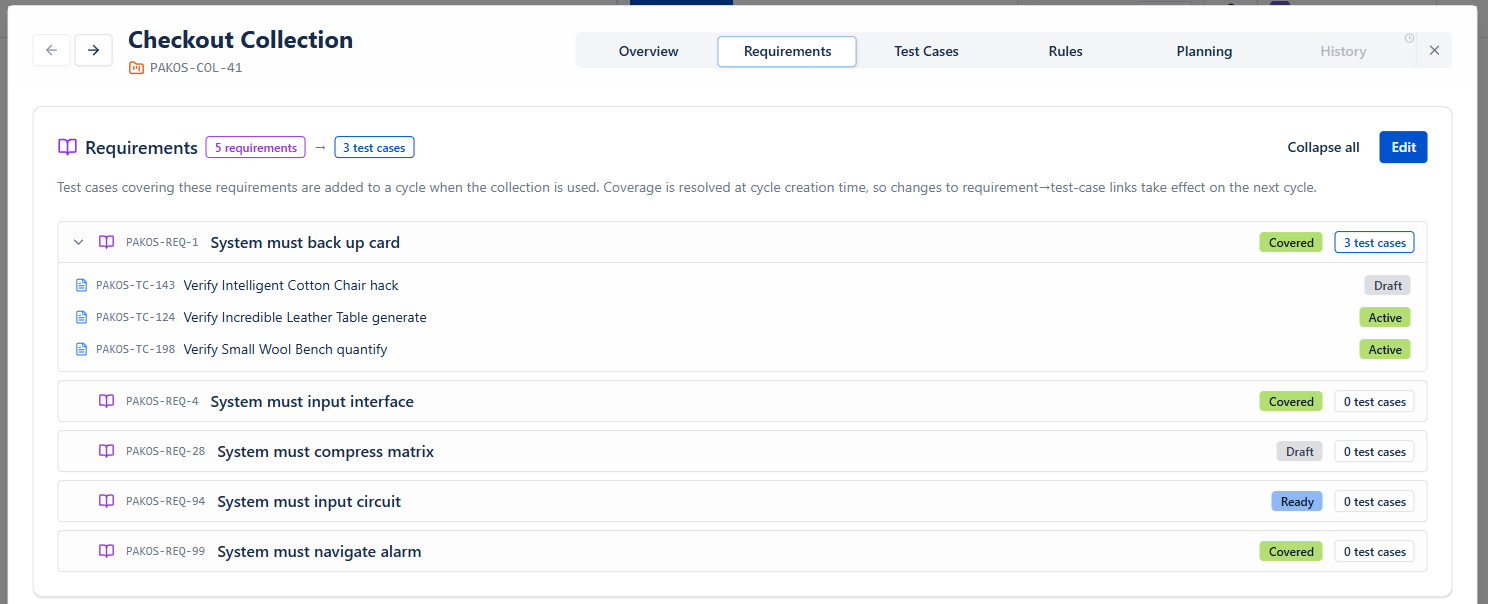
Requirements tab shows which requirement's coverage test cases are scoped for the collection. These are always re-evaluated when adding them to a cycle, they always up to date.
Test Cases
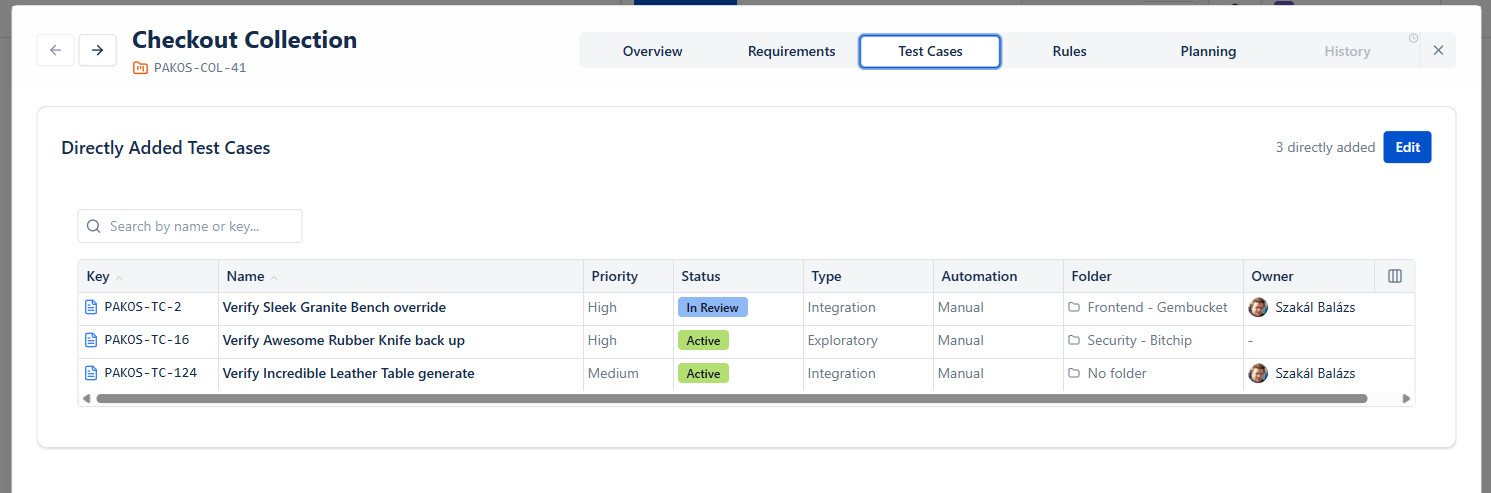
Test Cases tab shows which test cases has been added manually to the collection.
Rules
Rules can be created to ensure quick test cycle creation, based on always evolving test cases.
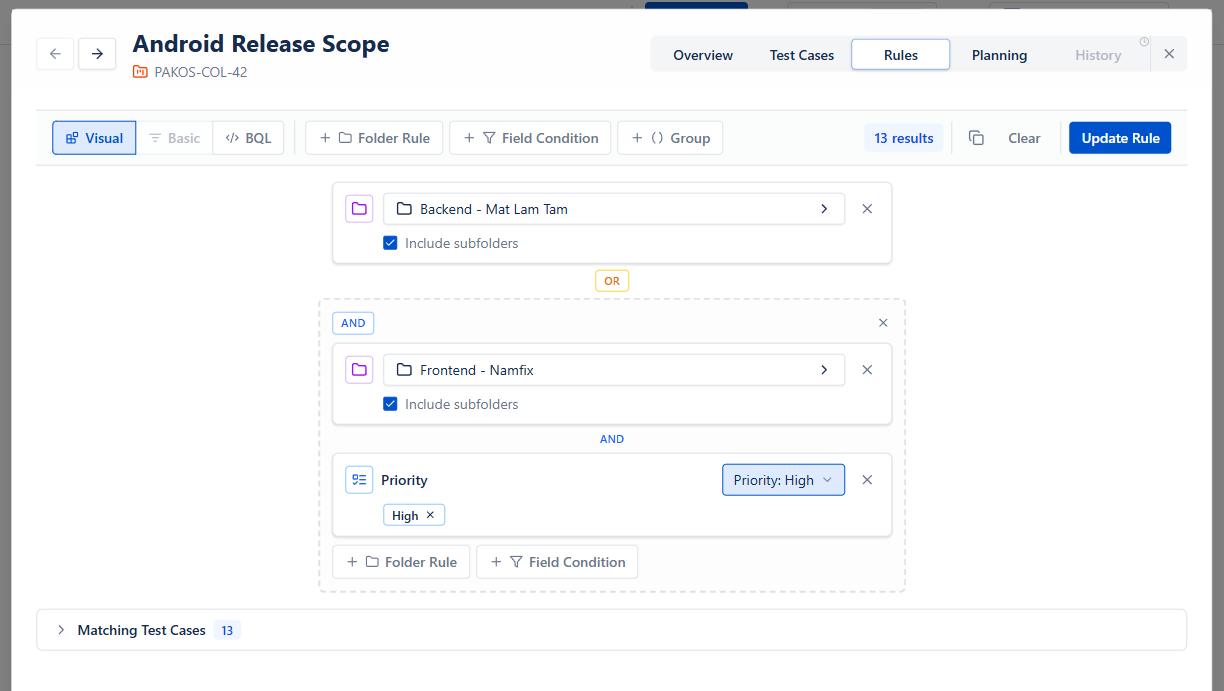
Folder rules: Select a folder with - optinally with all its children
Field Conditions: Select the field, then select the expected values
Groups: combine multiple conditions with AND/OR to build complex rules
User can always decide to build rules with Visual, Basic or BQL filters.
Planning
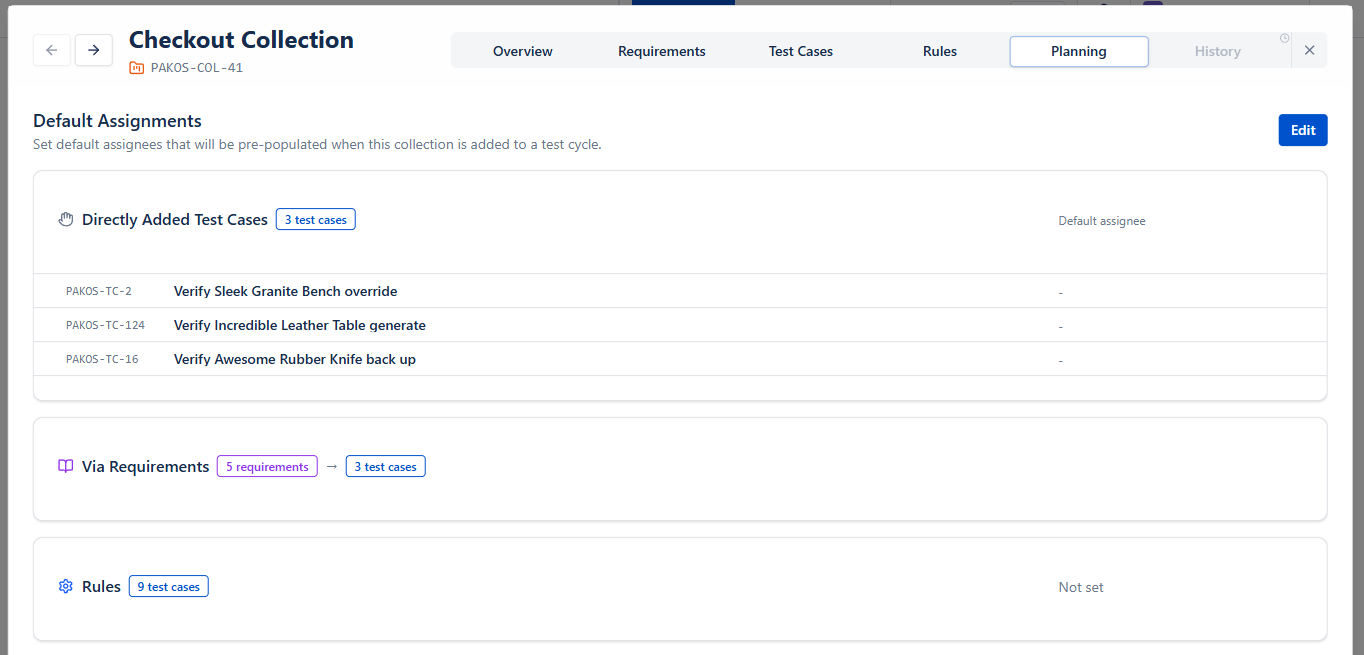
Default assignee can be set on Planning tab, so that adding a collection to a cycle would automatically fill testers to executions. This is just a default value, it can be changed in the cycle any time.
Creating flexible Collections
Collections combine
- Directly added testcases - fixed set
- Requirements coverage - evaluated usage time (in every cycle)
- Dynamic rules - evaluated usage time (in every cycle)
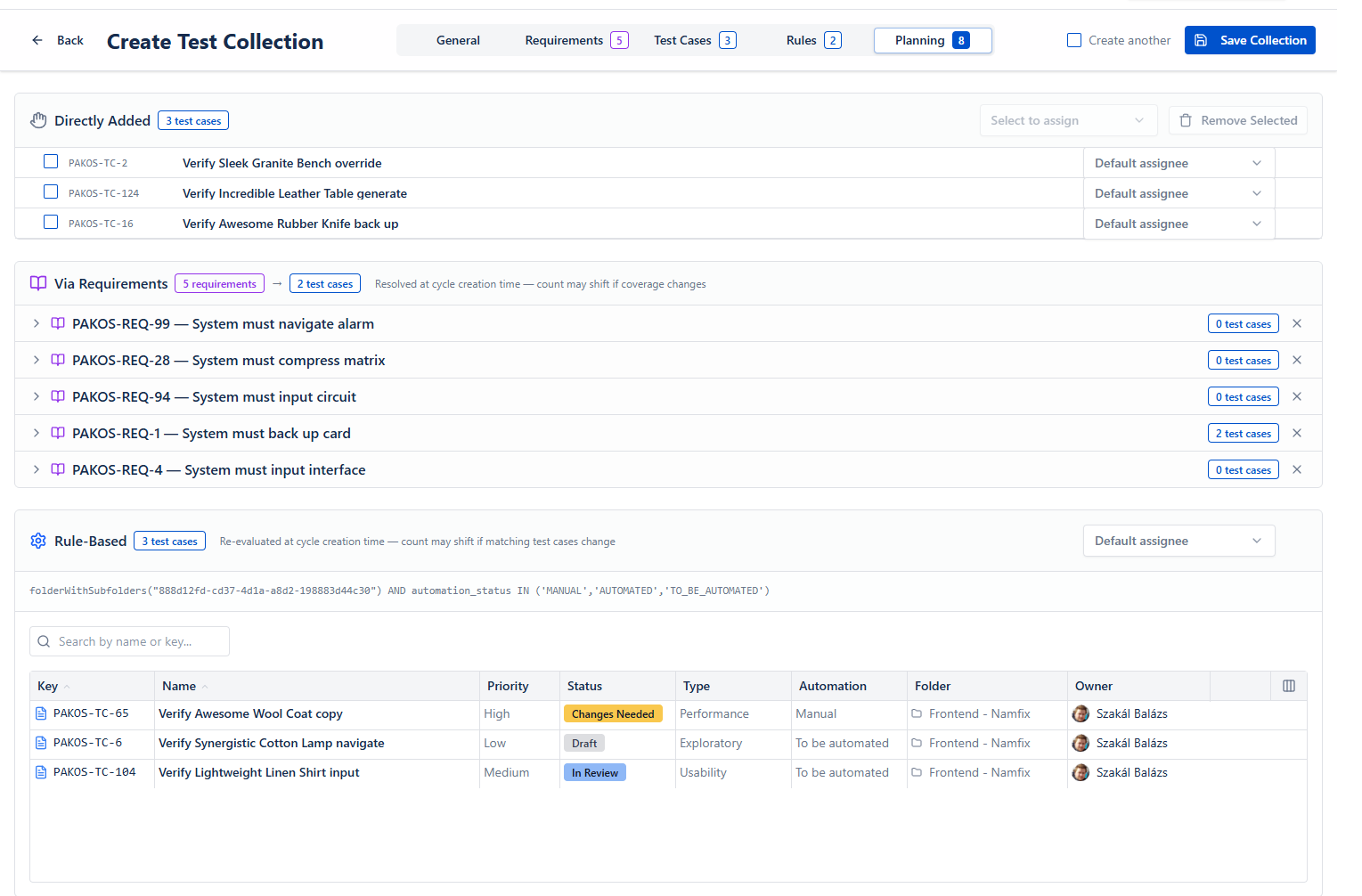
With these options, flexible and complex test sets can be set up, and cycle creation can be as modular as needed.