
Filters
There are 5 filters available:
There are 5 filters available:
- Space search
- Quick search
- Simple
- BQL
- Visual - only available in Collection rules for now
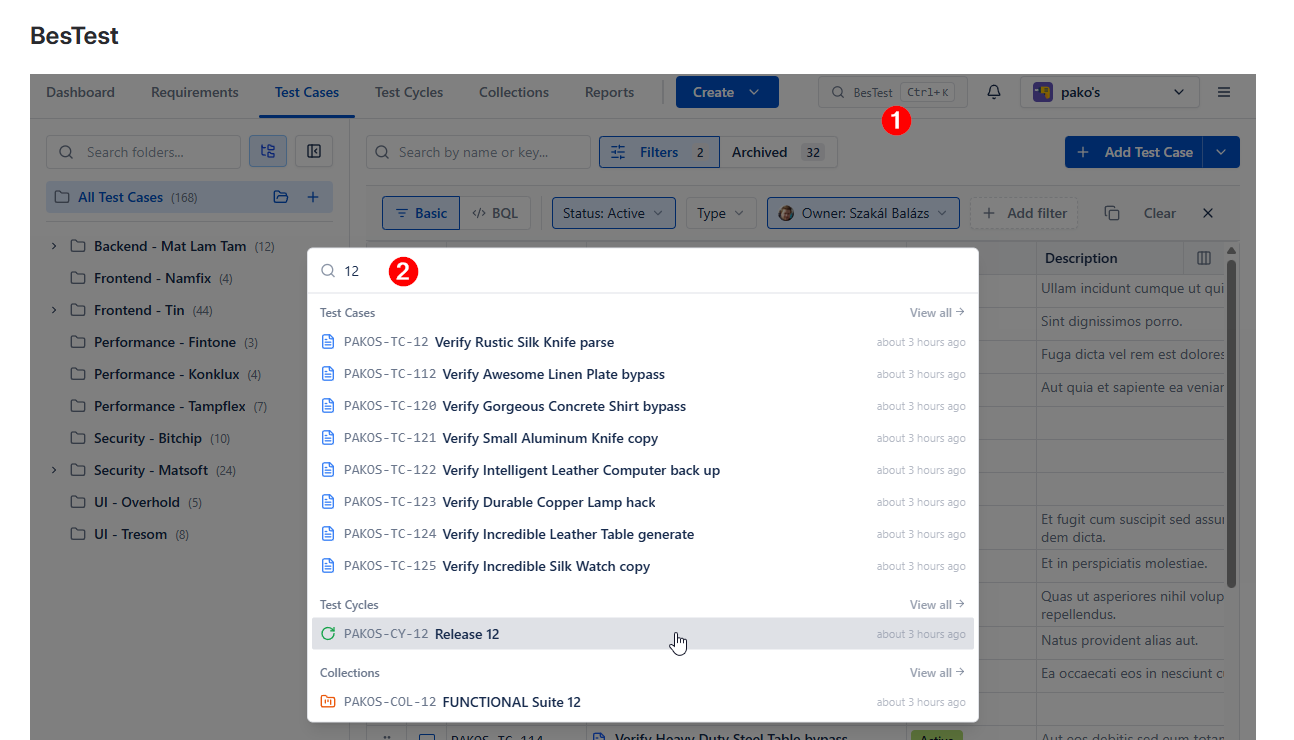
Space search
Press the search bar (or Ctrl / CMD + K) to open it, and search through any testing objects in that Space by name or key.
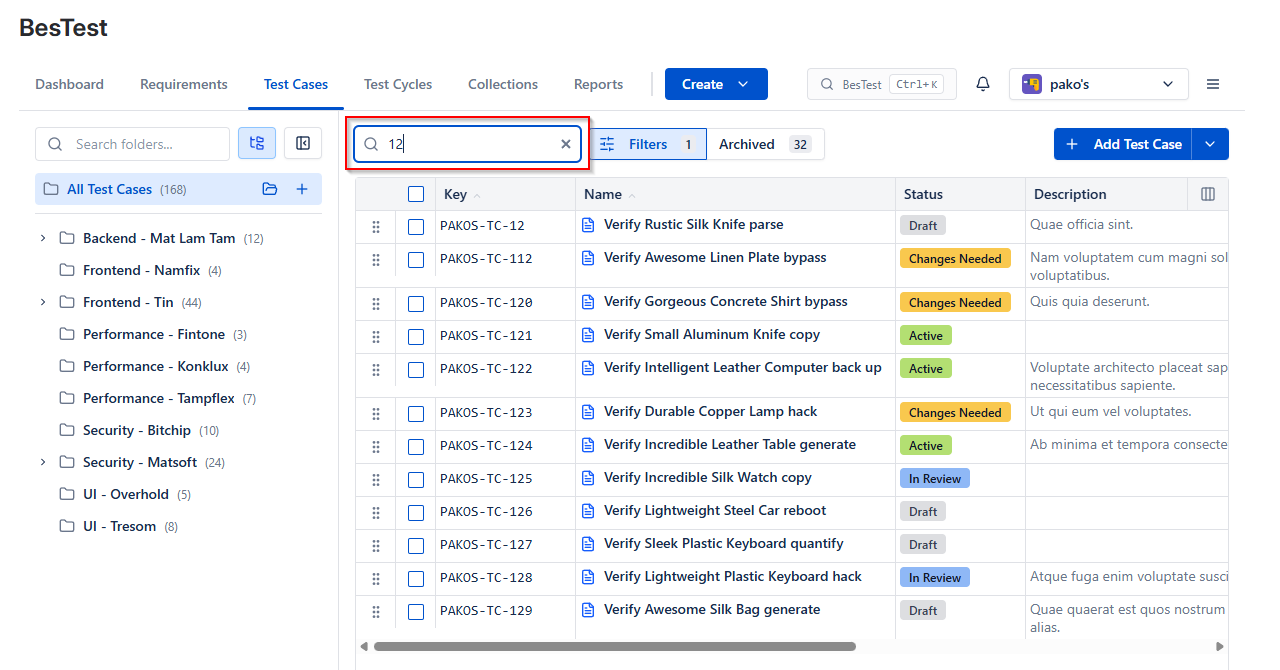
Quick search
Type name or key into any search field to filter the table below.
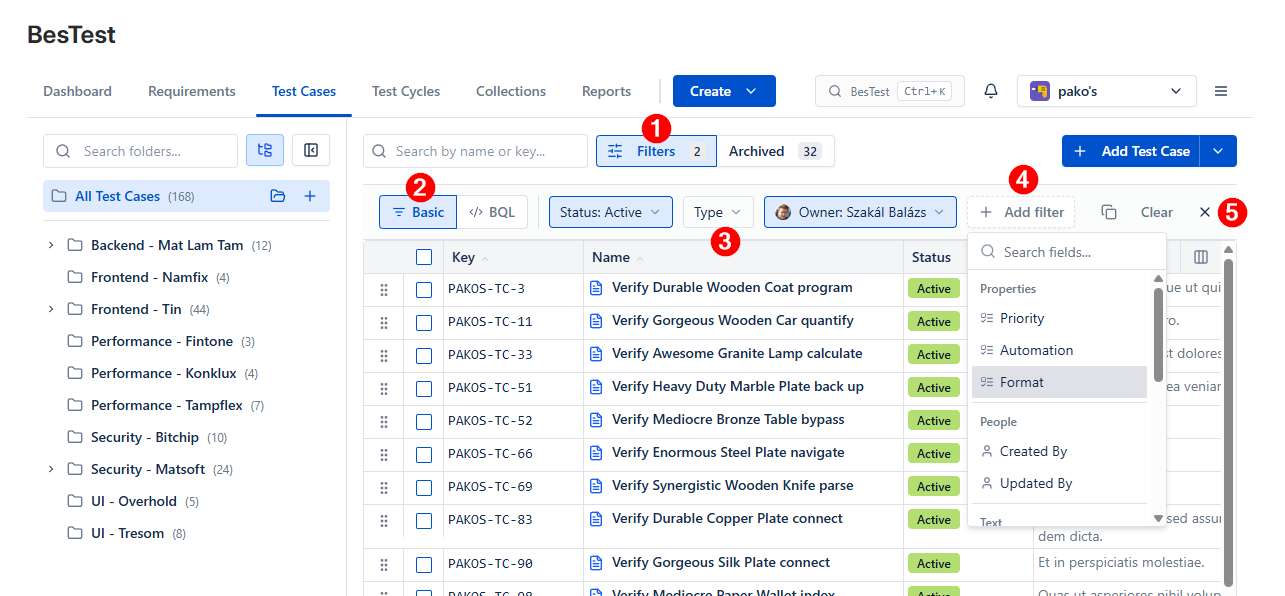
Simple filtering (beginner)
To access simple filtering, press ( 1 ) Filters, select ( 2 ) Basic, then use the ( 3 ) most frequent filters, or add a new criteria with a value from ( 4 ) Add filter. ( 5 ) Filters can be copied, cleared, closed.
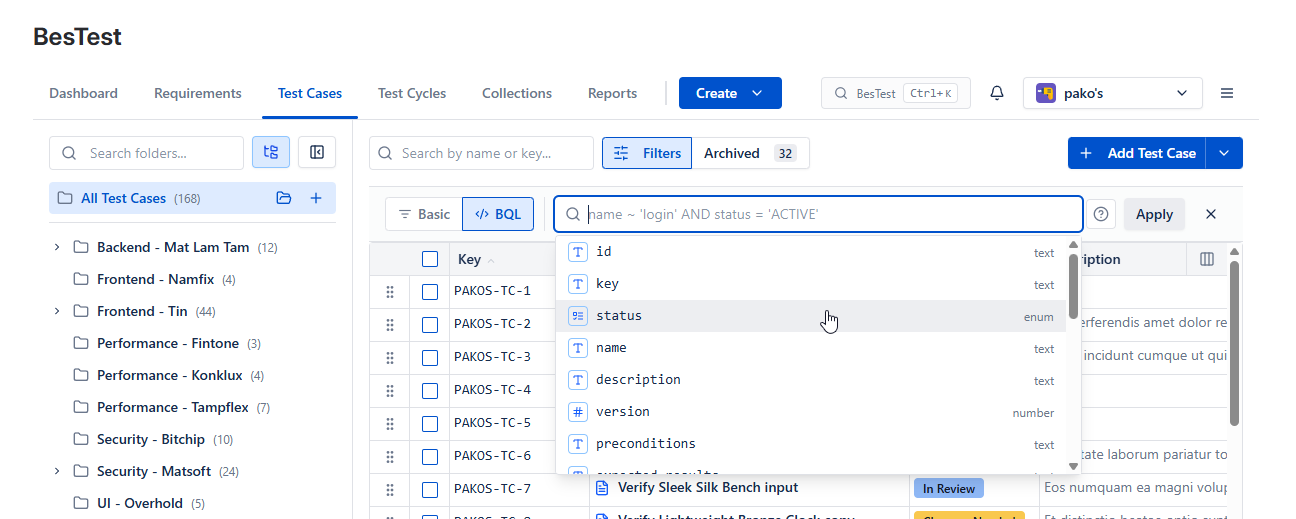
BQL Filtering (advanced)
BQL is simlar to Jira's JQL. You can set up fields + operator + value, and user AND/OR with combination of (). The UI autocompletes and syntax validates possibilities:
Examples:
status``IN ('DRAFT','ACTIVE') and``created_at``>= '2026-03-23'folder``IN ("b897f029-f2a2-46bf-925f-73ffcb03c20f") and``created_by``= '798eaa36-58b9-49a1-add3-5d32a558712d'- folder and user visually selected, but stored with an IDformat``= 'TRADITIONAL' AND (name``~ 'veri' OR``planned_time``>= 90)
Visual Filtering
This feature is designed to build Collections.
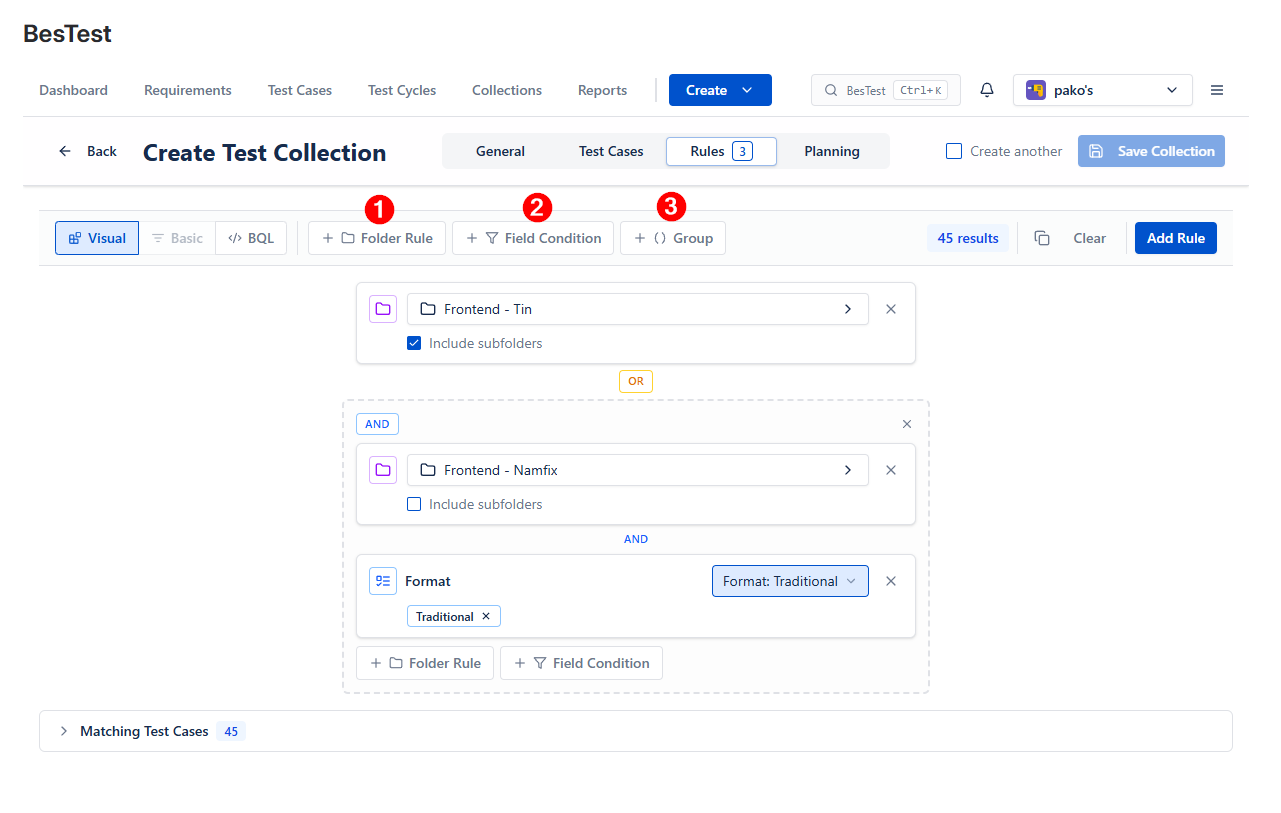
( 1 ) Folder rules: Select a folder with its possible children
( 2 ) Field Conditions: Select the field, then select the expected values
( 3 ) Groups: combine multiple conditions with AND/OR to build complex rules