
Jira Dashboard Gadgets
Edit a Dashboard, add BesTest widget
On this page
- Adding gadgets
- Add gadget
- Configure Type
- Scope & Display settings
- Execution gadgets
- Execution Status Overview
- Execution overview
- Execution Trend
- Execution Scorecard
- Execution Gauge
- Execution Bar Chart
- Progress
- Active Cycles
- Burndown Chart
- Burnup Chart
- Quality
- Defect Summary
- Defect trends
- Top Failing Tests
- Coverage
- Test Inventory Health
- Coverage Treemap by Folder
- Requirement Coverage Heatmap
- Requirement Coverage Breakdown
- Requirement Coverage Matrix
- Personal
- My Assigned Work
- Pending Reviews
Adding gadgets
Add gadget
Edit a Dashboard, add BesTest widget
Configure Type
Select a widget type
Scope & Display settings
Fine tune settings
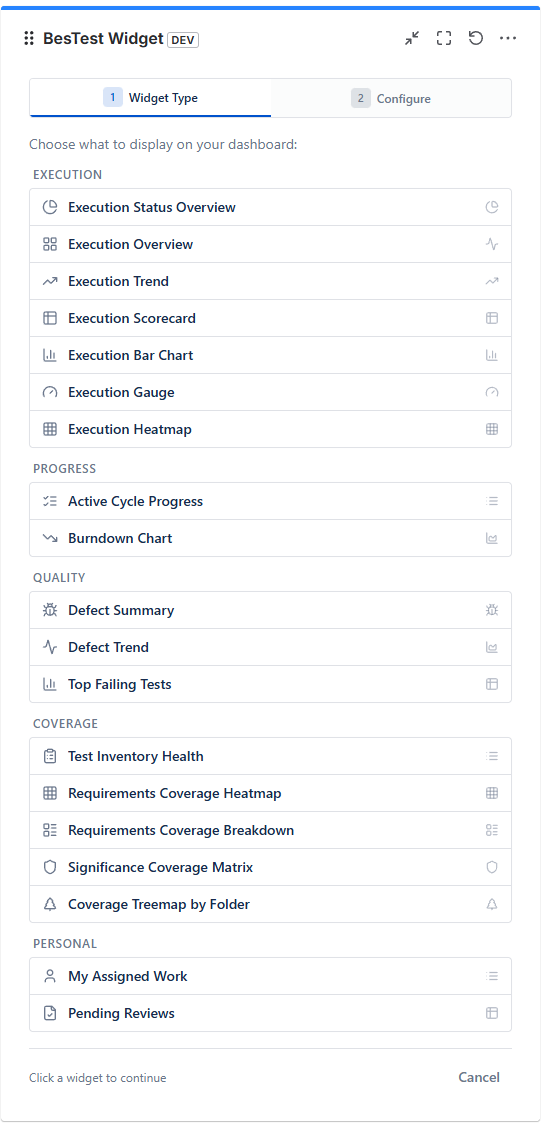
Execution gadgets
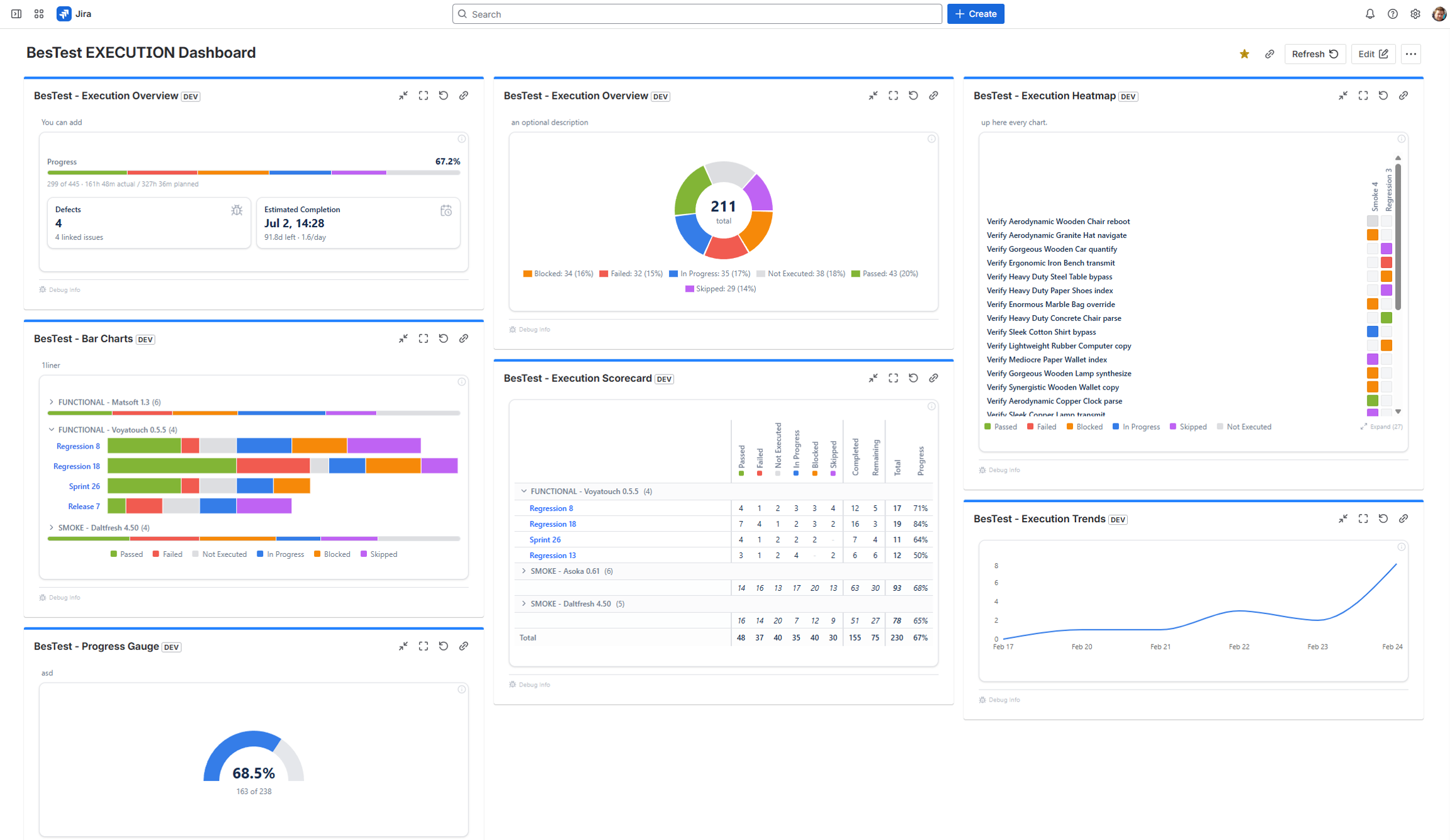
Example Execution dashboard, can be built with BesTest Gadgets:
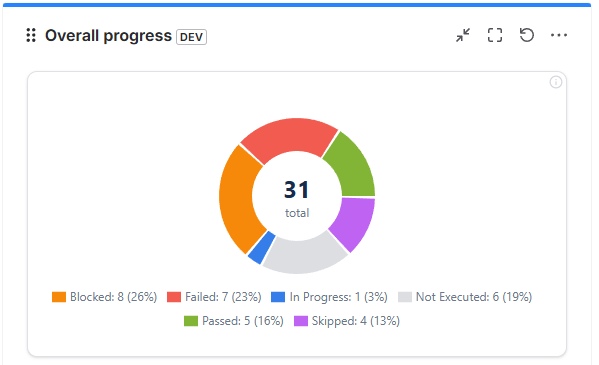
Execution Status Overview
Settings
Scope
- Space
- Cycles / Campaigns
Display
- Latest Only
Execution overview
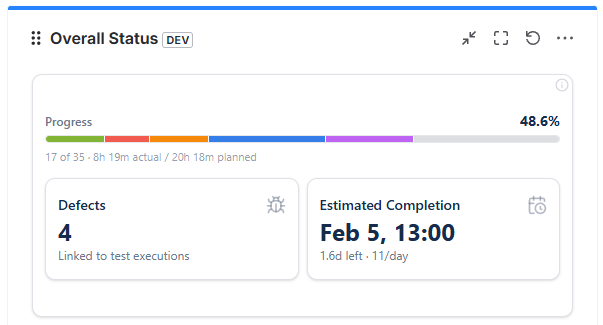
Execution Trend
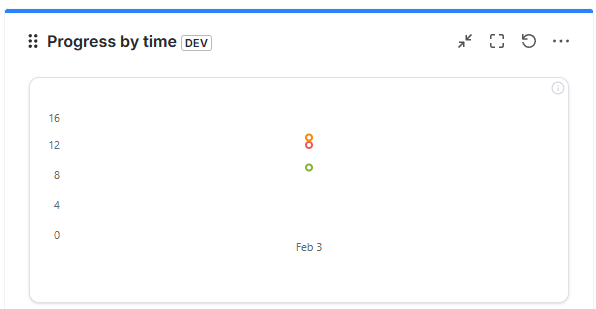
Settings
Scope
- Space
- Cycles / Campaigns
Display
- Date range
- Display
- Progress
- By Statuse
Execution Scorecard
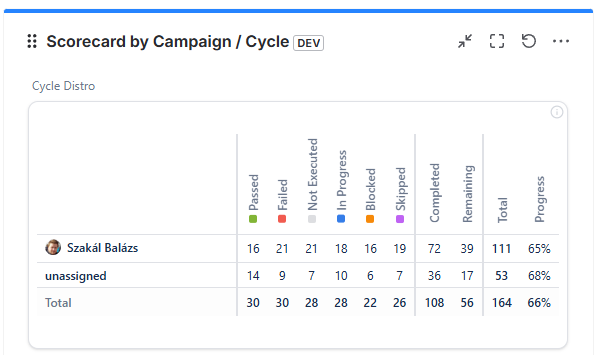
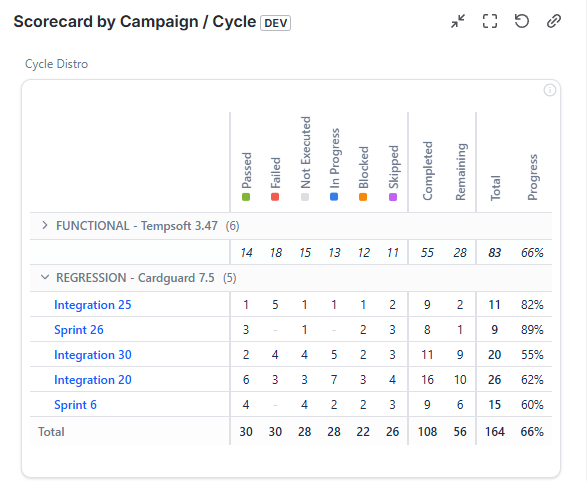
Settings
Scope
- Space
- Cycles / Campaigns
Display
- Group by
- Cycle
- Tester
- Latest Only
Execution Gauge
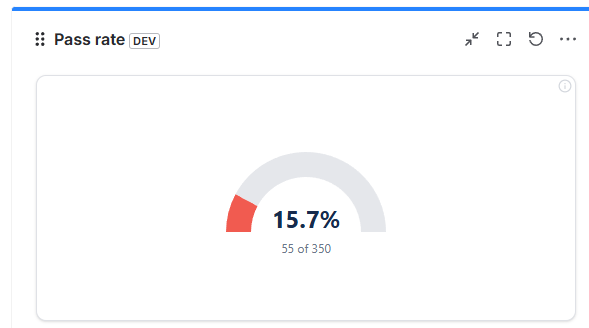
Settings
Scope
- Space
- Cycles / Campaigns
Display
- Overall / Pass rate
Execution Bar Chart
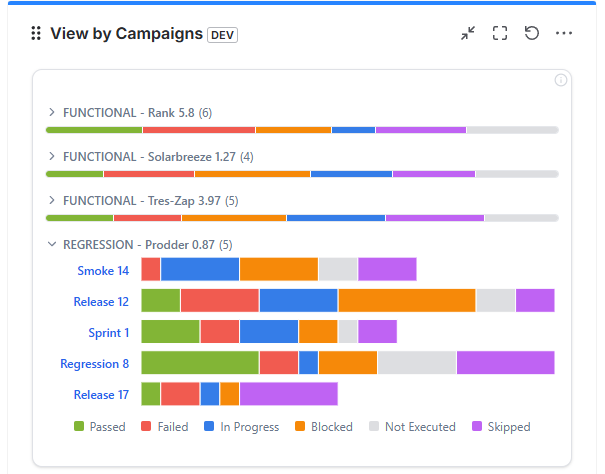
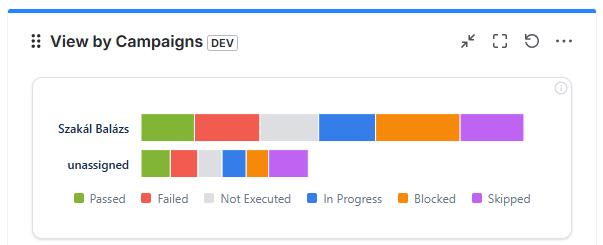
Settings
Scope
- Space
- Cycles / Campaigns
Display
- Group by
- Cycle
- Tester
- Latest Only
Progress
Active Cycles
Note
Cycles which are not yet finished and was active recently.
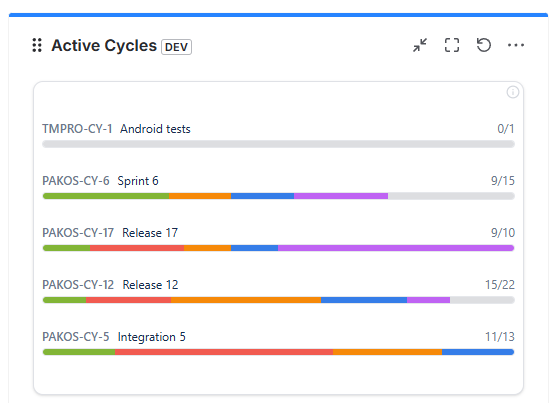
Settings
Scope
- Space
- Cycles / Campaigns
Display
- Group by
- Cycle
- Tester
- Latest Only
Burndown Chart
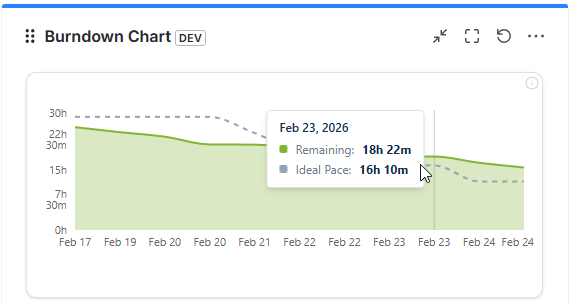
Settings
Scope
- Space
- Cycles / Campaigns
Burnup Chart
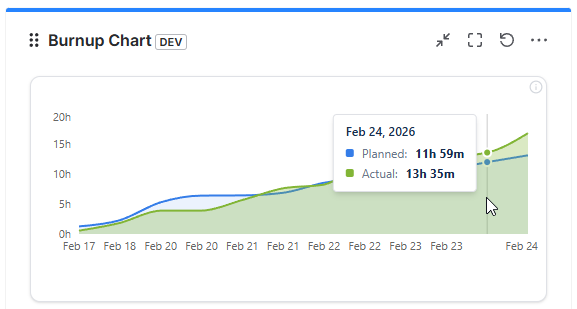
Settings
Scope
- Space
- Cycles / Campaigns
Quality
Defect Summary
Note
Showing all connected defects (work items), and their progress based on resolution.
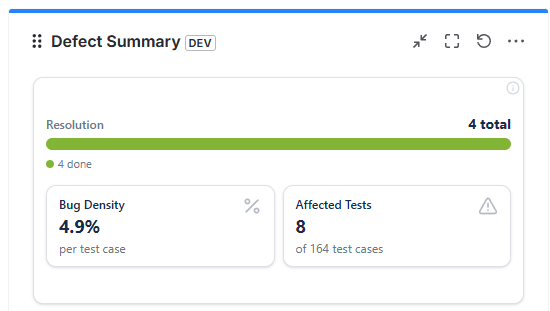
Settings
Scope
- Space
- Cycles / Campaigns
Display
- Group by
- Cycle
- Tester
- Latest Only
Defect trends
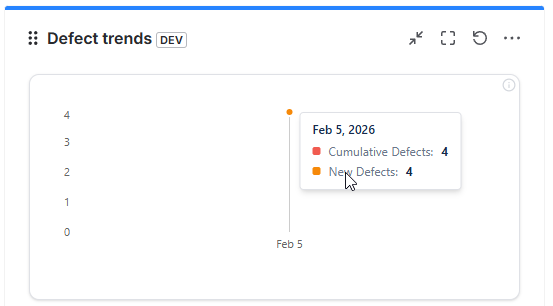
Settings
Scope
- Space
- Cycles / Campaigns
Top Failing Tests
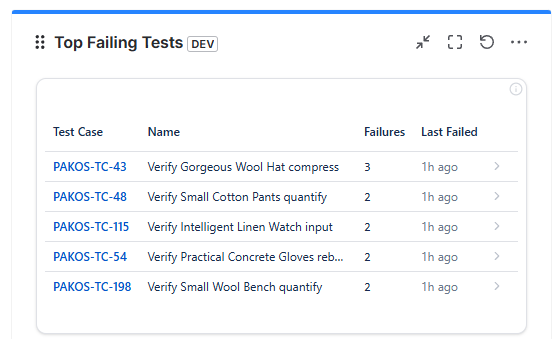
Settings
Scope
- Space
Display
- Number of Tests
Coverage
Test Inventory Health
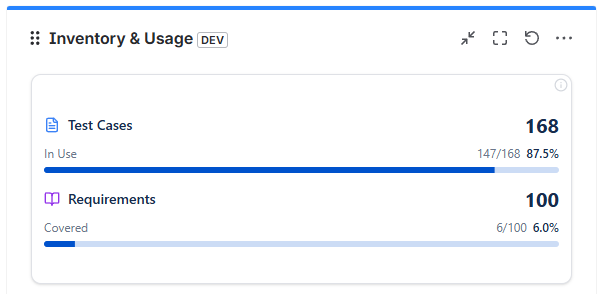
Settings
Scope
- Space
Coverage Treemap by Folder
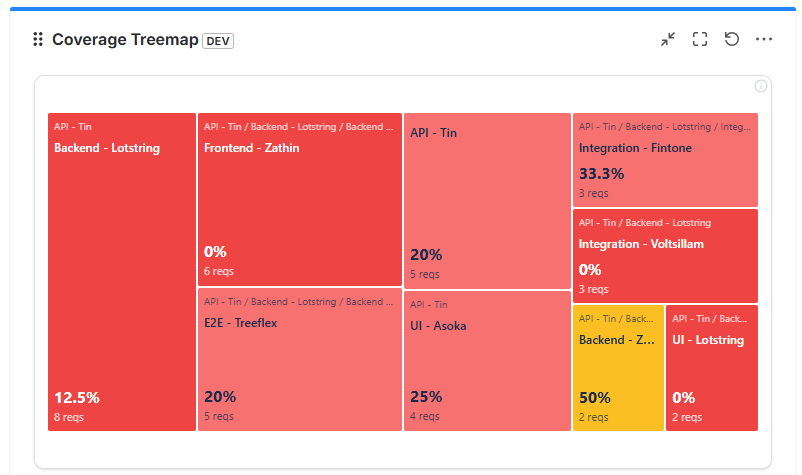
Settings
Scope
- Space
Display
- Folder
- Include subfolders
Requirement Coverage Heatmap
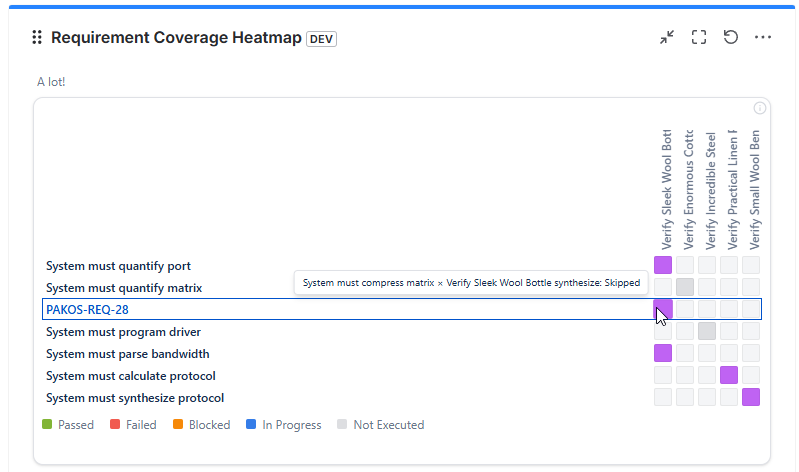
Settings
Scope
- Space
Display
- Folder
- Include subfolders
- Show Uncovered Requirements
Requirement Coverage Breakdown
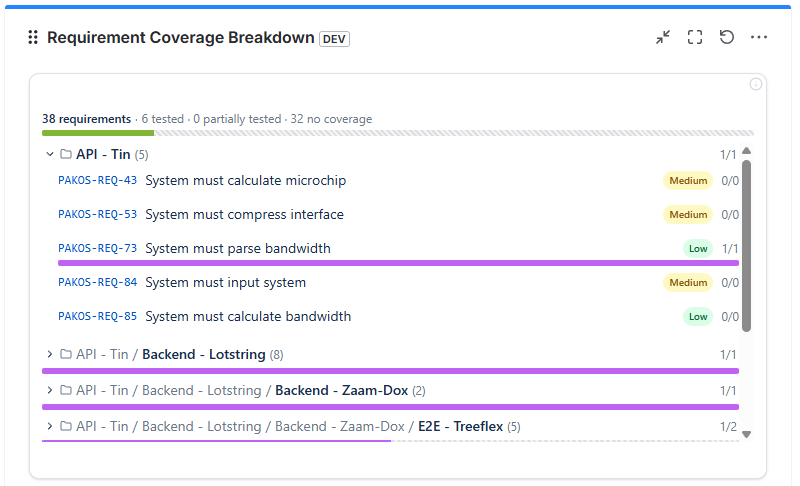
Settings
Scope
- Space
Display
- Folder
- Include subfolders
Requirement Coverage Matrix
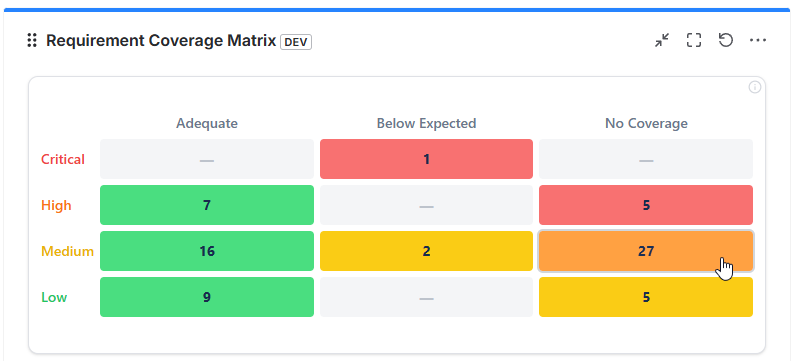
Settings
Scope
- Space
Display
- Folder
- Include subfolders
Personal
My Assigned Work
Note
Showing all cycles where you are assigned and have unfinished test to execute.
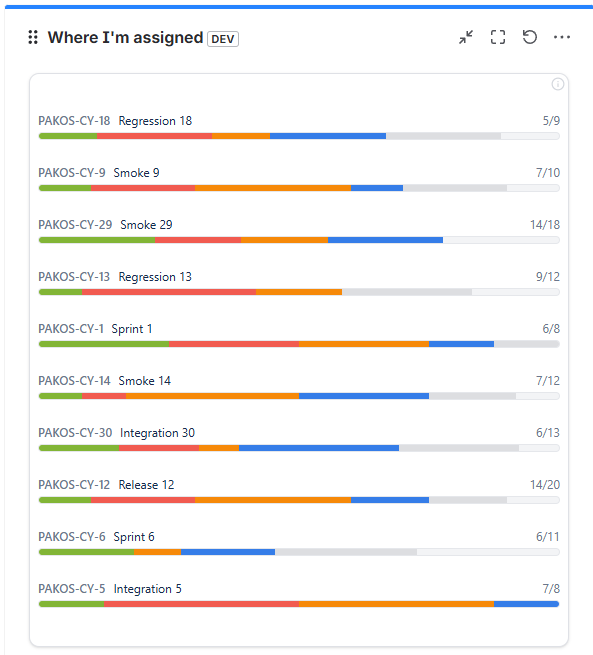
Settings
Scope
- Space
Pending Reviews
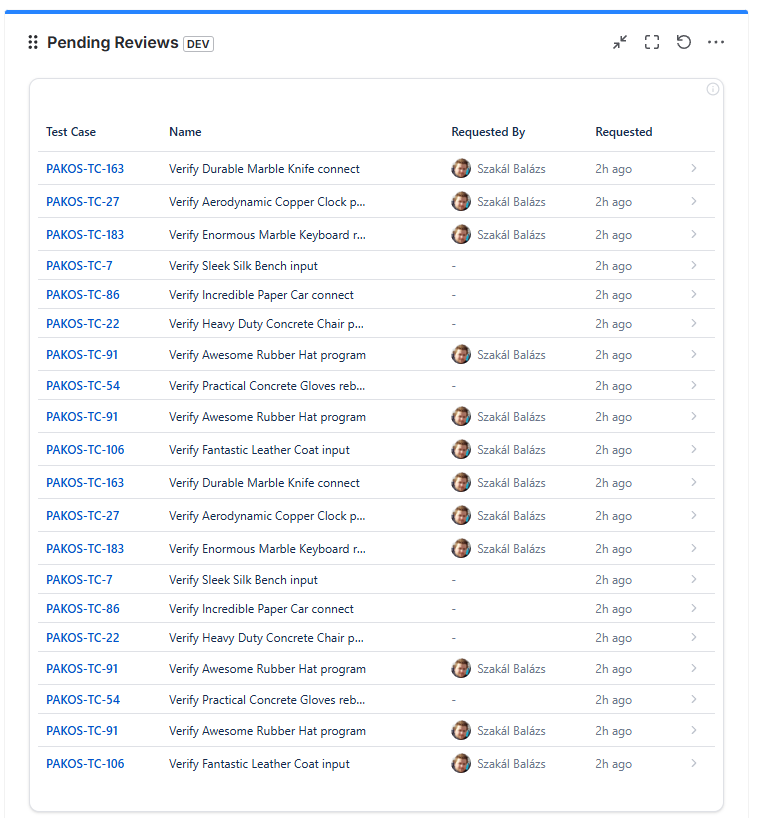
Settings
Scope
- Space