
Defect Analysis
How Defect Analysis counts defects, the retest rule that decides if a fix worked, open defects by priority and age, and the limits of the report.
On this page
- Questions this report answers
- Defects that block testing
- Fixes to retest
- Fixes that failed the retest
- Open defects that pass now
- Old serious defects
- Defects closed without a fix
- What the report reads
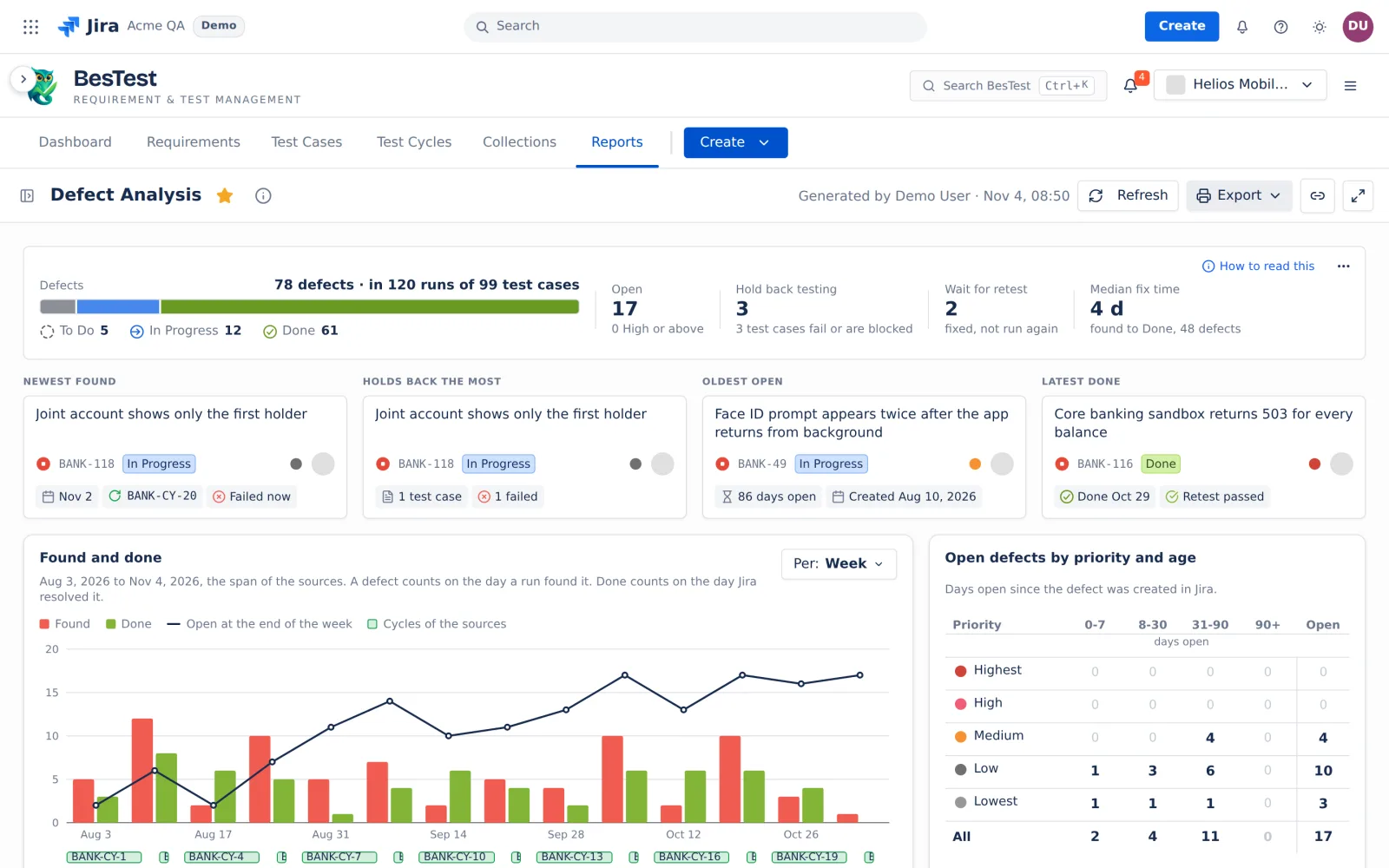
- The top line
- The cards
- Found and done
- Open defects by priority and age
- Where defects are found
- From found to verified
- The Defects table and the defect panel
- The retest rule
- Example
- Resolution groups
- Limits and exports
Defect Analysis shows "the defects the runs of your sources found: how many are open, which are fixed and verified by a retest, how long they stay open and where they are found." For a tour of the report, see the report page.
Questions this report answers
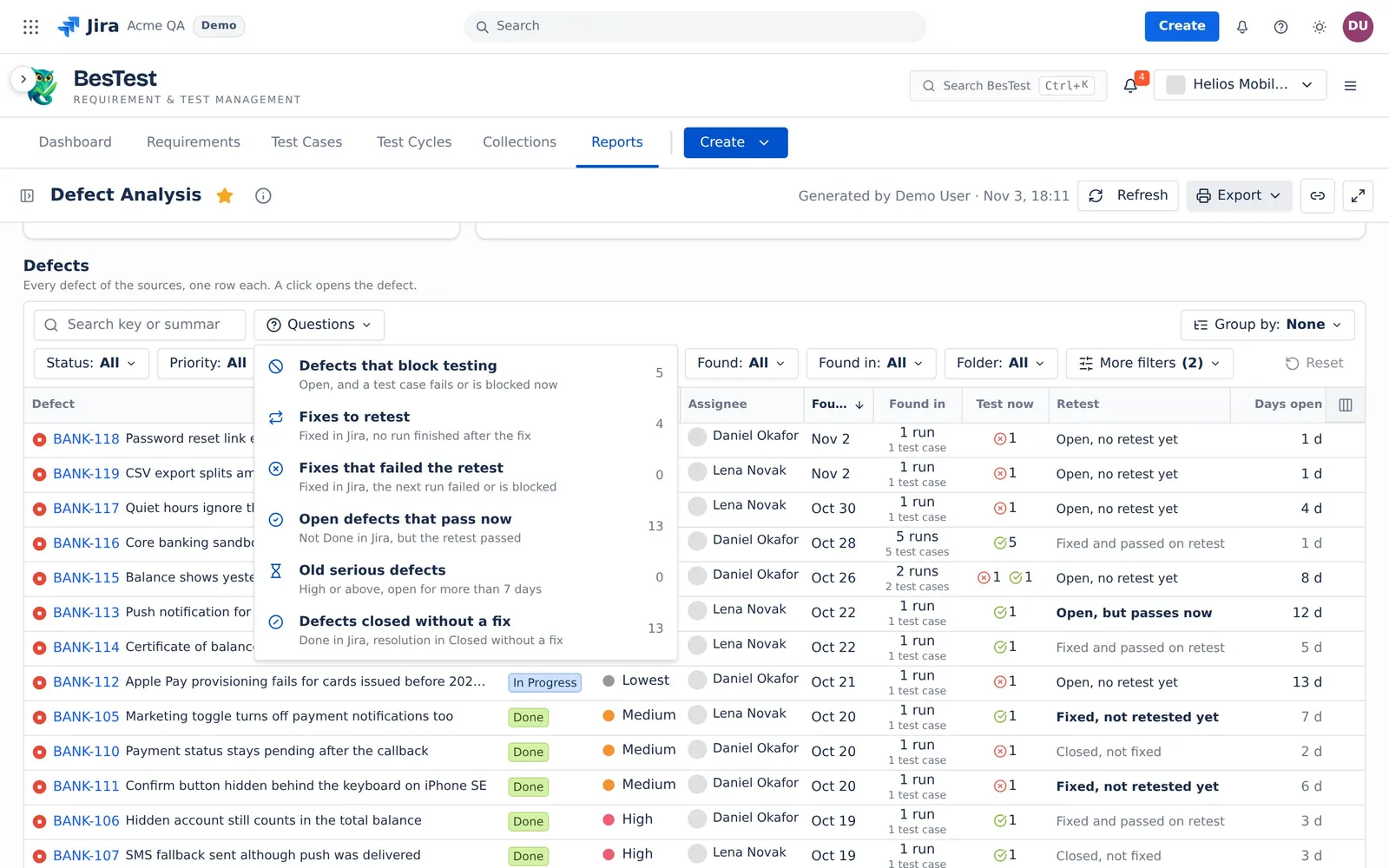
Open the Questions menu over the Defects table. A question sets the table filters for you. You can change them after. The counts below are from the Helios demo data.
Defects that block testing
"Open, and a test case fails or is blocked now".
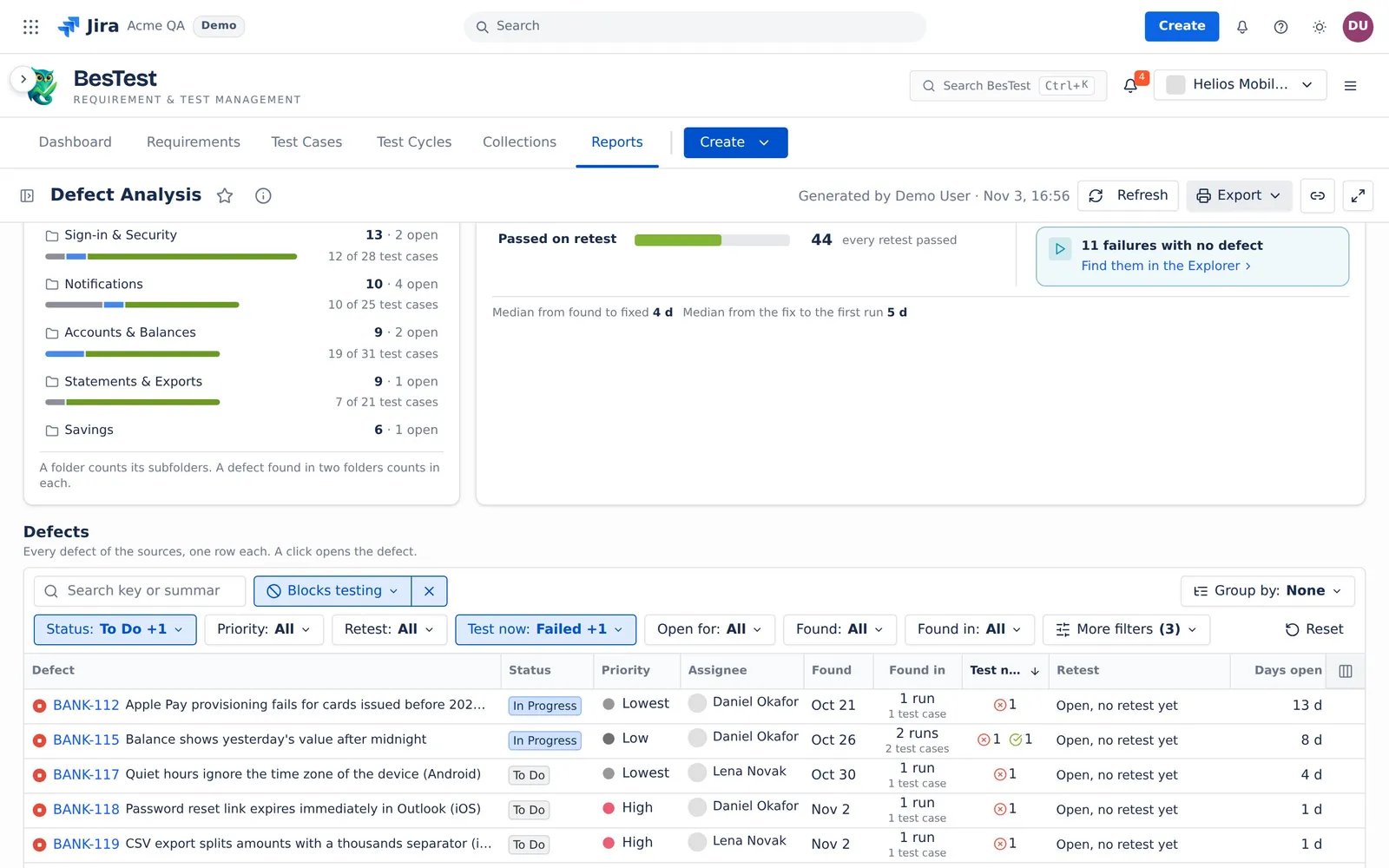
- The question sets:
Status: To Do, In ProgressandTest now: Failed, Blocked. - The rule: the defect is not Done in Jira, and at least one of its test cases fails or is blocked now. "Now" is the newest finished run of the test case in the sources.
- In the demo data: 5 defects.
- Then: ask for a fix of the defect that blocks the most test cases first.
Fixes to retest
"Fixed in Jira, no run finished after the fix".
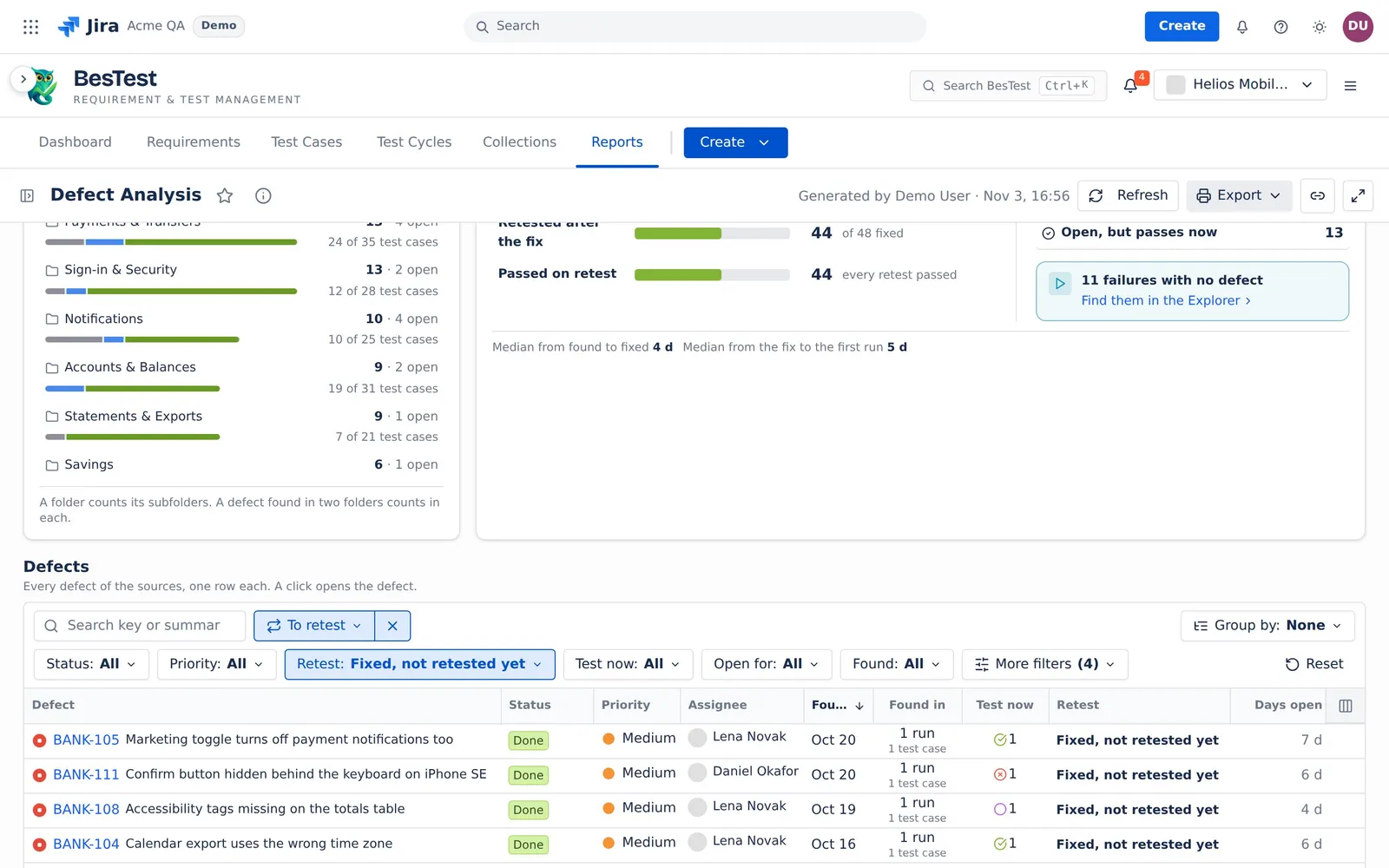
- The question sets:
Retest: Fixed, not retested yet. - The rule: the defect is fixed in Jira, at least one of its test cases has no retest yet, and no newest retest failed or is blocked. A Skipped run is no retest (see The retest rule).
- In the demo data: 4 defects.
- Then: put the test cases in a cycle and run them.
Fixes that failed the retest
"Fixed in Jira, the next run failed or is blocked".
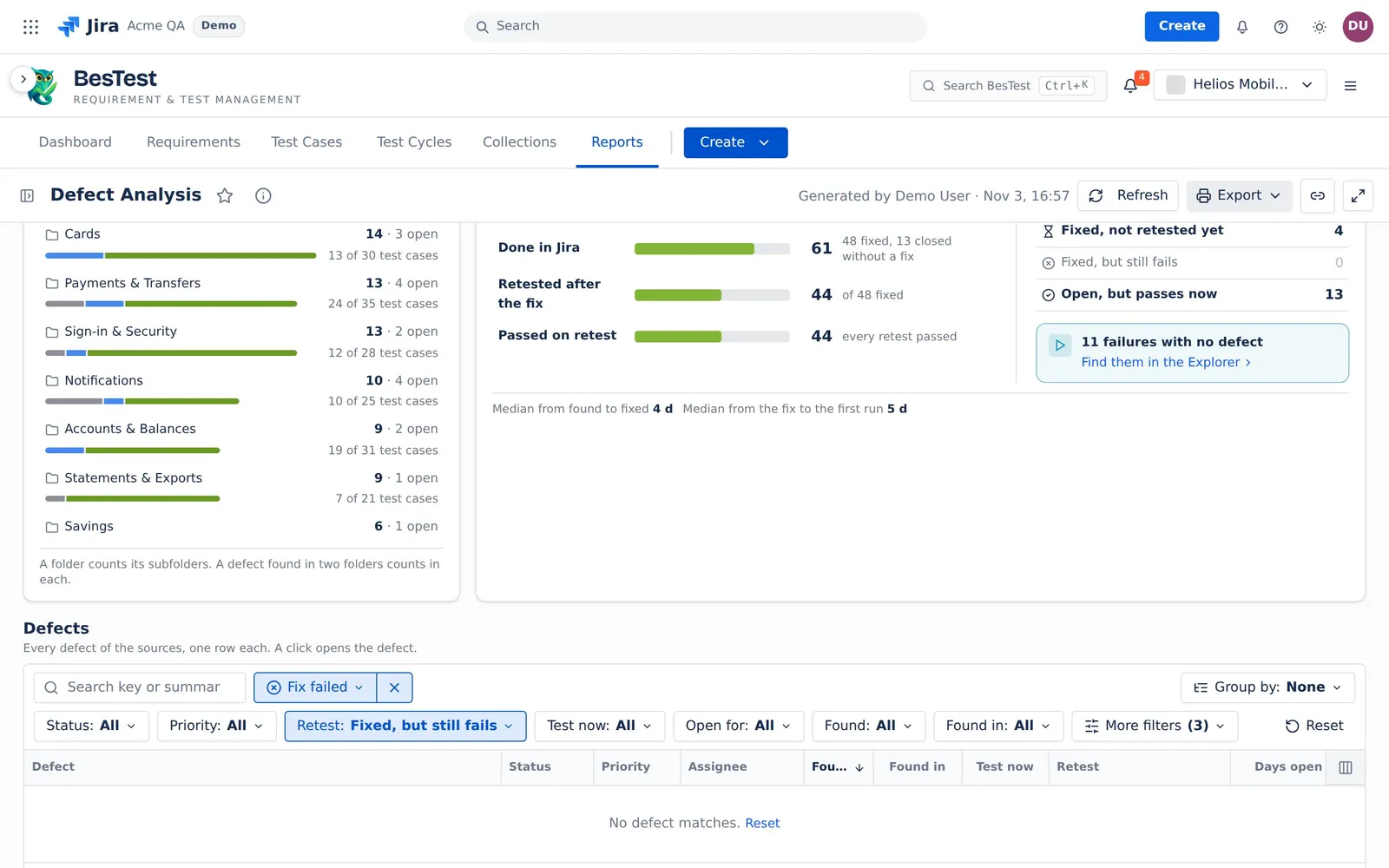
- The question sets:
Retest: Fixed, but still fails. - The rule: the defect is fixed in Jira, but the newest retest of one of its test cases failed or is blocked.
- In the demo data: 0 defects.
- Then: open the defect again in Jira, with the run that failed.
Open defects that pass now
"Not Done in Jira, but the retest passed".
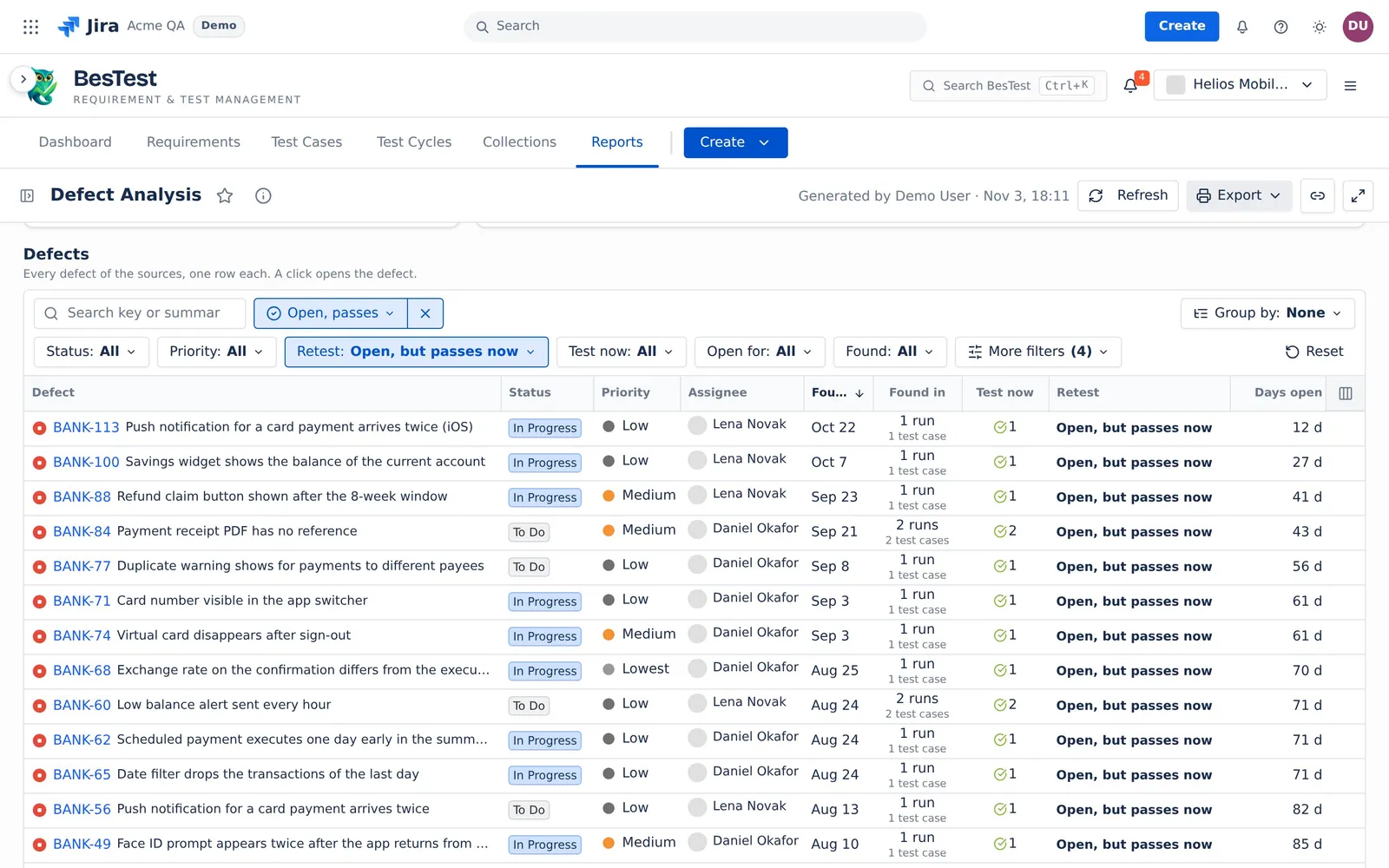
- The question sets:
Retest: Open, but passes now. - The rule: the defect is not Done in Jira, but the newest retest of each of its test cases passed.
- In the demo data: 13 defects.
- Then: close the defect in Jira, or check the test.
Old serious defects
"High or above, open for more than 7 days".
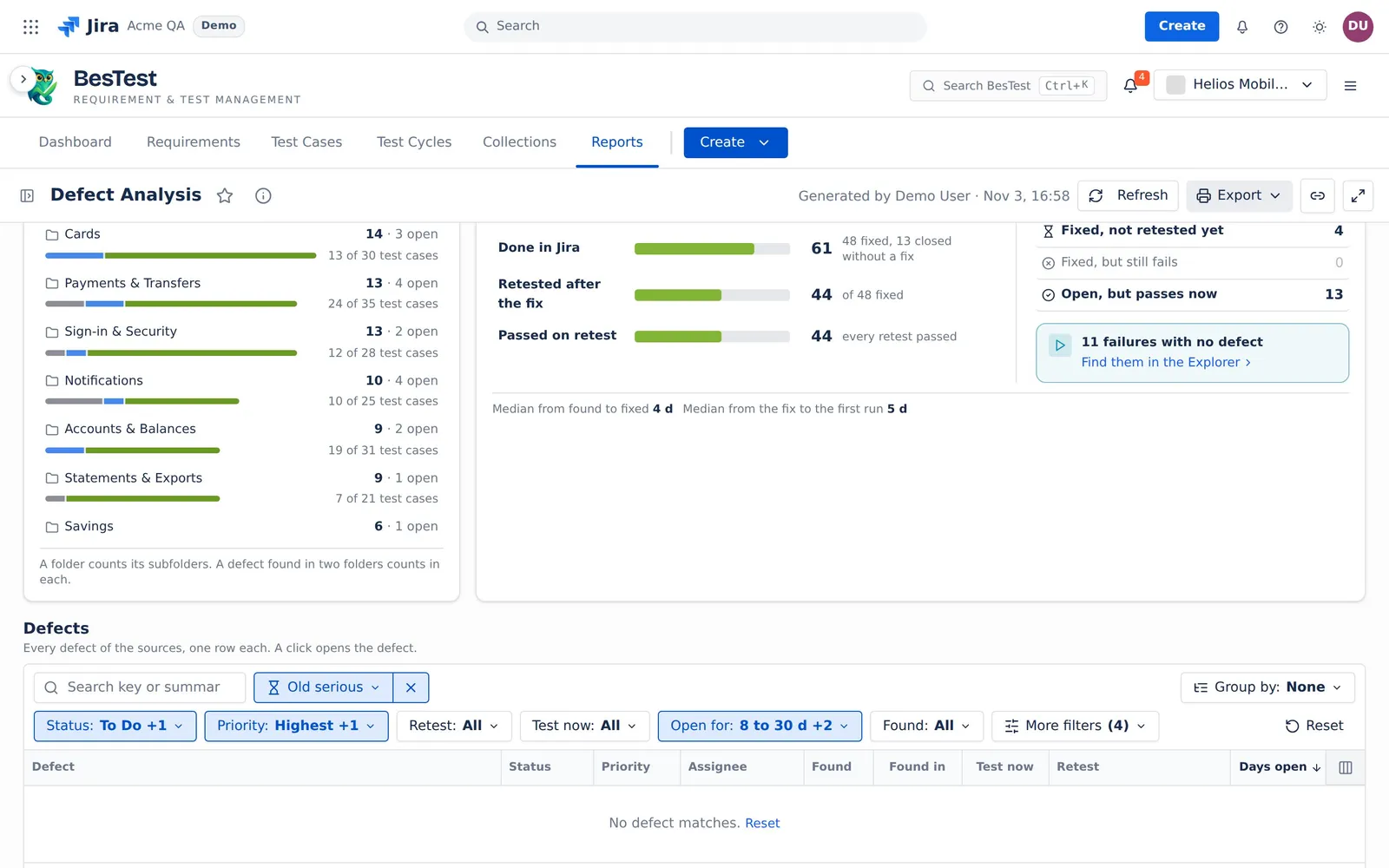
- The question sets:
Status: To Do, In Progress, the Jira priorities High and above (in the demo dataPriority: Highest, High), andOpen for: 8 to 30 d, 31 to 90 d, over 90 d. - The rule: the priority is High or a priority that Jira ranks above High, the defect is open, and it is open for 8 days or more.
- In the demo data: 0 defects.
- Then: ask the team that owns the defect for a date.
Defects closed without a fix
"Done in Jira, resolution in Closed without a fix".
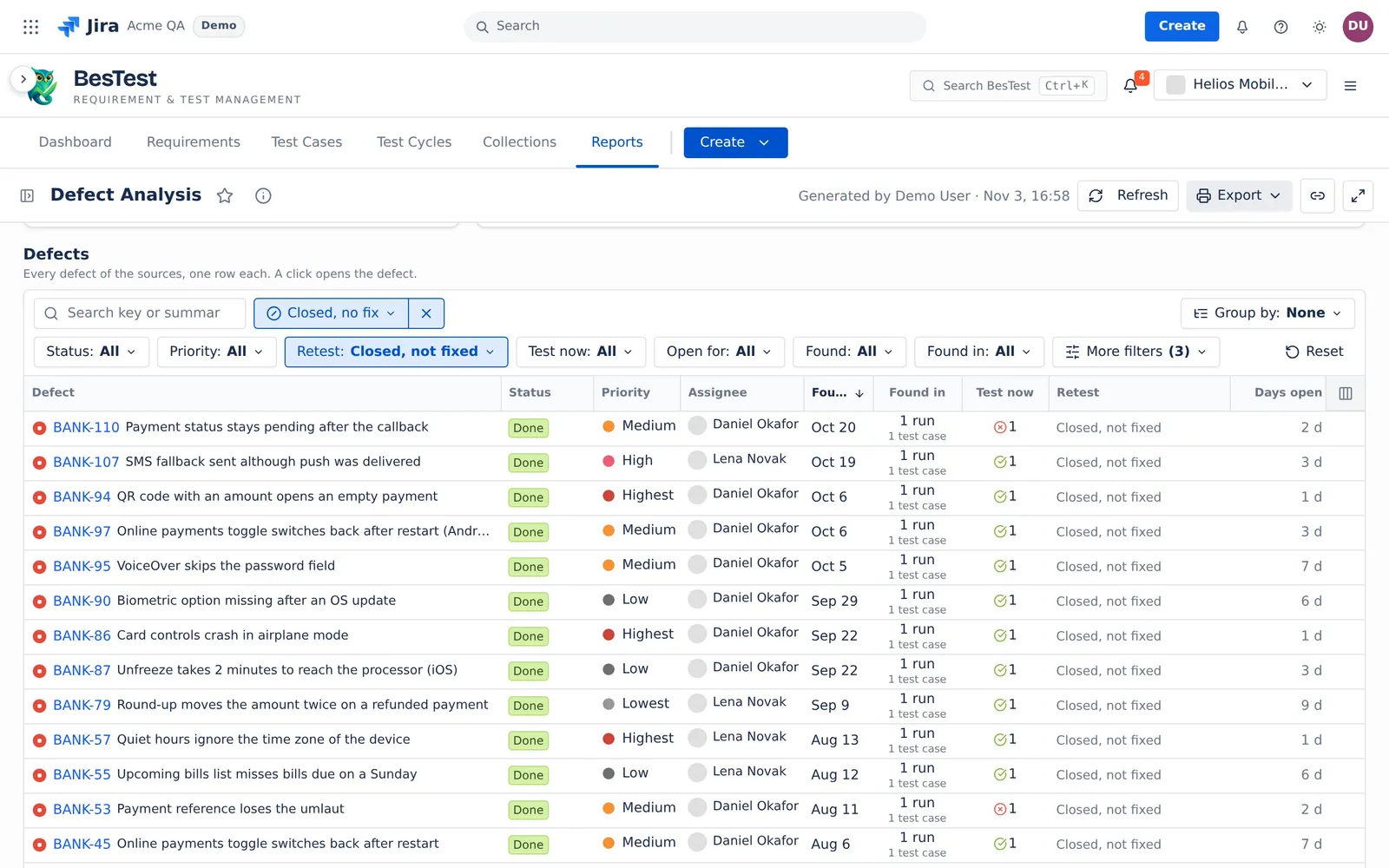
- The question sets:
Retest: Closed, not fixed. - The rule: the defect is Done in Jira, and its resolution is in the group "Closed without a fix" (see Resolution groups).
- In the demo data: 13 defects.
- Then: check that each decision is correct. These defects are not in the fix time and wait for no retest.
What the report reads
The report reads one executions source: cycles, campaigns or a data set. See Data sets and sources.
- A defect is a Jira work item that is linked to a run, or to a step of a run, in the sources. The issue type does not matter. A defect counts once, however many runs carry it.
- Every run counts, also a run that a rerun replaced. The report has no Runs counted setting.
- Runs between applies: a finished run counts when it ran on the days of the range. A run that is not finished always counts. See Runs between.
- A linked work item that Jira does not return (deleted, or you have no access) is in no number. The report says "<n> defects not shown".
Each defect has these facts:
- Found: the day of the first run in the sources that carries the defect. A run that is not finished counts on today. When the range ends before today, it counts on the last day of the range.
- Test now of a test case: its newest finished run in the sources (Passed, Failed, Blocked or Skipped). With none, its newest open run.
- Open: the Jira status category is not Done.
- Fixed: Done, and the resolution is not in "Closed without a fix". Done with no resolution counts as fixed.
- Days open: the calendar days from the day Jira created the defect to today. A Done defect counts to the day Jira resolved it. A Done defect with no resolved day has no days open.
The top line
| Figure | What it counts |
|---|---|
| Defects | All the defects of the sources, with a bar of To Do, In Progress and Done. The caption: "in <r> runs of <t> test cases". |
| Open | The defects that are not Done in Jira. The line under it: "<n> High or above". |
| Hold back testing | The open defects with at least one test case that fails or is blocked now. The line under it: the test cases that fail or are blocked. |
| Wait for retest | The defects with the verdict "Fixed, not retested yet". The line under it: "fixed, not run again". |
| Median fix time | The median of the days from the found day to the day Jira resolved the defect, over the fixed defects. Defects closed without a fix are left out. The line under it: "found to Done, <n> defects". |
The highlight cards under it name one defect each: Newest found, Holds back the most (the most test cases that fail or are blocked now), Oldest open (the oldest day Jira created it) and Latest done.
The cards
Found and done
The defects found and done per day, week, month or quarter, over the span of the sources. A defect counts on the day a run found it. Done counts on the day Jira resolved it. The line "Open at the end" is the defects found so far minus the defects done so far. Auto picks Day up to 35 days, Week up to 200 days, Month up to 550 days, and Quarter above that. A week starts on Monday.
Open defects by priority and age
The open defects only. The rows are the Jira priorities in Jira's order, with "No priority" last. The columns are the days open: "0-7", "8-30", "31-90" and "90+" (see Day bands).
Where defects are found
The defects by Folder, Component (from Jira) or Cycle, in the status categories To Do, In Progress and Done. A folder counts its subfolders. A defect found in two folders counts in each, and a defect found in two cycles counts in each.
From found to verified
How the defects move: found, fixed in Jira, run again, passed. Each line is a part of the line above it.
- Found: every defect of the sources.
- Done in Jira: the Done defects, "<f> fixed, <c> closed without a fix".
- Retested after the fix: the fixed defects whose verdict is not "Fixed, not retested yet".
- Passed on retest: the fixed defects with the verdict "Fixed and passed on retest".
- Median from found to fixed: as Median fix time.
- Median from the fix to the first run: the days from the day Jira resolved the defect to its first retest.
- Needs a look lists "Fixed, not retested yet", "Fixed, but still fails" and "Open, but passes now".
With no date range, a link shows "<n> failures with no defect" and opens them in the Test Execution Explorer.
The Defects table and the defect panel
One row per defect, with search, filters, grouping and optional Jira columns. Each filter item counts the defects it gives with the other filters on. Click a row to open the defect panel: when Jira created the defect, when a run found it, when Jira set it to Done, and the retest of each test case.
The retest rule
Defect Analysis, Test Execution Results ("Still fails") and the Test Execution Explorer ("Defect retests") use one rule.
A retest of a defect on a test case is a run of that test case that:
- does not carry the defect,
- has the result Passed, Failed or Blocked,
- is on a day after the last run of the defect on that test case,
- and, for a fixed defect, is on or after the day Jira resolved it. A run on the day of the fix counts.
Skipped is no retest. A run that did not pass and has another defect linked is that defect's failure. It is not a retest.
The newest retest decides. Pass, then fail: the fix still fails. Pass, fail, pass: the fix passes. The first retest counts only for "Median from the fix to the first run".
The verdict of one test case:
| The defect | No retest yet | The newest retest passed | The newest retest failed or is blocked |
|---|---|---|---|
| Fixed in Jira | Fixed, not retested yet | Fixed and passed on retest | Fixed, but still fails |
| Not Done in Jira | Open, no retest yet | Open, but passes now | Still fails |
A defect over several test cases: a test case that did not pass wins. Then a test case with no retest. Then passed. A defect closed without a fix gets the verdict "Closed, not fixed" and has no retest.
Example
A run finds a defect on Monday. Jira resolves it on Wednesday. The test case runs again on Thursday: Passed. It runs on Friday: Failed, with no other defect linked. The verdict is "Fixed, but still fails". It runs on the next Monday and passes. Now the verdict is "Fixed and passed on retest". "Median from the fix to the first run" counts 1 day, from Wednesday to Thursday.
Resolution groups
A Done defect is Fixed or Closed without a fix, by its Jira resolution. The report reads the resolution ID, never the name. By default, Jira's Won't Do and Duplicate (and the older Won't Fix, Duplicate, Incomplete and Cannot Reproduce) are "Closed without a fix". Every other resolution is "Fixed".
Open Resolution groups from How to read this. Only Jira admins and space admins can change the groups. They are the same in every space of the site. Defect Analysis, the Test Execution Explorer and Test Execution Results read them.
Limits and exports
- The report reads at most 1,000 defects and 20,000 runs, and at most 100 cycles (the newest 100). Above 1,000 defects or 20,000 runs, it shows no numbers and asks you to narrow the sources. It never shows a cut list.
- When Jira does not answer, the parts from the database show. The defect numbers wait, then say "Could not read the defects from Jira." with Retry. They never show a zero.
- Export: Print (PDF). To export the defects as a file, use Jira.
The rules that several reports share are on Rules behind the numbers.