
Reports
Bestest provides extensive reporting functionality, where different key areas can be measured through the application.
On this page
Bestest provides extensive reporting functionality, where different key areas can be measured through the application. All reports can be previewed with made up data before using by hovering on them.
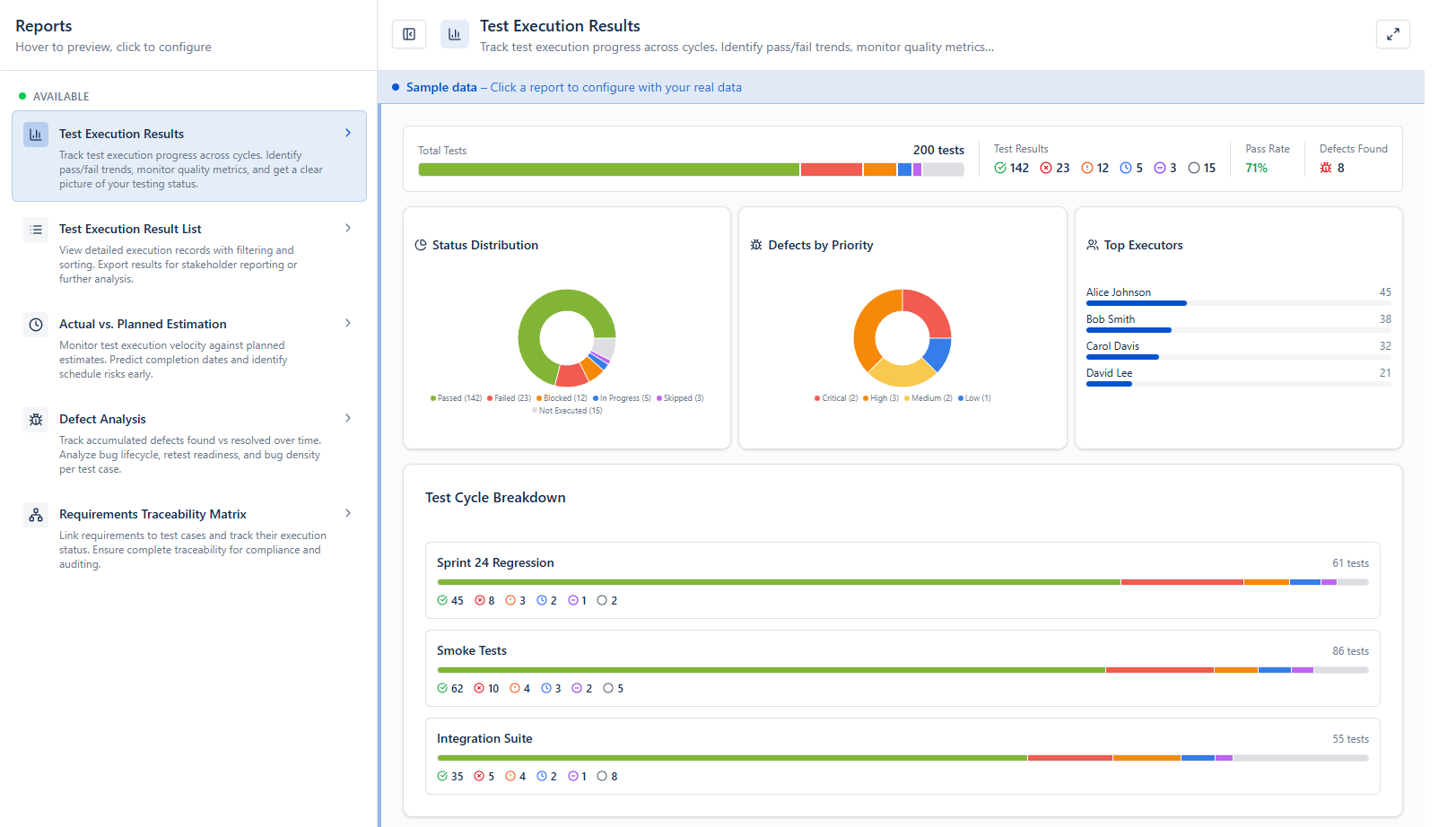
The following reports available:
| Name | Inputs | Outcome |
|---|---|---|
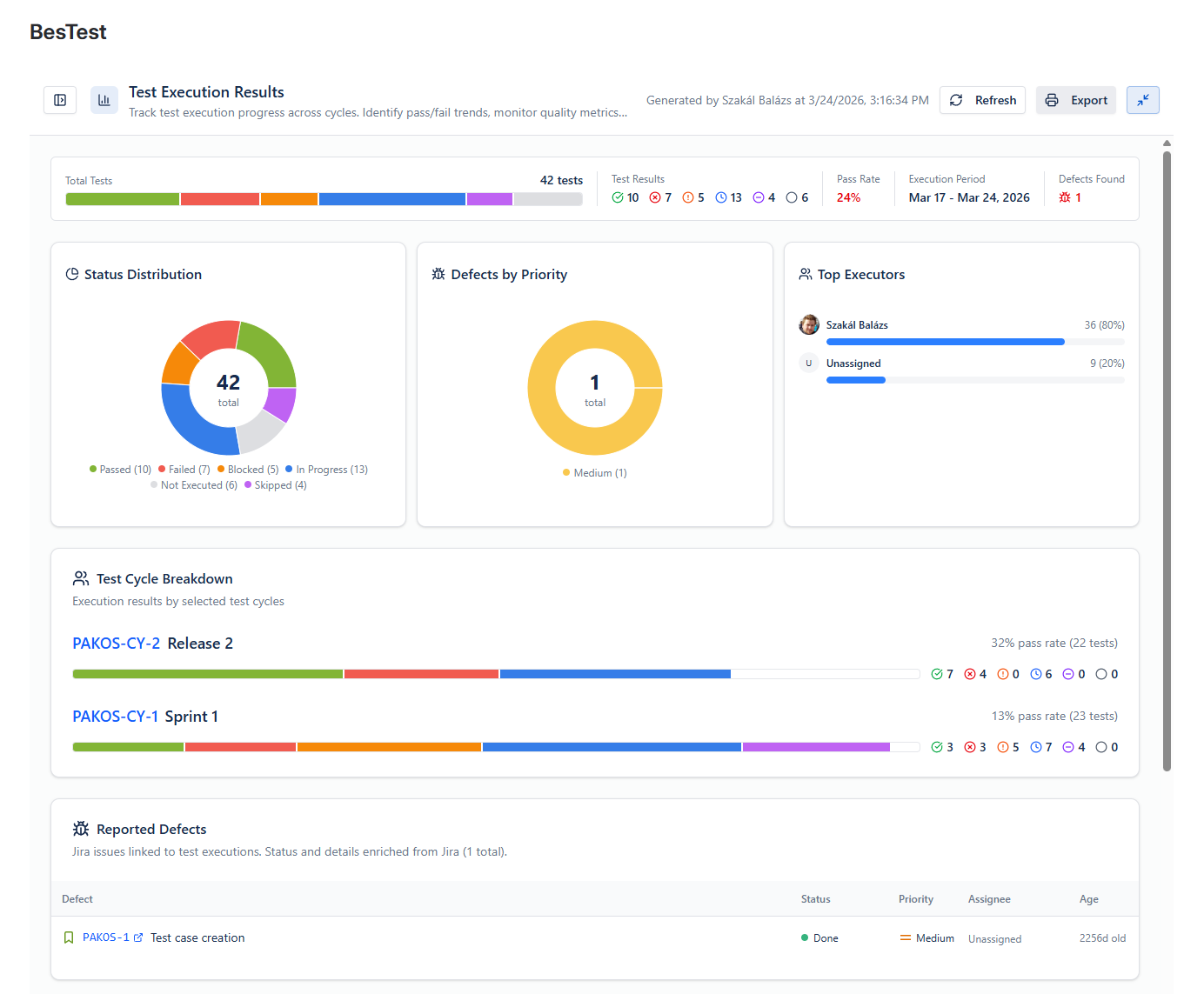
| Test Execution Results | Cycle or Campaing, Start & End Data, Latest executions only | The outcome of a set of cycles. Showing defects and Execution progress. |
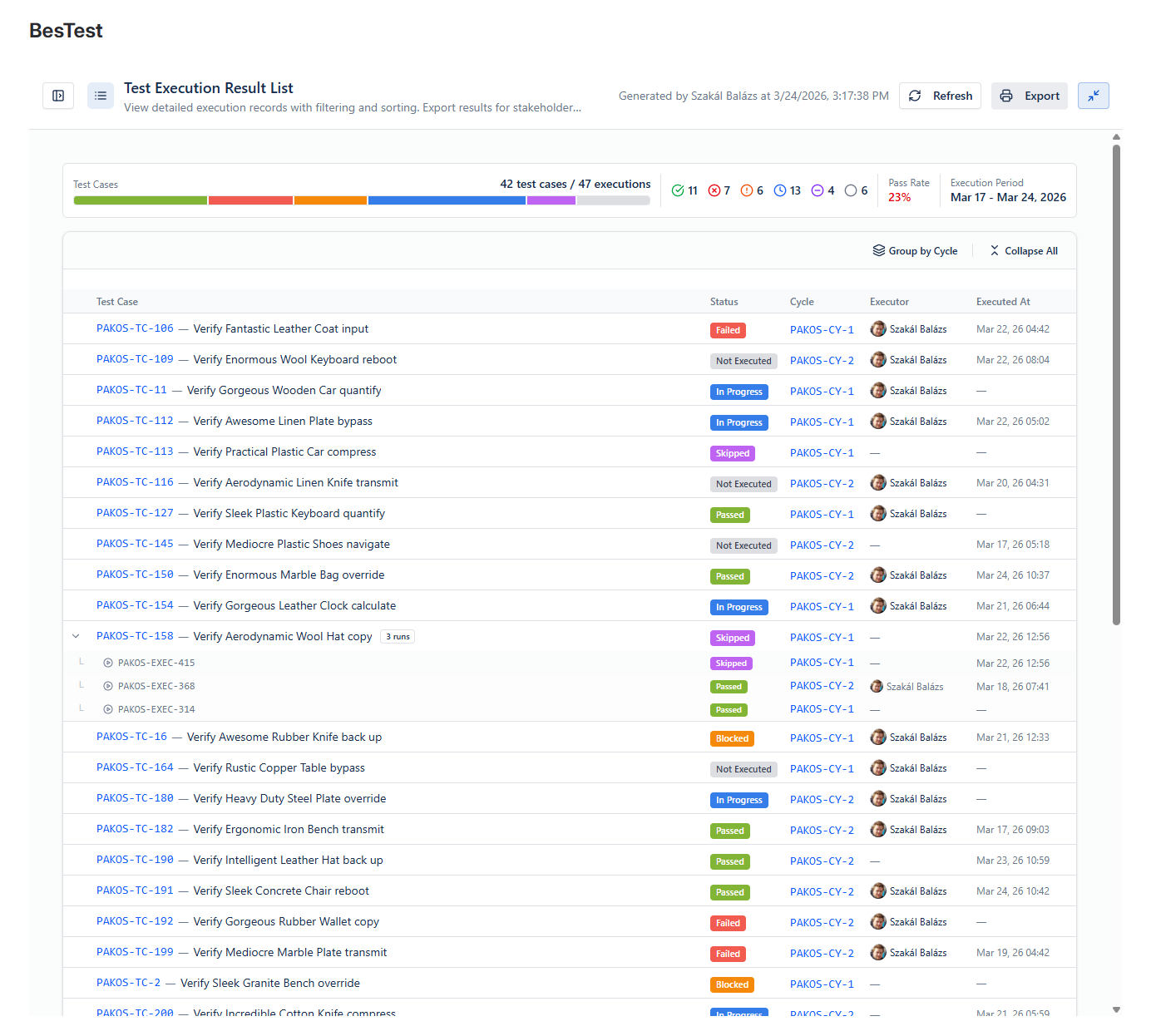
| Test Execution Results List | Cycle or Campaing, Start & End Data, Latest executions only | An easy to print list of all the selected executions. |
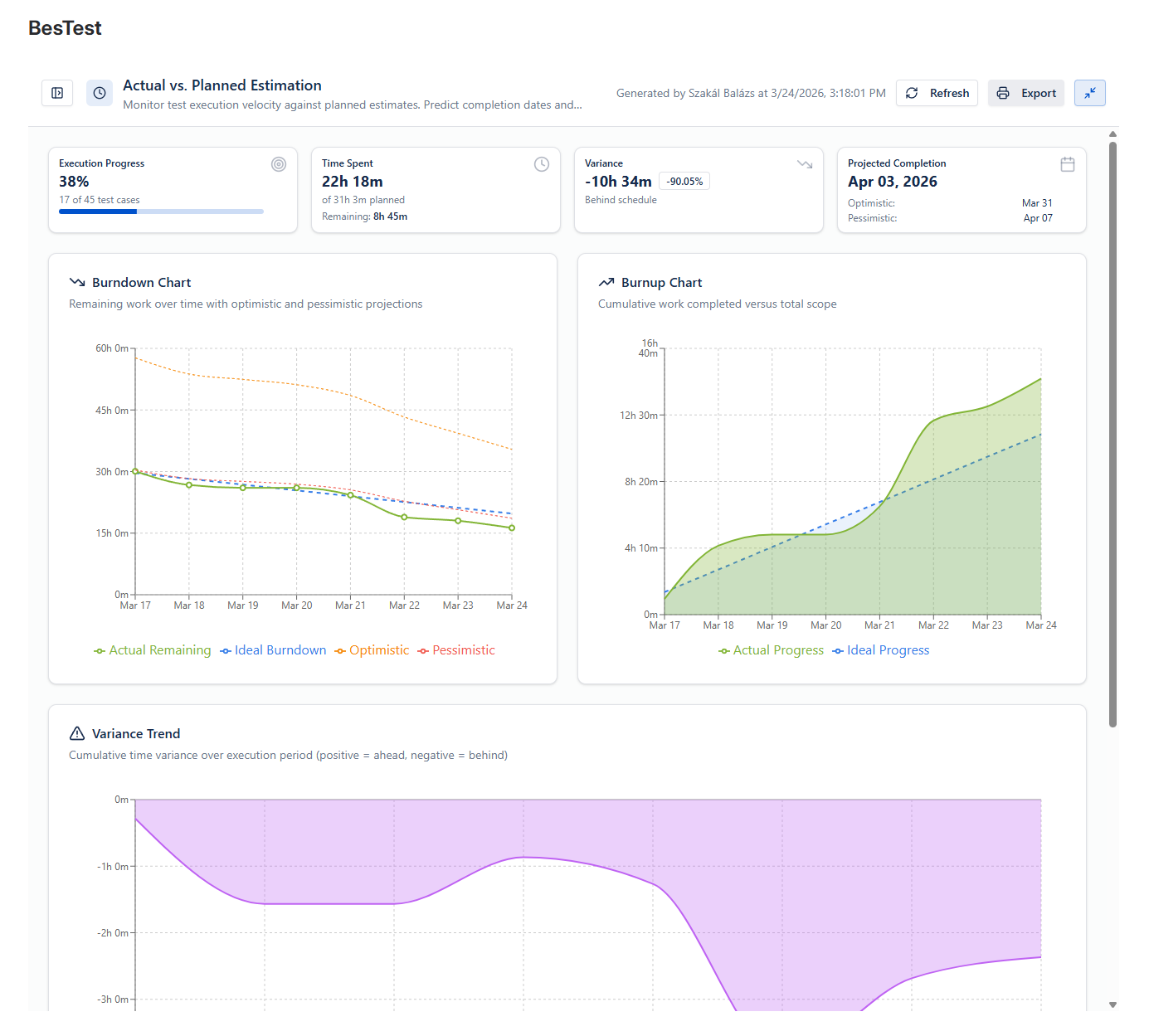
| Actual vs. Planned Estimation | Cycle or Campaing, Granularity, Start & End Data, Latest executions only | Actual reported execution time compared to predicted execution time, with Projected Completion date. |
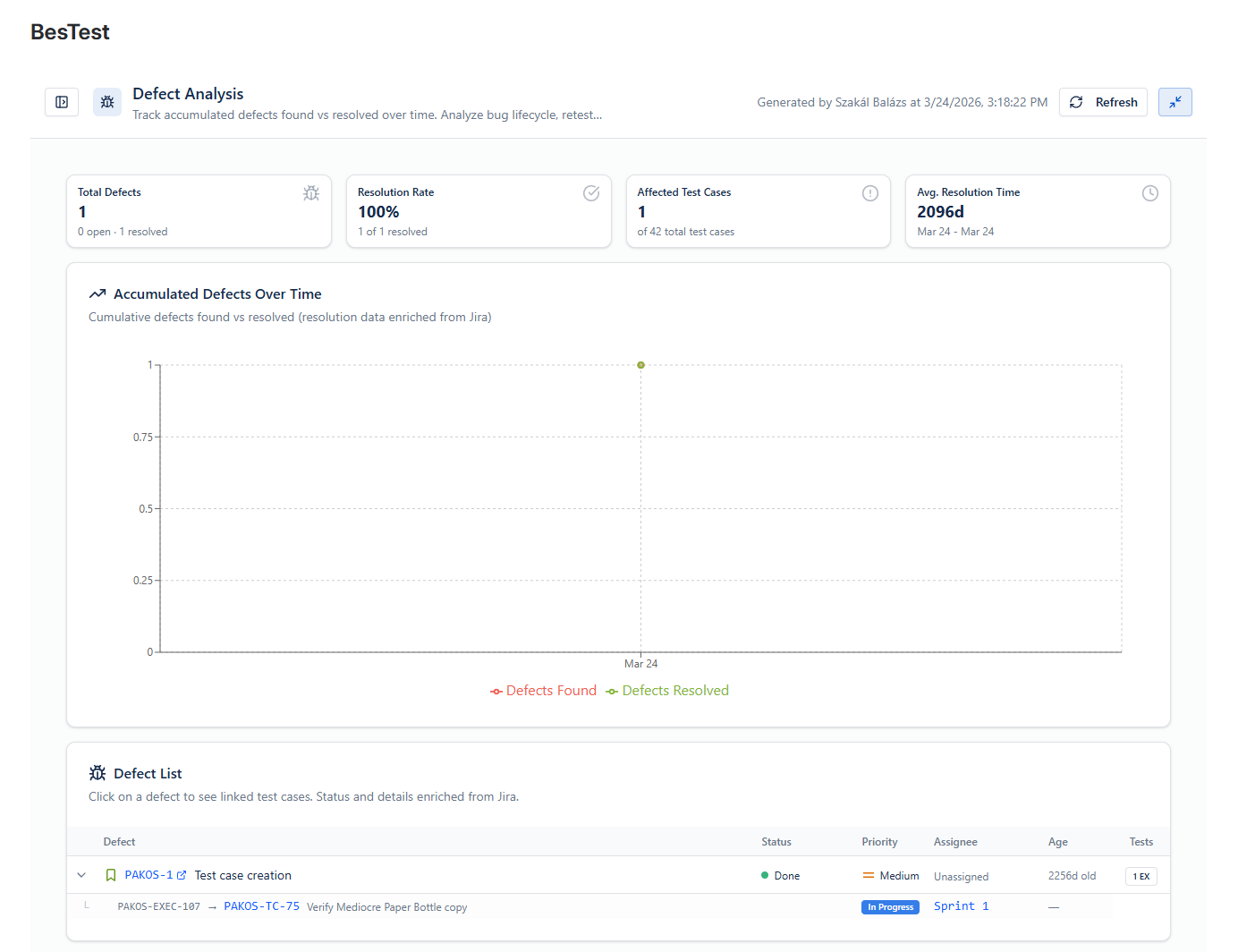
| Defect Analysis | Cycle or Campaing, Granularity, Start & End Data, Latest executions only | Created and resolved defects in Jira on a timeline. |
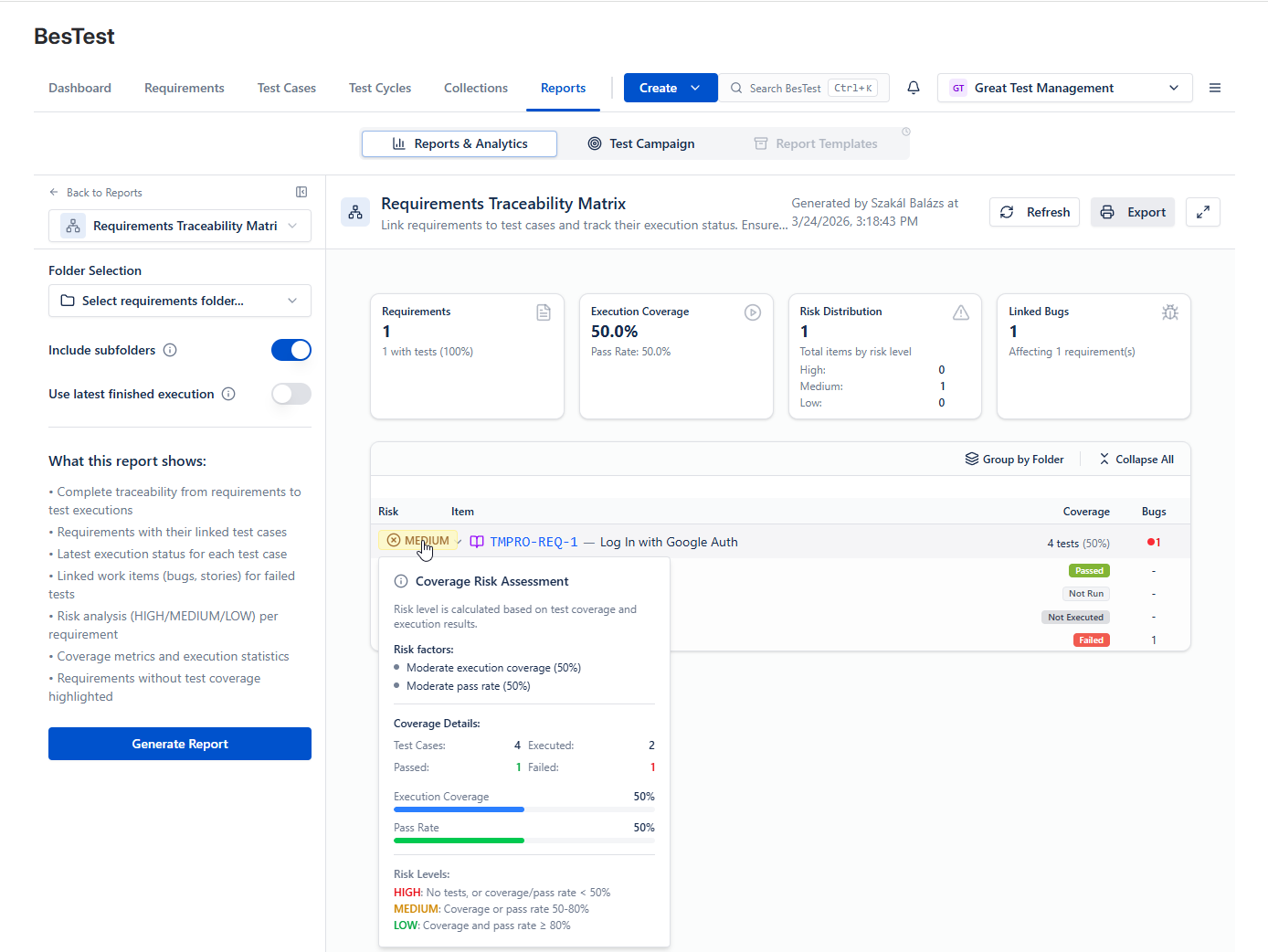
| Requirements Traceability Matrix | Folder, Include subfolders, Use latet finished execution | Identify Risky requirements, which are not properly tested, or unresolved bugs connected. |
| Work Item Traceability | Jira Work Item, Includes linked children | Release readiness for selected work items: requirement coverage, execution pass rate, linked defects, and a calculated risk level. A High risk flags gaps worth investigating before you release. |
Work Item Traceability
The Work Item Traceability report brings this readiness view onto a single Jira work item. Point it at an epic, story, or release and it rolls up every linked requirement (and their children), their test coverage and latest execution results, and any linked defects.
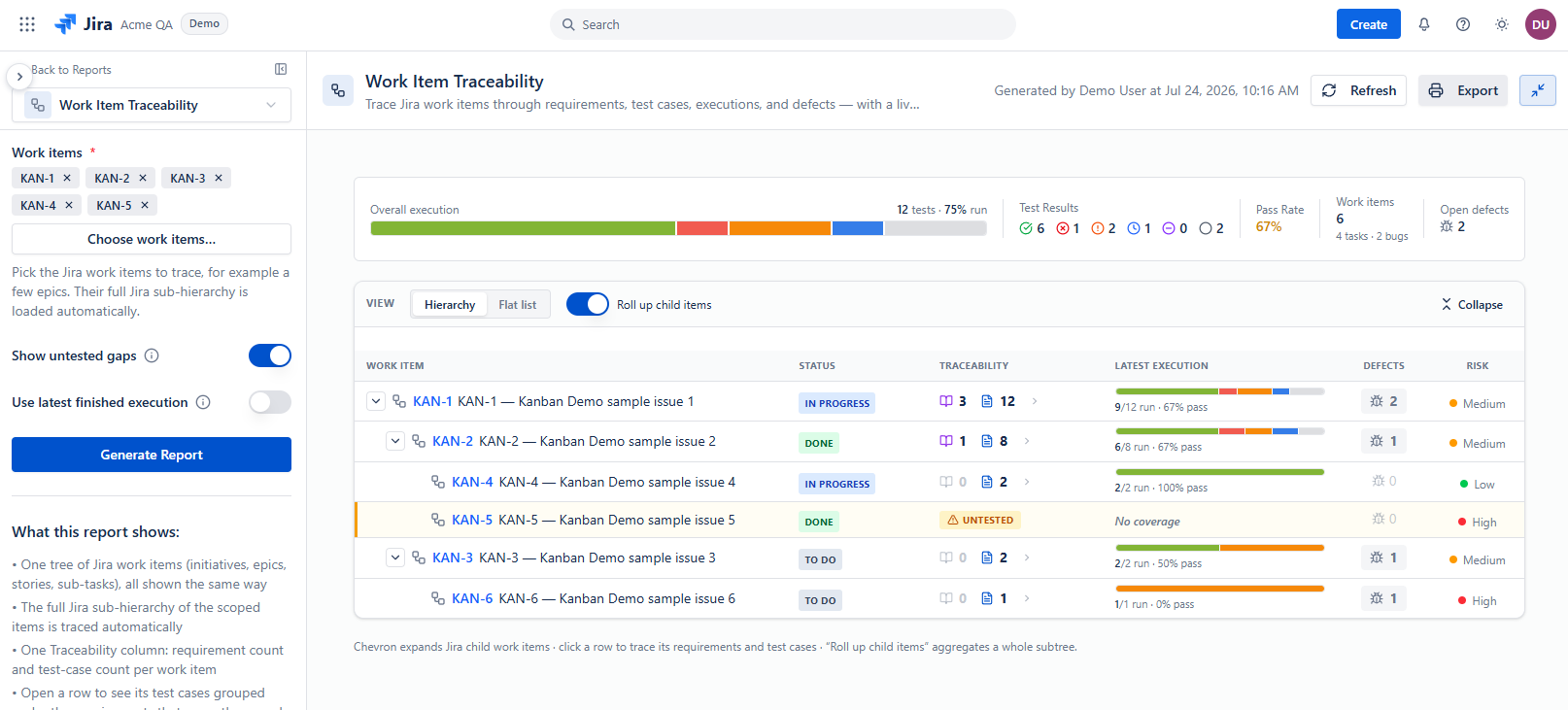
It then reports the same signals as the Requirements Traceability Matrix - overall coverage, pass rate, a risk breakdown, and open bugs - so you can tell at a glance whether the work item is ready to ship. Watch the calculated risk: a High level points you straight at what still needs testing or which defects are unresolved. The same readiness summary is available directly on the Work Item Panel.
Reports can be exported in PDF.