
Test Execution Explorer
How to find runs in the Test Execution Explorer, compare a run with the run before it, and print a record of the runs with signature lines.
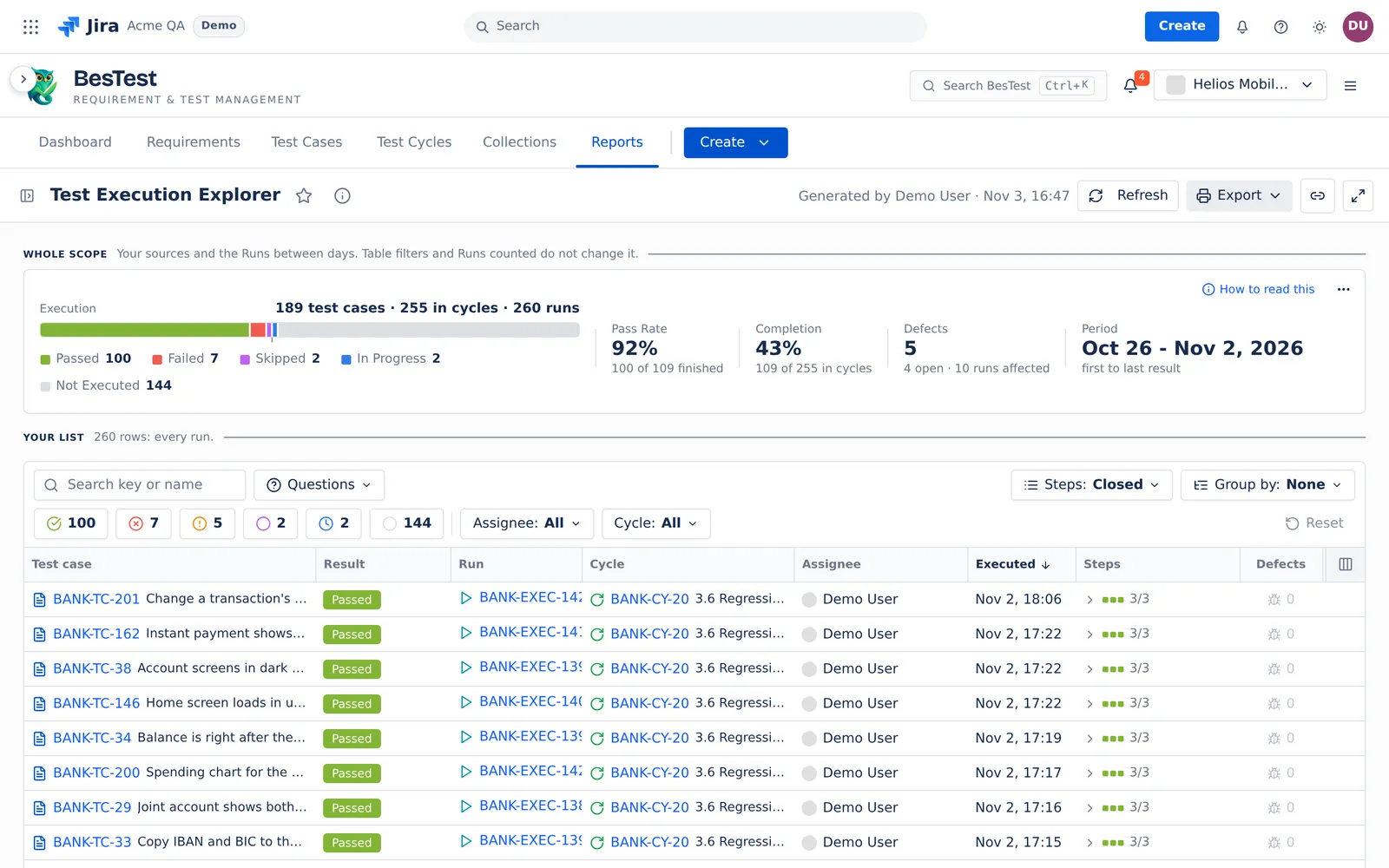
The Test Execution Explorer lists every run in your sources, with its steps. Ask a question, open a run, and print a record to sign. For a tour of the report, see the report page.
Questions this report answers
Open the Questions menu over the list. A question replaces the result, Assignee and Cycle filters. The search stays. The count of a question applies the search only. The counts below are from the Helios demo data.
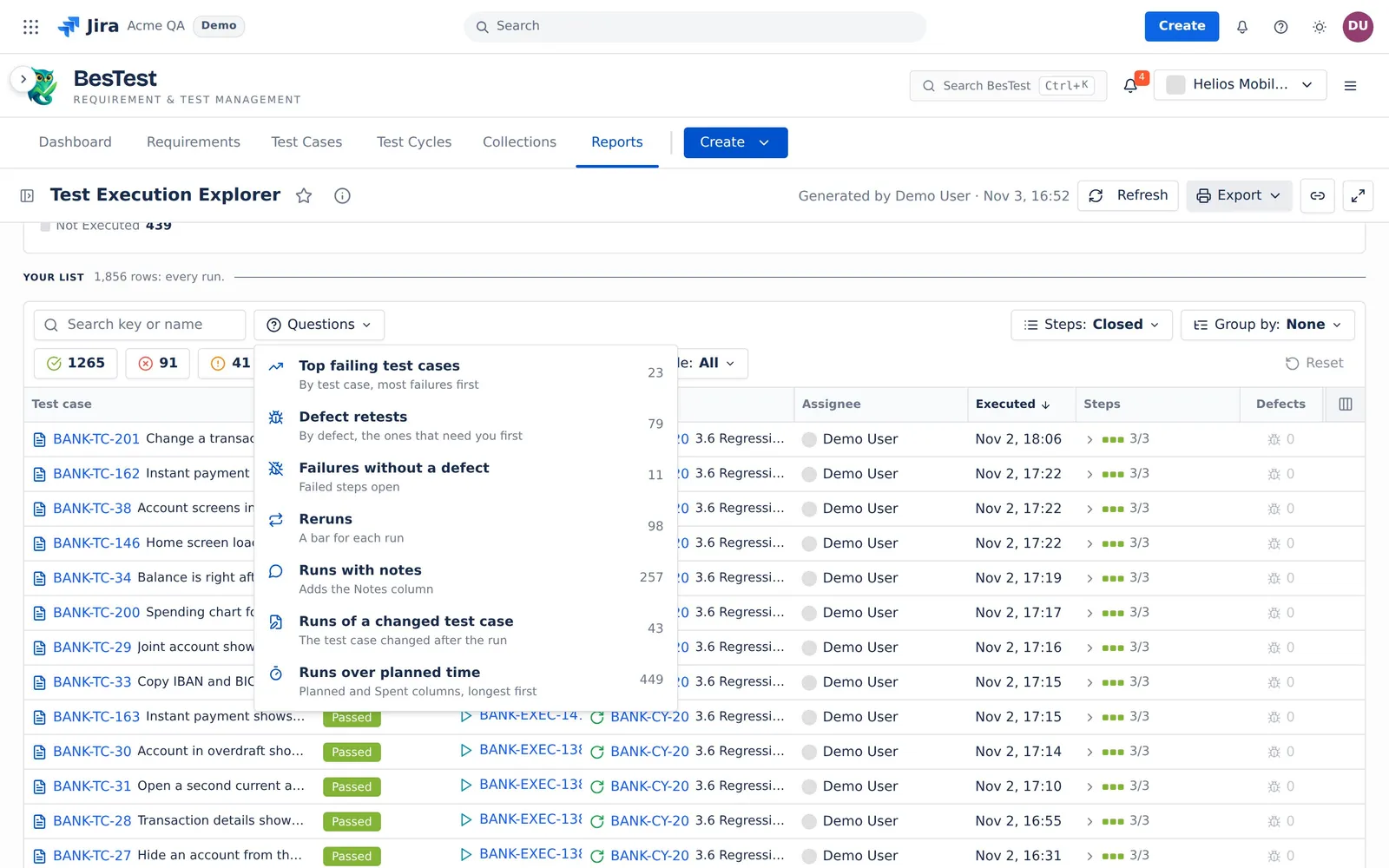
Top failing test cases
"By test case, most failures first".
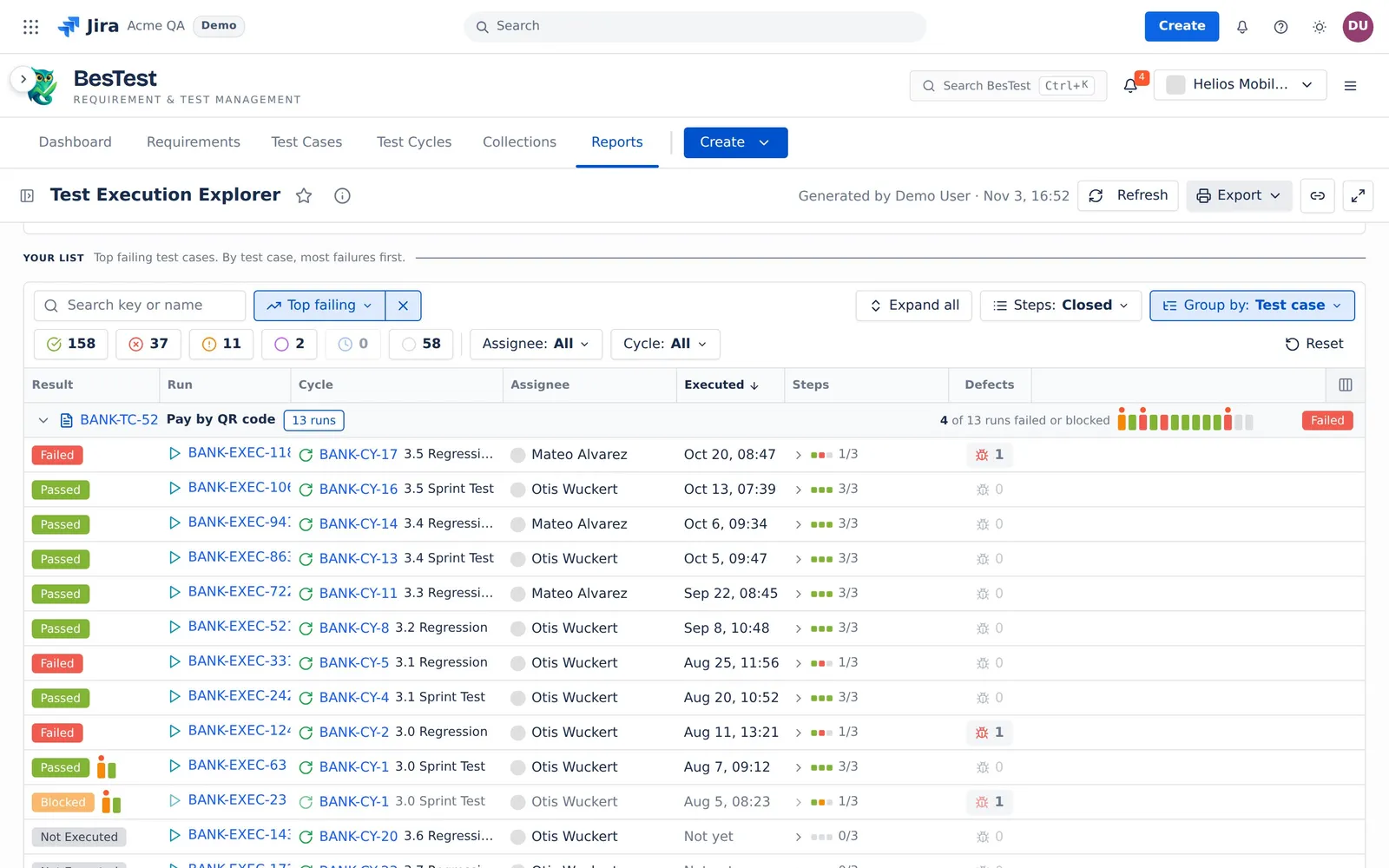
- The question sets:
Group by: Test case. The groups open with the most failures first, then by key. - The rule: the test cases with 2 or more Failed or Blocked runs, counted over all the runs in scope. The list shows all their runs. This question reads all runs, whatever Runs counted says.
- In the demo data: 23 test cases.
- Then: open the test case with the most failures. Check if the test or the product is at fault.
Defect retests
"By defect, the ones that need you first".
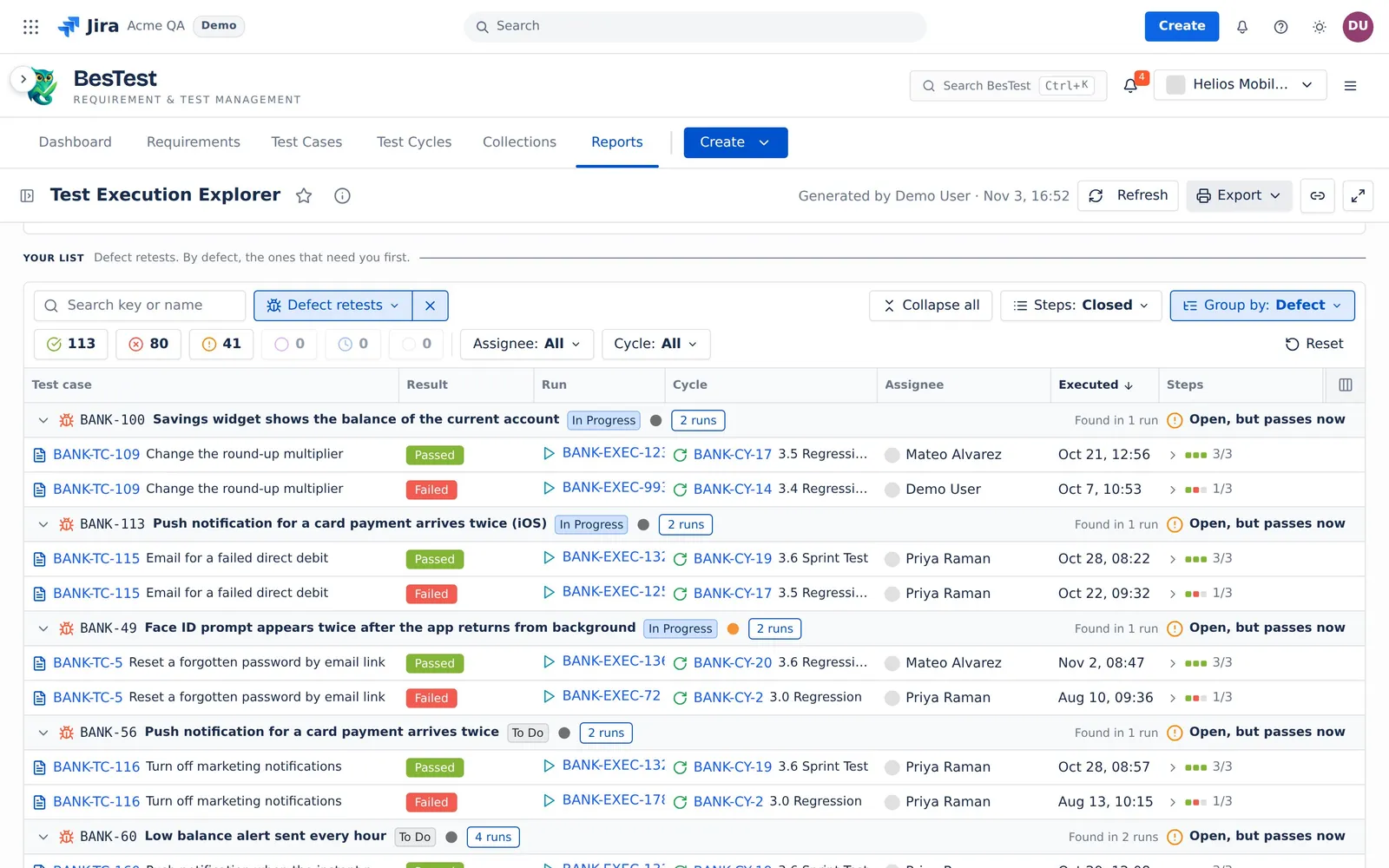
- The question sets:
Group by: Defect. - The rule: each defect that a run in scope found, with the runs that found it and the retest of each test case. The verdict comes from the retest rule. The groups are in order of urgency: "Fixed, but still fails", "Open, but passes now", "Fixed, not retested yet", "Still fails", "Open, no retest yet", "Fixed and passed on retest", "Closed, not fixed". This question reads all runs.
- In the demo data: 79 defects.
- Then: start with the first group. Retest the fixes, and close the defects that pass now.
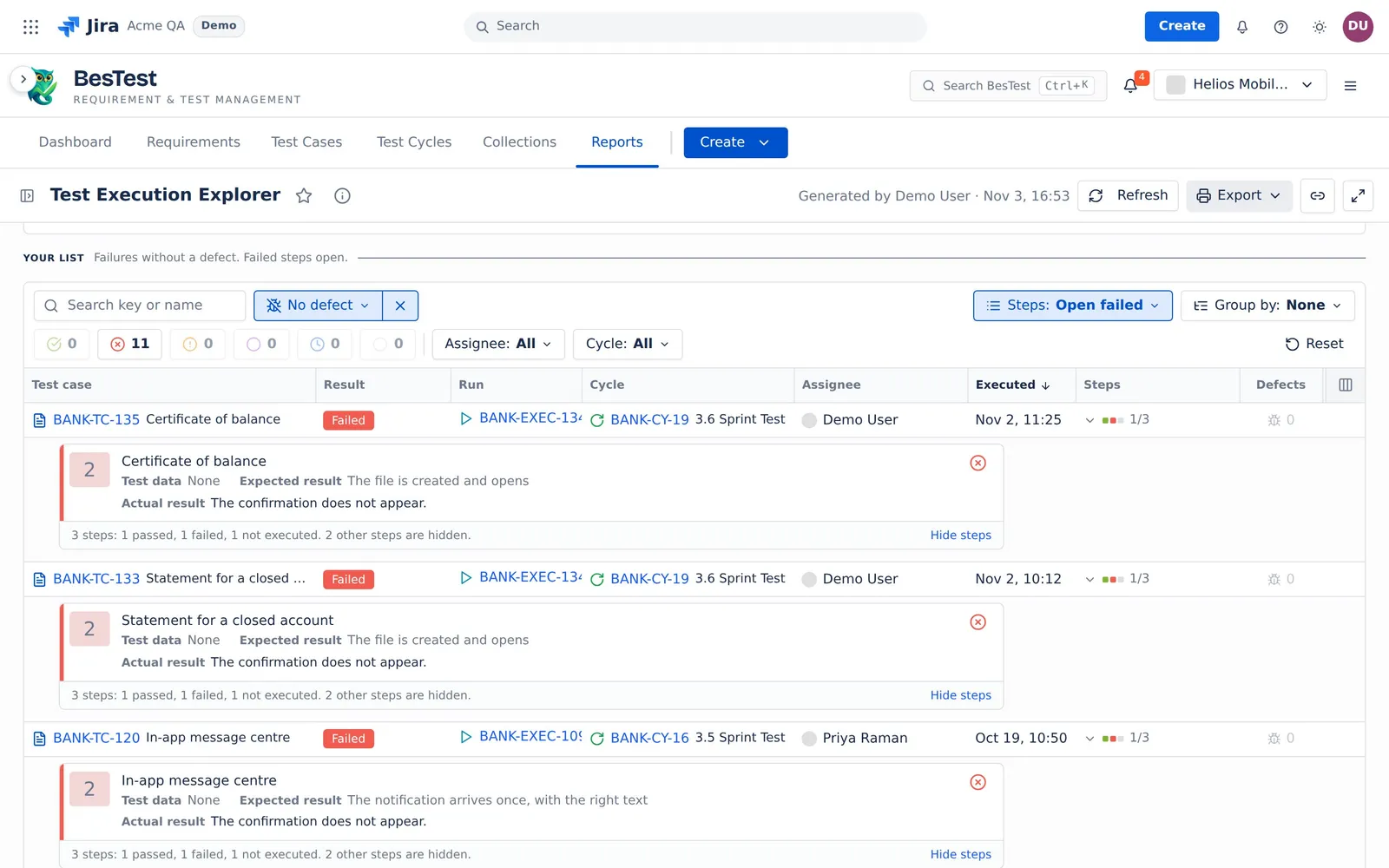
Failures without a defect
"Failed steps open".
- The question sets:
Steps: Open failed. - The rule: the Failed or Blocked runs with no defect on the run and none on a step.
- In the demo data: 11 runs.
- Then: read the failed step, and log a defect or fix the test.
Reruns
"A bar for each run".
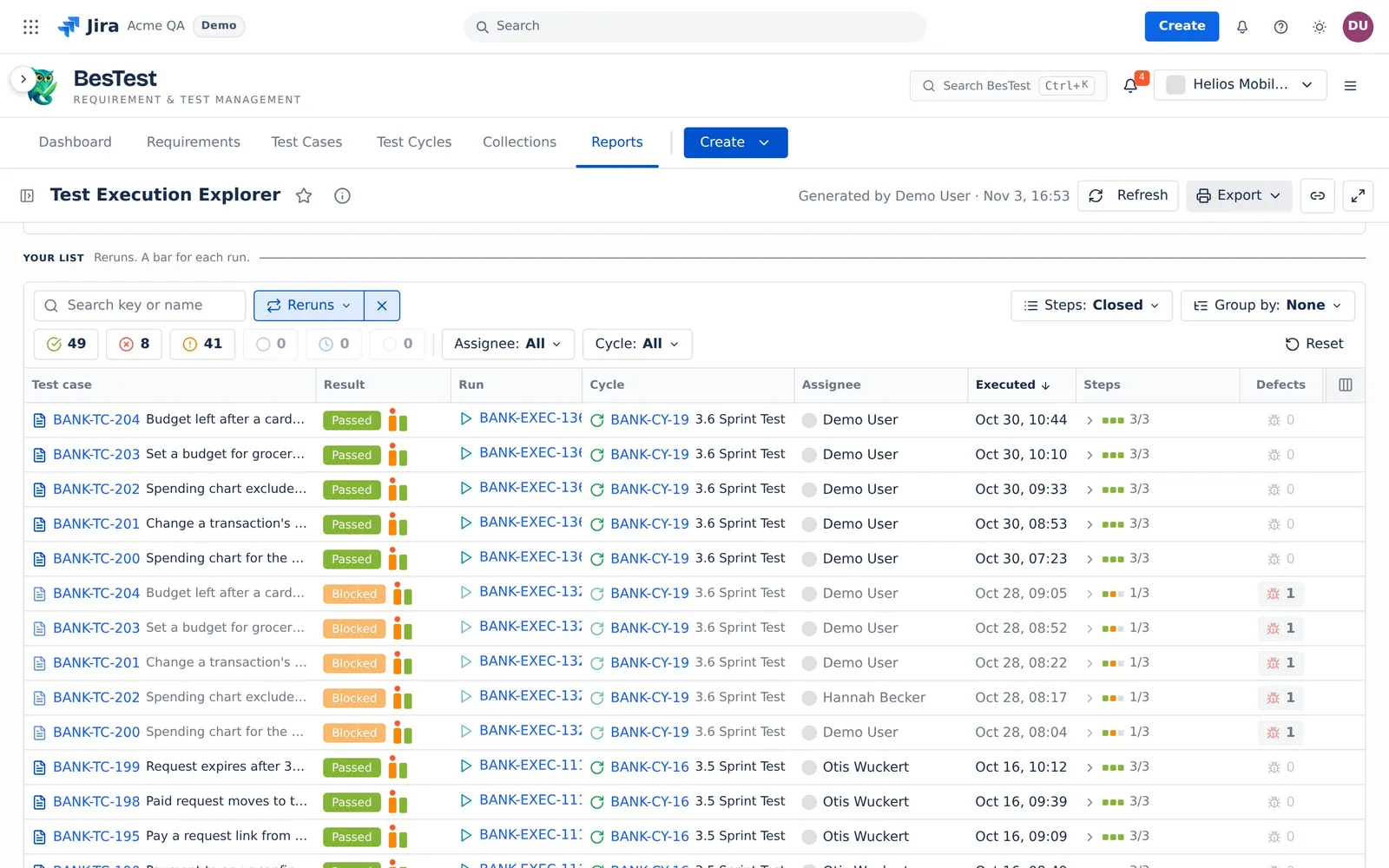
- The question sets: no other filter.
- The rule: the runs of a test case that has more than one run in the same cycle.
- In the demo data: 98 runs.
- Then: check why a test case needed more than one run.
Runs with notes
"Adds the Notes column".
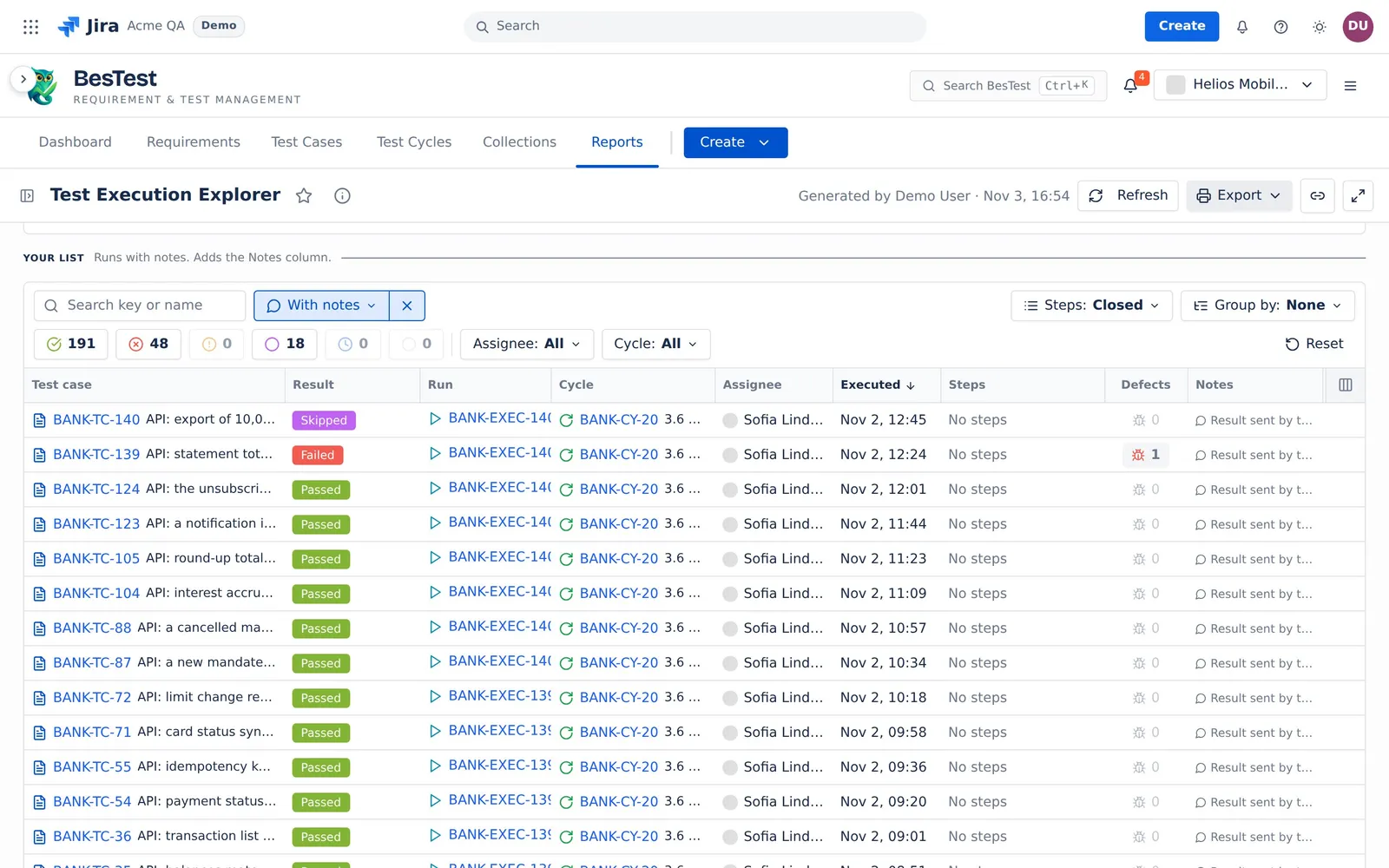
- The question sets: the Notes column.
- The rule: the runs whose notes are not empty.
- In the demo data: 257 runs.
- Then: read the notes of the failed and blocked runs first.
Runs of a changed test case
"The test case changed after the run".
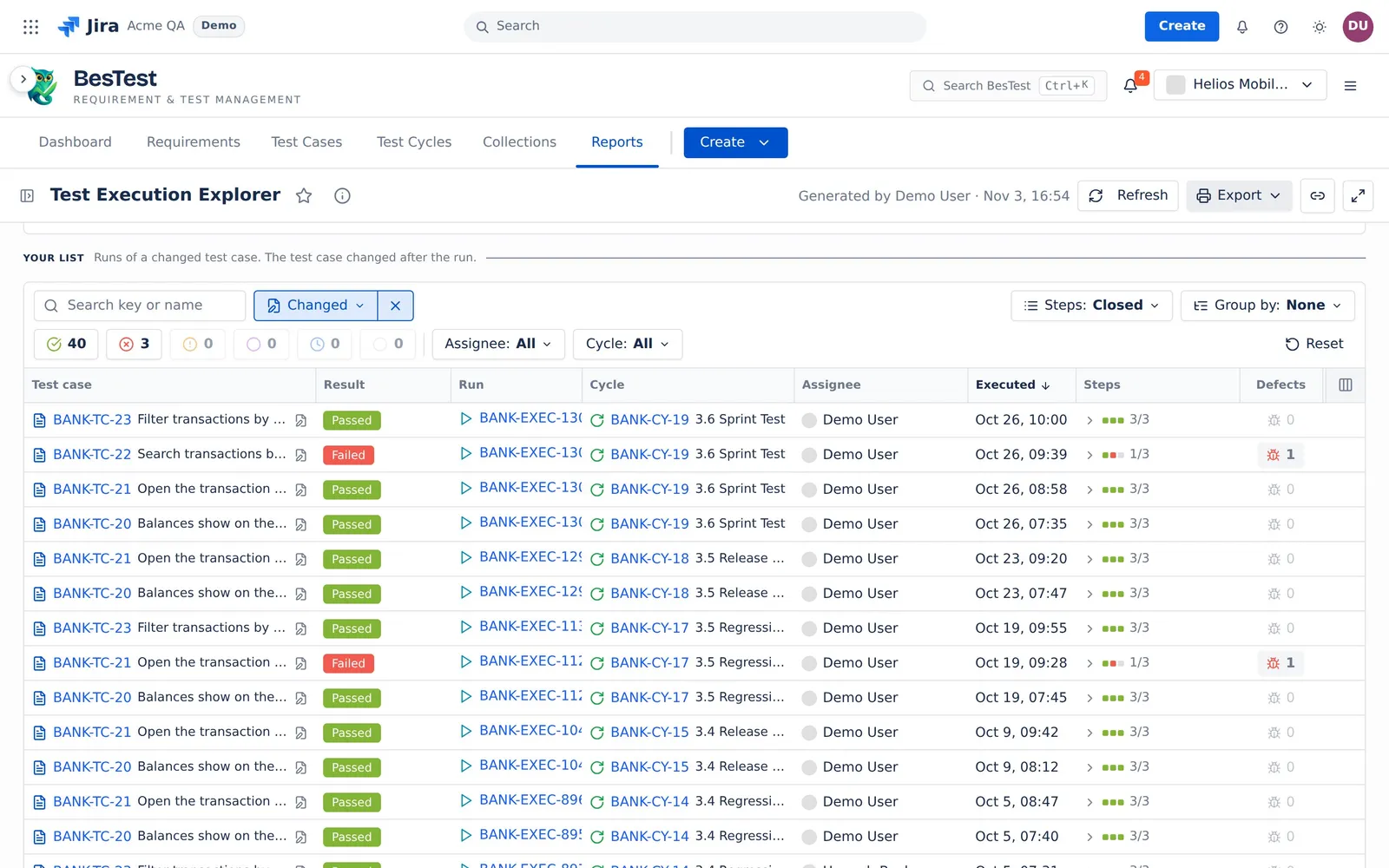
- The question sets: no other filter.
- The rule: the runs whose test case steps changed after the run: a step was added, removed, edited or moved. A new version number alone is not a change. The run keeps the steps as they were run.
- In the demo data: 43 runs.
- Then: run the test case again on its new steps.
Runs over planned time
"Planned and Spent columns, longest first".
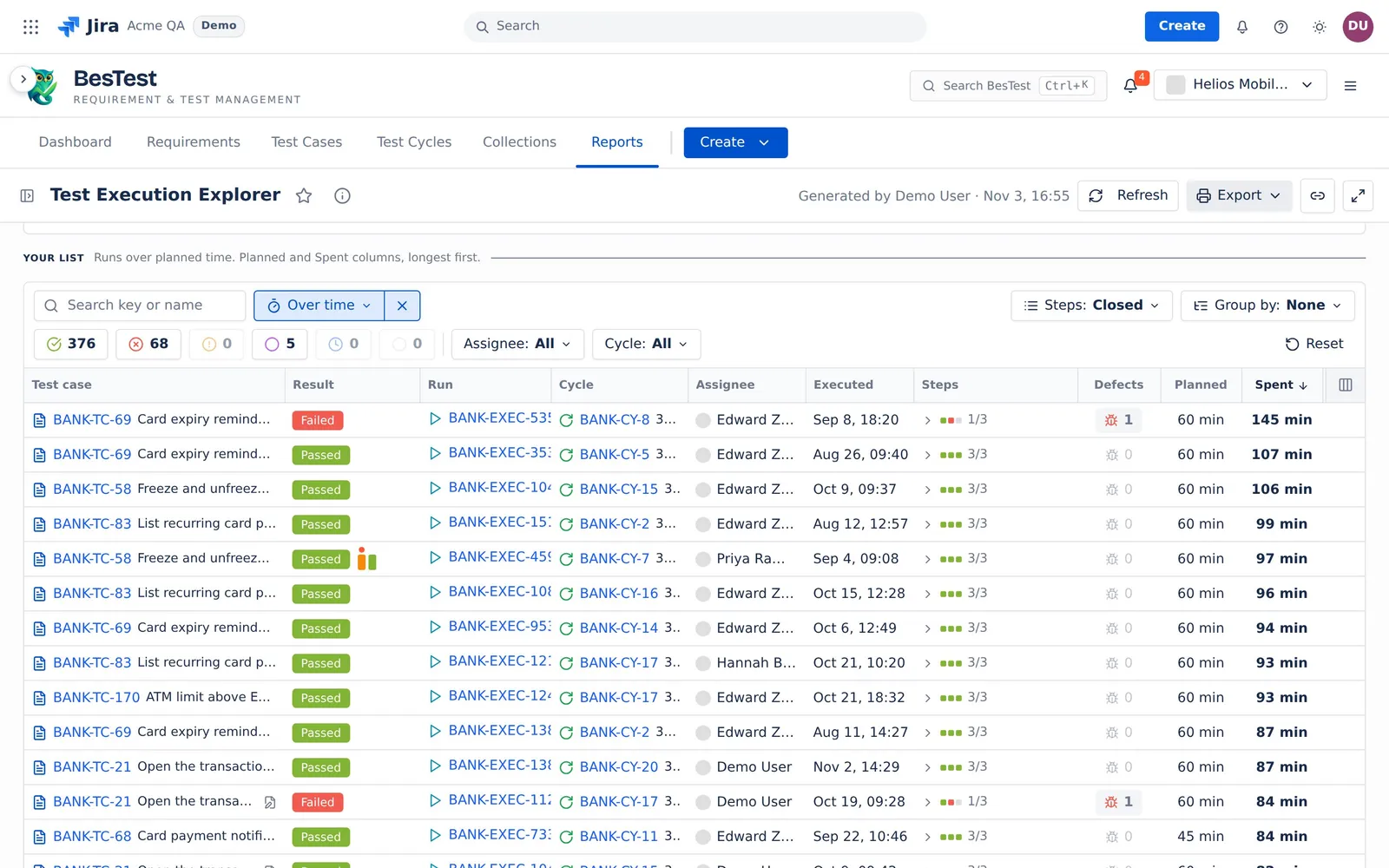
- The question sets: the Planned and Spent columns, the longest first.
- The rule: the finished runs whose time spent is more than 25% over the planned time. A run with no planned time, or with no time spent, is never over.
- In the demo data: 449 runs.
- Then: update the planned time, or look for the cause of the delay.
With Runs counted at Latest result, the questions 3 to 7 count only the latest run of each test case in each cycle.
What the report reads
The report reads one executions source: cycles, campaigns or a data set. See Data sets and sources. One row is one run. Runs between applies: a finished run counts when it ran on the days of the range. A run that is not finished always counts.
The top line is the same as in Test Execution Results, for the same sources. The filters, the questions and Runs counted never change it.
Runs counted
- Latest result: "the latest run of each test case in each cycle." An open rerun is the latest run. The footer says "<n> earlier runs are not listed." with Show all runs.
- All runs: every run. A run that a rerun replaced is grey.
This "Latest result" is not the one of Test Execution Results, which counts one result per test case over all the cycles.
Filters, search and groups
- The result chips (Passed, Failed, Blocked, Skipped, In Progress, Not Executed), Assignee and Cycle show counts. Each count applies the search, the question and the other filters, but not its own filter.
- The search starts at 2 characters. It looks in "run and test case keys, test case names, notes, actual results and defect keys".
- Group by: None, Test case, Cycle, Assignee, Result or Defect. A band gives the facts of its group. For example, a cycle band shows "<x>% pass · <y>% complete", and a result band shows its share of the list.
- The list loads in pages of 50 runs.
The run panel
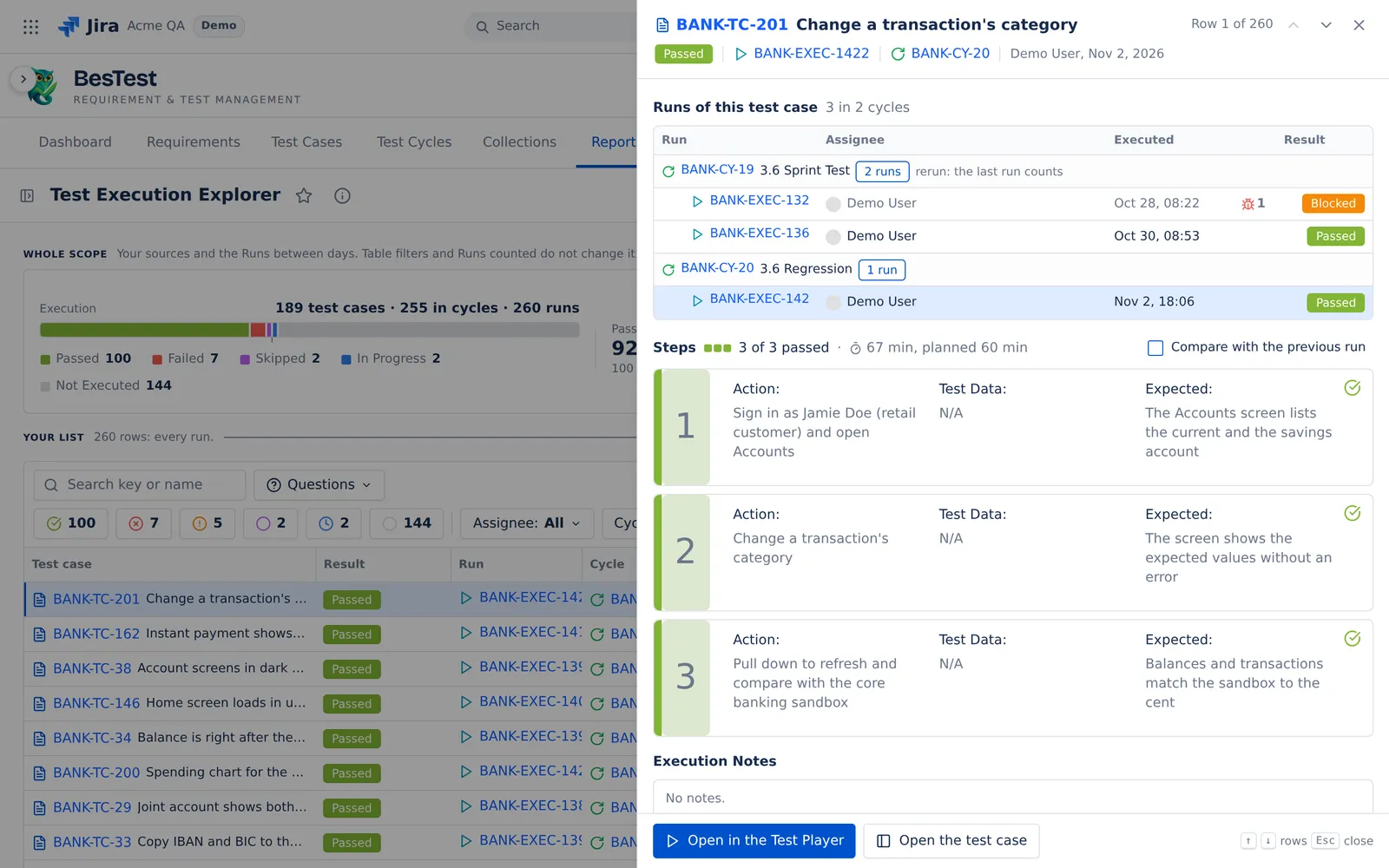
Click a row to open Run details: the steps with their actual results, Execution Notes, Defects and Runs of this test case. Compare with the previous run shows, step by step, what changed against the previous run. Open in the Test Player opens the run.
Print a record to sign
Click Export and pick Print record (PDF). "The record holds exactly the rows of the list, every group open."
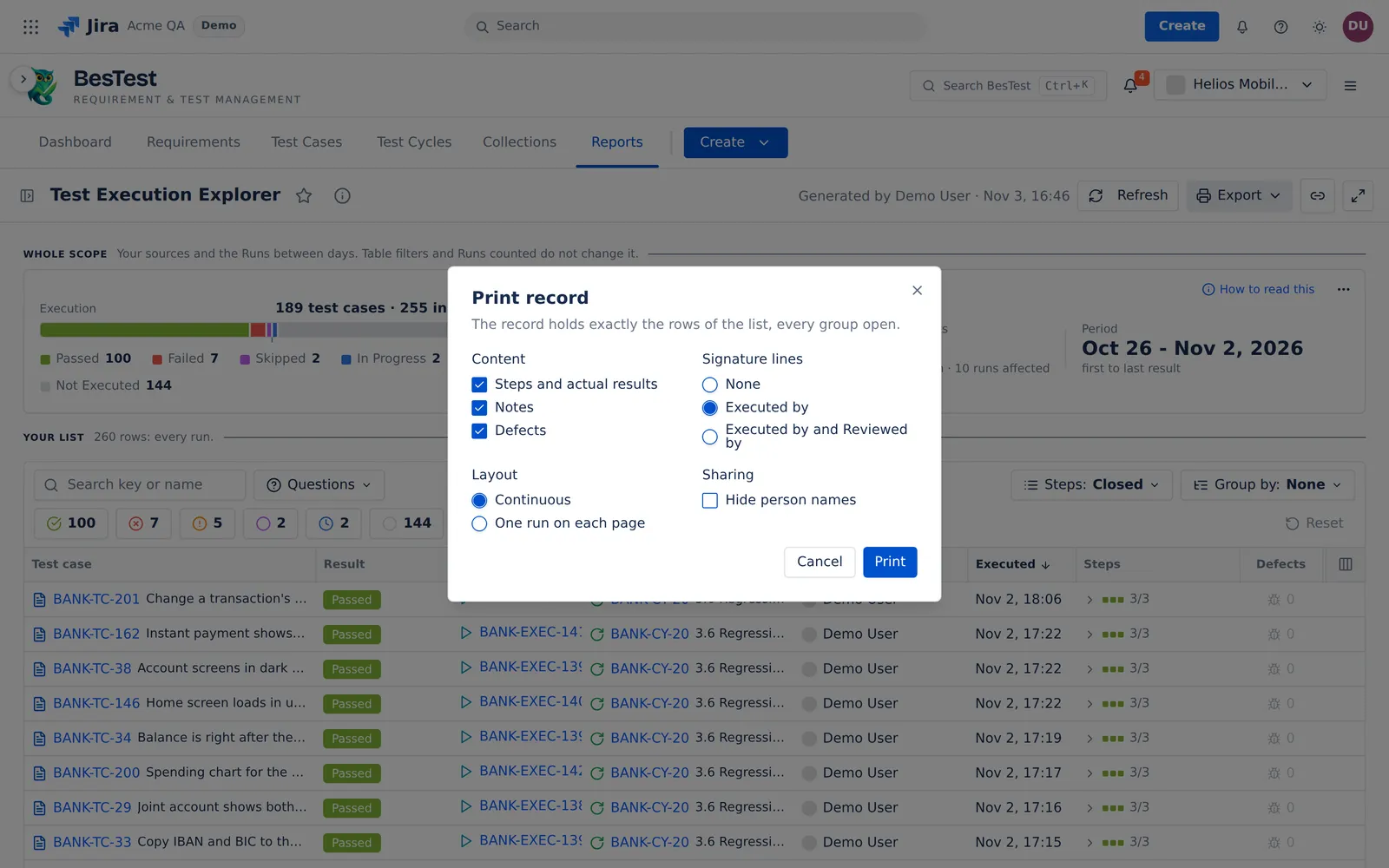
- Content: "Steps and actual results", "Notes" and "Defects".
- Signature lines: "None", "Executed by", or "Executed by and Reviewed by".
- Layout: "Continuous", or "One run on each page".
- Sharing: "Hide person names".
The record is a "Test Execution Record". It states the scope, Runs counted, the filters, the question and the order. With signature lines, it has empty lines for a signature and a date. A person signs the paper by hand. The record has no electronic signature.
Limits and exports
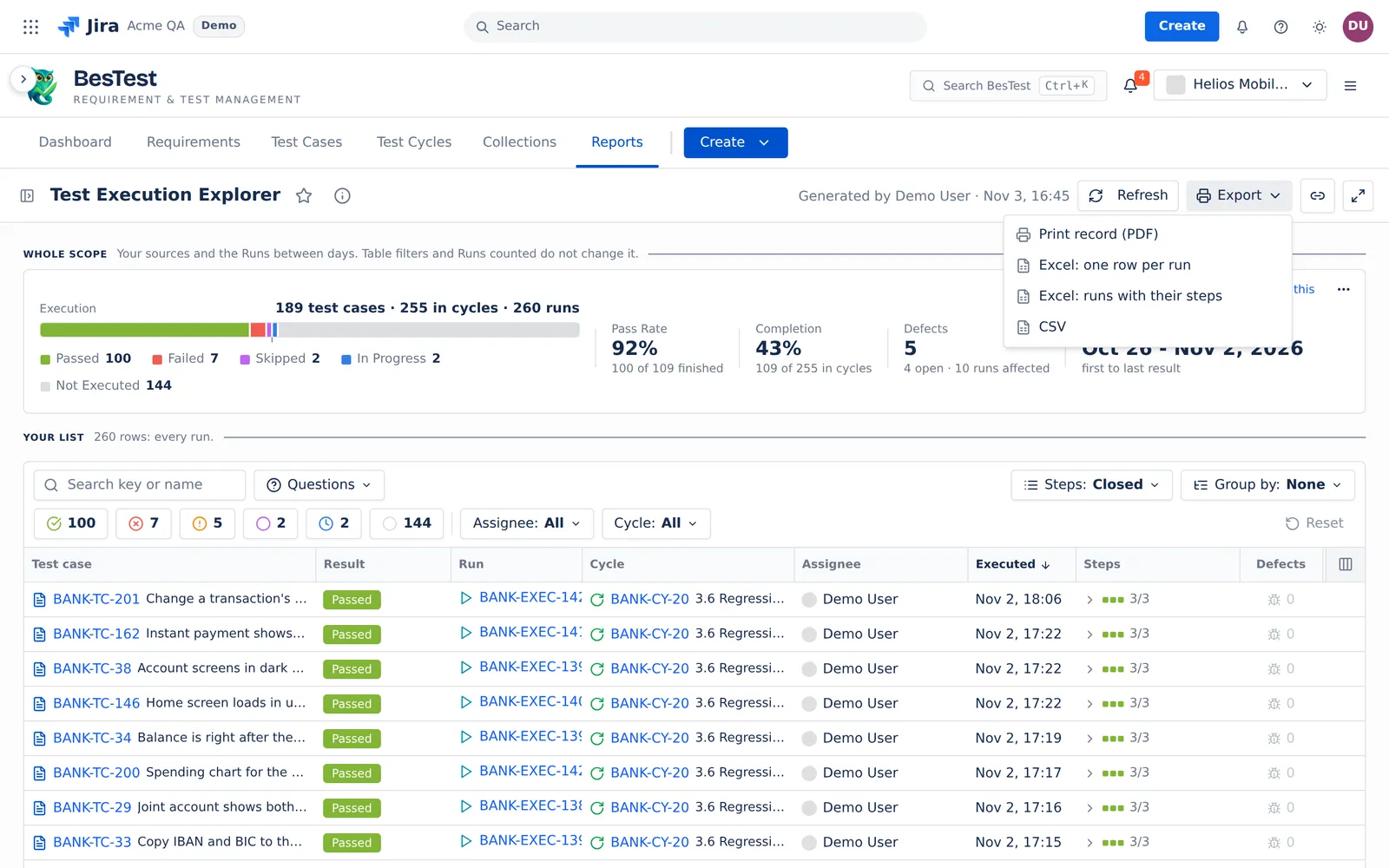
- Export: Print record (PDF), Excel: one row per run, Excel: runs with their steps and CSV.
- A print record or a file holds at most 5,000 runs, or 2,000 runs with their steps. Above that, the item is off before you click it, and says why.
- When Jira does not answer, the defect lines say "Unknown" under "Could not read the defects from Jira." with Retry.
The rules that several reports share are on Rules behind the numbers.