
Traceability Matrix
How to build a requirements traceability matrix in BesTest: pick requirements, choose a layout, read the gaps, print the RTM or export CSV.
On this page
- Questions this report answers
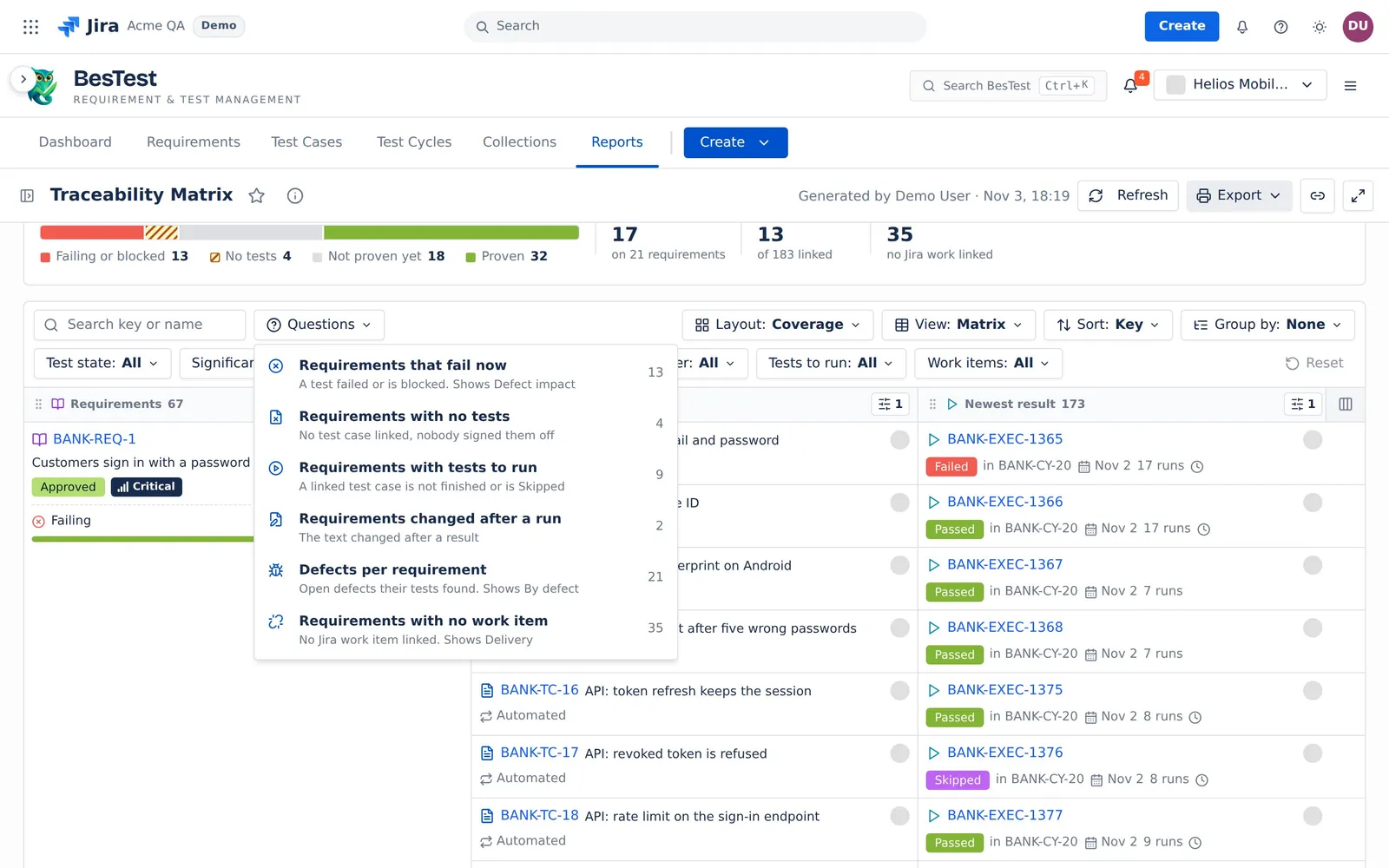
- Requirements that fail now
- Requirements with no tests
- Requirements with tests to run
- Requirements changed after a run
- Defects per requirement
- Requirements with no work item
- How to build an RTM in Jira
- The rows and the test state
- The top line
- Layouts and columns
- The gaps
- Limits and exports
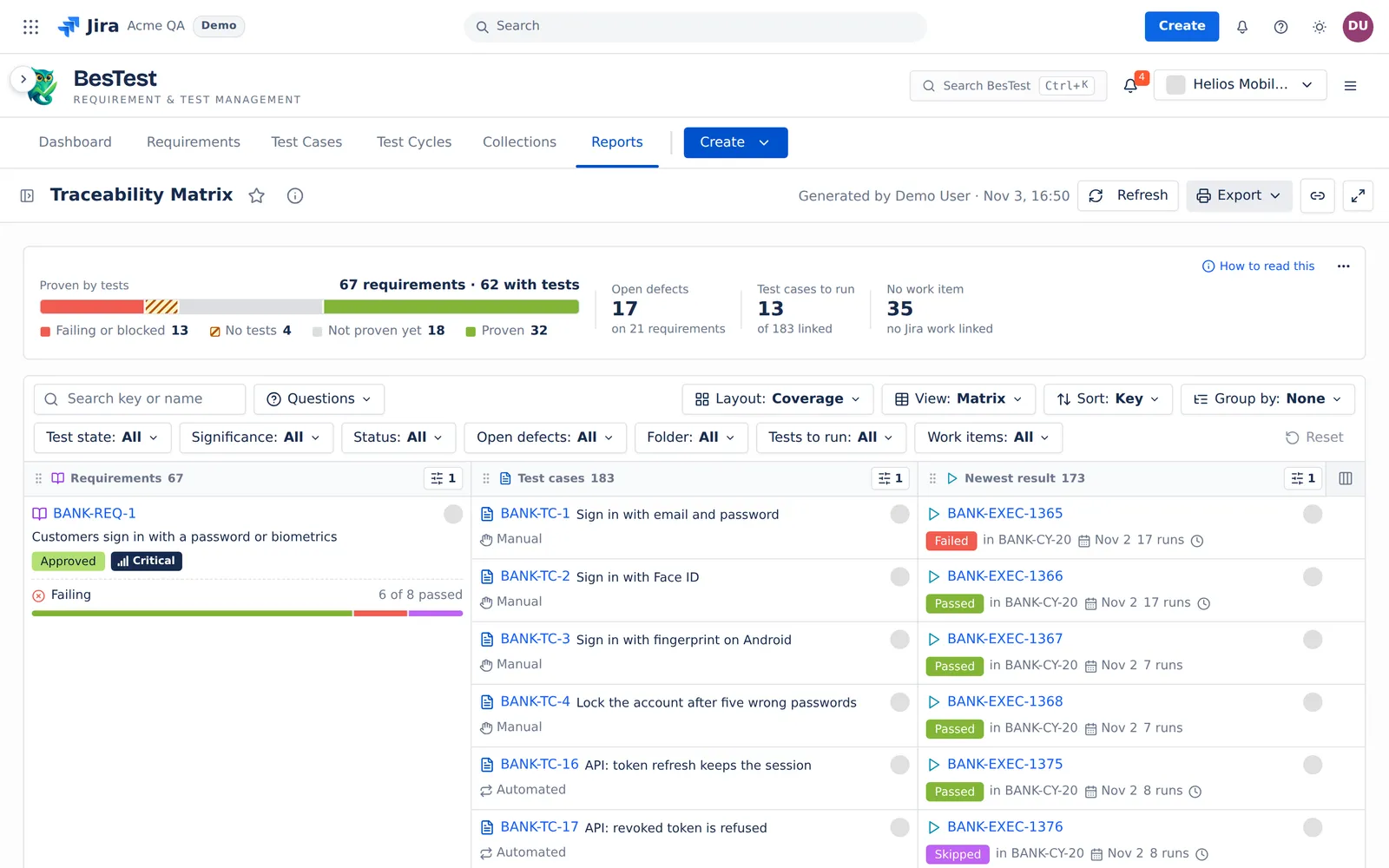
The Traceability Matrix is "the requirements traceability matrix (RTM): trace each requirement to its test cases, their newest results, the defects and the Jira work items." Use it in a review, or print it for an audit. For a tour of the report, see the report page.
Questions this report answers
Open the Questions menu over the matrix. A question sets the filters and the layout that answers it. You can change them after. The counts below are from the Helios demo data.
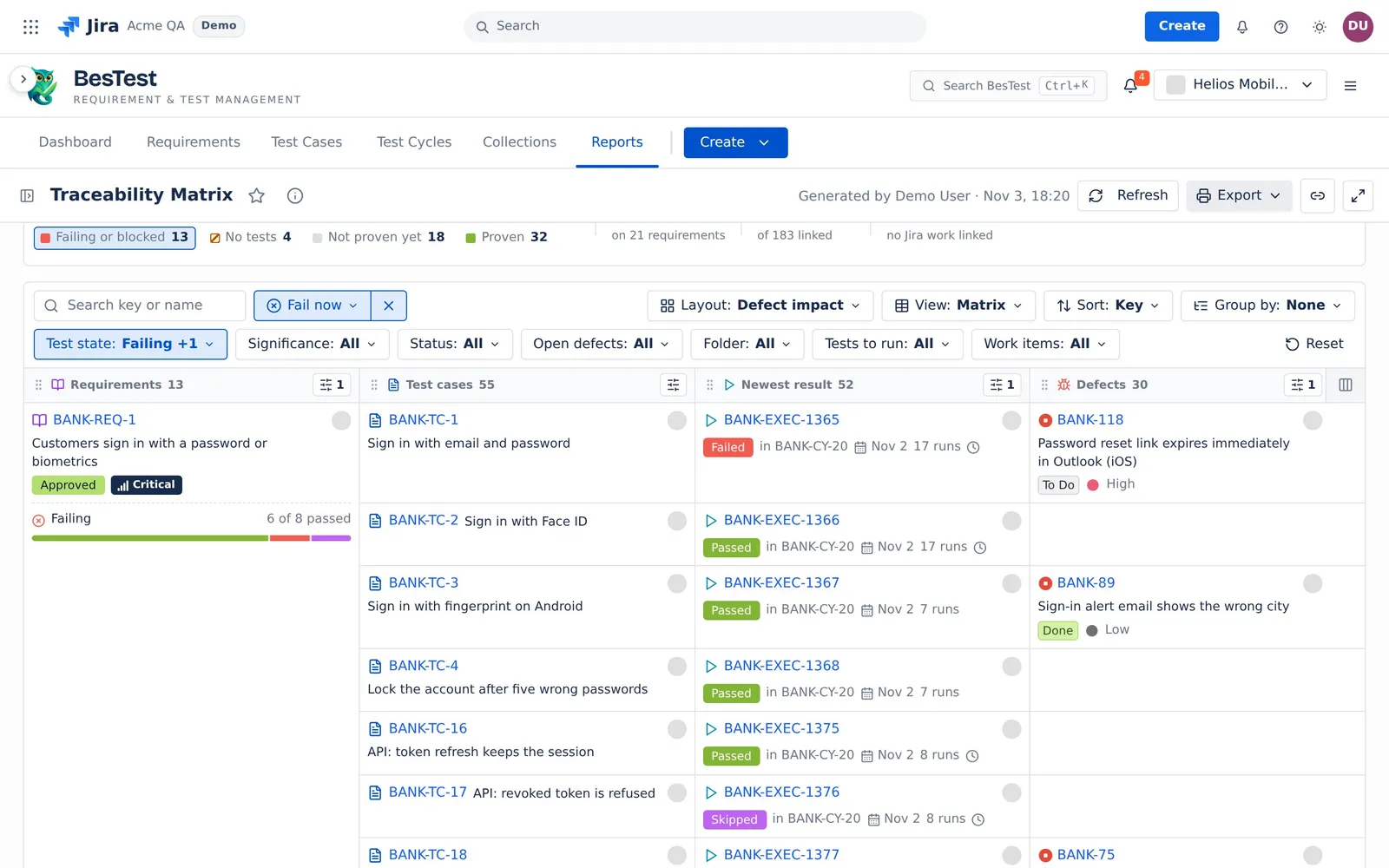
Requirements that fail now
"A test failed or is blocked. Shows Defect impact".
- The question sets:
Test state: Failing, BlockedandLayout: Defect impact. - The rule: the test state of the requirement is Failing or Blocked.
- In the demo data: 13 requirements.
- Then: follow each line to the failed run and its defect.
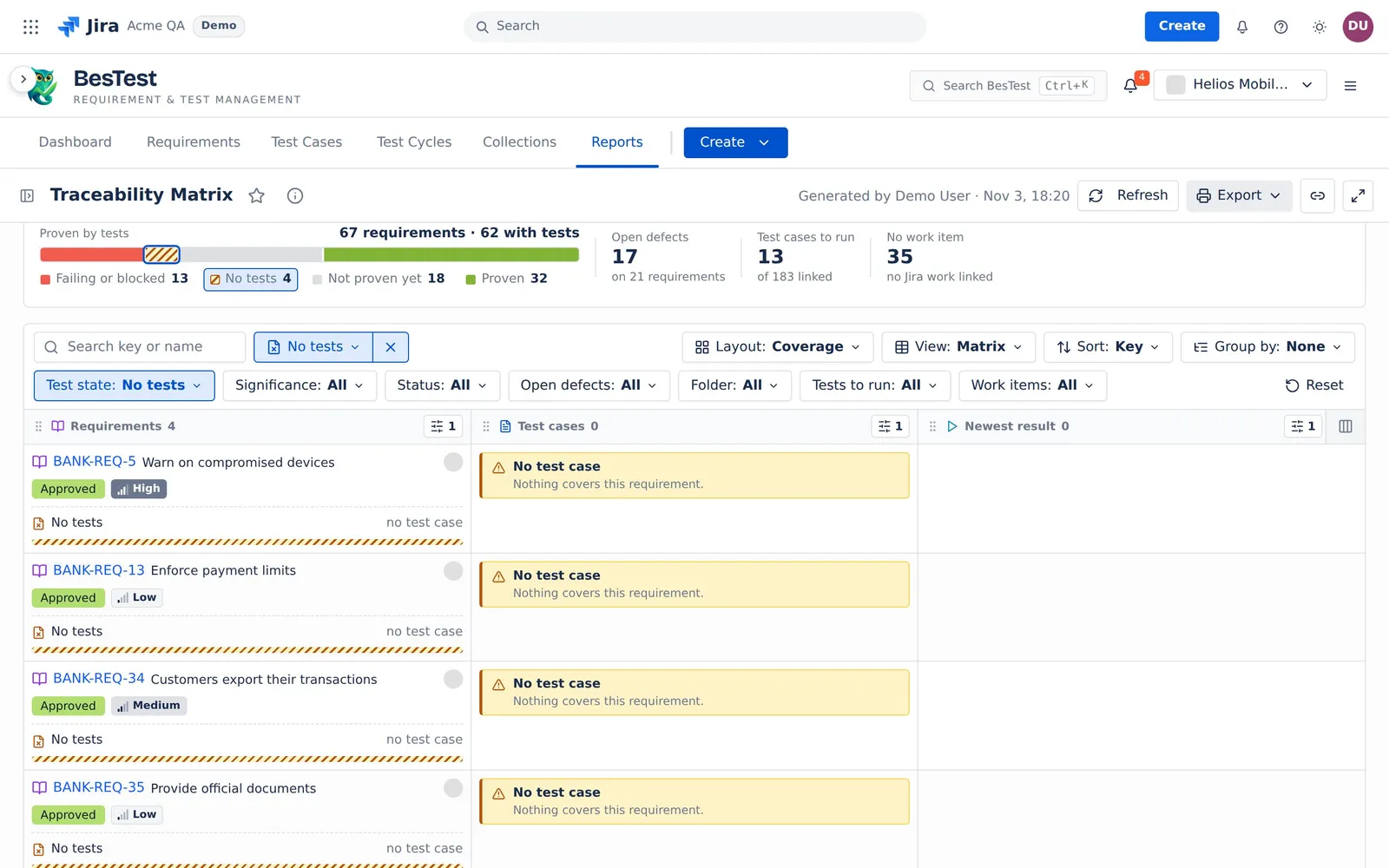
Requirements with no tests
"No test case linked, nobody signed them off".
- The question sets:
Test state: No testsandLayout: Coverage. - The rule: no test case is linked, and no person set the coverage to Covered.
- In the demo data: 4 requirements.
- Then: write test cases and link them.
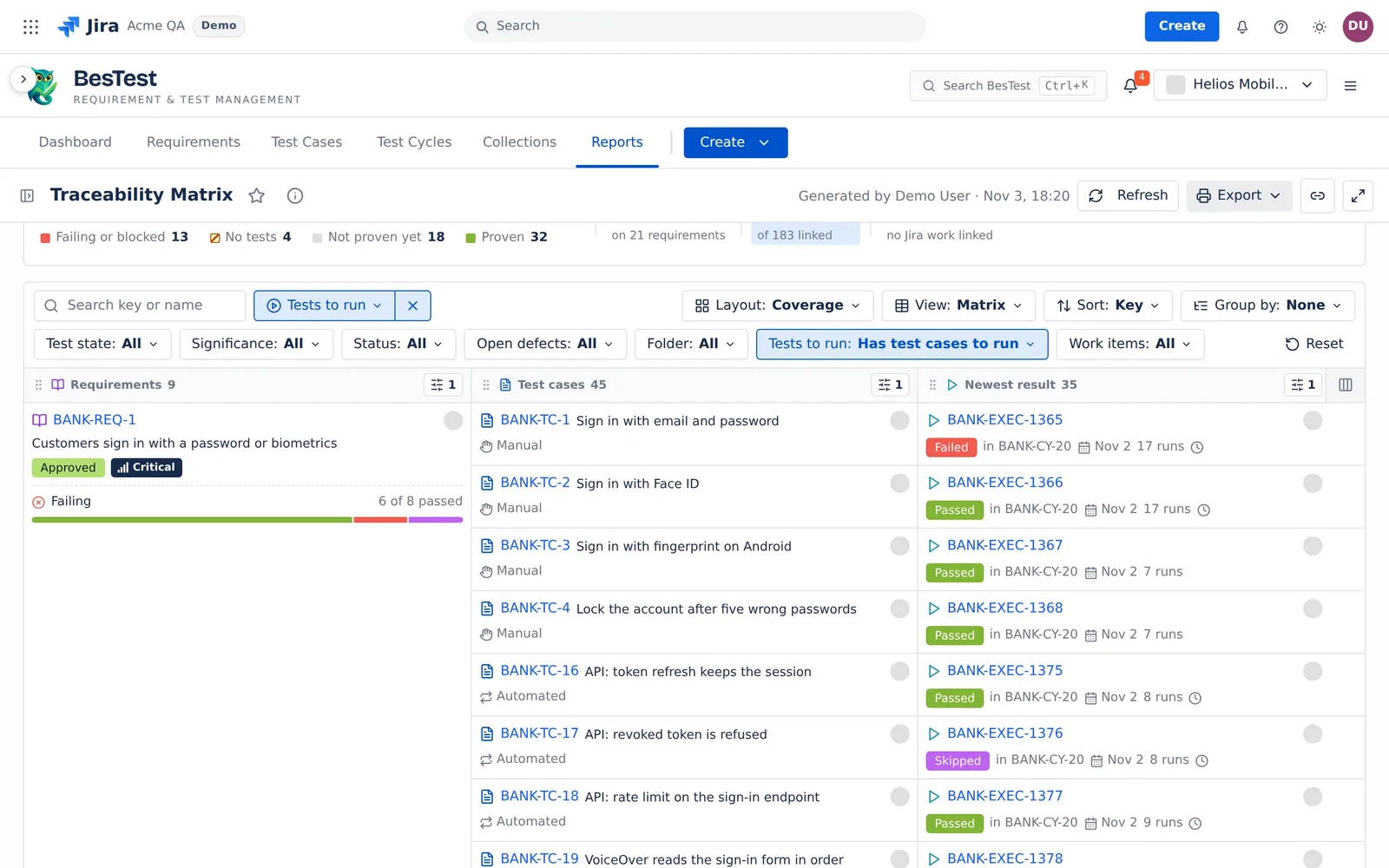
Requirements with tests to run
"A linked test case is not finished or is Skipped".
- The question sets:
Tests to run: Has test cases to runandLayout: Coverage. - The rule: at least one linked test case has no finished result, or its newest result is Skipped, whatever the test state.
- In the demo data: 9 requirements.
- Then: put the test cases in a cycle and run them.
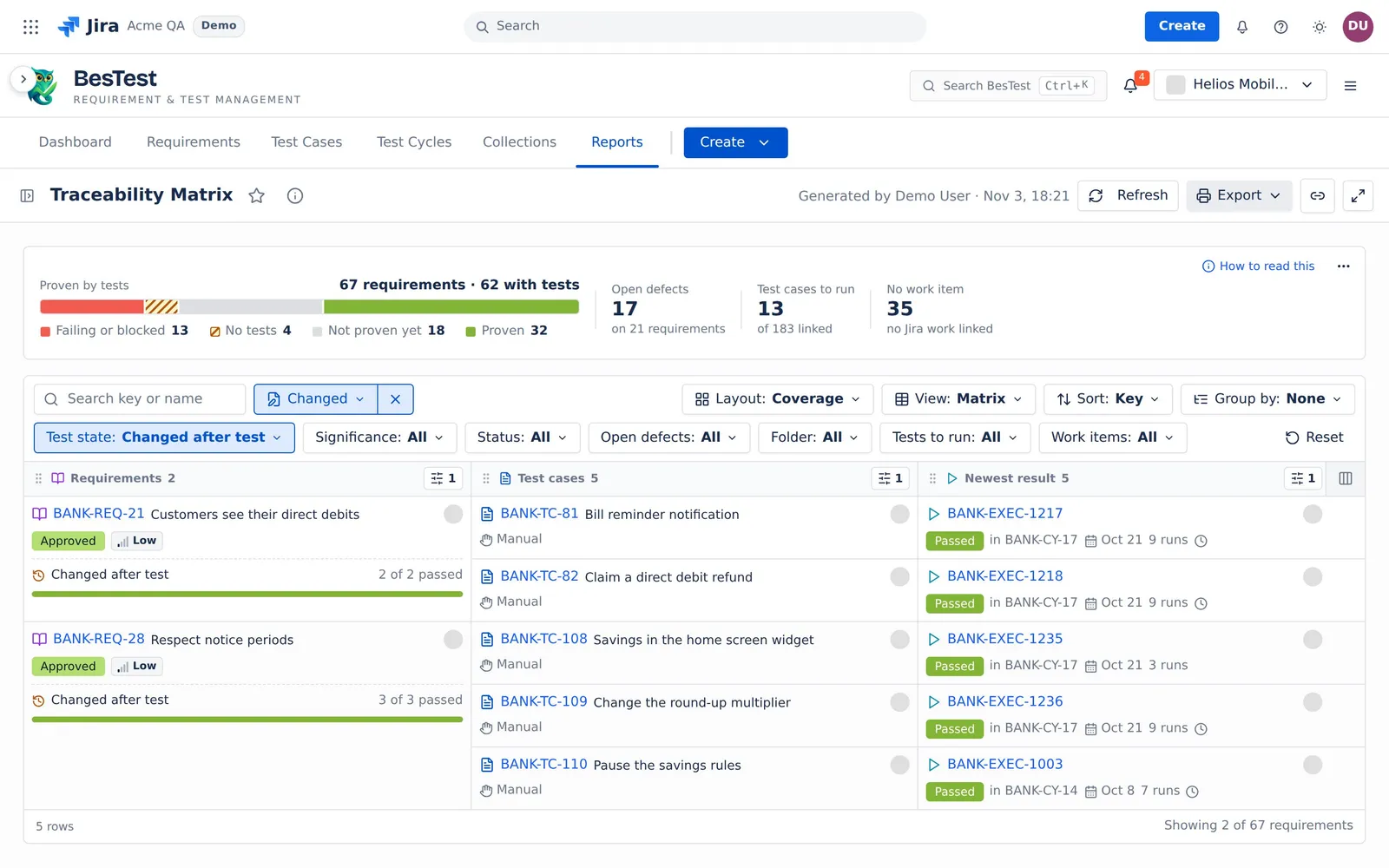
Requirements changed after a run
"The text changed after a result".
- The question sets:
Test state: Changed after testandLayout: Coverage. - The rule: every linked test case has a result, but the requirement text changed after one of them.
- In the demo data: 2 requirements.
- Then: run the test cases again on the new text.
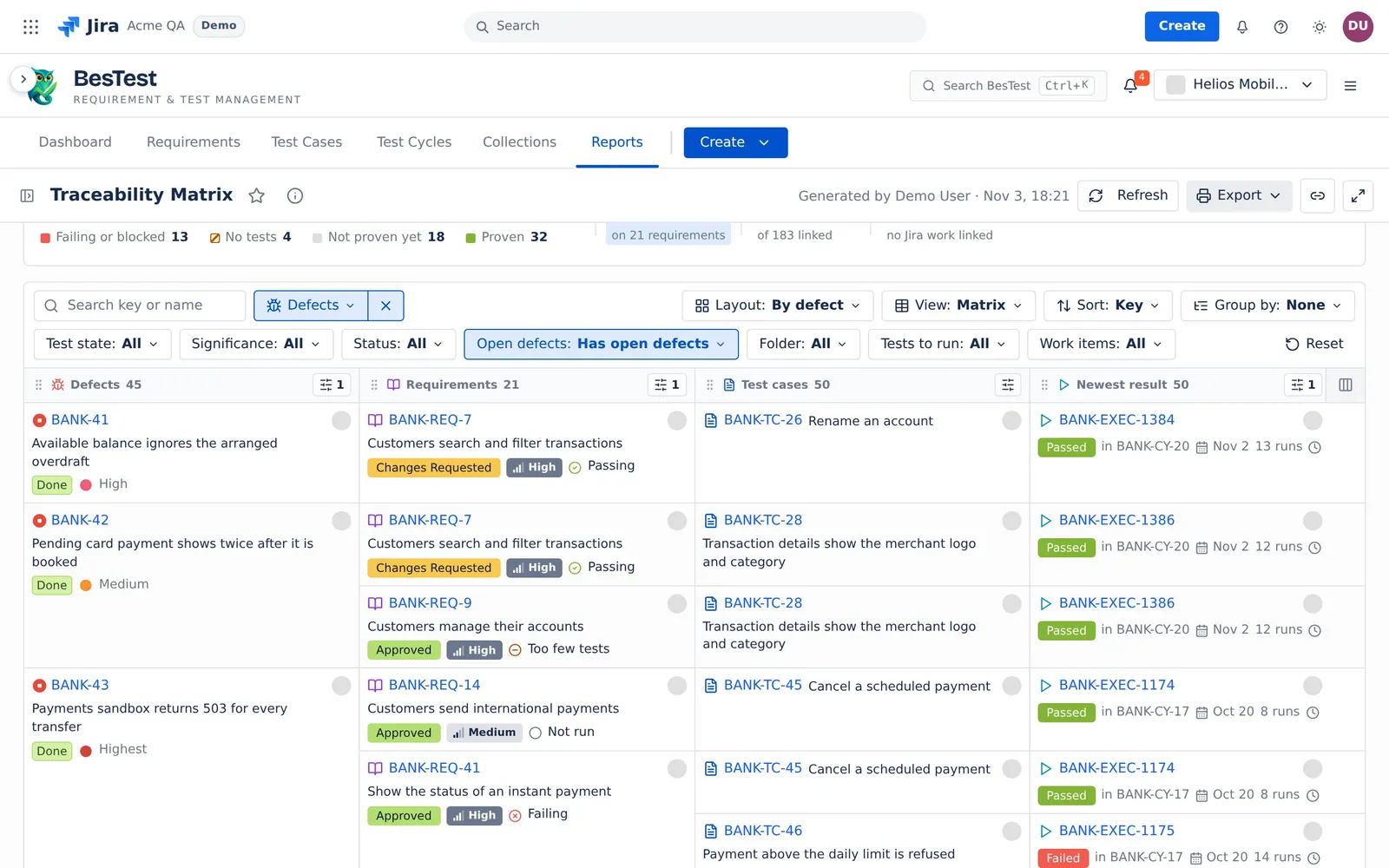
Defects per requirement
"Open defects their tests found. Shows By defect".
- The question sets:
Open defects: Has open defectsandLayout: By defect. - The rule: a run of a linked test case found a defect that is not Done in Jira.
- In the demo data: 21 requirements.
- Then: read each defect and the requirements it hits.
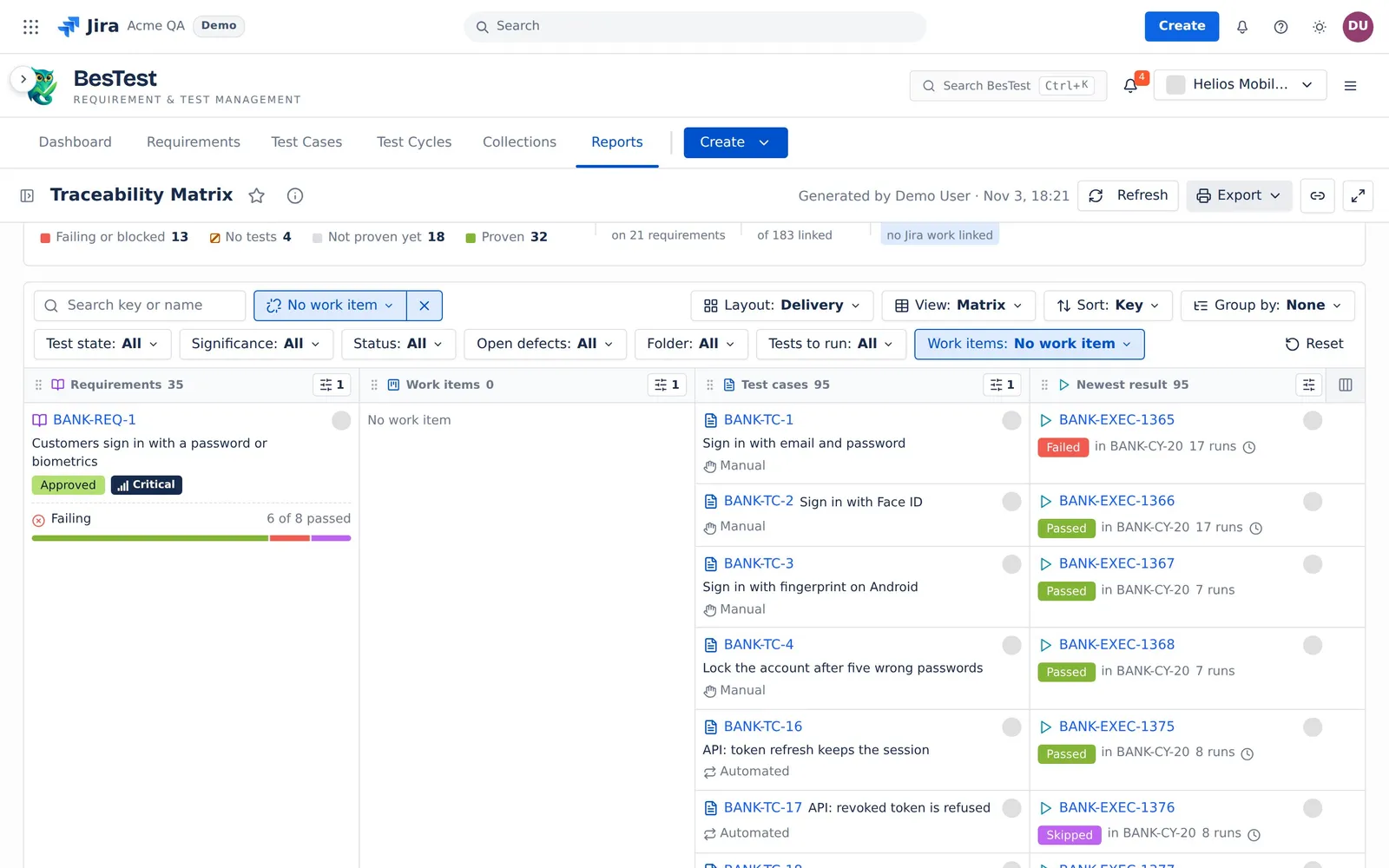
Requirements with no work item
"No Jira work item linked. Shows Delivery".
- The question sets:
Work items: No work itemandLayout: Delivery. - The rule: no Jira work item is linked to the requirement.
- In the demo data: 35 requirements.
- Then: link the Jira work that delivers the requirement.
How to build an RTM in Jira
- Open Reports and pick Traceability Matrix.
- In the sidebar, pick the Requirements: a requirement folder, all requirements with conditions, or Tested in some cycles or campaigns. Or switch Sources to a data set (see Data sets and sources).
- Keep Test results at Every cycle, or pick the cycles or campaigns of the release.
- Pick a Layout, or start from a question.
- Read the gaps. Click a requirement or a test case to see why it has its state.
- Click Export and pick Print (PDF) for the review, or CSV, one row per trace.
The rows and the test state
Only the Requirements card and the filters change which requirements show. The Test results card and the columns never change the rows.
Each linked test case counts its newest finished result in the cycles of the Test results card (every cycle by default). A newer run that has not finished is a clock mark. The test state of each requirement, its coverage and its target are the same as in Requirement Coverage and Risk.
The top line
The top line, "Proven by tests", counts every requirement of the source. The filters and the row limits never change it.
| Figure | What it counts |
|---|---|
| Caption and bar | "<n> requirements · <m> with tests", and the requirements in 4 groups: Failing or blocked, No tests, Not proven yet (Not run, Changed after test, Too few tests) and Proven (Passing, Signed off). |
| Open defects | The open defects that the runs of the linked test cases found. The line under it: "on <n> requirements", or "none from these tests". |
| Test cases to run | The linked test cases with no finished result, or with a newest result of Skipped. The line under it: "of <n> linked". |
| No work item | The requirements with no Jira work item linked. The line under it: "no Jira work linked". |
Click a number to filter the matrix.
Layouts and columns
The columns are Requirements, Work items, Test cases, Cycles, Newest result and Defects. A layout picks the columns and their order:
| Layout | What it shows |
|---|---|
| Coverage | "Is each requirement tested, and did it pass?" |
| Run history | "Every run of each test case, in its cycle." |
| Defect impact | "The defects behind each requirement." |
| Delivery | "The Jira work that delivers each requirement." |
| Full chain | "Every column. For print and export." |
| By work item | "Each Jira work item, and the requirements it delivers." |
| By test case | "Each test case, and the requirements it proves." |
| By defect | "Each defect, and the requirements it hits." |
- Show on the result column: Newest result ("the one that counts") or All runs ("every run in the Test results cycles"). All runs adds rows. It never changes a test state or a number. A finished run that does not count says "older".
- View: Matrix (columns side by side, same cells merge) or Bands (a band per item of the first column).
- Sort: Key, or Worst first ("Failing, then gaps, then proven.").
- Group by: None or Folder.
- On a column header, move the column, hide it, or add fields to each item. A column takes at most 7 added fields.
A cell spans the rows below it only when it and every cell on its left are the same.
The gaps
A yellow box is a gap:
- No test case: "Nothing covers this requirement."
- Not run yet: "No run yet."
- Not run in these cycles: the test case ran, but not in the picked cycles. The box names its newest result elsewhere.
Limits and exports
- More than 20,000 requirements: the report shows no matrix and says why.
- More than 500 requirements after the filters, or more than 3,000 lines: the matrix draws no lines. The top line and the CSV still count every requirement.
- More than 50,000 runs: Newest result still shows. All runs says why it cannot list every run.
- More than 100,000 test case links: the report shows no matrix and says why. Picked cycles: at most 100 (the newest 100).
- When Jira does not answer, the Jira cells say "Unknown" with Retry, and Open defects waits. The report never shows a gap or a zero in their place.
- Export: Print (PDF), and CSV, one row per trace (at most 20,000 rows).
The rules that several reports share are on Rules behind the numbers.